
Are you ready to make mealtime easier and more delicious with your smart slow cooker? You probably already know it’s a fantastic kitchen helper, but are you using it to its full potential?
Imagine coming home to a perfectly cooked meal without any guesswork or last-minute stress. You’ll discover simple and effective tips to use your smart slow cooker more efficiently. These tricks will save you time, boost flavor, and help you get the most out of this amazing appliance.
Keep reading—you’re about to unlock the secrets to smarter, tastier slow cooking!
Choosing The Right Smart Slow Cooker
Smart slow cookers make cooking easier with timers and remote controls. Picking the right one helps you cook better meals.
Think about your kitchen needs before buying. Size, features, and app compatibility are key points to consider.
Size And Capacity
Choose a size that fits your family and cooking habits. Small slow cookers are good for singles or couples.
Larger cookers work well for families or meal prepping. Consider the space in your kitchen too.
- 2 to 4 quarts for small meals
- 5 to 7 quarts for medium-sized families
- 8 quarts or more for large groups
Essential Features
Look for features that make cooking simpler and safer. Automatic shut-off and keep-warm settings are helpful.
Some cookers offer multiple cooking modes and temperature controls. These add flexibility for different recipes.
- Timer with automatic shut-off
- Keep-warm function
- Multiple heat settings
- Dishwasher-safe parts for easy cleaning
App Compatibility
Smart slow cookers connect to apps on your phone. Check if the app works with your device and is easy to use.
Apps let you control cooking remotely and set timers. Look for apps with good reviews and simple controls.
- Works with iOS and Android devices
- Allows remote control and monitoring
- Includes recipe guides or cooking tips
- Offers alerts and notifications
Prepping Ingredients For Optimal Flavor
Using a smart slow cooker can save time and make meals taste great. Preparing ingredients well helps unlock better flavors.
Simple steps like picking fresh produce and seasoning properly make a big difference. These tips improve your slow cooker dishes.
Selecting Fresh Produce
Fresh vegetables and fruits add bright flavor and texture to slow cooker meals. Choose firm, ripe produce without bruises or spots.
Wash and chop ingredients just before cooking. Cut pieces evenly to ensure they cook at the same speed and taste balanced.
- Pick seasonal vegetables for better taste
- Use root vegetables for long cooking times
- Avoid overripe produce to prevent mushiness
Spice And Herb Combinations
Spices and herbs add depth to slow-cooked meals. Blend flavors that complement each other for the best results.
Add dried spices early in the cooking process. Fresh herbs work best near the end to keep their bright taste.
- Combine garlic, rosemary, and thyme for meat dishes
- Use cumin, chili powder, and paprika for bold flavors
- Add fresh parsley or cilantro just before serving
Meat And Protein Preparation
Prepare meat properly to keep it tender and flavorful. Trim excess fat and cut into uniform pieces for even cooking.
Brown meat before adding to the slow cooker to improve taste. Season with salt and spices to enhance the natural flavor.
- Trim fat to avoid greasy dishes
- Cut meat into similar sizes for even cooking
- Brown meat in a pan for richer flavor
- Season meat before slow cooking
Setting The Ideal Cooking Time
Setting the right cooking time is key to using a smart slow cooker well. It helps make your food tender and tasty.
Smart slow cookers let you control cooking times easily. This lets you cook different meals with good results.
Adjusting For Recipe Types
Different recipes need different cooking times. Some foods cook fast, others take more time to soften.
Meats usually need longer cooking times. Vegetables and soups may cook faster. Adjust the time based on the recipe.
- Stews and roasts: use longer cooking times
- Vegetable dishes: shorter cooking times work well
- Soups: moderate cooking times keep flavors balanced
Using Delay Start Features
Delay start lets you set the cooker to begin later. This is good if you want food ready at a specific time.
Use delay start to save energy and keep food fresh. Make sure to use it safely to avoid food sitting too long before cooking.
- Set delay start so food cooks just before mealtime
- Keep raw ingredients refrigerated until cooking begins
- Check your slow cooker’s safety guidelines for delay use
Understanding High Vs. Low Settings
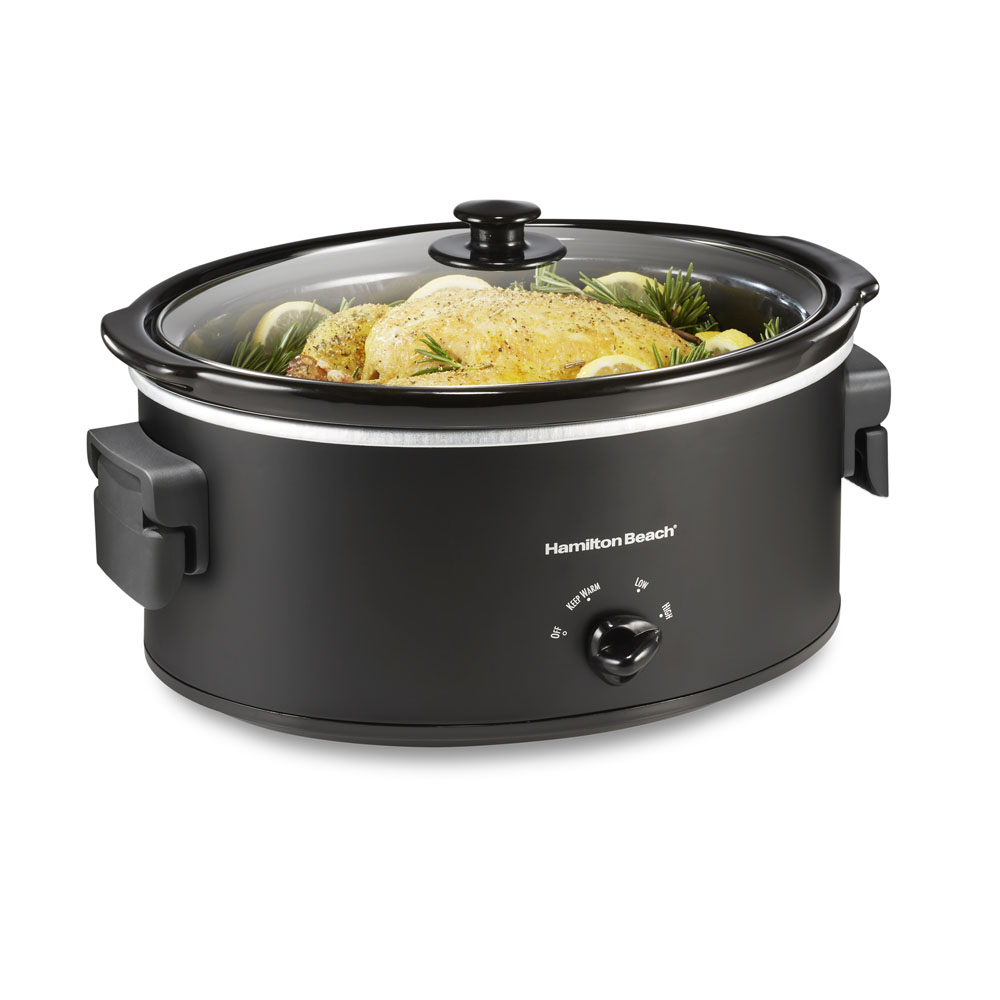
Smart slow cookers have high and low heat settings. Each setting changes how fast the food cooks.
Low heat cooks food gently over a longer time. High heat cooks faster but needs more attention to avoid overcooking.
- Low setting: best for tender meats and long cooking
- High setting: good for quick meals or tougher cuts
- Follow recipe advice for choosing the right setting
Credit: hamiltonbeach.com
Enhancing Flavors With Smart Features
Smart slow cookers use technology to improve how food tastes. They offer precise control over cooking settings.
These features help you cook meals that are rich and full of flavor. You can easily customize the cooking process.
Utilizing Temperature Probes
Temperature probes measure the inside heat of your food. This helps prevent overcooking or undercooking.
By using the probe, the cooker adjusts heat automatically. This keeps the food at the best temperature for flavor.
- Ensure the probe touches the thickest part of meat
- Set your desired internal temperature for perfect doneness
- Check the temperature alerts to know when food is ready
Incorporating Stirring Functions
Some smart cookers have built-in stirring features. These stir the food gently while cooking.
Stirring helps mix flavors evenly and stops food from sticking. It improves the texture and taste of dishes.
- Use stirring to keep thick sauces smooth
- Set stirring intervals based on recipe needs
- Combine stirring with slow heat for rich flavors
Taking Advantage Of Wi-fi Controls
Wi-Fi lets you control your slow cooker from anywhere. You can adjust settings using your phone or tablet.
This feature allows you to start or stop cooking remotely. You can also monitor progress and receive alerts.
- Preheat your cooker before you arrive home
- Change cooking time if plans change
- Get notifications when food is ready to serve
Time-saving Tips And Tricks
Smart slow cookers help save time by cooking meals with little effort. Using them well can make your cooking faster and easier.
These tips focus on ways to save time while using smart slow cookers. You can prepare food ahead and clean up quickly.
Batch Cooking Strategies
Batch cooking means making large amounts of food at once. You can store leftovers for later meals, saving time on busy days.
Use your slow cooker to prepare big recipes like soups, stews, or chili. Divide the food into portions and freeze or refrigerate them.
- Cook large meals in the slow cooker
- Portion meals into containers
- Freeze or refrigerate for future use
- Reheat quickly when needed
Prepping Ingredients In Advance
Prepare ingredients before cooking to save time on the day you use the slow cooker. Chop vegetables and measure spices ahead.
Store prepped ingredients in the fridge or freezer. This makes it easy to start cooking without extra work later.
- Chop vegetables and fruits early
- Measure herbs and spices in small containers
- Freeze meat or beans if needed
- Combine dry ingredients in bags
Efficient Cleanup Methods
Cleaning your slow cooker can take time. Use liners or non-stick spray to reduce mess and make cleanup quick.
Wash parts right after use or soak them to avoid stuck-on food. This saves effort and keeps your cooker ready.
- Use slow cooker liners for easy cleanup
- Spray the pot with non-stick spray before cooking
- Soak the pot soon after use
- Wash removable parts in warm soapy water

Credit: www.independent.co.uk
Troubleshooting Common Issues
Smart slow cookers make cooking easy and convenient. Yet, sometimes they can have small problems. Knowing how to fix these can save time and stress.
This guide covers common issues with smart slow cookers. Learn how to avoid overcooked meals, handle power failures, and keep your appliance working well.
Avoiding Overcooked Meals
Overcooked food can happen if cooking times are too long or settings are wrong. Smart slow cookers have timers, but sometimes they may not work as expected.
Check your cooker’s settings carefully before starting. Use the “keep warm” feature after cooking to avoid extra cooking time. Stir food if the recipe allows to cook evenly.
- Set the correct cooking time for your recipe
- Use the timer feature to avoid extra cooking
- Switch to “keep warm” when cooking ends
- Stir food during cooking if possible
- Check food texture near the end of cooking
Dealing With Power Failures
Power outages can stop your slow cooker and ruin meals. Some smart slow cookers save settings during power loss, but not all do.
If power goes out, avoid opening the lid too often. This helps keep heat inside. When power returns, check if the cooker has restarted or if you need to reset the cooking time.
- Keep the lid closed during power loss
- Check if your cooker saves settings after outage
- Reset cooking time if needed after power returns
- Consider using a power backup for long outages
Maintaining Appliance Longevity
Taking care of your smart slow cooker helps it last longer. Clean it regularly and follow manufacturer instructions.
Avoid using metal tools inside the cooking pot. Check the power cord and plug for damage. Store the cooker in a dry place when not in use.
- Clean the pot and lid after each use
- Use only silicone or wooden utensils
- Inspect power cord for damage regularly
- Store the cooker in a dry, safe place
- Follow all care instructions from the manual

Credit: m.youtube.com
Frequently Asked Questions
How Do Smart Slow Cookers Save Time In Cooking?
Smart slow cookers allow remote control via apps. You can adjust settings without being in the kitchen. This feature saves time by letting you multitask efficiently. It also prevents overcooking, ensuring meals are ready when you want.
What Are The Best Tips For Slow Cooker Meal Prep?
Use fresh, quality ingredients for better flavor. Chop vegetables evenly for uniform cooking. Layer ingredients properly, placing denser items at the bottom. Avoid overfilling to allow heat circulation. Set the cooker to the right temperature for best results.
Can Smart Slow Cookers Improve Energy Efficiency?
Yes, smart slow cookers use precise temperature controls. They maintain consistent heat, reducing energy waste. Programmable timers prevent unnecessary power use. This leads to lower electricity bills and a greener kitchen.
How Do I Prevent Overcooking With Smart Slow Cookers?
Use the timer and app alerts to monitor cooking. Choose recipes with appropriate cook times. Avoid lifting the lid frequently, which lowers temperature. Smart cookers adjust heat automatically to prevent overcooking.
Conclusion
Smart slow cookers save time and make cooking simple. Use settings wisely to cook food perfectly. Always prepare ingredients before starting the cooker. Keep the lid closed to keep heat inside. Clean the cooker after each use for best results.
With these tips, enjoy tasty meals with less effort. Cooking becomes easy and stress-free. Try these ideas and see the difference. Your kitchen routine will feel smoother and more fun.