
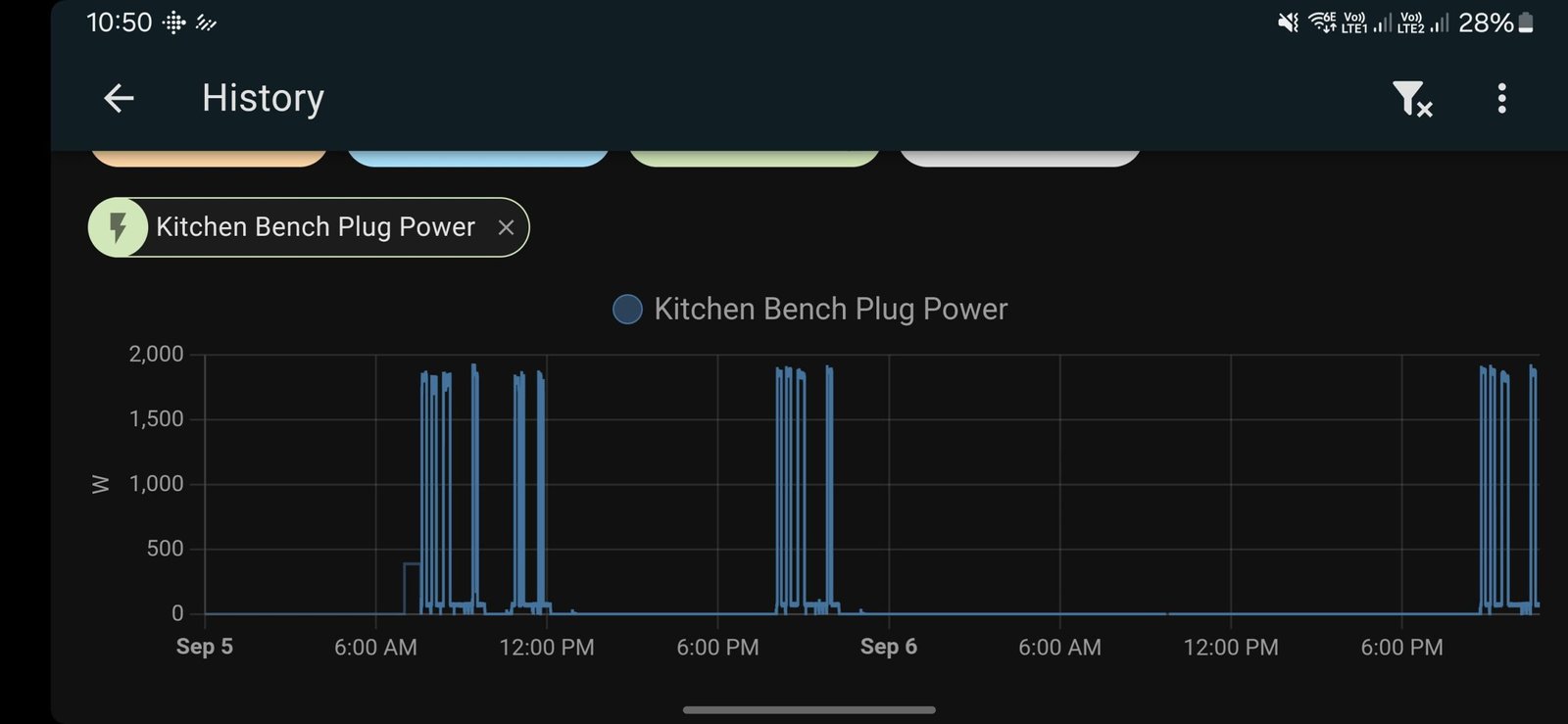
Imagine being able to check on your dishwasher from anywhere, making sure your dishes are clean without interrupting your day. Sounds convenient, right?
If you have a smart dishwasher, you already have this power at your fingertips. But how do you make sure you’re using it to its fullest potential? You’ll discover simple tips to monitor your smart dishwasher remotely. These easy tricks will help you save time, avoid problems, and keep your kitchen running smoothly.
Keep reading, and you’ll never worry about your dishwasher again.
Choosing The Right Smart Dishwasher
Smart dishwashers let you control and check your dishes from anywhere. Picking the right one makes monitoring easier and more reliable.
It is important to find a dishwasher that fits your needs and home setup. This helps you save time and avoid problems.
Key Features To Consider
Look for features that help you track and control your dishwasher remotely. These make your life simpler and keep your dishes clean.
- Wi-Fi connectivity for easy remote access
- App alerts for cycle status and issues
- Energy-saving modes to reduce power use
- Custom wash cycles for different dish types
- Easy-to-read displays for quick info
These features help you know what your dishwasher is doing without being near it. They also save water and energy.
Compatibility With Home Systems
Make sure the dishwasher works with your other smart home devices. This gives you better control and convenience.
Check if it connects with popular voice assistants or home hubs. This lets you use voice commands or central apps.
- Supports Amazon Alexa or Google Assistant
- Works with Apple HomeKit for iOS users
- Compatible with smart plugs and sensors
- Connects to home Wi-Fi network easily
- Offers updates to improve features over time
Setting Up Remote Access
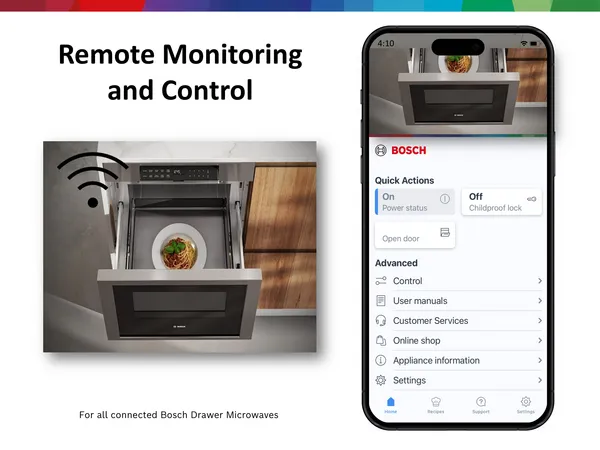
Remote access lets you control your smart dishwasher from anywhere. Setting it up is easy and helps you monitor cycles on the go.
Follow simple steps to connect your dishwasher to Wi-Fi, install the app, and keep your connection safe.
Connecting To Wi-fi
First, connect your dishwasher to your home Wi-Fi network. This allows it to send and receive data remotely.
Use your dishwasher’s control panel to find the Wi-Fi settings. Select your home network and enter the password carefully.
- Check your Wi-Fi signal strength near the dishwasher
- Use a 2.4 GHz network if your dishwasher does not support 5 GHz
- Keep your router password private
Installing The Mobile App
Download the dishwasher’s official mobile app on your smartphone. This app lets you monitor and control your dishwasher remotely.
Sign in using your account or create one. Then, follow the app instructions to add your dishwasher to the device list.
- Make sure your phone is connected to the same Wi-Fi during setup
- Allow app permissions for notifications and network access
- Update the app regularly for new features and fixes
Ensuring Secure Connections
Keep your remote connection safe to protect your data and dishwasher settings. Use strong passwords and secure networks.
Enable two-factor authentication in the app if available. Avoid using public Wi-Fi when controlling your dishwasher remotely.
- Change default passwords on your devices
- Update your router firmware regularly
- Use encryption like WPA3 on your Wi-Fi
- Log out from the app after use on shared devices
Utilizing App Notifications
Smart dishwashers send notifications through apps to keep users informed. These alerts help you track the dishwasher’s status from anywhere.
Using app notifications, you can save time and avoid problems by reacting quickly to updates about your dishwasher.
Customizing Alerts
You can set your app to send only the alerts you want. This reduces unwanted notifications and helps you focus on important updates.
Choose alerts for cycle completion, errors, or maintenance needs. Custom alerts keep you informed without distraction.
- Turn on alerts for cycle start and end times
- Receive warnings for low detergent or rinse aid
- Get notifications if the door is left open
- Set reminders for regular cleaning or filter checks
Managing Wash Cycles Remotely
Apps let you start, pause, or stop wash cycles from your phone. This control adds convenience and flexibility to your routine.
You can choose the right wash cycle based on the dishes’ condition without being near the dishwasher.
- Select quick wash for light loads
- Choose heavy wash for pots and pans
- Pause or cancel cycles if needed
- Check cycle progress anytime
Energy Efficiency Tracking
Smart dishwashers help you save energy by tracking how much power they use. They send data to your phone or computer for easy monitoring.
Tracking energy use helps you spot times when the dishwasher uses more power. This information can lower your electric bills.
Analyzing Usage Patterns
Look at when and how often the dishwasher runs. This helps find habits that waste energy.
Some smart dishwashers show reports of daily or weekly use. Check these reports to see if you run it too often or at bad times.
- Check if you run the dishwasher during peak electricity hours
- See if partial loads use nearly as much power as full loads
- Identify if you run multiple cycles unnecessarily
Optimizing Performance
Use the data to set better schedules for your dishwasher. Running it at off-peak hours can save energy.
Keep the dishwasher clean and maintain it well. Good care helps it work efficiently and use less power.
- Run full loads to reduce the number of cycles
- Use eco or energy-saving modes if available
- Regularly clean filters and spray arms for better washing
- Schedule cycles for times when electricity is cheaper
Troubleshooting Common Issues
Smart dishwashers can be controlled remotely for convenience. Sometimes, they face common problems.
Knowing how to fix these issues helps keep your dishwasher working well.
Dealing With Connectivity Problems
Connection issues are common with smart dishwashers. They may lose Wi-Fi signal or fail to sync.
Check your internet and router first. Make sure the dishwasher is close enough to the Wi-Fi source.
- Restart your router to refresh the network.
- Move the dishwasher closer to the router if possible.
- Check if other devices connect to the Wi-Fi properly.
- Update the dishwasher’s app and firmware regularly.
- Remove any interference from other electronic devices nearby.
Resetting The System
Resetting the dishwasher can fix many problems. It clears errors and restores default settings.
Follow the manufacturer’s instructions to reset safely. Usually, this involves pressing specific buttons.
- Turn off the dishwasher and unplug it.
- Wait about one minute before plugging it back in.
- Press and hold the reset or start button for a few seconds.
- Wait for the dishwasher to restart and test the connection again.
Credit: www.bosch-home.com
Enhancing Security Measures
Smart dishwashers connect to your home network. This makes them easy to control from anywhere.
But this connection can also create security risks. Taking steps to protect your dishwasher is important.
Updating Firmware Regularly
Firmware controls how your smart dishwasher works. Updates fix bugs and close security holes.
Check for updates often. Install them as soon as they are available to keep your device safe.
- Look for update notifications in the dishwasher app
- Enable automatic updates if possible
- Restart the dishwasher after updating
- Keep your phone or tablet updated too
Securing Network Access
Your home Wi-Fi connects your dishwasher to the internet. Protect this network to stop hackers.
Use strong passwords and limit who can access your network. This keeps your dishwasher and data safe.
- Choose a Wi-Fi password with letters, numbers, and symbols
- Change the default router password
- Use WPA3 or WPA2 security on your Wi-Fi
- Turn off guest networks when not needed
- Keep your router’s firmware up to date
Maximizing Dishwasher Lifespan
Smart dishwashers are useful for saving time and energy. Monitoring them remotely helps keep them working well.
Simple care and regular checks can make your dishwasher last longer. Follow these tips to protect your investment.
Routine Maintenance Tips
Check your dishwasher often to catch small problems early. Use the remote app to see error messages and alerts.
Inspect the spray arms and filters regularly. Clear any food or debris to keep water flowing well.
- Run a cleaning cycle every month
- Check hoses for cracks or leaks
- Update the software via the app
- Reset error codes promptly
Cleaning And Care Practices
Cleaning your dishwasher inside and out keeps it safe from damage. Use gentle cleaners and soft cloths.
Remove and clean the filter often. Wipe seals and door edges to stop mold and buildup.
- Use dishwasher-safe cleaning products
- Do not overload the dishwasher
- Leave the door open after use to dry
- Clean the detergent dispenser regularly
Credit: www.bosch-home.com

Credit: www.reddit.com
Frequently Asked Questions
How Do Smart Dishwashers Connect For Remote Monitoring?
Smart dishwashers connect via Wi-Fi or Bluetooth. This allows you to monitor and control them through a smartphone app anywhere.
What Features Help In Remote Dishwasher Monitoring?
Remote monitoring features include cycle status alerts, water usage tracking, and maintenance reminders. These improve convenience and efficiency.
Can I Control Dishwasher Settings Remotely?
Yes, you can start, pause, or change wash cycles remotely. This flexibility saves time and optimizes cleaning based on your needs.
Are Remote Dishwasher Alerts Reliable?
Yes, alerts for cycle completion or issues are timely and accurate. They help prevent overuse and detect problems early.
Conclusion
Remote monitoring keeps your smart dishwasher running smoothly. Check alerts often to catch issues early. Use the app to track cycles and water use. Stay updated on maintenance needs to avoid bigger problems. Remote control saves time and effort daily.
Small steps help protect your dishwasher and home. Keep these tips in mind for easy, stress-free monitoring. Simple actions lead to better appliance care and peace of mind.