
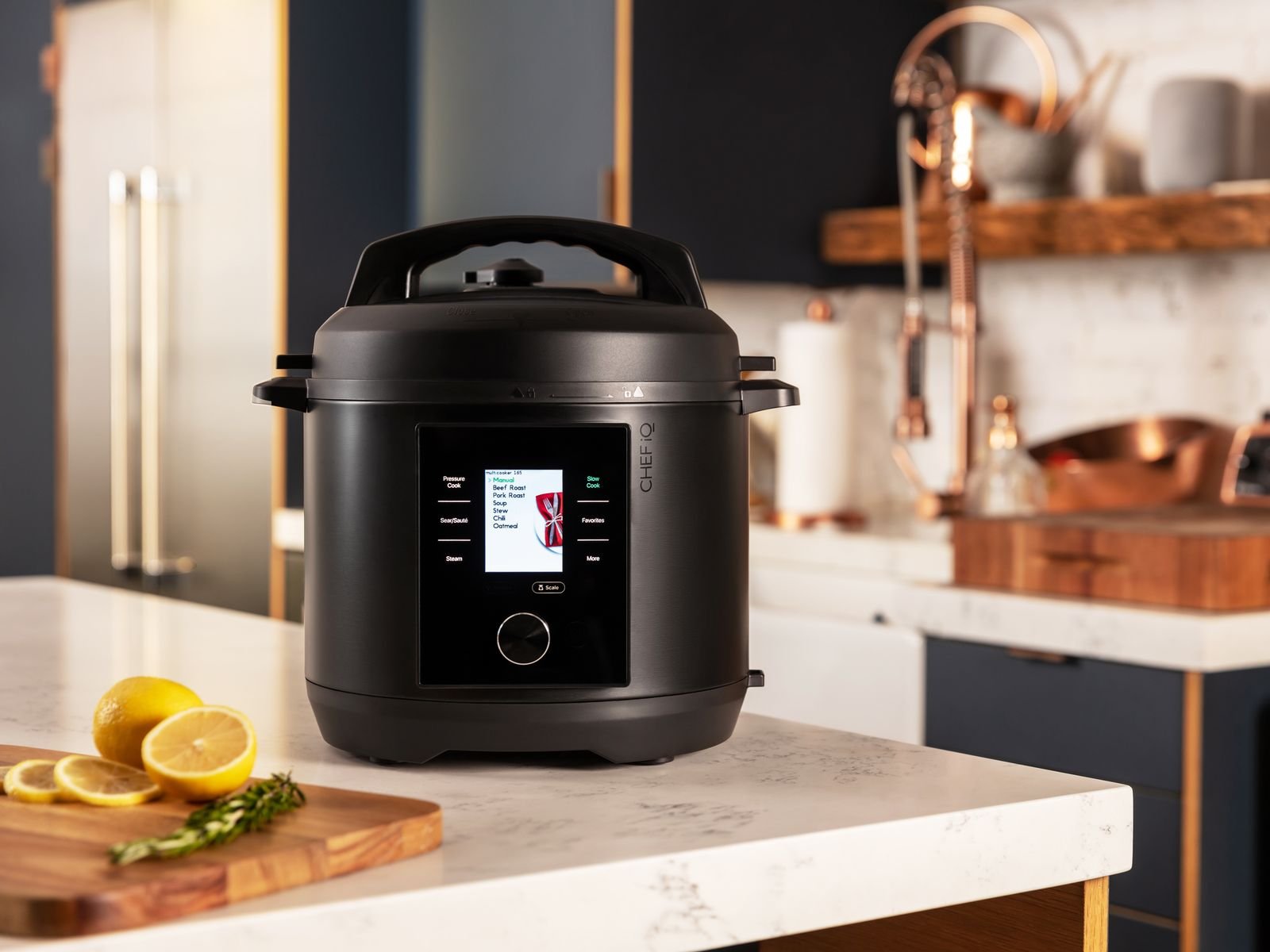
Imagine coming home to a perfectly cooked meal waiting for you, all without lifting a finger. If you own a smart slow cooker, you already know the convenience it offers.
But what if you could take that convenience even further by connecting it seamlessly with your smart home system? You’ll discover simple, effective tips to integrate your smart slow cooker with your existing smart devices. By the end, you’ll be able to control your cooking with ease, save time, and enjoy more delicious meals—all while making your kitchen smarter than ever.
Ready to transform your cooking routine? Let’s dive in!

Credit: www.reddit.com
Choosing A Compatible Smart Slow Cooker
Smart slow cookers connect to your home system to make cooking easier. Choosing one that works well with your smart home is important.
Check compatibility before buying to avoid problems. This helps you control the cooker with your voice or app.
Key Features To Consider
Look for features that match your cooking and smart home needs. Not all smart slow cookers offer the same options.
- Wi-Fi or Bluetooth connection for easy control
- Compatibility with popular smart assistants like Alexa or Google Assistant
- Mobile app support for remote cooking and monitoring
- Custom cooking programs and temperature control
- Alerts and notifications on your phone
- Easy integration with other smart devices in your home
Top Brands And Models
Some brands offer reliable smart slow cookers that work well with home systems. These brands have good reviews for compatibility and ease of use.
- Instant Pot: Known for multiple cooking functions and smart control
- Crock-Pot: Offers Wi-Fi models with app and voice control
- Hamilton Beach: Provides affordable smart slow cookers with app support
- All-Clad: High-end models with precise temperature settings and smart features
Connecting To Smart Home Systems
Smart slow cookers can connect to your smart home system. This lets you control cooking from your phone or voice assistant.
Linking your slow cooker to smart devices makes cooking easier and more convenient. Let’s explore how to connect them.
Setting Up Wi-fi And Bluetooth
Most smart slow cookers use Wi-Fi or Bluetooth to connect. Wi-Fi gives you control from anywhere. Bluetooth works nearby.
To start, turn on your slow cooker’s wireless mode. Use the app to find and connect to your home network or phone.
- Ensure your Wi-Fi is 2.4 GHz for better device support
- Keep the slow cooker near your router or phone for strong signal
- Follow app instructions to pair the device properly
- Update the slow cooker firmware for best performance
Integration With Popular Platforms
Smart slow cookers often work with platforms like Alexa, Google Home, or Apple HomeKit. This adds voice control and automation.
To integrate, link your slow cooker’s app to the platform app. Enable the device skill or service and authorize access.
- Use Alexa to start or stop cooking with voice commands
- Set cooking timers through Google Home routines
- Control your slow cooker with Apple Home app shortcuts
- Combine slow cooker controls with other smart home devices
Utilizing Voice Assistants
Smart slow cookers work well with voice assistants. They make cooking easier and hands-free.
You can control your slow cooker by speaking commands. This fits nicely into smart home systems.
Using Amazon Alexa
Amazon Alexa lets you control your slow cooker with voice commands. You can start, stop, or change settings easily.
To use Alexa, link your slow cooker’s app with the Alexa app. This allows Alexa to recognize your device.
- Say “Alexa, start the slow cooker” to begin cooking.
- Ask “Alexa, set the slow cooker to low” to change temperature.
- Check cooking status by asking “Alexa, is the slow cooker done?”
Integrating With Google Assistant
Google Assistant also supports smart slow cookers. You can control your device by voice from your phone or smart speaker.
Connect your slow cooker’s app with Google Home for easy control. Use simple commands to manage cooking.
- Say “Hey Google, turn on the slow cooker” to start cooking.
- Use “Hey Google, set the slow cooker timer for 4 hours” to set time.
- Ask “Hey Google, how long is left on the slow cooker?” to get updates.

Credit: www.pcmag.com
Creating Automated Cooking Schedules
Smart slow cookers can connect to your smart home system. This lets you set cooking times automatically. You can plan meals ahead and have food ready when you want.
Automated schedules save time and make cooking easier. You do not need to watch the cooker or adjust settings manually.
Programming Recipes
Many smart slow cookers let you program recipes into their system. You can save cooking times and temperatures for your favorite dishes. This helps the cooker follow the recipe exactly every time.
Use your smart home app to add or change recipes. Some cookers allow voice commands to start cooking a saved recipe. This makes cooking hands-free and simple.
- Set cooking time and heat level for each recipe
- Save recipes for quick access
- Adjust recipes remotely from your phone
- Use voice commands to start cooking
Syncing With Daily Routines
Connect your smart slow cooker with other smart devices. This lets you sync cooking schedules with your daily habits. For example, start cooking when you leave work or wake up in the morning.
Automate slow cooker actions based on your routine. This way, meals are ready at the right time without extra steps.
- Set cooking to start at specific times
- Use location sensors to begin cooking when you leave or arrive home
- Link slow cooker with smart assistants for easy control
- Adjust cooking based on your calendar or reminders
Monitoring Cooking Progress Remotely
Smart slow cookers connect to your home system. They let you watch your food cook from anywhere.
This helps you keep track of meals without being in the kitchen. You can save time and avoid overcooking.
Real-time Notifications
Smart slow cookers send alerts to your phone or device. These notifications update you on cooking stages.
You get messages when your food is ready or needs attention. This helps you act quickly and avoid mistakes.
- Alerts for temperature changes
- Notifications when cooking time ends
- Warnings if the cooker is unplugged
Adjusting Settings On The Go
You can change cooking time or temperature from your phone. This makes cooking flexible and easy.
If you leave the house, you still control the cooker. Adjust settings to fit your schedule or recipe needs.
- Change heat levels remotely
- Extend or shorten cooking time
- Pause or stop cooking anytime
Troubleshooting Common Issues
Smart slow cookers can make cooking easy, but sometimes problems happen. Fixing these issues helps your device work well with your smart home system.
Below are common problems and simple tips to solve them. Follow these steps to keep your slow cooker connected and working smoothly.
Connectivity Problems
Slow cookers may lose connection to your smart home system. This can stop remote control and alerts from working.
Check your Wi-Fi signal and router. Make sure the slow cooker is within range. Restart your router and the slow cooker to refresh connections.
- Move the slow cooker closer to the Wi-Fi router
- Restart your router and smart slow cooker
- Update the slow cooker’s app or firmware
- Check if your network password changed
- Remove and re-add the device in the app
Device Malfunctions
Sometimes the slow cooker may not respond or cook properly. This can happen due to software or hardware problems.
Reset the slow cooker to factory settings if needed. Check for error messages on the device or app. Make sure the slow cooker is clean and parts fit well.
- Perform a factory reset following the user manual
- Clean the slow cooker thoroughly before use
- Check that the lid and pot are properly seated
- Update the device firmware regularly
- Contact support if the problem continues
Enhancing Security And Privacy
Smart slow cookers connect to your home network. This brings convenience and some risks. Protecting your security and privacy is very important.
Taking steps to secure your smart devices keeps your data safe. It also helps prevent unauthorized access to your home system.
Securing Your Network
Start by securing the Wi-Fi network your slow cooker uses. Use a strong password and avoid default settings.
Keep your router software updated. This fixes security flaws and protects your devices from attacks.
- Use WPA3 or WPA2 encryption on your Wi-Fi
- Change the default router login and password
- Enable a guest network for visitors
- Turn off WPS (Wi-Fi Protected Setup)
- Regularly update router firmware
Managing Permissions
Check which apps and users can control your slow cooker. Limit access only to trusted people and devices.
Review app permissions often. Remove any that are not needed to keep your privacy safe.
- Use unique accounts with strong passwords
- Enable two-factor authentication if possible
- Only install apps from official stores
- Disable unnecessary features or remote access
- Regularly audit connected devices and apps
Future Trends In Smart Cooking Technology
Smart slow cookers are changing how people cook at home. They connect with smart home systems for easy control.
New technology will make cooking faster, safer, and more fun. Let’s explore some future trends.
Emerging Features
Smart slow cookers will have better sensors to check food quality. They will adjust cooking time and temperature automatically.
Voice control will improve. You can start or stop cooking by talking to your smart home assistant.
- Auto-adjust cooking based on food type
- Real-time notifications on your phone
- Integration with other kitchen devices
- Energy-saving modes for efficiency
Innovations To Watch
New smart cookers will use artificial intelligence to learn your cooking habits. They will suggest recipes and cooking times.
Some models will connect with grocery apps to help you shop. They will remind you when you need more ingredients.
- AI-powered cooking suggestions
- Smart grocery list integration
- Remote cooking control via apps
- Enhanced safety features
Credit: www.organicauthority.com
Frequently Asked Questions
What Are The Benefits Of Smart Slow Cookers In Smart Homes?
Smart slow cookers offer remote control, scheduled cooking, and energy efficiency. They integrate seamlessly with smart home systems, enhancing convenience and meal planning.
How Do I Connect A Smart Slow Cooker To My Smart Home?
Use the cooker’s app and follow pairing instructions. Connect it via Wi-Fi or Bluetooth to your home network for remote access and voice control.
Can Smart Slow Cookers Work With Voice Assistants?
Yes, most smart slow cookers support Alexa, Google Assistant, or Siri. Voice commands enable hands-free operation and easy cooking adjustments.
Are Smart Slow Cookers Compatible With All Smart Home Platforms?
Compatibility varies by brand and model. Check product details to ensure support for your preferred platform like Alexa, Google Home, or Apple HomeKit.
Conclusion
Integrating smart slow cookers with your smart home makes cooking easier. You control cooking times and temperatures from your phone. This saves time and reduces stress. Choose devices that work well together for smooth operation. Test settings before cooking big meals.
Keep your system updated for best performance. Enjoy tasty meals with less effort every day. Smart cooking fits well in busy lifestyles. Simple steps lead to better kitchen experiences. Try these tips and enjoy your smart kitchen.