
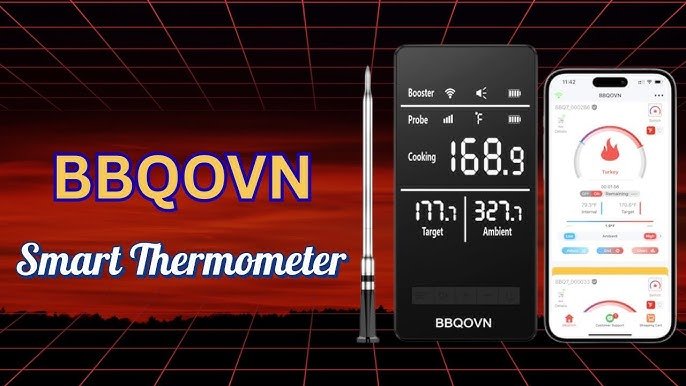
Baking is as much about precision as it is about creativity. But have you ever pulled a cake or bread out of the oven only to find it undercooked or dry?
That’s where smart thermometers come in. These handy gadgets take the guesswork out of baking by giving you real-time temperature updates right on your phone. Imagine having the confidence to bake perfect treats every time without constantly opening the oven door.
You’ll learn exactly how to use smart thermometers to elevate your baking game and impress everyone with flawless results. Ready to bake smarter, not harder? Keep reading!

Credit: diyaudiocircuits.com
Choosing The Right Smart Thermometer
Smart thermometers help you bake with precise temperature control. Choosing the right one makes baking easier and better.
Many smart thermometers offer different features. Picking one that fits your needs improves your baking results.
Features To Consider
Look for a thermometer with fast and accurate readings. This helps you check food temperature quickly.
Wireless connection is useful. It lets you monitor food from your phone or tablet.
- Temperature range suitable for baking
- Easy-to-read display
- Alarm or alert notifications
- Durable and heat-resistant probe
- Long battery life
Top Brands And Models
Some brands are known for reliable smart thermometers. They offer models with good features for baking.
| Brand | Model | Key Feature |
|---|---|---|
| ThermoPro | TP27 | Wireless range up to 300 feet |
| Inkbird | IBT-4XS | Bluetooth with mobile app |
| MEATER | MEATER Plus | Completely wireless probe |
| Weber | iGrill 2 | Multiple probe support |
Setting Up Your Smart Thermometer
Using a smart thermometer can help you bake food perfectly. It gives accurate temperature readings and alerts you.
First, you need to set up your smart thermometer. This guide will help you install and connect it properly.
Installation And Calibration
Start by placing the smart thermometer probe in your oven or food. Make sure it does not touch metal or hot surfaces directly.
Next, check if the thermometer needs calibration. Calibration ensures the temperature readings are correct and reliable.
- Use ice water (32°F or 0°C) to test if it reads freezing temperature correctly.
- Use boiling water (212°F or 100°C) to check the upper range accuracy.
- Adjust settings if your thermometer has a calibration option.
- Repeat tests to confirm accurate results.
Connecting To Apps And Devices
Smart thermometers often connect to smartphones or tablets via Bluetooth or Wi-Fi. This lets you monitor temperatures remotely.
Download the companion app that works with your thermometer. Follow the app instructions to pair your device.
- Turn on Bluetooth or Wi-Fi on your phone.
- Open the app and search for your thermometer.
- Select your thermometer to connect.
- Test the connection by checking live temperature data.
- Enable notifications for temperature alerts.
Baking Basics With Smart Thermometers
Smart thermometers help bakers check the temperature inside baked goods. They ensure food is cooked perfectly and safely.
Using a smart thermometer is easy. It gives accurate readings to avoid undercooking or overcooking.
Understanding Temperature Ranges
Different baked goods need different temperatures. Knowing the right range helps you bake correctly.
For example, bread and cakes require different internal temperatures to be done. Use the thermometer to check these ranges.
- Bread: 190°F to 210°F (88°C to 99°C)
- Cakes: 200°F to 210°F (93°C to 99°C)
- Cookies: 175°F to 185°F (79°C to 85°C)
- Meats in baked dishes: 145°F to 165°F (63°C to 74°C)
Selecting The Correct Probe
Smart thermometers come with different probes. Use the right probe for the type of baking you do.
Thin probes work best for cakes and cookies. Thick probes are good for bread and large items.
- Thin probe: quick readings for soft baked goods
- Thick probe: measures dense or large baked items
- Flexible probe: easy to insert in tight spaces
- Wireless probe: allows remote temperature monitoring
Real-time Monitoring Techniques
Smart thermometers help bakers watch their food’s temperature closely. They send live updates to your phone or device.
This lets you know exactly when your baked goods reach the perfect temperature. You can avoid overbaking or underbaking easily.
Using Alerts For Precision
Smart thermometers can send alerts when the food hits a set temperature. This helps you take action at the right moment.
You can set alerts for different stages of baking. This keeps your baked goods consistent and tasty every time.
- Set alert for target internal temperature
- Receive notifications on your phone
- Know exactly when to remove from oven
- Prevent overcooking or undercooking
Adjusting Recipes On The Fly
Real-time temperature data lets you change baking time or temperature as needed. This keeps your recipe flexible.
If the thermometer shows food is cooking too fast or slow, you can adjust the oven. This improves the final result.
- Check temperature updates during baking
- Lower or raise oven heat if needed
- Extend or shorten baking time
- Keep baked goods moist and well cooked
Troubleshooting Common Issues
Smart thermometers help bakers check the exact temperature of their food. Sometimes, they may not work correctly. This guide shows how to fix common problems.
Knowing how to solve these issues keeps baking on track. It saves time and prevents mistakes in your recipes.
Inaccurate Readings
Sometimes the thermometer shows the wrong temperature. This can cause food to be undercooked or overcooked. Clean the sensor before use. Dirt or grease can block the sensor.
Check the battery level. Low power can cause wrong numbers. Also, place the probe correctly in the food. Avoid touching bones or the pan sides.
- Clean the probe after every use
- Replace batteries if needed
- Insert the probe into the thickest part of food
- Avoid touching bones or metal surfaces
- Calibrate the thermometer if it has this feature
Connectivity Problems
Smart thermometers often connect to phones or tablets. If the device does not connect, check if Bluetooth or Wi-Fi is on. Sometimes turning it off and on helps.
Keep the thermometer close to the phone. Walls or other devices may block the signal. Restart the app or the thermometer if it still won’t connect.
- Turn Bluetooth or Wi-Fi off and on
- Keep devices close together
- Restart the thermometer and app
- Update the app and thermometer firmware
- Remove old device pairings from settings

Credit: www.amazon.ca
Advanced Baking Tips
Smart thermometers help bakers check the inside temperature of their baked goods. This tool gives better control over baking.
Using smart thermometers with advanced techniques improves baking results. You can get perfect texture and taste every time.
Utilizing Multiple Probes
Many smart thermometers have more than one probe. Use multiple probes to check different parts of your bake.
This is useful for large items like roasts or layered cakes. It helps ensure even cooking throughout the food.
- Insert probes into different areas to monitor heat distribution
- Track both the center and edges for consistent results
- Check fillings and crusts separately for perfect doneness
Experimenting With Temperature Profiles
Temperature profiles mean changing the heat during baking. Smart thermometers help you test different temperature plans.
You can start baking at a high temperature, then lower it to finish. This method can improve crust and crumb texture.
- Try starting with high heat to form a crust quickly
- Lower temperature to bake evenly inside
- Adjust based on feedback from the thermometer readings
- Record temperatures for future reference and consistency
Maintaining Your Smart Thermometer
Smart thermometers help you bake with perfect temperatures. To keep them working well, you must take good care of them.
Regular cleaning and proper storage help your thermometer last longer and give accurate readings every time.
Cleaning And Storage
Clean your smart thermometer after each use. This stops food and dirt from building up and causing errors.
Use a soft, damp cloth to wipe the probe and screen. Avoid harsh chemicals that can damage the device.
- Do not immerse the thermometer in water
- Dry the device completely before storing
- Keep the probe covered with its protective cap
Store your thermometer in a dry, cool place. Avoid spots with high heat or humidity.
Ensuring Longevity
Change the batteries regularly to keep your smart thermometer working well. Low batteries can cause false readings.
Check the device for any damage before use. Fix small problems quickly to avoid bigger issues later.
- Replace batteries at least once a year
- Store thermometer away from direct sunlight
- Avoid dropping or hitting the device
- Calibrate the thermometer if readings seem off

Credit: www.goodhousekeeping.com
Frequently Asked Questions
What Are Smart Thermometers Used For In Baking?
Smart thermometers help monitor precise internal temperatures of baked goods. They ensure even cooking and perfect doneness, improving baking results.
How Do Smart Thermometers Improve Baking Accuracy?
They provide real-time temperature updates via apps, allowing bakers to avoid undercooking or overcooking. This precision enhances texture and taste.
Can Smart Thermometers Be Used For All Baked Items?
Yes, smart thermometers work well with bread, cakes, meats, and pastries. They adapt to different baking needs with customizable temperature settings.
Are Smart Thermometers Easy To Use For Beginners?
Absolutely, smart thermometers feature user-friendly apps and guides. They simplify temperature monitoring, making baking more accessible for novices.
Conclusion
Smart thermometers help you bake with better control and confidence. They show the exact temperature inside your food. This means no more guesswork or overcooking. Using them saves time and reduces stress in the kitchen. You get perfect results every time you bake.
Try using a smart thermometer on your next baking project. It makes baking simpler and more enjoyable. Small tools, big difference. Give it a go and taste the difference yourself.