
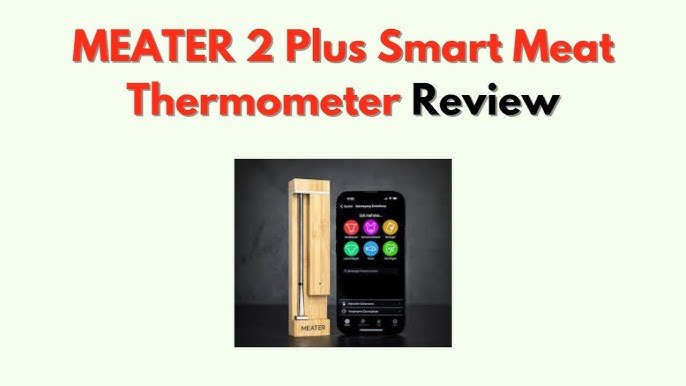
Are you tired of guessing if your food is cooked just right? Using a smart thermometer can change the way you cook forever.
It takes the guesswork out of cooking and helps you get perfect results every time. Imagine juicy steaks, tender roasts, and baked goods cooked exactly to your liking without stress or second-guessing. You’ll learn simple steps to use smart thermometers for accurate cooking.
Get ready to boost your kitchen confidence and impress everyone at the table. Keep reading to discover how easy it is to cook like a pro!

Credit: m.youtube.com
Choosing The Right Smart Thermometer
Smart thermometers make cooking precise and easy. They help you cook food at the perfect temperature. Choosing the right one can enhance your cooking experience.
Not all smart thermometers are the same. There are different types and features to consider before buying one.
Types Of Smart Thermometers
Smart thermometers come in various types. Each type is designed for specific cooking needs. Knowing the types helps you pick the right one for you.
- Instant-read thermometers give quick temperature readings.
- Probe thermometers stay in the food while cooking.
- Infrared thermometers measure surface temperatures without contact.
- Wireless thermometers connect to apps for remote monitoring.
Features To Look For
Smart thermometers come with different features. Some features are essential for better cooking results. Check these features before buying one.
- Bluetooth or Wi-Fi connectivity for remote access.
- Long battery life for extended use.
- App compatibility for easy monitoring.
- Temperature alerts to avoid overcooking.
- Durability for long-term use.
Budget Considerations
Smart thermometers are available at various prices. Your budget will influence your choice. Consider what you need and what you can spend.
Some thermometers have more features and cost more. Decide which features are necessary for you and plan your budget accordingly.
- Basic models are cheaper and offer essential functions.
- Mid-range models include more features.
- High-end models provide advanced features and better quality.
Setting Up Your Device
Smart thermometers help you cook food perfectly by measuring temperature. Setting up the device correctly is important for accurate results.
This guide will help you set up your smart thermometer for the best cooking experience.
Calibration Tips
Calibrating your smart thermometer ensures it shows the right temperature. You can check calibration using ice water or boiling water.
Place the thermometer probe in ice water and check if it reads 32°F (0°C). Then try boiling water; it should read 212°F (100°C). Adjust if needed.
- Use pure ice water for the cold test
- Make sure the probe does not touch the container sides
- Follow device instructions to adjust calibration
Connecting To Apps
Most smart thermometers connect to apps on your phone or tablet. These apps help track cooking times and temperatures.
Turn on Bluetooth or Wi-Fi on your device. Open the app and follow the prompts to pair your thermometer. Keep your device close during setup.
- Download the correct app for your thermometer model
- Enable Bluetooth or Wi-Fi on your phone
- Follow the app instructions to pair the device
- Keep the thermometer near your phone during connection
Battery And Maintenance
Check the battery level before each use. Replace batteries as needed to avoid wrong readings. Some models have rechargeable batteries.
Clean the thermometer probe after every use. Use warm water and mild soap. Avoid soaking the device or getting water into the battery compartment.
- Check battery status regularly
- Use the recommended battery type
- Clean the probe gently after use
- Keep the device dry and store it safely
Using Smart Thermometers In Different Cooking Methods
Smart thermometers help cook food safely and perfectly. They connect to apps and show real-time temperatures.
Different cooking methods need different thermometer uses. Knowing how to use them improves your meals.
Grilling And Barbecuing
Smart thermometers check meat temperature on the grill. This stops overcooking or undercooking.
Place the probe in the thickest part of the meat. Avoid touching bones for the best reading.
- Set the target temperature on the app.
- Monitor cooking without opening the grill.
- Get alerts when food reaches the perfect temperature.
Oven Roasting
Use smart thermometers to track temperature inside the oven. This keeps food juicy and tender.
Insert the probe into the center of the roast. The app shows when your roast is done.
- Check temperature without opening the oven door.
- Set timers and temperature alerts on your phone.
- Cook different types of meat with preset temperature guides.
Sous Vide Cooking
Sous vide needs precise temperature control. Smart thermometers help keep water at the right heat.
Place the probe in the water bath or inside the sealed food pouch. This tracks exact cooking temps.
- Monitor water temperature to stay steady.
- Receive alerts if temperature changes too much.
- Ensure safe and even cooking with real-time data.

Credit: www.amazon.com
Interpreting Temperature Readings
Smart thermometers help you cook meat to the right temperature. They give digital readings that show how hot the food is inside. Knowing how to read these numbers is very important for safe and tasty meals.
Each type of meat has a target temperature for perfect doneness. Learning these targets helps you decide when to stop cooking. Reading your thermometer correctly stops overcooking or undercooking food.
Target Temperatures For Common Meats
Different meats need different internal temperatures to be safe and tasty. Here are some common targets to aim for when using your smart thermometer.
| Meat | Safe Internal Temperature (°F) | Notes |
|---|---|---|
| Chicken (whole or pieces) | 165°F | Fully cooked, no pink inside |
| Beef (steak or roast) | 135°F – 160°F | 135°F rare, 160°F well done |
| Pork (chops, roasts) | 145°F | Rest 3 minutes after cooking |
| Fish (fillets or steaks) | 145°F | Flesh flakes easily |
| Ground meats | 160°F | Safe to eat, no pink |
Adjusting Cooking Times
Smart thermometers help you change cooking times based on real temperature readings. If the meat heats faster or slower, you can adjust time to get the best result.
Check the temperature often near the end of cooking. If your meat is close to the target, slow down or speed up cooking to reach the perfect point. This stops food from drying out or staying raw.
- Start checking temperature early for thick cuts
- Lower heat if temperature rises too fast
- Raise heat slightly if temperature rises too slow
- Use timer alerts on your smart thermometer
- Let meat rest after cooking to finish heating
Avoiding Common Mistakes
Many cooks make errors when using smart thermometers. Avoid these to get accurate readings and safe food.
- Don’t touch bone or fat with the probe; it gives false readings
- Insert the probe in the thickest part of the meat
- Wait a few seconds for the thermometer to stabilize
- Clean the probe between uses to avoid bacteria
- Don’t rely only on cooking time; always check temperature
Advanced Tips For Precision Cooking
Smart thermometers help cooks get the right temperature every time. Using them well improves taste and texture.
Here are some tips to use smart thermometers for better cooking results.
Using Multiple Probes
Some smart thermometers allow you to use more than one probe. This helps check different parts of the food.
Using multiple probes ensures even cooking and avoids undercooked spots.
- Insert probes into thickest parts of the meat
- Use one probe for the main item, others for sides
- Track temperature differences between parts
- Adjust cooking time based on probe readings
Monitoring Remotely
Many smart thermometers connect to your phone or tablet. You can watch the temperature from another room.
Remote monitoring helps you avoid opening the oven or grill often. This keeps the heat steady.
- Use app alerts to know when food reaches target temperature
- Check temperature trends without being near the kitchen
- Set timers and alarms from your device
- Save time and reduce stress while cooking
Integrating With Smart Kitchen Systems
Smart thermometers can work with other smart kitchen tools. This creates a smooth cooking process.
Integration lets you control devices and get updates in one place.
- Connect with smart ovens to adjust temperature automatically
- Link with voice assistants for hands-free updates
- Sync with kitchen hubs to track multiple devices
- Use recipes that guide temperature and time steps

Credit: www.amazon.com
Frequently Asked Questions
What Is A Smart Thermometer For Cooking?
A smart thermometer is a wireless device that monitors food temperature. It connects to your phone for real-time updates. This tool ensures precise cooking and prevents over or undercooking. It enhances cooking accuracy and convenience.
How Do Smart Thermometers Improve Cooking Accuracy?
Smart thermometers provide instant temperature readings. They send alerts when food reaches the ideal temperature. This helps avoid guesswork and ensures perfect doneness. Using them leads to consistently delicious meals every time.
Can Smart Thermometers Be Used For All Types Of Food?
Yes, smart thermometers work well with meats, poultry, fish, and baked goods. They adapt to different cooking methods like grilling, roasting, or smoking. This versatility makes them a valuable kitchen gadget for all cooks.
How To Properly Insert A Smart Thermometer Probe?
Insert the probe into the thickest part of the food without touching bone or fat. This ensures an accurate temperature reading. Correct placement helps avoid false readings and guarantees safe cooking.
Conclusion
Smart thermometers help cook food safely and tastefully. They show the exact temperature inside the food. This stops undercooking or overcooking. Using them is easy and saves time. You get better results every time you cook. Trust your smart thermometer to guide you.
Enjoy meals that are juicy and well-cooked. Practice often to get comfortable using it. Cooking becomes less stressful and more fun. Start using a smart thermometer today for great meals.