
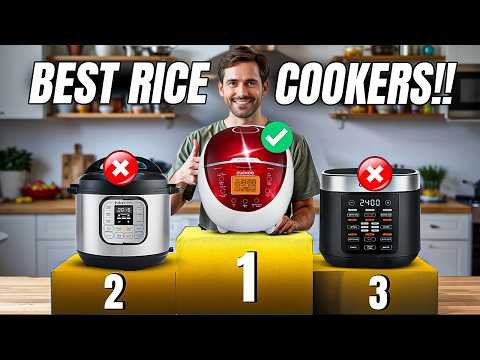
Are you making the most out of your smart rice cooker? These handy kitchen gadgets can do so much more than just cook rice.
When used efficiently, they save you time, reduce effort, and deliver perfectly cooked meals every time. You’ll discover simple tips and tricks to unlock the full potential of your smart rice cooker. By the end, you’ll wonder how you ever managed without these easy-to-follow steps.
Ready to transform the way you cook rice? Let’s dive in!

Credit: buffalocookware.com.au
Choosing The Right Smart Rice Cooker
Smart rice cookers make cooking rice easy. Picking the right one is important for best results.
Consider features, size, and energy use when choosing a rice cooker. This guide will help you find the perfect match.
Key Features To Look For
Smart rice cookers have many features. It is important to know which ones matter most to you.
- Automatic keep-warm function
- Delay timer for flexible cooking times
- Multiple cooking modes for different rice types
- Easy-to-clean non-stick pot
Capacity And Size Options
Rice cookers come in different sizes. Choose one that fits your family and kitchen space.
Think about how much rice you usually cook. This helps decide the right capacity.
- Small: 3-4 cups for singles or couples
- Medium: 5-6 cups for small families
- Large: 7+ cups for big families or gatherings
Energy Efficiency Considerations
Energy-efficient rice cookers save money and are better for the environment. Look for models with these features.
- Energy-saving mode reduces power use
- Insulated design keeps heat in
- Quick-cook options for less energy use
Setting Up Your Smart Rice Cooker
Setting up your smart rice cooker correctly helps it work better. Follow easy steps to get it ready for cooking.
This guide shows how to clean, connect, and customize your rice cooker.
Initial Cleaning And Maintenance
Clean your rice cooker before the first use. This removes dust and factory residues.
Use a soft cloth and mild soap to clean the inner pot and lid. Avoid harsh chemicals or metal scrubbers.
- Wash inner pot with warm water and mild soap
- Wipe the outside with a damp cloth
- Check and clean the steam vent regularly
- Dry all parts before assembly
Connecting To Wi-fi And App Setup
Connect your rice cooker to Wi-Fi to control it from your phone. Download the official app for your model.
Follow the app instructions to link the rice cooker. Make sure your Wi-Fi is stable and has a strong signal.
- Turn on the rice cooker and enable Wi-Fi mode
- Open the app and create an account if needed
- Select your rice cooker model in the app
- Enter your Wi-Fi password to connect
- Test connection by sending a command from the app
Customizing Settings For Your Preferences
Set cooking preferences in the app or on the cooker’s control panel. Adjust settings to suit your taste.
You can change rice type, cooking time, and keep-warm duration. Save your favorite settings for easy use.
- Choose rice type: white, brown, sushi, or mixed
- Set cooking time based on rice texture preference
- Adjust keep-warm time to keep rice fresh
- Enable notifications to know when cooking is done
- Save custom settings for quick access
Preparing Rice For Perfect Results
Using a smart rice cooker can give you great rice every time. But the key is in how you prepare the rice before cooking.
Simple steps like choosing the right rice, washing it well, and adding the right water can make a big difference.
Selecting The Right Rice Type
Different dishes need different types of rice. Choose the type that fits your meal and cooking style.
Short-grain rice is sticky and good for sushi. Long-grain rice is fluffy and great for pilafs.
- Short-grain: sticky and soft
- Medium-grain: slightly sticky
- Long-grain: light and separate
- Specialty rice: basmati, jasmine
Washing And Measuring Rice Accurately
Wash rice under cold water until it runs clear. This removes extra starch and dirt.
Use a proper measuring cup to get the right amount. Too much or too little rice affects cooking.
- Rinse rice 2-3 times
- Drain well before cooking
- Measure rice with the cup that comes with the cooker
Using The Correct Water Ratio
Water amount changes by rice type. Too much water makes rice mushy, too little makes it dry.
Check your smart cooker’s instructions for the best water ratio for your rice type.
| Rice Type | Water to Rice Ratio |
|---|---|
| Short-grain | 1.2 to 1 (water to rice) |
| Medium-grain | 1.3 to 1 |
| Long-grain | 1.5 to 1 |
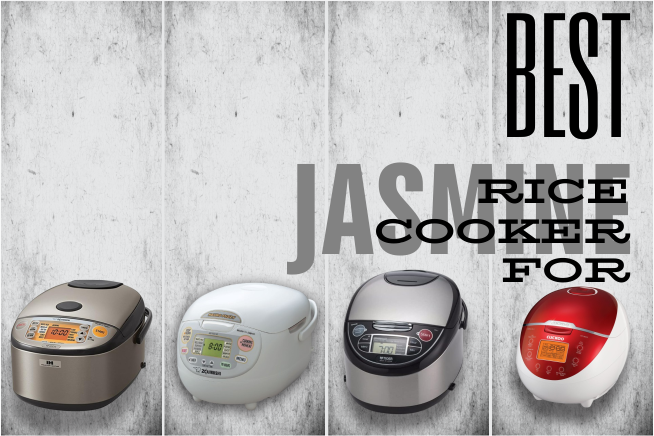
| Basmati/Jasmine | 1.5 to 1 |
Credit: thericehub.com
Using Smart Features Effectively
Smart rice cookers have many features that make cooking easier. Using these features well saves time and improves results.
Learn how to use preset modes, schedule cooking, and control your cooker remotely for best use.
Utilizing Preset Cooking Modes
Preset modes let you cook different types of rice perfectly. Choose the right mode for white, brown, or sushi rice.
Each preset adjusts cooking time and temperature automatically. This helps to get fluffy and tasty rice every time.
- White rice mode cooks standard white rice quickly
- Brown rice mode uses longer time for tough grains
- Sushi rice mode balances softness and stickiness
- Quick cook mode saves time but may change texture
Scheduling Cooking Times
You can set the cooker to start at a specific time. This is useful if you want rice ready at mealtime.
Use the timer feature to delay cooking start. Add rice and water first, then set the schedule.
- Plan meals ahead to save time
- Set the cooker before leaving home
- Have fresh rice ready when you arrive
- Keep rice warm after cooking with the timer
Remote Monitoring And Control
Many smart cookers connect to phone apps. You can check cooking status and control the cooker remotely.
Remote control helps you start or stop cooking from anywhere. This adds convenience and flexibility.
- Receive alerts when cooking is done
- Adjust cooking settings via the app
- Monitor rice cooker temperature and time
- Turn cooker off remotely for safety
Maintaining Your Smart Rice Cooker
Keeping your smart rice cooker in good shape helps it work well for years. Regular care prevents problems and improves cooking results.
Follow simple steps to clean, fix, and update your rice cooker. These tasks make your device last longer and cook better.
Cleaning Tips To Extend Lifespan
Cleaning your smart rice cooker after each use keeps it safe and working well. Remove food bits and wipe all parts gently.
- Unplug the cooker before cleaning
- Wash the inner pot with warm, soapy water
- Use a soft cloth to clean the lid and outer surface
- Do not use harsh chemicals or abrasive scrubbers
- Dry all parts completely before reassembling
Troubleshooting Common Issues
If your rice cooker does not work properly, check some common problems first. Many issues can be fixed quickly at home.
- Make sure the cooker is plugged in correctly
- Check if the inner pot is placed properly
- Clean the steam vent if it is blocked
- Reset the device by unplugging and plugging it back
- Refer to the manual for error codes shown on the screen
Regular Software Updates
Smart rice cookers may need software updates to fix bugs and add features. Check for updates often to keep your cooker running smoothly.
Follow the instructions in the app or manual to update your rice cooker. Updates help improve cooking accuracy and device security.
Enhancing Meals With Smart Cooking
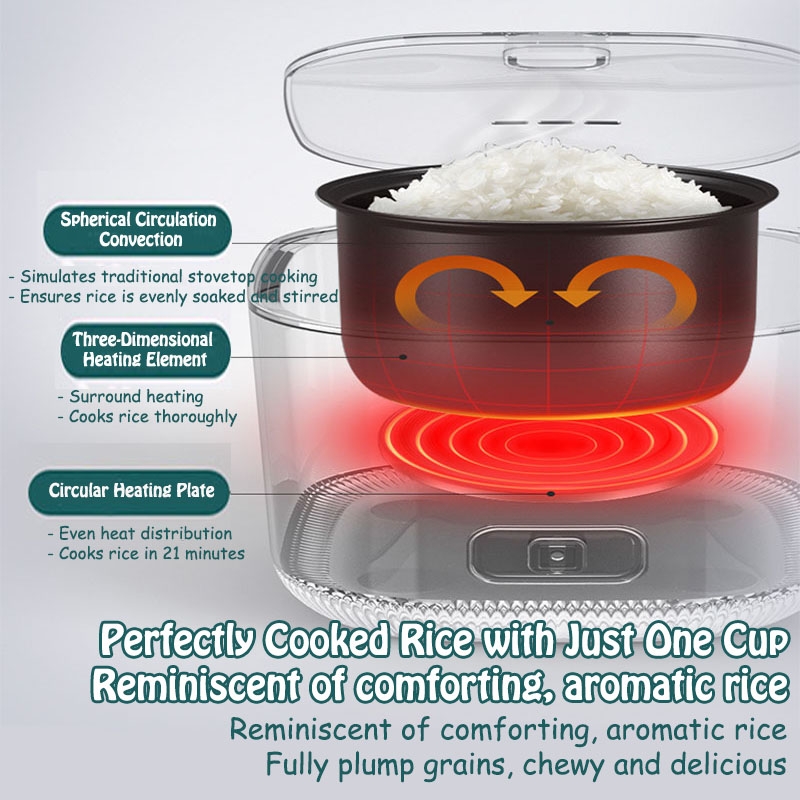
Smart rice cookers make cooking easy and save time in the kitchen. They can cook rice perfectly and help prepare many other dishes.
Using a smart rice cooker well helps you enjoy tasty meals and try new recipes with little effort.
Combining Ingredients For One-pot Meals
Smart rice cookers let you cook rice, vegetables, and meat all at once. This saves time and makes cleanup easy.
Try adding your favorite ingredients like chicken, carrots, and peas with rice. The cooker will cook everything evenly.
- Start with rice and water
- Add chopped vegetables on top
- Place small pieces of meat or tofu
- Use the cooker’s mixed cooking mode if available
Experimenting With Different Recipes
Smart rice cookers can make more than rice. You can try soups, stews, and even desserts.
Follow simple recipes and adjust water and cooking time. Testing new ideas helps you find tasty meals to enjoy.
- Use the slow cook function for stews
- Make porridge by adding extra water
- Try steaming vegetables or fish
- Cook cakes using the baking mode if available
Using Keep-warm And Delay Functions
The keep-warm function keeps food hot after cooking. This is helpful when you want to eat later.
The delay timer lets you set the cooker to start later. You can prepare ingredients early and have food ready on time.
- Use keep-warm to keep rice fresh for hours
- Set delay timer before leaving home
- Prepare ingredients the night before
- Enjoy hot meals without waiting
Credit: www.gdeal.com.my
Frequently Asked Questions
How Do Smart Rice Cookers Save Energy?
Smart rice cookers use sensors to adjust cooking time and temperature. This precision reduces energy waste and cooking duration, making them more efficient than traditional cookers.
Can Smart Rice Cookers Cook Different Rice Types?
Yes, smart rice cookers have settings for various rice types like white, brown, and jasmine. They optimize water and heat for perfect texture and flavor.
How To Clean A Smart Rice Cooker Properly?
Unplug the cooker and let it cool. Use a soft cloth and mild detergent to clean the inner pot and exterior. Avoid immersing the cooker base in water.
What Features Make Smart Rice Cookers Efficient?
Features like fuzzy logic technology, multiple cooking modes, and automatic keep-warm functions enhance efficiency. These allow precise cooking and reduce the need for constant monitoring.
Conclusion
Using a smart rice cooker saves time and effort in the kitchen. It cooks rice evenly and keeps it warm for hours. Clean the cooker regularly to keep it working well. Experiment with different settings to find what you like best.
Smart rice cookers help make cooking easier and more enjoyable. Simple steps lead to better meals every day. Try these tips to get the most from your cooker. Enjoy perfect rice with less fuss and stress.