
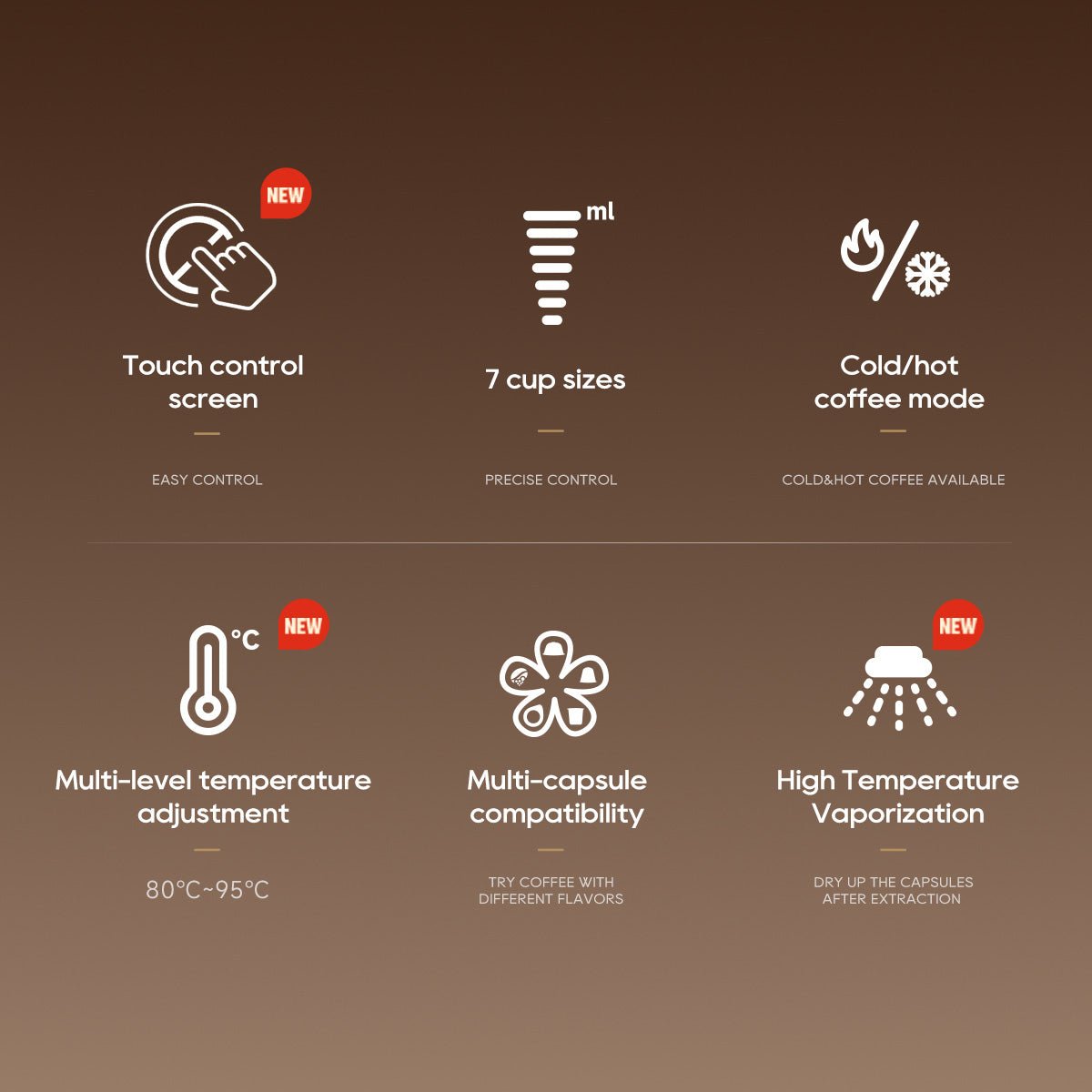
Imagine waking up to the perfect cup of coffee, brewed exactly the way you like it—every single time. If you’ve ever struggled with inconsistent taste or wasted precious beans, smart coffee makers can change your mornings for good.
You don’t need to be a barista or tech expert to get precise brewing results. You’ll discover simple, step-by-step tips to make the most of your smart coffee maker and enjoy a flawless coffee experience at home. Ready to transform your coffee routine?
Let’s dive in.
Benefits Of Smart Coffee Makers
Smart coffee makers bring precision to your daily brew. They enhance your coffee experience with technology.
These devices offer features that make brewing easier and more consistent. Let’s explore their benefits.
Consistency In Brewing
Smart coffee makers ensure each cup is brewed the same way. This consistency means your coffee tastes great every time.
They use precise water temperatures and brewing times. This guarantees a balanced flavor without guesswork.
Customization Options
Smart coffee makers let you personalize your coffee. You can adjust settings for strength, size, and temperature.
These options help you enjoy a cup that fits your taste perfectly. Experiment to find your favorite combination.
Convenience And Scheduling
Smart coffee makers can be controlled with a smartphone app. You can schedule brewing times to match your routine.
Set it to brew before you wake up or as you get home. This feature saves time and ensures coffee is ready when you need it.
Choosing The Right Smart Coffee Maker
Smart coffee makers help you brew coffee exactly how you like it. Choosing the right one makes your mornings easier.
Look at features, device compatibility, and budget to find the best smart coffee maker for you.
Key Features To Consider
Check if the coffee maker offers precise temperature control and brew strength settings. These features improve taste.
Some models have timers and scheduling options. These help you have coffee ready when you want it.
- Temperature control for exact brewing
- Adjustable brew strength
- Programmable timers and schedules
- Easy-to-clean parts
- Water level indicators
Compatibility With Devices
Smart coffee makers often connect to phones or smart home systems. Check which devices they support.
Some work with popular apps on iOS and Android. Others connect to voice assistants like Alexa or Google Home.
- App control on iOS and Android
- Voice assistant integration
- Wi-Fi or Bluetooth connection
- Compatibility with smart home hubs
Budget And Brand Options
Smart coffee makers come in many price ranges. Decide how much you want to spend before choosing.
Trusted brands often offer better support and durability. Look for brands with good reviews and warranties.
- Entry-level models for basic features
- Mid-range for more control and features
- High-end for full smart home integration
- Brands with good customer service
- Check warranty and return policies
Setting Up Your Smart Coffee Maker
Smart coffee makers bring convenience and control to your brewing. Setting it up correctly helps you brew coffee precisely.
Follow these steps to get your smart coffee maker ready for perfect coffee every time.
Initial Configuration
Start by unboxing and placing your coffee maker on a flat surface. Connect the water reservoir and insert a coffee filter.
Turn on the machine and follow the on-screen instructions to select your language and time settings.
Connecting To Wi-fi And Apps
Connect your coffee maker to your home Wi-Fi network for remote control. Use the manufacturer’s app to link the device.
Open the app, create an account if needed, and follow the prompts to add your coffee maker.
- Ensure your phone is on the same Wi-Fi as the coffee maker
- Enter your Wi-Fi password carefully
- Wait for the confirmation message before proceeding
Calibrating For Precision
Calibration helps your coffee maker deliver the right strength and temperature. Use the app or machine settings to adjust.
Test different grind sizes, water amounts, and brew times to find what suits your taste best.
- Start with the default settings provided
- Make small changes and brew a test cup
- Note the results and adjust again if needed

Credit: www.hibrew.com
Mastering Brewing Parameters
Smart coffee makers let you control how your coffee tastes. Changing the brewing settings helps you get the perfect cup.
Understanding the key brewing parameters will improve your coffee experience with smart devices.
Adjusting Grind Size And Coffee Dose
The grind size affects how fast water flows through coffee grounds. Finer grinds brew stronger coffee, while coarse grinds make lighter coffee.
The coffee dose means how much coffee you use. More coffee makes a stronger cup, less coffee makes it weaker.
- Use fine grind for espresso and strong coffee
- Use coarse grind for drip or French press coffee
- Adjust dose to match your taste—more for stronger coffee
- Use your smart coffee maker’s settings to set dose precisely
Controlling Water Temperature
Water temperature changes how coffee flavors come out. Hotter water extracts more flavor but can cause bitterness.
Lower temperatures give a smoother taste but may miss some coffee notes. Most smart coffee makers let you set exact water temperature.
- Set water temperature between 195°F and 205°F for balanced taste
- Use slightly lower temperatures for light roasts
- Use higher temperatures for dark roasts
- Check your smart coffee maker’s manual for temperature controls
Setting Brew Time And Strength
Brew time is how long water stays with coffee grounds. Longer brew time makes stronger coffee.
Coffee strength controls how intense the flavor is. Your smart coffee maker can adjust both time and strength for your taste.
- Short brew times create mild coffee
- Longer brew times give bold flavor
- Adjust strength settings to increase or decrease coffee intensity
- Experiment with settings to find your favorite taste
Using App Controls Effectively
Smart coffee makers use apps to give you control over brewing. You can set times and adjust settings from your phone. This makes brewing easy and precise.
Using the app well helps you enjoy coffee just the way you like it. You can plan your brew and watch it happen without being near the machine.
Scheduling Brew Times
Set your coffee maker to brew at the time you choose. This means you can wake up to fresh coffee every day. The app lets you pick exact times for brewing.
You can schedule brews for different days or times. This is helpful if your routine changes on weekends or workdays.
- Choose brew time in the app
- Set repeat options for weekdays or weekends
- Adjust or cancel schedules anytime
Customizing Brew Profiles
The app lets you change settings like strength and temperature. This helps you get the flavor you want. You can save different profiles for different tastes.
Profiles make it easy to switch between preferences. For example, you can have one profile for strong coffee and one for mild coffee.
- Adjust coffee strength (light, medium, strong)
- Set water temperature for brewing
- Choose brew time and volume
- Save profiles for quick use
Monitoring Brew Progress
The app shows you how the brewing is going in real time. You can see if the coffee is ready or still brewing. This helps you plan your time better.
Some apps send alerts when brewing is done. You can also check if the machine needs water or cleaning through the app.
- View brewing status live
- Receive notifications when done
- Get alerts for water or maintenance

Credit: www.wired.com
Maintenance Tips For Optimal Performance
Smart coffee makers need regular care to work well. Keeping them clean helps make better coffee.
Follow simple steps to keep your coffee maker in good shape. This will extend its life and improve brewing.
Cleaning Routines
Clean your coffee maker parts often. Remove coffee grounds and wipe surfaces with a damp cloth.
Use warm water and mild soap to clean removable parts. Dry them before putting back in place.
- Clean the filter basket after each use
- Wipe the coffee pot daily
- Check the water reservoir for buildup
Descaling Procedures
Descale your coffee maker regularly to remove mineral deposits. This keeps the machine working well.
Use a descaling solution or white vinegar mixed with water. Run a brewing cycle without coffee grounds.
- Mix one part vinegar with two parts water
- Fill the water reservoir with the solution
- Run the brewing cycle halfway, then stop and wait 30 minutes
- Complete the brewing cycle
- Rinse the reservoir and run two cycles with clean water
Firmware Updates
Keep your smart coffee maker’s firmware up to date. Updates fix bugs and add new features.
Check the app or device settings for update notifications. Install updates as soon as they are available.
- Connect the coffee maker to Wi-Fi
- Open the companion app
- Look for firmware update alerts
- Follow on-screen instructions to update
- Restart the coffee maker after updating
Troubleshooting Common Issues
Smart coffee makers make brewing easy but sometimes issues happen. Knowing how to fix common problems saves time.
This guide covers simple solutions for connectivity, brew quality, and error messages.
Connectivity Problems
Smart coffee makers rely on Wi-Fi or Bluetooth to work. If the device won’t connect, try restarting the coffee maker and your router.
Check if your phone’s app is updated and close other apps that may block the connection.
- Restart coffee maker and router
- Update the coffee maker app
- Turn off other apps using Bluetooth or Wi-Fi
- Move the coffee maker closer to the router
Inconsistent Brew Quality
Sometimes coffee tastes different even with the same settings. Clean the coffee maker regularly to avoid old coffee oils.
Use fresh water and coffee grounds. Check the grind size and adjust it if needed for better flavor.
- Clean the machine weekly
- Use fresh water every time
- Use fresh coffee grounds
- Adjust grind size for taste
Error Messages And Fixes
Smart coffee makers show error messages to explain problems. Common errors include water tank empty or filter needed.
Read the manual for error codes. Clear errors by refilling water or replacing filters as the message says.
| Error Message | Cause | Fix |
| Water Tank Empty | Tank is low or empty | Refill water tank |
| Filter Needed | Filter needs replacement | Replace or clean filter |
| System Error | Internal fault detected | Restart machine or contact support |
Enhancing Your Coffee Experience
Smart coffee makers help you brew coffee with exact control. They improve your daily coffee routine.
Using technology, these devices make it easy to get coffee just the way you like it.
Pairing With Smart Accessories
Smart coffee makers work well with other smart kitchen tools. You can connect them to devices like smart scales or apps.
These accessories help you measure ingredients and control brewing time precisely.
- Smart scales measure coffee grounds and water exactly
- Mobile apps let you set brew strength and temperature
- Voice assistants can start your coffee maker hands-free
Experimenting With Coffee Beans
Try different coffee beans to find your favorite taste. Smart makers let you save settings for each bean type.
You can test beans from different regions or roast levels to enjoy new flavors.
- Light roast for a fruity and bright flavor
- Medium roast for balanced taste
- Dark roast for strong and bold coffee
- Single-origin beans for unique regional flavors
Sharing Brew Profiles
Save your coffee settings as brew profiles. Share these profiles with friends or family for consistent coffee.
Sharing profiles helps others brew coffee the way you like. It also makes it easy to recreate your favorite cup.
- Save settings like grind size, temperature, and brew time
- Send profiles via app or cloud services
- Access shared profiles anytime for quick brewing

Credit: shopsavvy.com
Frequently Asked Questions
How Do Smart Coffee Makers Improve Brewing Precision?
Smart coffee makers control water temperature and brewing time precisely. They use sensors and algorithms to optimize extraction. This ensures consistent, rich flavor in every cup. Users can customize settings via apps for personalized brewing experiences.
Can I Control Smart Coffee Makers Remotely?
Yes, most smart coffee makers connect to Wi-Fi or Bluetooth. You can start brewing and adjust settings remotely using a smartphone app. This convenience lets you have fresh coffee ready when you arrive home or wake up.
What Features Ensure Precise Brewing In Smart Coffee Makers?
Key features include temperature control, grind size adjustment, and brew strength settings. Timers and programmable schedules also enhance precision. Advanced models use flow rate monitoring and pressure control for optimal extraction.
Are Smart Coffee Makers Easy To Clean And Maintain?
Yes, many models have self-cleaning functions and removable parts. Regular cleaning is essential for flavor and machine longevity. Apps often provide maintenance alerts, making upkeep straightforward and hassle-free.
Conclusion
Smart coffee makers help you brew coffee just the way you like it. They give control over time, temperature, and strength. This means better taste every morning. Using them saves time and effort too. Experiment with settings to find your perfect cup.
Enjoy fresh coffee without guesswork. Smart brewing makes coffee simple and fun. Give it a try and taste the difference. Your mornings will feel brighter and more enjoyable.