
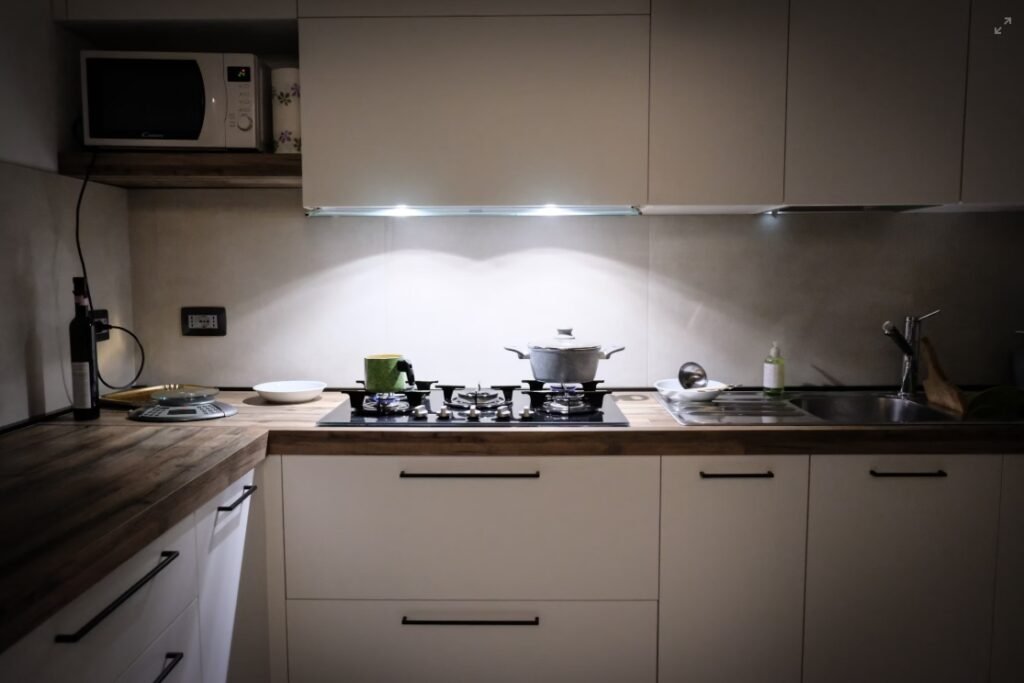
Imagine stepping into your kitchen and having the perfect lighting greet you every time—bright enough to chop vegetables safely, warm enough to create a cozy dinner mood, and smart enough to adjust with just a tap or voice command. Setting up smart kitchen lighting is easier than you think, and it can completely transform how you cook, entertain, and relax in your favorite room.
In this guide, you’ll discover simple steps to upgrade your kitchen lighting, making your space more functional, stylish, and energy-efficient. Ready to light up your kitchen the smart way? Let’s dive in!
Credit: www.themaker.com.au
Choosing The Right Smart Lights
Smart kitchen lighting enhances the cooking and dining experience. Picking the right smart lights is key to creating the perfect atmosphere.
With various features available, understanding your options will help you make the best choice.
Types Of Smart Bulbs
Smart bulbs come in different forms. LED bulbs are popular for their energy efficiency. Some bulbs offer Wi-Fi or Bluetooth connectivity.
- LED Smart Bulbs
- Wi-Fi Connected Bulbs
- Bluetooth Enabled Bulbs
Color And Brightness Options
Smart bulbs offer a range of colors. You can adjust brightness to suit your needs. Some bulbs let you choose from millions of colors.
Brightness levels can vary from soft to very bright. This helps set the mood for cooking or dining.
- Adjustable Brightness Levels
- Wide Range of Colors
- Customizable Lighting Scenes
Compatibility With Devices
Compatibility is important when setting up smart lighting. Check if the bulbs work with your devices like smartphones or smart hubs.
Some bulbs are compatible with voice assistants like Alexa or Google Assistant. This allows for easy voice control.
- Smartphone Apps
- Voice Assistants (Alexa, Google Assistant)
- Smart Home Hubs
Planning Your Kitchen Lighting
Setting up smart kitchen lighting starts with good planning. This helps create a bright and useful space.
Think about where you need light most and how to make it work well for cooking and relaxing.
Identifying Key Areas
Look at your kitchen and find the spots where light is very important. These are places you use a lot.
Common key areas include the stove, sink, counters, and dining space. Good light here helps you see clearly.
- Cooking areas need bright, focused light
- Sink and prep spaces require clear, shadow-free lighting
- Dining and social spots benefit from soft, warm light
Layered Lighting Approach
Use different types of lighting to cover all needs. This is called layered lighting.
Combine ambient, task, and accent lights to make your kitchen look good and work well.
- Ambient lighting gives overall brightness
- Task lighting focuses on work areas
- Accent lighting adds style and highlights features
Energy Efficiency Considerations
Choose smart lights that use less energy to save money and protect the environment.
Use LED bulbs and smart controls to adjust brightness and turn off lights when not needed.
- LED bulbs last longer and use less power
- Smart controls let you set timers and dim lights
- Motion sensors can save energy by turning lights off automatically
Installing Smart Lighting Fixtures
Setting up smart lighting in your kitchen can improve your space’s look and function. Smart fixtures let you control light with apps or voice commands.
Installing these fixtures is easy with the right tools and steps. This guide helps you install smart kitchen lighting safely and correctly.
Basic Installation Tips
Turn off the power at the circuit breaker before starting. This prevents electrical shocks during installation.
Use a voltage tester to make sure wires are not live. Follow the instructions that come with your smart fixture carefully.
- Gather all tools before starting
- Read the fixture manual thoroughly
- Work in a well-lit area
- Label wires to avoid confusion
Safety Precautions
Wear gloves and safety glasses to protect yourself. Avoid touching wires with wet hands or while standing on wet floors.
If you are unsure about electrical work, hire a licensed electrician. This keeps your home safe and ensures the job is done right.
- Turn off main power before work
- Use insulated tools
- Check local electrical codes
- Keep children away from work area
Using Smart Plugs And Switches
Smart plugs let you control regular lights without rewiring. Just plug your lamp into the smart plug and connect it to Wi-Fi.
Smart switches replace your wall switches for built-in control. They work with your home Wi-Fi and apps for easy use.
- Turn off power before replacing switches
- Match wires by color and function
- Use the app to set up devices
- Test devices before finishing installation

Credit: www.control4.com
Setting Up Smart Controls
Smart kitchen lighting lets you control lights easily. You can change brightness, color, and timing with smart controls.
Setting up smart controls helps you use your lights in the best way. It connects your lights to devices and apps.
Connecting To Wi-fi
Smart lights need Wi-Fi to work remotely. Connect your lights to your home Wi-Fi network for full control.
Make sure your Wi-Fi is stable and has a strong signal in the kitchen area. Use a 2.4 GHz network if your lights require it.
- Open the smart light app on your phone
- Follow the instructions to connect lights to Wi-Fi
- Enter your Wi-Fi name and password carefully
- Wait for the lights to confirm connection
Using Voice Assistants
Voice assistants like Alexa or Google Assistant can control your kitchen lights. You can turn lights on and off using voice commands.
Link your smart light system with your voice assistant app. This lets you use simple phrases to control the lights hands-free.
- Open your voice assistant app
- Add your smart lighting device
- Give your lights easy names
- Try commands like “Turn on kitchen lights”
Configuring Mobile Apps
Mobile apps give you full control over your smart kitchen lighting. You can set schedules, adjust brightness, and change colors.
Download the app for your smart lights on your phone. Follow setup steps to add your lights and customize settings.
- Open the app and create an account if needed
- Add your smart light devices to the app
- Set timers or routines for when lights turn on/off
- Adjust brightness and color to fit your kitchen mood
Customizing Lighting Scenes
Smart kitchen lighting allows you to change how your kitchen looks and feels. You can create different lighting scenes for different activities.
Customizing these scenes helps you save energy and improve your kitchen’s ambiance. It also makes your kitchen more functional and comfortable.
Creating Mood Settings
Choose light colors and brightness to match your mood. Soft, warm lights work well for relaxing. Bright, cool lights help with cooking and cleaning.
You can set up different scenes for meals, parties, or quiet evenings. Change the scene with a tap on your phone or a voice command.
- Warm light for cozy dinners
- Bright light for cooking tasks
- Dimmed light for late-night snacks
Scheduling And Automation
Set your lights to turn on or off at certain times. This helps save energy and fits your daily routine. Your kitchen will be ready when you need it.
Use automation to adjust lighting based on daylight or activity. For example, lights can brighten in the morning and dim at night.
- Turn lights on before breakfast
- Dim lights after dinner
- Switch off when no one is in the kitchen
Integrating With Other Smart Devices
Connect your kitchen lights with other smart devices. Link them to your voice assistant or smart switches for easy control. Lights can react to your smart home setup.
Integration makes your kitchen smarter and more convenient. Lights can turn on when you enter or change with your music or cooking timer.
- Use voice commands with smart speakers
- Sync lights with smart appliances
- Automate lights with motion sensors
Troubleshooting Common Issues
Smart kitchen lighting makes cooking easier and more fun. Sometimes, these lights may not work as expected.
This guide helps you fix common problems with smart kitchen lighting.
Connectivity Problems
Smart lights need a good connection to your Wi-Fi or hub. Weak signals cause delays or no response.
Check if your router is on and nearby. Restart your router and lights if needed.
- Move your router closer to the kitchen
- Restart your smart light and Wi-Fi router
- Check for Wi-Fi interference from other devices
- Make sure your network password is correct
Device Compatibility
Smart lights work best with certain apps or smart hubs. Not all devices support every brand.
Check your light’s instructions to see which devices it works with. Update your app to the latest version.
- Use the manufacturer’s recommended app or hub
- Update your phone or tablet’s operating system
- Check for firmware updates on your smart lights
- Avoid mixing different brands without support
Maintaining System Performance
Smart lighting systems need care to keep working well. Dust and power changes can cause issues.
Clean your light fixtures often and avoid power surges. Regular updates help fix bugs and improve speed.
- Clean light bulbs and sensors monthly
- Use surge protectors to protect your devices
- Update your smart light software regularly
- Reset your system if it slows down or freezes

Credit: aisav.com
Frequently Asked Questions
What Are The Benefits Of Smart Kitchen Lighting?
Smart kitchen lighting offers energy efficiency, convenience, and customizable ambiance. It enhances cooking visibility and can be controlled remotely via apps or voice commands.
How Do I Choose Smart Bulbs For My Kitchen?
Select smart bulbs with adjustable brightness and color temperature. Ensure compatibility with your smart home system and choose energy-efficient LED options for long-lasting use.
Can Smart Kitchen Lights Improve Cooking Safety?
Yes, smart lights provide better illumination, reducing accidents. Adjustable brightness helps you see clearly while using sharp tools or handling hot appliances.
How Do I Install Smart Kitchen Lighting?
Installation usually involves replacing existing bulbs with smart ones and connecting them to a Wi-Fi network. Use the manufacturer’s app for setup and control.
Conclusion
Smart kitchen lighting makes cooking safer and more fun. You control brightness and colors with ease. Setting up does not need special skills. Choose lights that fit your kitchen style and needs. Smart bulbs and strips work well in many spots.
Use timers to save energy and reduce waste. Enjoy bright, clear light for every task. Your kitchen feels fresh and modern with smart lighting. Start small, then add more lights over time. Smart lighting brings comfort and convenience every day.