
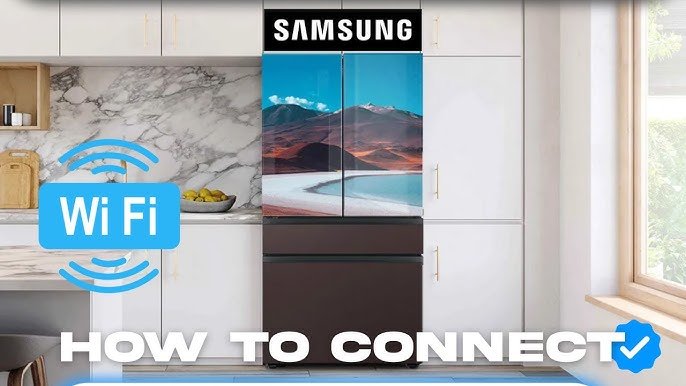
Imagine having a kitchen that works with you—where your appliances talk to each other, recipes come to life at your command, and meal prep becomes faster and easier. Setting up a smart kitchen hub can turn this into your daily reality.
If you’re tired of juggling multiple devices and want a seamless way to control everything in one place, this guide is for you. Keep reading, and you’ll discover simple steps to create a smart kitchen that saves you time, reduces stress, and makes cooking fun again.

Credit: www.reddit.com
Choosing The Right Smart Kitchen Hub
A smart kitchen hub helps manage your kitchen appliances. It can make cooking easier and more fun.
Selecting the right hub is important for the best experience. Consider features, device compatibility, and your budget.
Key Features To Look For
Look for a hub with voice control. This lets you use it hands-free while cooking.
Check if it has a screen display. A screen can show recipes and cooking videos.
- Voice control for hands-free use
- Screen display for recipes
- Wi-Fi connectivity
Compatibility With Devices
Ensure the hub works with your existing kitchen devices. It should connect to your fridge, oven, and other appliances.
Check if it supports your smart home system, like Alexa or Google Home.
- Works with existing kitchen devices
- Supports smart home systems
- Compatible with apps
Budget Considerations
Set a budget before shopping for a smart kitchen hub. Prices can vary widely.
Consider the features you need and how much you are willing to spend.
- Set a clear budget
- Compare prices and features
- Look for discounts or deals

Credit: www.gandhappliance.com
Preparing Your Kitchen For Setup
Setting up a smart kitchen hub starts with good preparation. This helps the device work well and keeps your kitchen safe.
Before installing the hub, check your kitchen space and the tools you have. This makes setup easy and fast.
Assessing Connectivity Options
Smart kitchen hubs need strong internet to work well. Check if your Wi-Fi is fast and stable in your kitchen.
If Wi-Fi is weak, think about using a Wi-Fi extender or a wired connection. This keeps the hub connected all the time.
- Test Wi-Fi speed in different kitchen spots
- Use a Wi-Fi extender if the signal is low
- Consider Ethernet cables for steady connection
Organizing Kitchen Layout
Place your smart kitchen hub where you can see and use it easily. Avoid spots near heat or water sources.
Clear the area around the hub so it does not get blocked. This helps the device work better and stay safe.
- Choose a central spot on the countertop or wall
- Keep the hub away from stoves and sinks
- Leave space for air to flow around the device
Ensuring Power Supply And Safety
Check that your kitchen has enough power outlets near the hub location. Use safe and quality plugs and cords.
Keep cords away from water and heat. Use surge protectors to protect your devices from power spikes.
- Use grounded outlets for the hub
- Avoid overloading power strips
- Secure cords to prevent tripping hazards
- Use surge protectors for safety
Installing The Smart Hub Device
Setting up a smart kitchen hub helps you control your kitchen appliances easily. This guide shows you how to install the device properly.
Follow these simple steps to place, mount, and connect your smart hub quickly and safely.
Selecting The Ideal Location
Choose a spot where the smart hub is easy to reach and see. The location should be central to your kitchen.
Avoid placing the device near heat or water sources to keep it safe and working well.
- Place on a countertop or wall near cooking areas
- Keep away from the stove and sink
- Ensure good Wi-Fi signal strength in the area
- Leave space around the device for ventilation
Mounting And Placement Tips
You can mount the smart hub on a wall or set it on a flat surface. Use the mounting tools included with your device.
Make sure the device is stable and does not move easily. This prevents damage and keeps it functioning well.
- Use screws or adhesive strips for wall mounting
- Place on a non-slip mat if on a countertop
- Keep the screen visible and easy to reach
- Check for any device-specific mounting instructions
Initial Power And Connectivity Setup
Connect the smart hub to a power source using the supplied adapter. Use a nearby outlet for safety and convenience.
Turn on the device and follow the on-screen prompts to connect to your Wi-Fi network. A strong connection is important for smooth operation.
- Plug in the power adapter securely
- Switch on the smart hub device
- Select your home Wi-Fi network from the list
- Enter the Wi-Fi password carefully
- Wait for the device to confirm connection
Connecting Smart Appliances And Devices
Setting up a smart kitchen hub means linking all your smart devices. This allows them to work together smoothly.
Connecting smart appliances helps you control your kitchen with ease. It saves time and makes cooking fun.
Pairing With Smart Ovens And Refrigerators
Start by turning on your smart oven or refrigerator. Use the hub app to search for new devices nearby.
Follow the instructions to connect the appliance. Make sure your Wi-Fi is strong and stable during the process.
- Open the hub app and select “Add Device”
- Choose your oven or refrigerator model
- Enter the device’s setup code if needed
- Wait for the device to show as connected
Integrating Voice Assistants
Connect your voice assistant to control devices with simple commands. This adds hands-free convenience.
Link the assistant app to your smart kitchen hub. Allow permissions to access your devices for full control.
- Open voice assistant settings
- Find smart home or device section
- Connect to your kitchen hub account
- Test commands like “Preheat oven” or “Check fridge temperature”
Linking Lighting And Sensors
Smart lights and sensors improve kitchen safety and ambiance. Connect them to the hub for automated control.
Set rules for lights and sensors to work based on time or motion. This helps save energy and adds comfort.
- Add smart bulbs and sensors via the hub app
- Create automation like turning lights on at dusk
- Use motion sensors to activate lights when entering the kitchen
- Check sensor alerts for temperature or smoke
Configuring Hub Settings And Preferences
Setting up your smart kitchen hub helps it work well for your needs. You can change settings to make the hub easier to use.
Configuring preferences lets you control how the hub responds and interacts with your family.
Setting Up User Profiles
User profiles let each person have their own settings. This keeps the hub personalized for everyone in the home.
You can add names, photos, and favorite devices to each profile. The hub will recognize users by voice or device.
- Create a profile for each family member
- Assign devices like phones or tablets
- Set preferences for notifications and sounds
Customizing Voice Commands
Voice commands let you control the hub with your words. You can change commands to fit how you speak.
Adjust the wake word and command phrases to make the hub respond better. This helps avoid mistakes and confusion.
- Choose a simple wake word for the hub
- Set custom phrases for common actions
- Test commands to ensure clear responses
Establishing Routines And Automations
Routines let the hub do several tasks with one command. Automations make things happen at set times or conditions.
Set routines for morning, cooking, or bedtime. Automations can control lights, appliances, and reminders automatically.
- Create a morning routine to play news and start coffee
- Set cooking timers linked to oven or stove
- Automate lights to turn off when you leave

Credit: www.gandhappliance.com
Testing And Troubleshooting Common Issues
Setting up a smart kitchen hub can make cooking easier. Sometimes, issues happen that stop it from working well.
Testing and fixing common problems helps keep your smart kitchen hub running smoothly.
Verifying Device Connectivity
Check if your smart kitchen hub connects to all devices. Confirm that each device shows as online.
Look for blinking lights or error messages on devices. These signs can mean connection problems.
- Ensure devices are powered on
- Check if devices are within range
- Restart devices if they do not respond
- Confirm devices are paired correctly
Resolving Network Problems
Your smart kitchen hub needs a strong Wi-Fi signal. Weak signals can cause slow response or disconnections.
Try moving your router closer to the hub. Restart the router if the connection is unstable.
- Check Wi-Fi password is correct
- Remove obstacles between router and hub
- Limit the number of devices on the network
- Use a Wi-Fi extender if needed
Updating Firmware And Software
Keep your smart kitchen hub’s software up to date. Updates fix bugs and improve device performance.
Check for update notifications regularly. Follow instructions to install updates safely.
- Open the hub’s settings menu
- Look for software or firmware updates
- Download and install updates
- Restart the hub after updating
Maximizing Your Smart Kitchen Hub
A smart kitchen hub helps you manage cooking and kitchen tasks easily. You can use it for recipes, energy tracking, and keeping your kitchen safe.
Learning how to use its features well makes your kitchen more efficient and enjoyable. This guide explains key ways to get the most from your smart kitchen hub.
Using Recipe And Meal Planning Features
Your smart kitchen hub can suggest recipes based on ingredients you have. It can also help plan meals for the week to save time and reduce waste.
Some hubs allow you to create shopping lists from recipes. This makes grocery shopping faster and more organized.
- Search recipes by ingredient or cuisine
- Save favorite recipes for quick access
- Plan meals and create shopping lists
- Adjust servings for different meal sizes
Monitoring Energy And Usage
The smart kitchen hub can track how much energy your appliances use. This helps you spot devices that consume too much power.
You can set alerts to turn off unused appliances. Monitoring energy use helps lower your bills and saves electricity.
- View real-time energy use of kitchen devices
- Receive alerts for high energy consumption
- Schedule appliances to run at off-peak times
- Check monthly energy reports for savings
Enhancing Security And Privacy
Smart kitchen hubs connect to your home network, so security is important. Use strong passwords and update software regularly to protect your data.
Some hubs let you control who can access your kitchen devices. You can also set privacy settings to keep your information safe.
- Use strong, unique passwords for your hub
- Keep the hub’s software up to date
- Limit access to trusted users only
- Review privacy settings and permissions
Frequently Asked Questions
What Devices Work Best With A Smart Kitchen Hub?
Smart kitchen hubs work best with Wi-Fi-enabled devices like smart ovens, refrigerators, and voice assistants. Compatibility varies, so check your hub’s supported device list before purchasing.
How Do I Connect My Appliances To A Smart Kitchen Hub?
Connect appliances via your hub’s app by following the setup guide. Ensure devices are on the same Wi-Fi network for seamless integration and control.
Can A Smart Kitchen Hub Improve Cooking Efficiency?
Yes, it streamlines tasks by automating timers, suggesting recipes, and controlling appliances remotely. This saves time and reduces cooking errors.
Is A Smart Kitchen Hub Secure From Hacking Risks?
Most hubs use encryption and regular updates for security. Always use strong passwords and update firmware to protect your smart kitchen network.
Conclusion
Setting up a smart kitchen hub can make cooking easier and fun. Start with simple devices and add more over time. Connect appliances to save time and energy. Control your kitchen from your phone or voice. Stay patient while learning new features.
Enjoy a more organized and efficient kitchen space. This small change can improve daily routines a lot. Give it a try, and see the difference yourself.