
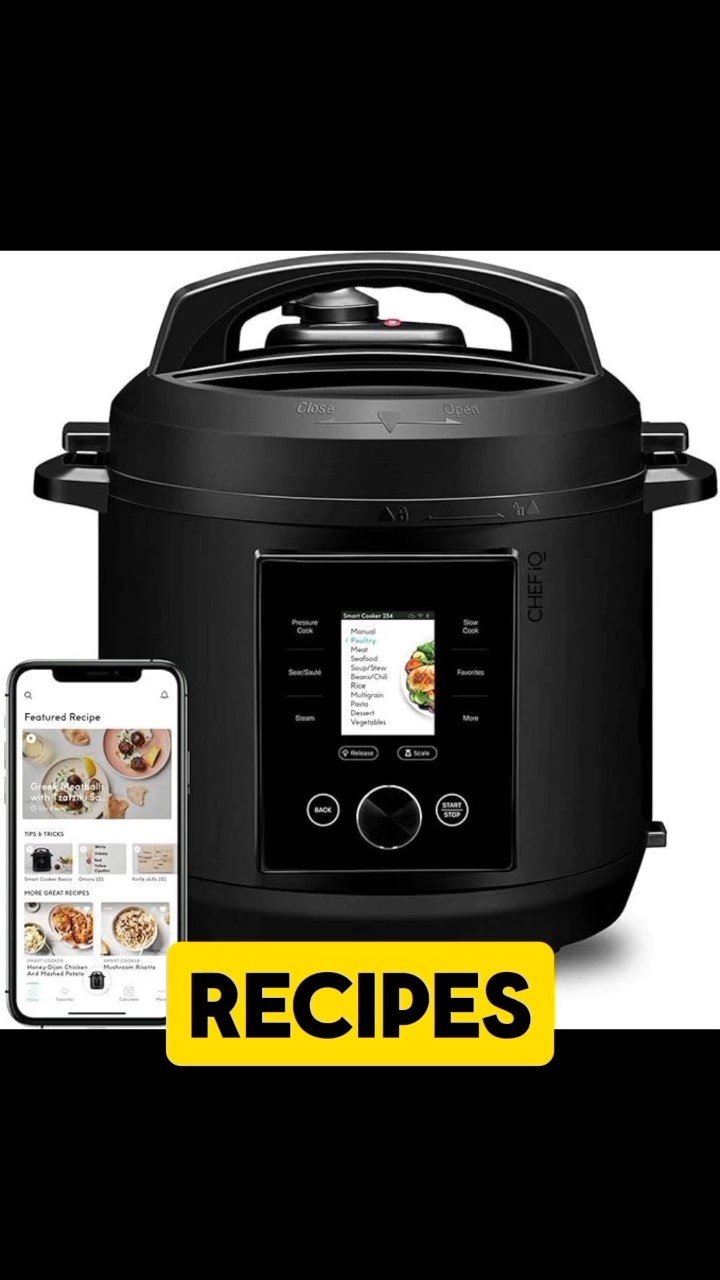
Are you ready to make cooking faster, easier, and smarter? Learning how to program your smart pressure cooker can save you time and take the guesswork out of meal prep.
Imagine setting your cooker to the perfect temperature and time with just a few taps, then coming back to a delicious, ready-to-eat meal. In this guide, you’ll discover simple steps to master your smart pressure cooker’s programming features, so you can enjoy stress-free cooking every day.
Keep reading, and unlock the full power of your kitchen assistant!
Choosing The Right Smart Pressure Cooker
Smart pressure cookers make cooking faster and easier. They connect to apps and offer many settings.
Picking the right one depends on your cooking style and kitchen needs. Consider important features before buying.
Assessing Your Cooking Needs
Think about how often you cook and what meals you prepare. This helps find a cooker that fits your routine.
Size matters for family meals or single servings. Choose a capacity that matches your usual portions.
- Small size for 1-2 people
- Medium size for families of 3-5
- Large size for more than 5 people
- Consider extra features like slow cooking or rice cooking
Comparing Features And Brands
Look at control options like touchscreens or mobile app compatibility. Choose what is easy for you to use.
Check safety features such as lid locks and pressure release valves. These keep cooking safe and simple.
| Feature | Why It Matters |
|---|---|
| Smart App Control | Allows remote cooking and recipe guidance |
| Preset Cooking Programs | Makes cooking specific foods easier |
| Safety Locks | Prevents accidents during pressure cooking |
| Brand Reputation | Ensures product quality and support |
Setting Up Your Smart Pressure Cooker
Setting up your smart pressure cooker is easy and quick. This guide helps you get started with basic setup steps.
You will learn how to unpack the cooker and connect it to your home’s Wi-Fi and apps.
Unboxing And Initial Setup
Start by carefully opening the box and removing the cooker and all accessories. Check if you have the user manual, power cord, and sealing ring.
Place the cooker on a flat, stable surface near a power outlet. Make sure the lid and sealing ring are properly installed before plugging it in.
- Open the box carefully
- Take out the cooker, power cord, and accessories
- Read the user manual for safety tips
- Place the cooker on a flat surface
- Check the sealing ring and lid for proper fit
- Plug the cooker into a power outlet
Connecting To Wi-fi And Apps
Turn on your smart pressure cooker and enter the settings menu. Choose the Wi-Fi setup option to begin connecting to your home network.
Download the cooker’s app on your smartphone. Use the app to link the cooker to your Wi-Fi and control it remotely.
- Power on the cooker and open settings
- Select Wi-Fi setup and find your network
- Enter your Wi-Fi password carefully
- Download the official cooker app on your phone
- Follow app instructions to connect the cooker
- Test the connection by sending a command from the app
Understanding Control Panel Functions
Smart pressure cookers have control panels that help you cook food easily. Learning the buttons and screen features is important.
This guide explains how to use the control panel to program your cooker for different meals.
Navigating The Interface
The control panel usually has buttons and a display screen. The screen shows cooking modes and times.
You can move through options by pressing buttons or a dial. Look for labels like “Menu” or “Start.”
- Use arrow keys to scroll through settings
- Press “Menu” to select cooking programs
- “Start” begins the cooking process
- “Cancel” stops or resets the cooker
Customizing Settings For Recipes
You can change cooking time, pressure level, and temperature to fit your recipe. This helps cook food just right.
Adjust these settings before you start cooking. Some models let you save your favorite settings.
- Set cooking time with plus and minus buttons
- Choose pressure level: low, medium, or high
- Adjust temperature if your cooker allows it
- Save custom settings for easy use later
Programming Cooking Modes
Smart pressure cookers let you choose different cooking modes. These modes adjust heat and time to cook food well.
Programming cooking modes helps you cook meals faster and easier. You can change settings to fit your recipe.
Selecting Pressure Levels
Pressure cookers usually have low and high pressure settings. Each level changes how fast your food cooks.
Choose the right pressure for your ingredients. Soft foods need low pressure, tough foods need high pressure.
- Low pressure: good for vegetables and fish
- High pressure: best for meats and beans
- Some cookers offer medium pressure options
Adjusting Cooking Times
Set the cooking time based on your recipe and pressure level. Shorter time for delicate foods, longer for dense foods.
Use the cooker’s timer to change how long it cooks. You can increase or decrease time to avoid overcooking.
- Check your recipe for suggested cooking times
- Adjust time if you change the pressure level
- Start with less time, then add more if needed
Exploring Pre-set Cooking Programs
Smart pressure cookers come with pre-set cooking programs. These programs help cook food with the right time and temperature.
Using pre-set options makes cooking easy and consistent. You do not need to guess cooking times or settings.
Utilizing One-touch Programs
One-touch programs let you start cooking with a single button press. Each program is designed for a specific food type.
These programs save time and reduce errors. You can cook rice, meat, soup, or beans without changing settings manually.
- Press the button for the food type.
- The cooker sets time and pressure automatically.
- Wait for the cooker to finish and beep.
- Release pressure safely before opening.
Tailoring Pre-set Options
You can adjust pre-set programs to fit your needs. Change cooking time or pressure level for better results.
Customizing programs helps with different recipes or ingredients. It also lets you cook food exactly how you like it.
- Select the pre-set program you want.
- Use the control panel to change time or pressure.
- Save the new settings if your cooker allows.
- Test the changes and adjust again if needed.

Credit: www.youtube.com
Creating Custom Recipes
Smart pressure cookers let you make your own recipes easily. You can control cooking time, temperature, and settings.
Creating custom recipes helps you cook exactly how you like. It saves time for future meals.
Inputting Recipe Instructions
Start by entering the cooking steps into your smart pressure cooker’s app or screen. Use simple instructions for each stage.
Include details like cooking time, pressure level, and temperature. This helps the cooker follow your recipe correctly.
- Write short, clear steps
- Set cooking time for each step
- Choose pressure or slow cook mode
- Add notes for extra tips
Saving And Sharing Recipes
Save your custom recipes in the cooker’s memory or app. This makes it easy to use the recipe again.
You can also share recipes with friends using the app. This spreads your cooking ideas and helps others cook your meals.
- Save recipes with a clear name
- Organize recipes by meal type
- Share via email or social media
- Import recipes from friends or online
Maintaining Your Smart Pressure Cooker
Keeping your smart pressure cooker clean and working well helps it last longer. Regular care also keeps your meals safe and tasty.
Follow simple steps to clean and fix common problems. This makes using your cooker easier and more reliable.
Regular Cleaning Tips
Clean your smart pressure cooker after every use. This stops food build-up and bad smells.
Remove the sealing ring and wash it with warm soapy water. Let it dry completely before putting it back.
- Wipe the inner pot with a soft cloth and mild detergent
- Clean the lid, paying attention to the valves and vents
- Check and clean the pressure release valve regularly
- Never submerge the cooker base in water; wipe it carefully
- Dry all parts thoroughly before reassembling
Troubleshooting Common Issues
If your smart pressure cooker does not build pressure, check the sealing ring. It might be loose or damaged.
The cooker may show error messages. These often mean the lid is not locked or the steam vent is blocked.
- Make sure the lid is closed tightly before cooking
- Clean the steam release valve to remove any blockages
- Check the power connection if the cooker does not turn on
- Reset the cooker by unplugging it for a few minutes if it freezes
- Refer to the user manual for specific error codes

Credit: www.amazon.com
Leveraging Smart Features
Smart pressure cookers have many features that make cooking easier. You can control them using apps and devices.
Programming these cookers lets you save time and cook food perfectly every time.
Remote Monitoring And Alerts
Remote monitoring lets you watch your cooking from anywhere. You can check the cooking status on your phone.
Alerts notify you when the food is ready or if you need to add ingredients. This helps avoid overcooking or burning.
- Receive push notifications for cooking updates
- Monitor pressure and temperature in real time
- Pause or stop cooking remotely if needed
- Get alerts for cleaning or maintenance
Integrating With Smart Home Devices
Smart pressure cookers can connect with other smart home devices. This creates a more connected kitchen experience.
You can use voice assistants to start or stop cooking. Integration also helps manage energy use and cooking schedules.
- Control your cooker with voice commands
- Sync cooking times with your daily routine
- Use smart plugs to save energy
- Combine with smart lights or speakers for alerts
Safety Tips For Smart Cooking
Smart pressure cookers make cooking faster and easier. They use sensors and timers to control pressure.
It is important to use them safely to avoid accidents. Follow safety tips for a safe cooking experience.
Handling Pressure Safely
Always check the lid seal before starting your cooker. A damaged seal can cause steam leaks.
Do not open the cooker while it is still under pressure. Wait for the pressure to release completely.
- Use the pressure release valve carefully
- Keep hands and face away from steam vents
- Follow the manufacturer’s instructions for pressure settings
- Do not overfill the cooker with food or liquid
Emergency Precautions
If the cooker shows unusual noises or pressure signs, turn it off immediately. Let it cool down before opening.
Have a fire extinguisher nearby in case of fire. Keep children away from the cooker during use.
- Never force the lid open if it is stuck
- Unplug the cooker if it malfunctions
- Contact customer support if problems persist
- Clean the cooker regularly to avoid blockages

Credit: www.scribd.com
Frequently Asked Questions
How Do I Set Cooking Time On A Smart Pressure Cooker?
To set cooking time, select the desired program, then use the timer buttons. Adjust minutes based on recipe requirements. The cooker will start automatically after confirming the time.
Can I Customize Pressure Levels On Smart Pressure Cookers?
Yes, most smart pressure cookers allow pressure adjustments. Choose between low, medium, or high settings depending on your food type. This customization ensures perfect cooking results.
How Does The Smart Pressure Cooker Connect To Apps?
Smart pressure cookers use Wi-Fi or Bluetooth for app connection. The app controls cooking modes, monitors progress, and sends notifications for convenience.
What Safety Features Do Smart Pressure Cookers Have?
They include lid lock, pressure release valves, and automatic shut-off. These features prevent accidents and ensure safe cooking every time.
Conclusion
Programming smart pressure cookers is simple and saves time. Follow the steps carefully for best results. Adjust settings based on the recipe you choose. Always check the manual before starting. Practice makes it easier to cook delicious meals. With patience, you will feel confident using your cooker.
Enjoy tasty dishes with less effort and stress. Keep experimenting to find your favorite cooking modes. Smart pressure cookers help make cooking faster and more fun. Try different recipes and settings to suit your needs. Cooking has never been this easy.