
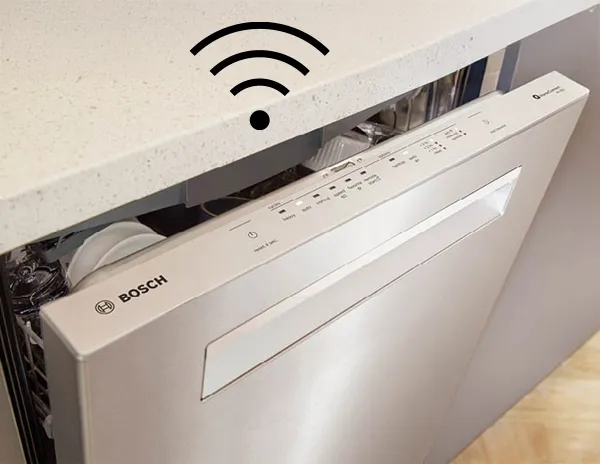
Have you ever wondered if your dishwasher could do more than just clean dishes? Imagine saving time, energy, and water every time you run a load—all by simply programming your smart dishwasher the right way.
If you want to make your kitchen routine easier and more efficient, learning how to program your smart dishwasher is the key. This guide will show you step-by-step how to unlock all the features your dishwasher offers, so you get spotless dishes with less effort.
Ready to take control and transform your dishwashing experience? Let’s dive in.

Credit: www.maytag.ca
Choosing The Right Dishwasher Model
Picking a dishwasher means finding the best fit for your needs. Different models offer various features and sizes.
This guide helps you understand key points to consider before buying a smart dishwasher.
Understand Dishwasher Types
Dishwashers come in built-in, portable, and countertop types. Choose based on your kitchen space and usage.
Check Size And Capacity
Size matters to fit your kitchen and wash the right amount of dishes. Capacity is shown in place settings.
| Dishwasher Type | Typical Width | Capacity (Place Settings) |
| Built-in | 24 inches | 12-16 |
| Portable | 24 inches | 8-12 |
| Countertop | 18 inches | 4-6 |
Look For Smart Features
Smart dishwashers connect to Wi-Fi and offer remote control. Some have sensors to adjust water use.
- Remote start and stop via app
- Cycle status notifications
- Energy and water usage monitoring
- Auto soil sensors for cleaning
Consider Energy Efficiency
Energy-efficient models save electricity and water. Look for Energy Star certification for best savings.
Evaluate Noise Levels
Quiet dishwashers work well in open kitchens. Noise levels are measured in decibels (dB).
- Under 45 dB: Very quiet
- 45-50 dB: Moderate noise
- Above 50 dB: Noticeable noise
Understanding Smart Features
Smart dishwashers have many new features that make cleaning easier. They connect to your home network and use sensors to work well.
Learning how to program these features helps you get the best use from your dishwasher every day.
Wi-fi Connectivity
Wi-Fi lets your dishwasher connect to your phone or smart home system. You can start or stop cycles remotely. It also sends alerts when the wash is done.
- Control dishwasher settings from your phone
- Receive notifications about wash status
- Download software updates automatically
- Monitor energy and water usage
Smart Sensors
Smart sensors detect how dirty your dishes are. They adjust the water temperature and cycle length. This saves water and energy while cleaning well.
| Sensor Type | Function |
| Soil Sensor | Measures dirt level on dishes |
| Water Sensor | Checks water clarity for rinse cycles |
| Temperature Sensor | Controls water temperature for cleaning |
Voice Control Compatibility
Many smart dishwashers work with voice assistants like Alexa or Google. You can use simple commands to run or check the dishwasher without touching buttons.
To use voice control, connect the dishwasher to your smart home app. Then link it to your voice assistant device.
Setting Up Your Smart Dishwasher
Setting up a smart dishwasher lets you control it from your phone. It saves time and helps manage energy use.
This guide covers basic installation tips and how to connect your dishwasher to your home network.
Installation Tips
Place the dishwasher near a water source and power outlet. Make sure it is level to avoid leaks.
- Clear space around the dishwasher for ventilation
- Use proper tools to connect water and drainage hoses
- Follow the manufacturer’s instructions carefully
- Check for leaks after installation
Connecting To Home Network
Connect your dishwasher to Wi-Fi to use its smart features. Use the dishwasher’s control panel or app to start setup.
| Network Step | Instructions |
| Find Wi-Fi Settings | Go to dishwasher menu and select network options |
| Choose Network | Select your home Wi-Fi name (SSID) |
| Enter Password | Type your Wi-Fi password carefully |
| Confirm Connection | Wait for the dishwasher to connect to the network |

Credit: www.walmart.com
Configuring Cleaning Cycles
Smart dishwashers let you set cleaning cycles to match your needs. Adjusting these cycles saves time and energy.
Knowing how to configure cycles helps get dishes cleaner and keeps your machine running well.
Selecting The Right Cycle
Choose a cycle based on how dirty your dishes are and the type of items you wash.
- Light cycle for glasses and lightly soiled plates
- Normal cycle for everyday dishes and utensils
- Heavy cycle for pots, pans, and very dirty dishes
- Eco cycle to save water and energy with moderate cleaning
- Quick wash for fast cleaning when you are in a hurry
Adjusting Temperature And Pressure
Temperature and water pressure affect cleaning performance and energy use. Adjust these settings to fit your load.
| Setting | Recommended Use | Effect |
| High Temperature | Greasy or heavily soiled dishes | Better cleaning, uses more energy |
| Medium Temperature | Normal loads with mixed soil levels | Balanced cleaning and energy use |
| Low Temperature | Delicate items like glassware | Protects dishes, saves energy |
| High Pressure | Stuck-on food and pots | Strong cleaning, higher water use |
| Low Pressure | Lightly soiled dishes | Gentle wash, saves water |
Using Smart Controls
Smart dishwashers have controls you can use from your phone or tablet. These controls make it easy to manage your dishwasher from anywhere.
You can start, stop, or check your dishwasher without being at home. Learning to use these features helps save time and water.
Remote Operation
Remote operation lets you control your dishwasher from a distance. Use an app to turn it on or off and monitor the cycle.
- Connect your dishwasher to Wi-Fi.
- Download the manufacturer’s app on your device.
- Open the app and link it to your dishwasher.
- Start or stop the wash cycle remotely.
- Receive alerts when the cycle finishes or if there is an error.
Scheduling Washes
You can set your dishwasher to run at specific times. Scheduling washes can help save electricity during off-peak hours.
| Task | How to Set |
| Choose wash time | Pick a start time in the app |
| Select wash cycle | Choose from options like eco or heavy |
| Enable delay start | Set a delay before the wash begins |
| Save schedule | Confirm and save your settings |
Maintenance And Troubleshooting
Smart dishwashers need regular care to work well. Proper maintenance helps avoid problems.
Troubleshooting can fix many common issues quickly. Knowing simple tips saves time and money.
Regular Cleaning Tips
Keep your dishwasher clean inside and out. This stops bad smells and improves washing.
Clean filters and spray arms often. Check the door seals for dirt or damage.
- Remove and clean the filter weekly.
- Wipe the door gasket with a damp cloth.
- Run an empty cycle with dishwasher cleaner monthly.
- Check and clean spray arms to remove blockages.
- Clear food scraps from the bottom of the machine.
Common Issues And Fixes
Dishwashers may show error codes or stop working. Simple fixes solve most problems.
Check water supply, power, and door lock first. Reset the machine to clear errors.
- Dishwasher does not start: Confirm power is on and door is closed.
- Water not draining: Clean the filter and drain hose.
- Dishes not clean: Load dishes properly and check spray arms.
- Unusual noise: Remove stuck items and check for loose parts.
- Error codes: Refer to the manual for specific code meanings.

Credit: www.lowes.com
Frequently Asked Questions
How Do I Start Programming A Smart Dishwasher?
To start, connect your dishwasher to Wi-Fi via the app. Follow the app’s step-by-step setup guide. Ensure your smartphone and dishwasher are on the same network for smooth programming.
Can I Customize Washing Cycles On Smart Dishwashers?
Yes, smart dishwashers allow cycle customization. You can select water temperature, duration, and drying settings. Use the mobile app or control panel to save your preferred cycles for future use.
What Features Make Smart Dishwashers Efficient?
Smart dishwashers offer sensors that adjust water and energy use. They provide remote control, status alerts, and maintenance reminders. These features improve cleaning and save resources effectively.
How Do I Troubleshoot Programming Errors On Smart Dishwashers?
Check your Wi-Fi connection and app updates first. Restart the dishwasher and app if issues persist. Consult the user manual or support service for specific error codes and solutions.
Conclusion
Programming your smart dishwasher saves time and energy daily. It helps clean dishes better and uses water wisely. Follow the steps carefully to set the right cycle. Experiment with settings to find what works best for you. Keep your dishwasher maintained for long-lasting use.
Small efforts lead to big benefits in the kitchen. Enjoy cleaner dishes without hassle or waste. Smart dishwashers make home life easier and more efficient. Give it a try and see the difference yourself.