
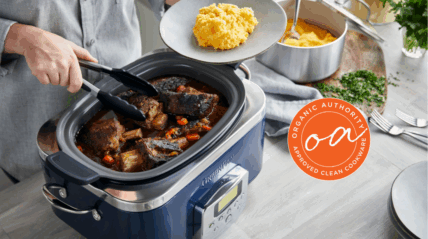
Imagine coming home to a perfectly cooked meal without lifting a finger. Your smart slow cooker can make that happen, but only if you know how to monitor it properly.
If you’re worried about overcooking, undercooking, or just want to make sure your food is safe and delicious, this guide is for you. Keep reading, and you’ll discover simple, effective ways to keep an eye on your smart slow cooker—so every meal is just right, every time.

Credit: smartslowcooker.com
Benefits Of Smart Slow Cookers
Smart slow cookers bring new convenience to cooking. They let you control the cooking process from anywhere.
These devices connect to your phone or tablet. This connection helps you monitor food without being in the kitchen.
Remote Control And Monitoring
You can start, stop, or adjust cooking from your phone. This control means you do not have to rush home to check food.
Alerts on your device tell you when cooking is done. This feature helps avoid overcooking or burning food.
Precise Temperature Settings
Smart slow cookers keep temperature steady. You can set exact heat levels for different recipes.
Precise heat control improves food taste and texture. It also saves energy by not overheating.
Custom Cooking Programs
These cookers have preset programs for many dishes. You just pick a program and let the cooker do the work.
Custom programs make cooking easy for beginners. They reduce guesswork and help get good results every time.
Energy Efficiency
Smart slow cookers use energy only when needed. They adjust cooking time and heat to save power.
This efficiency lowers electricity bills. It also helps protect the environment by reducing waste.
Safety Features
Smart slow cookers often include safety alerts. They warn you about overheating or if the lid is open.
These features reduce risks of accidents. They give peace of mind when cooking unattended.

Credit: smartslowcooker.com
Choosing The Right Smart Slow Cooker
Smart slow cookers are convenient kitchen devices. They let you cook meals with remote control and monitoring.
Choosing the right one helps you get the best cooking experience. Look for features that fit your needs.
Key Features To Look For
Smart slow cookers come with many features. Some are more useful than others depending on your cooking style.
- Wi-Fi Connectivity:Allows remote control and monitoring from your phone.
- App Compatibility:Check if the cooker works with your smartphone’s operating system.
- Temperature Control:Precise control helps cook food evenly and safely.
- Timer Settings:Set cooking times easily and get alerts when food is ready.
- Cooking Modes:Multiple modes let you cook different dishes with one device.
- Capacity:Choose size based on your family or meal requirements.
- Ease of Cleaning:Removable parts and dishwasher-safe components save time.
Popular Models In The Market
Many smart slow cookers are available with different features and prices. Some models are popular for their reliability.
| Model | Key Features | Capacity |
|---|---|---|
| Instant Pot Smart Wi-Fi | Wi-Fi control, app support, multiple cooking modes | 6 Quarts |
| Crock-Pot 6-Quart Wi-Fi | Remote monitoring, simple app, easy cleaning | 6 Quarts |
| Ninja Foodi 8-Quart | Wi-Fi, pressure cooking, air frying, smart app | 8 Quarts |
| Hamilton Beach Set & Forget | Wi-Fi, temperature probe, programmable timer | 6 Quarts |
Setting Up Your Smart Slow Cooker
Setting up your smart slow cooker is the first step to easy cooking. It lets you control your cooker from anywhere.
Follow simple steps to connect it to Wi-Fi and use the app for monitoring and cooking.
Connecting To Wi-fi
Connect your smart slow cooker to Wi-Fi to control it remotely. This connection allows you to check cooking progress and adjust settings.
Make sure your Wi-Fi is stable and has a good signal where you place the slow cooker.
- Turn on your slow cooker and enter setup mode.
- Open your phone’s Wi-Fi settings.
- Find the slow cooker’s Wi-Fi network and connect.
- Open the slow cooker app to link it to your home Wi-Fi.
- Enter your Wi-Fi password when asked.
- Wait for confirmation that the device is connected.
Downloading And Using Apps
Download the official app for your smart slow cooker to control and monitor it. The app lets you start, stop, and change cooking times.
Apps usually offer notifications so you know when your food is ready or if you need to add ingredients.
- Go to the App Store or Google Play on your phone.
- Search for the slow cooker’s brand app.
- Download and install the app.
- Create an account or log in if needed.
- Connect the app to your slow cooker using Wi-Fi setup.
- Explore cooking presets and remote controls in the app.
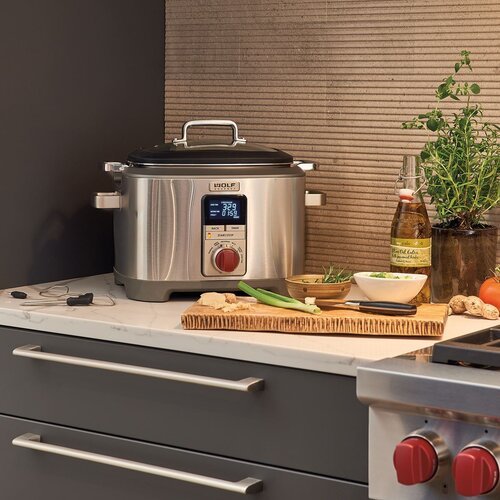
Credit: smartslowcooker.com
Monitoring Cooking Progress
Smart slow cookers let you watch your food cook from anywhere. They use technology to show cooking status in real time.
Monitoring helps you know when your meal is ready or if it needs more time. It saves you from guessing and keeps food safe.
Using The App Interface
The app interface shows the current cooking stage and temperature. You can see how much time is left for your food.
The app often displays alerts or messages about your slow cooker. This way, you get instant updates on your meal.
- View cooking progress in real time
- Check current temperature and mode
- Receive alerts for any issues
- See estimated time remaining
Adjusting Settings Remotely
You can change cooking temperature and time using the app. This lets you adapt the cooking without being near the slow cooker.
Remote control helps if your plans change. You can slow down or speed up cooking to fit your schedule.
- Change cooking temperature
- Extend or shorten cooking time
- Switch between cooking modes
- Pause or stop cooking if needed
Troubleshooting Common Issues
Smart slow cookers use technology to make cooking easier. Sometimes, they face issues that stop them from working well.
This guide helps you fix common problems with smart slow cookers. You will learn how to solve connectivity and app issues.
Connectivity Problems
Smart slow cookers connect to Wi-Fi to work with apps. If they lose connection, features may not work properly.
Check if your slow cooker is near the Wi-Fi router. Walls and distance can weaken the signal.
- Restart your slow cooker and Wi-Fi router.
- Make sure Wi-Fi password is correct in the app.
- Update the slow cooker’s firmware if updates are available.
- Remove any wireless devices that cause interference nearby.
- Try connecting to a different Wi-Fi network.
App Malfunctions
The app controls the smart slow cooker settings. Sometimes the app may freeze or fail to respond.
Make sure your phone’s operating system is up to date. Outdated apps can cause problems.
- Close and reopen the app to refresh it.
- Restart your phone to clear temporary bugs.
- Uninstall and reinstall the app to fix errors.
- Check app permissions to allow full access.
- Clear the app cache from your phone settings.
Tips For Perfect Meals
Smart slow cookers help you prepare meals easily. They allow you to control cooking from your phone.
Monitoring your slow cooker ensures your food tastes great every time. It prevents overcooking or undercooking.
Optimal Cooking Times
Set the right cooking time for each recipe. Different foods need different times to cook fully.
Use your smart slow cooker app to check and adjust cooking times easily. Watch timers to avoid overcooking.
- Vegetables usually cook in 3 to 6 hours.
- Meats need 6 to 10 hours on low heat.
- Soups and stews take 4 to 8 hours.
- Follow recipe times, but check food through app alerts.
Temperature Settings
Choose the right temperature for your dish. Smart slow cookers let you switch between low, medium, and high heat.
Adjust temperature using the app to keep food cooking evenly. Avoid opening the lid too often to keep heat steady.
| Temperature | Use For |
|---|---|
| Low | Long cooking times for tender meats |
| Medium | Standard cooking for vegetables and soups |
| High | Faster cooking when short on time |
Maintaining Your Smart Slow Cooker
Smart slow cookers need regular care to work well and last long. Keeping them clean and updated helps avoid problems.
Proper maintenance also ensures your meals cook evenly and safely. Learn simple tips to keep your smart slow cooker in good shape.
Cleaning Tips
Clean your slow cooker after each use to avoid food build-up. Use warm, soapy water and a soft cloth for the pot.
Do not soak the base or any electrical parts. Wipe the exterior with a damp cloth and dry it well.
- Remove the pot and lid for washing
- Use non-abrasive sponges to avoid scratches
- Clean the heating base with a dry or slightly damp cloth
- Dry all parts completely before reassembling
Software Updates
Smart slow cookers often have software to control cooking times and temperatures. Keep this software updated for best performance.
Check for updates through the app or device regularly. Updates fix bugs and add new features.
- Connect your slow cooker to Wi-Fi for updates
- Open the app linked to your cooker
- Follow prompts to install new software
- Restart the cooker after updating
Frequently Asked Questions
How Do I Connect My Smart Slow Cooker To Wi-fi?
To connect, first ensure your slow cooker is in pairing mode. Open the app, select your device, and enter your Wi-Fi details. Follow on-screen prompts to complete the setup quickly and securely.
What Apps Work Best For Monitoring Smart Slow Cookers?
Most smart slow cookers use their proprietary apps, like Crock-Pot or Instant Pot apps. These apps provide real-time cooking status, alerts, and remote control features for convenience.
Can I Control My Smart Slow Cooker Remotely?
Yes, smart slow cookers allow remote control via their mobile apps. You can adjust temperature, cooking time, and receive notifications from anywhere with internet access.
How Do I Receive Alerts From My Smart Slow Cooker?
Enable notifications in your slow cooker’s app settings. Alerts inform you when cooking finishes or if there are any issues, helping you monitor meals without constant checking.
Conclusion
Monitoring smart slow cookers keeps your meals safe and tasty. Use the app to check cooking progress anytime. Set alerts to know when food is ready or needs attention. Regularly update the cooker’s software for best performance. Keep your device connected to Wi-Fi for smooth control.
Simple steps help you enjoy stress-free cooking every day. Smart slow cookers make meal prep easier and more reliable. Try these tips to get the most from your device. Cooking made simple. Worry less. Eat well.