
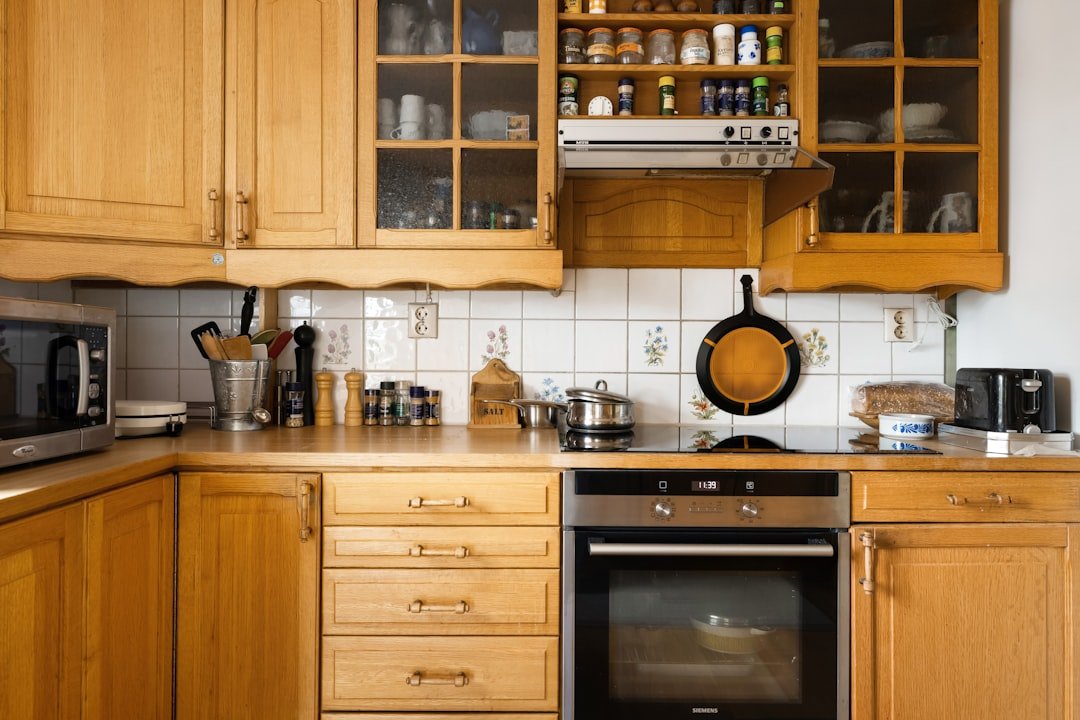
Imagine your kitchen appliances working smoothly every time you need them, saving you time and hassle. If you own Wi-Fi-enabled kitchen gadgets, keeping them in top shape is key to enjoying their full benefits.
You might wonder how to avoid glitches, slow connections, or unexpected breakdowns. This guide will show you simple, effective ways to maintain your smart kitchen devices, so they stay reliable and efficient. Stick with me, and you’ll learn easy tips that make a big difference for your daily cooking experience.
Regular Software Updates
Wi-Fi-enabled kitchen appliances need regular software updates. These updates keep devices safe and working well.
Updating software fixes bugs and adds new features. It also helps protect your appliance from security risks.
Check For Updates Often
Check your appliance’s app or settings for update notifications. Do this at least once a month.
Some appliances update automatically. If yours does not, start updates manually to stay current.
Follow Update Instructions Carefully
Read the update steps before starting. Follow each step to avoid errors during installation.
Keep the appliance powered and connected to Wi-Fi until the update finishes. Interruptions can cause problems.
Understand Update Benefits
Updates improve your appliance’s performance. They can add new functions or improve existing ones.
- Fix bugs that cause errors
- Improve device speed and response
- Enhance security against threats
- Add new user-friendly features
Keep Your Network Secure
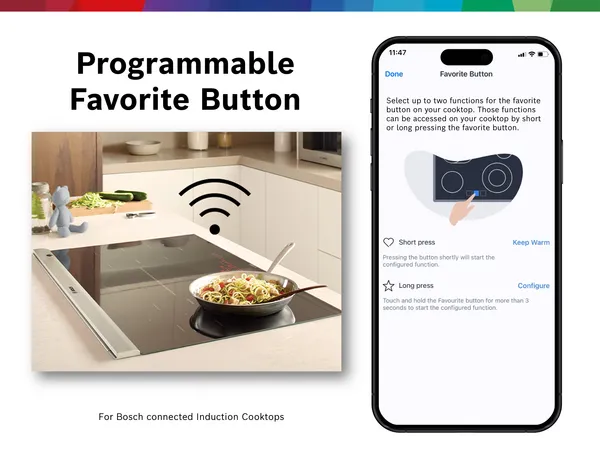
Use a strong Wi-Fi password to protect updates. Secure networks prevent hackers from accessing your appliance.
Update your Wi-Fi router’s software too. This adds extra security for all connected devices.
Credit: www.bosch-home.com
Cleaning And Maintenance
Keeping your Wi-Fi-enabled kitchen appliances clean helps them work better. Regular care stops dirt and damage.
Clean appliances carefully to avoid harming their smart features or electronics.
Exterior Cleaning
Wipe the outside of your appliances often to remove dust and stains. Use a soft cloth and mild cleaner.
Avoid harsh chemicals or soaking the device. Be gentle near screens and buttons to protect them.
- Turn off and unplug before cleaning
- Use damp cloth with mild soap
- Dry thoroughly with a soft towel
- Clean touchscreens with special wipes
- Keep vents free of dust
Interior Care
Check the inside of your appliances for food spills and crumbs. Clean carefully without water inside.
Use tools like brushes or vacuum cleaners to reach small parts. Follow the manual for safe cleaning tips.
- Remove trays and racks for washing
- Use soft brushes to clean corners
- Wipe with a damp cloth, avoid soaking
- Clean sensors gently to keep them working
- Dry all parts before reassembling
Connectivity Troubleshooting
Wi-Fi-enabled kitchen appliances need a strong connection to work well. Sometimes the connection can be weak or lost.
Troubleshooting helps find and fix connection problems quickly. This guide covers ways to improve Wi-Fi signal and check router compatibility.
Wi-fi Signal Optimization
A weak Wi-Fi signal can cause appliances to stop working or respond slowly. You can take simple steps to improve the signal strength.
Place your router near the kitchen. Avoid walls or large metal objects that block signals. Keep the appliance within range of the router.
- Move router to a central spot in your home
- Keep appliances away from microwaves and metal surfaces
- Use Wi-Fi extenders to boost signal in large homes
- Check for interference from other wireless devices
Router Compatibility
Not all routers work well with smart kitchen appliances. Some older routers may not support the right Wi-Fi bands or speeds.
Check your router’s specifications to ensure it supports 2.4 GHz Wi-Fi. Many smart appliances need this band for a stable connection.
- Use a dual-band router with 2.4 GHz and 5 GHz support
- Update your router’s firmware regularly
- Restart your router to fix temporary issues
- Replace very old routers with newer models
Credit: www.bosch-home.com
Protecting Against Power Surges
Wi-Fi-enabled kitchen appliances are useful but sensitive to power surges. Power surges can damage their electronic parts.
Protecting these devices helps them last longer and work properly. Here are some ways to guard against power surges.
Use A Surge Protector
Plug your kitchen appliances into a surge protector. It stops sudden spikes in electricity from reaching your devices.
Surge protectors are affordable and easy to find. They reduce the risk of damage during storms or power outages.
- Choose a surge protector with a high joule rating
- Replace surge protectors every few years
- Check for damaged cords and plugs regularly
Unplug Appliances During Storms
Storms often cause power surges. Unplugging Wi-Fi appliances during storms keeps them safe from sudden voltage spikes.
Even if you use surge protectors, unplugging is the safest option. It fully cuts off power to the appliance.
Install Whole-house Surge Protection
A whole-house surge protector guards all your home’s electrical devices. It is installed at the main electrical panel.
This type of protection helps stop big surges from outside sources like the power company or lightning.
- Ask an electrician to install the device
- Check compatibility with your home’s wiring
- Use it together with plug-in surge protectors
Avoid Overloading Circuits
Overloading a circuit can cause power problems and increase surge risks. Spread out your appliance use.
Do not plug too many devices into one outlet or power strip. This reduces electrical stress and protects appliances.
- Use separate outlets for large kitchen appliances
- Check your home’s circuit limits
- Use power strips with built-in surge protection
Regularly Inspect Appliance Cords And Plugs
Damaged cords and plugs can cause shorts and increase surge risks. Check them often for wear and tear.
Replace any frayed or broken cords to keep your appliances safe and working well.
- Look for cracks or exposed wires
- Do not use appliances with damaged cords
- Hire a professional for repairs if needed
User Manual Guidelines
Wi-Fi-enabled kitchen appliances make cooking easier. Proper maintenance keeps them working well.
Read the user manual carefully. It has important tips for safe use and care.
Understanding Features
Know the main features of your appliance. This helps you use it correctly and avoid damage.
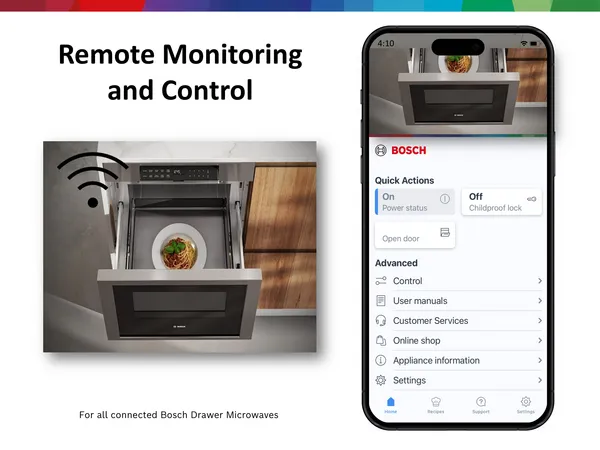
User manuals show how to connect to Wi-Fi and control the appliance remotely.
- Check how to connect to your home Wi-Fi network
- Learn about app controls and voice commands
- Understand any special cleaning modes or alerts
- Note energy-saving settings
Safety Instructions
Follow safety rules to avoid accidents or damage. The manual lists warnings and care tips.
Keep the appliance dry and clean. Do not expose it to water unless stated safe.
- Unplug before cleaning or repairs
- Use only recommended cleaning products
- Avoid blocking ventilation areas
- Keep away from children and pets
- Do not modify Wi-Fi settings without instructions
Energy Efficiency Tips
Wi-Fi-enabled kitchen appliances help make cooking easier. They can also save energy if used the right way.
Using these appliances smartly lowers energy bills and helps the environment.
Use Energy-saving Modes
Many smart appliances have energy-saving modes. Turn these modes on to reduce power use.
Energy-saving modes use less electricity while keeping the appliance ready for use.
Schedule Appliance Usage
Set your appliances to run during off-peak hours. This saves energy and lowers electricity costs.
Use the Wi-Fi control to program cooking or cleaning times ahead.
Turn Off Appliances When Not In Use
Smart appliances often stay in standby mode and use power. Switch them off fully when you don’t need them.
Use app controls to turn off devices remotely and avoid wasting energy.
Regularly Update Appliance Firmware
Manufacturers improve energy efficiency through updates. Keep your appliance firmware up to date.
Updates fix bugs and add features that save power.
Optimize Appliance Settings
Adjust settings for the best energy use. For example, set fridges to the right temperature.
Use lower heat settings on ovens and avoid overfilling appliances.
- Fridge: 37-40°F (3-4°C)
- Freezer: 0°F (-18°C)
- Oven: Use recommended temperature
- Dishwasher: Run full loads only
Security Measures
Wi-Fi-enabled kitchen appliances make life easier. They connect to the internet for better control.
Keeping these devices secure protects your data and privacy. Follow simple steps to stay safe.
Password Protection
Use strong passwords for your kitchen appliances. Avoid easy or common passwords like “1234” or “password”.
Change default passwords immediately after setup. Use a mix of letters, numbers, and symbols for safety.
- Do not share your passwords with others
- Update passwords regularly
- Use a password manager to keep track
Firmware Security
Firmware controls how your appliance works. Keep it updated to fix security problems.
Check for updates from the manufacturer often. Install updates as soon as they are available.
- Enable automatic updates if possible
- Download updates only from official sources
- Restart your device after updates finish
Credit: www.bosch-home.com
Professional Servicing
Wi-Fi-enabled kitchen appliances need regular professional care. Experts keep these devices safe and working well.
Professional servicing helps find hidden problems before they cause damage or stop the appliance from working.
Regular Inspections
Technicians check your appliances regularly to spot issues early. This keeps your devices running smoothly.
They test both the hardware and software parts of your kitchen gadgets during inspections.
- Check Wi-Fi connectivity and settings
- Inspect electrical parts for safety
- Update software and firmware as needed
Professionals clean the inside and outside of your smart appliances. This prevents buildup that can cause problems.
They also lubricate moving parts and replace worn-out components to extend the appliance’s life.
- Remove dust from vents and fans
- Clean sensors and control panels
- Replace filters or seals if needed
Software Updates And Security
Experts install software updates to improve appliance performance. Updates fix bugs and add new features.
They also check security settings to protect your smart kitchen devices from hackers.
- Install official firmware updates
- Configure strong passwords and firewalls
- Scan for malware and vulnerabilities
Troubleshooting And Repairs
Professionals diagnose problems that are hard to fix on your own. They use special tools to find faults.
They repair or replace broken parts to restore your appliance’s full function quickly and safely.
- Use diagnostic software for errors
- Replace damaged circuit boards or sensors
- Test appliance after repair for safety
Frequently Asked Questions
How Often Should I Update My Wi-fi Appliance Software?
Regularly update your appliance software to ensure security and performance. Check for updates monthly or as recommended by the manufacturer. Updates fix bugs, improve connectivity, and add new features, keeping your Wi-Fi-enabled kitchen appliances running smoothly and safely.
How Can I Improve Wi-fi Signal For Kitchen Appliances?
Place your router near the kitchen for stronger Wi-Fi signals. Avoid physical obstructions like walls or metal objects. Use Wi-Fi extenders if needed. A stable signal ensures your kitchen appliances respond quickly and function without interruptions.
What Are Common Issues With Wi-fi Kitchen Appliances?
Common problems include connectivity drops, software glitches, and slow responses. These often result from weak Wi-Fi signals or outdated firmware. Regular maintenance, updates, and proper placement of devices help prevent these issues and maintain appliance efficiency.
How Do I Secure My Wi-fi Kitchen Appliances?
Use strong, unique passwords for your Wi-Fi network and devices. Enable two-factor authentication if available. Regularly update software to patch security vulnerabilities. These steps protect your smart kitchen appliances from unauthorized access and cyber threats.
Conclusion
Maintaining Wi-Fi kitchen appliances keeps them working well longer. Clean devices often and check for software updates. Secure your Wi-Fi network to protect your appliances. Regular care prevents problems and saves money. Small steps make your kitchen smarter and safer.
Stay consistent with maintenance to enjoy convenience daily. Simple habits lead to big benefits over time. Keep your smart kitchen running smoothly without stress.