

Your smart toaster oven is more than just a kitchen gadget—it’s a time-saver and a cooking helper that makes meal prep easier. But to keep it working perfectly and last longer, you need to take good care of it.
If you want to avoid costly repairs and enjoy delicious meals every time, knowing how to maintain your smart toaster oven is key. You’ll discover simple, practical tips that anyone can follow to keep your appliance clean, safe, and running smoothly.
Ready to unlock the full potential of your smart toaster oven? Let’s dive in.
Daily Cleaning Habits
Maintaining a smart toaster oven is simple with daily cleaning habits. A clean appliance works better and lasts longer. Let’s explore how to keep your toaster oven in top shape.
Cleaning your toaster oven daily prevents food buildup and keeps it hygienic. It’s important to follow some easy steps every day.
Wiping Exterior Surfaces
Wiping the exterior surfaces of your toaster oven is essential. Use a damp cloth to remove fingerprints and stains. This keeps your appliance looking new and shiny.
Avoid using harsh chemicals that can damage the surface. Stick to mild soap and water for the best results.
Cleaning Crumb Trays
Cleaning the crumb tray is important to prevent fire hazards. Remove the tray and empty the crumbs into the trash. Wash the tray with warm soapy water.
Make sure the crumb tray is completely dry before putting it back. This helps to avoid mold and unpleasant smells.
Avoiding Water Damage
Water can damage your toaster oven if not handled properly. Never immerse the appliance in water. Use a damp cloth for cleaning instead.
Keep the electrical parts dry to ensure safety. Always unplug the toaster oven before cleaning to prevent accidents.
- Use a damp cloth, not soaking wet
- Unplug before cleaning
- Avoid harsh chemicals
Deep Cleaning Techniques
Keeping your smart toaster oven clean helps it work well. Deep cleaning removes stuck food and grease inside.
Regular cleaning prevents bad smells and keeps your toaster oven safe to use.
Removing And Washing Racks
Take out the racks carefully before cleaning. Soak them in warm, soapy water to loosen dirt.
Use a soft sponge or cloth to scrub the racks. Rinse them well and dry before putting back.
- Remove racks gently to avoid bending
- Use warm water with mild soap
- Scrub with a soft sponge
- Dry racks completely before use
Using Non-abrasive Cleaners
Use cleaners that do not scratch surfaces. Avoid harsh chemicals to protect your toaster oven.
Non-abrasive cleaners keep the inside shiny and safe. They clean well without damage.
- Choose mild dish soap or baking soda paste
- Test cleaner on a small spot first
- Wipe gently with a soft cloth or sponge
- Rinse and dry after cleaning
Cleaning Heating Elements Safely
Unplug the toaster oven before cleaning heating elements. Avoid using water directly on them.
Use a dry or slightly damp cloth to wipe the elements. Do not scrub or apply pressure to avoid damage.
- Make sure toaster oven is cool and unplugged
- Use a dry or lightly damp cloth only
- Do not use sprays or soaking liquids
- Clean gently to avoid breaking elements
Proper Usage Tips
Smart toaster ovens need careful use to last long. Using them correctly helps keep them clean and working well.
Follow these tips to avoid damage and get good cooking results every time.
Avoiding Overloading
Do not put too much food inside the toaster oven. Overloading stops air from circulating well.
Too much food can cause uneven cooking and may damage the oven’s heating parts.
- Place food in a single layer for even heat
- Leave space between items to allow air flow
- Use the right size baking tray for your oven
Preheating Best Practices
Preheat your smart toaster oven before cooking. This helps food cook evenly and saves time.
Check if your recipe or food type needs preheating. Some foods cook better without it.
- Turn on the oven and set the right temperature
- Wait for the oven to signal it is ready
- Put food inside after preheating is complete
Using Correct Settings
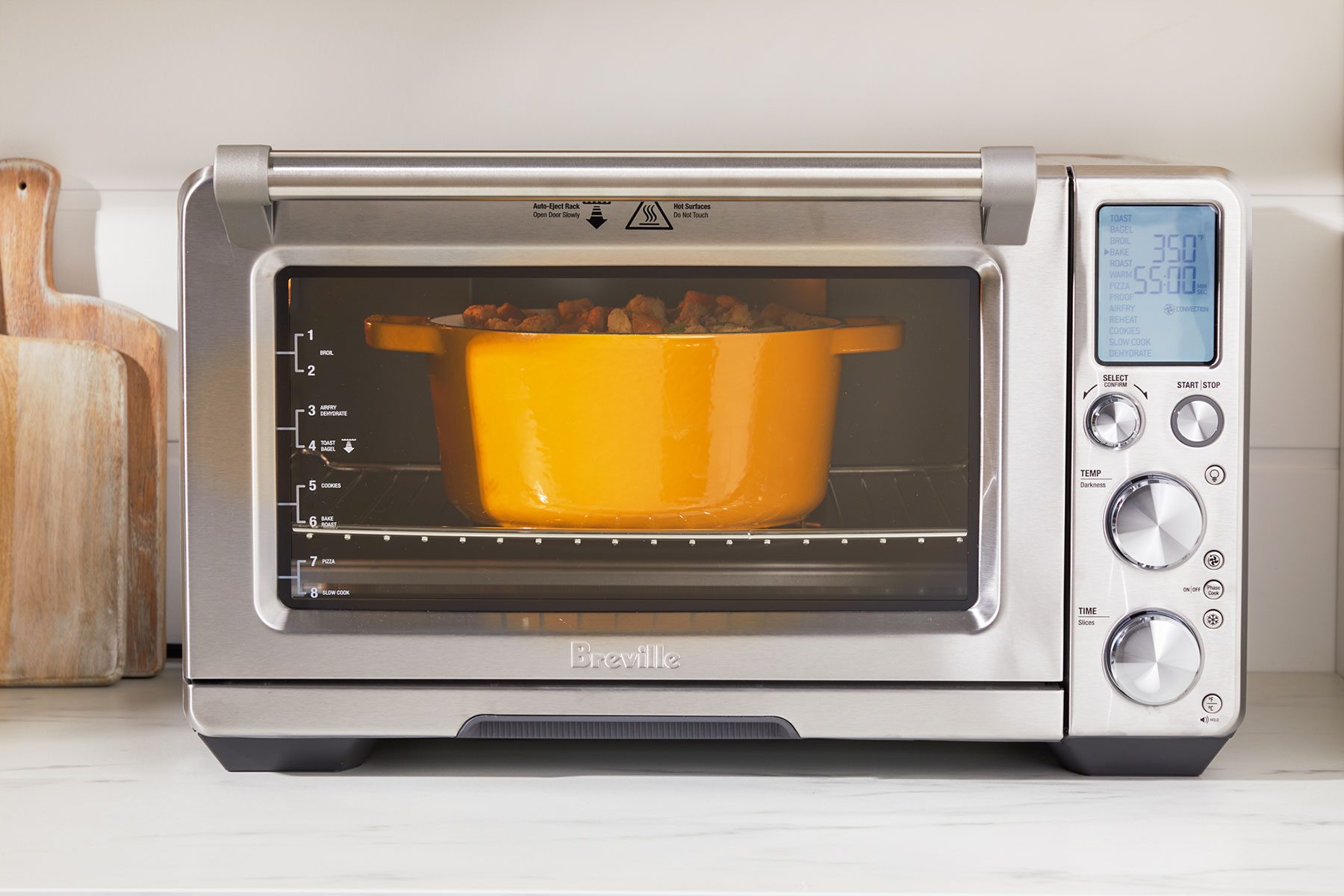
Choose the right cooking mode and temperature for your food. Wrong settings can burn or undercook food.
Read your smart toaster oven’s guide to learn about each setting and how to use them.
- Select baking, toasting, broiling, or warming modes as needed
- Adjust temperature based on food type and recipe
- Use timers to avoid overcooking or burning
Credit: www.tasteofhome.com
Regular Maintenance Checks
Smart toaster ovens need regular care to work well. Checking them often helps avoid problems.
Simple checks can keep your toaster oven safe and last longer.
Inspecting Power Cords
Look at the power cord for any signs of damage. Cracks, cuts, or frays can be dangerous.
Make sure the plug fits tightly into the socket and does not wobble.
- Check for exposed wires
- Look for bent or broken prongs
- Ensure the cord is not twisted or pinched
Checking Door Seals
Door seals keep heat inside the toaster oven. Check seals for cracks or gaps.
Replace seals if they look worn out or broken to keep the oven efficient.
- Open and close the door slowly
- Look for gaps between the door and oven body
- Clean the seal area to remove dirt
Monitoring Performance
Watch how your smart toaster oven cooks food. Uneven heating means a problem.
Listen for unusual sounds and check if the controls respond properly.
- Test cooking at different temperatures
- Check timer and smart features
- Note any delays or errors during use
Troubleshooting Common Issues
Smart toaster ovens can have problems like any appliance. Fixing issues yourself saves time and money.
This guide covers how to solve common problems with your smart toaster oven.
Dealing With Uneven Heating
Uneven heating means some parts of food cook faster than others. This can spoil your meal.
Check if the tray or rack is placed properly. Clean the heating elements to remove dirt or grease.
- Rotate food halfway through cooking
- Use the correct rack position
- Clean crumb trays regularly
- Check for damaged heating elements
Fixing Unresponsive Controls
Unresponsive controls stop you from setting the oven properly. This can cause cooking errors.
Try unplugging the oven for a few minutes. Wipe the control panel clean with a soft cloth.
- Make sure your hands are dry before use
- Reset the oven by disconnecting power
- Check if the control panel has cracks or damage
- Contact support if problem continues
Handling Strange Noises
Strange noises can mean something is wrong inside the toaster oven. It may be a sign of a loose part.
Listen carefully to identify the noise type. Clean the oven and remove any stuck crumbs or objects.
- Check if the fan is working smoothly
- Look for loose screws or parts
- Clean the crumb tray to avoid rattling
- Stop use if noise persists and seek repair
Credit: www.consumerreports.org
Storage And Handling Tips
Smart toaster ovens need good care to work well and last long. Proper storage and handling keep them safe and clean.
Following simple tips helps avoid damage and keeps your toaster oven ready to use anytime.
Safe Placement
Place your smart toaster oven on a flat, stable surface. This prevents it from tipping over or falling.
Keep it away from edges and heavy traffic areas to avoid accidents.
- Use heat-resistant mats or pads underneath
- Leave space around the oven for ventilation
- Avoid placing near flammable materials
Protecting From Dust
Dust can harm the toaster oven’s parts and reduce its efficiency. Cover the oven when not in use.
Use a clean cloth or a dust cover made for kitchen appliances to keep dust away.
- Clean the cover regularly
- Wipe the toaster oven surface with a dry cloth
- Store in a clean, dry place to limit dust buildup
Avoiding Moisture Exposure
Moisture can cause rust and damage the smart toaster oven’s electronics. Keep it dry at all times.
Do not store your toaster oven near sinks or areas with high humidity.
- Wipe any spills immediately
- Use a dehumidifier if needed in humid rooms
- Allow the oven to cool before covering or storing
When To Seek Professional Help
Smart toaster ovens need regular care to last longer. Some issues require expert help to fix.
Knowing when to call a professional keeps you safe and protects your toaster oven.
Identifying Serious Problems
Some problems are signs of serious faults. Do not ignore strange smells, sparks, or smoke.
Other signs include buttons that do not work or the oven not heating properly.
- Smoke or burning smell during use
- Sparks inside or outside the oven
- Buttons or touchscreen not responding
- Oven does not heat or turns off unexpectedly
- Unusual noises while operating
Finding Reliable Service
Choose a service center with good reviews and experience with smart appliances.
Ask if they use original parts and offer clear repair estimates before work starts.
- Check customer reviews online
- Confirm experience with smart toaster ovens
- Verify use of original manufacturer parts
- Request a clear price estimate
- Ask about repair time and warranty on service
Warranty And Repair Options
Check your toaster oven’s warranty before seeking repairs. Some fixes may be free.
If your warranty expired, compare repair costs to buying a new oven.
- Review warranty terms for coverage details
- Contact manufacturer for authorized repair centers
- Keep proof of purchase for warranty claims
- Consider repair cost versus replacement price

Credit: www.tasteofhome.com
Frequently Asked Questions
How Often Should I Clean My Smart Toaster Oven?
Clean your smart toaster oven weekly to prevent buildup. Remove crumbs, wipe surfaces, and clean racks with mild soap. Regular cleaning ensures efficient heating and extends the oven’s lifespan.
What’s The Best Way To Remove Burnt Food Inside?
Use a soft cloth and warm soapy water to clean burnt food. Avoid abrasive materials that can damage the interior. For tough stains, use a baking soda paste and gently scrub.
How Can I Maintain The Smart Features Of My Toaster Oven?
Keep the firmware updated via the manufacturer’s app. Regularly check for software updates to ensure optimal performance. Avoid moisture near control panels to prevent damage to smart components.
Is It Safe To Use Metal Utensils Inside The Toaster Oven?
Avoid using metal utensils inside the toaster oven to prevent scratching. Use silicone or wooden tools instead. This protects the non-stick coating and maintains efficient cooking.
Conclusion
Keeping your smart toaster oven clean and cared for helps it last longer. Regularly wipe the inside and outside to avoid buildup. Check the settings and update the software when needed. Use it gently and avoid harsh chemicals or sharp tools.
Small efforts keep your toaster oven working well every day. Enjoy tasty meals made easy with a well-maintained appliance. Simple care makes a big difference over time.