
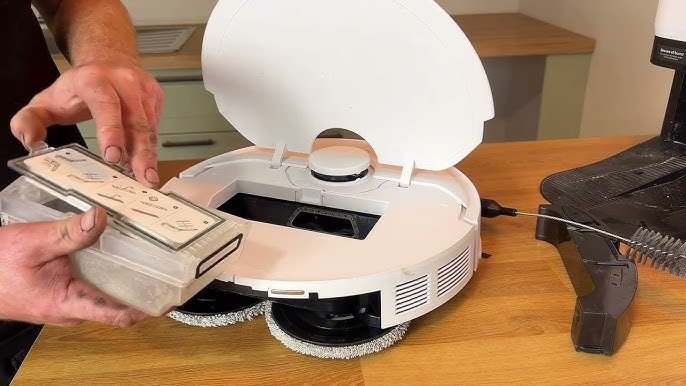
Your robotic mop is designed to make cleaning effortless, but to keep it working like new, you need to give it a little care. Imagine your floors sparkling every day without lifting a finger—sounds perfect, right?
But if you don’t maintain your robotic mop properly, it can lose its efficiency and even break down. You’ll discover simple, effective steps to keep your robotic mop in top shape. Follow these tips, and your device will continue to save you time and energy for a long time to come.
Ready to get started? Let’s dive in!
Selecting The Right Cleaning Solution
Choosing the correct cleaning solution is important for your robotic mop. It helps clean floors well and keeps the device safe.
Some solutions can damage the mop or leave residue. Picking the right one keeps your floors shiny and your mop working longer.
Check The Manufacturer’s Recommendations
Always read the mop’s manual for cleaning solution advice. Some mops only work with specific liquids.
Using the wrong solution may harm the mop’s parts or void the warranty. Stick to what the maker suggests.
Avoid Harsh Chemicals
Do not use bleach, ammonia, or strong acids in your mop. These chemicals can damage the mop’s sensors and pads.
Harsh cleaners may also leave sticky residues on floors. Choose gentle, safe cleaning liquids instead.
Select Ph-neutral Cleaners
pH-neutral cleaners are safe for most floor types and robotic mops. They clean well without causing damage.
These cleaners help keep floors shiny and prevent buildup on the mop’s parts. Look for labels that say “pH-neutral.”
Use Solutions Made For Robotic Mops
Some brands offer cleaning liquids designed just for robotic mops. These solutions work well with the mop’s system.
They help clean better and protect the mop. Using these liquids can extend your mop’s life.
Dilute Concentrated Cleaners Properly
Many cleaning solutions come concentrated and need water added before use. Follow the instructions carefully.
Too strong a mix can harm floors and the mop. The right dilution keeps cleaning effective and safe.
Test New Solutions On Small Areas
Before using a new cleaner all over your floor, test it in a small spot. Watch for damage or discoloration.
This test helps avoid problems and keeps floors looking good. If the test is fine, you can use the solution safely.
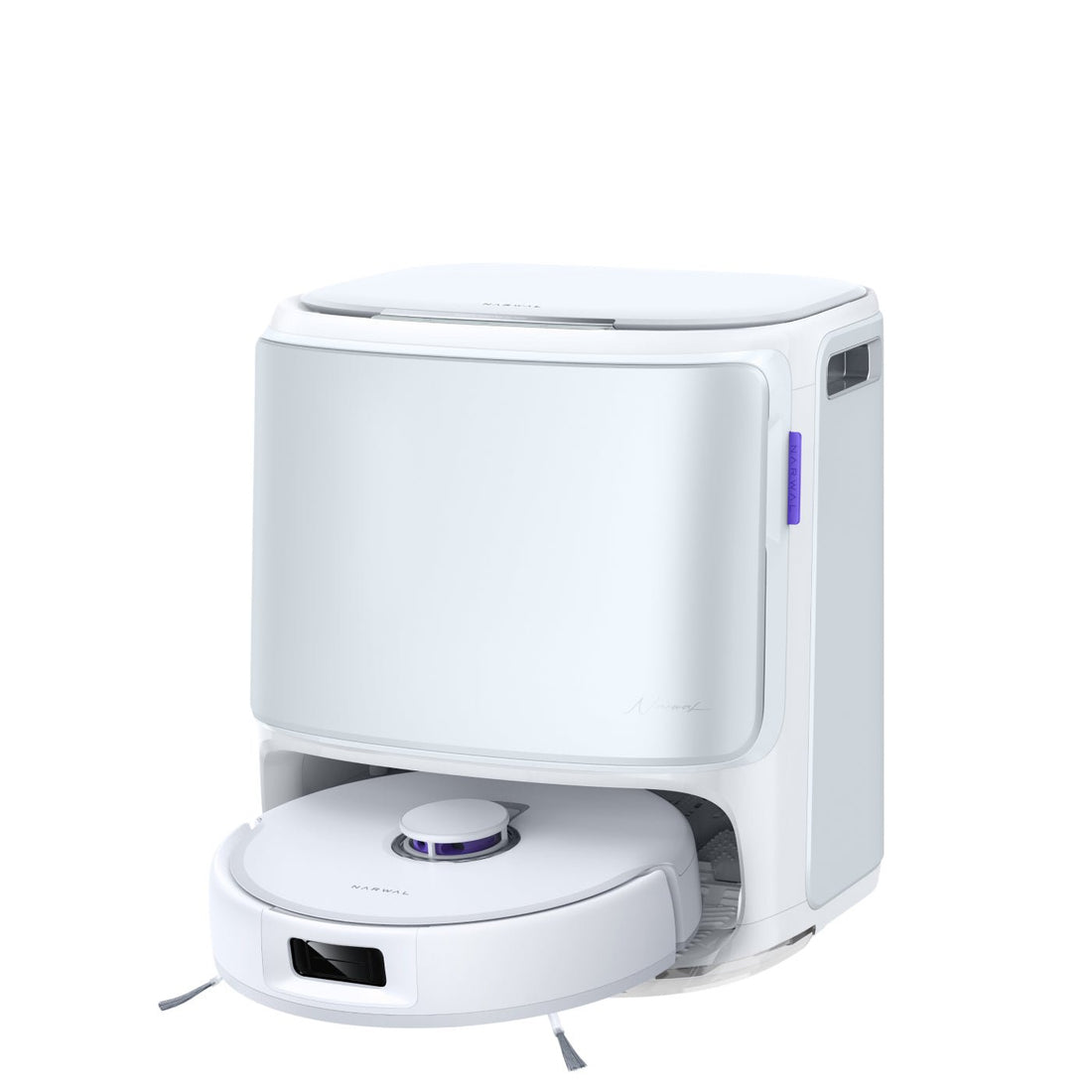
Credit: us.narwal.com
Regular Cleaning Schedule
Keeping your robotic mop clean helps it work well for a long time. A regular cleaning schedule makes sure your mop stays in good shape.
Follow daily and weekly tasks to keep your mop running smoothly and avoid damage.
Daily Maintenance
Do simple cleaning after every use. This stops dirt from building up and keeps your mop ready for the next cleaning.
Empty the water tank and wipe it dry. Remove and clean the mop pads. Check for any hair or debris stuck in brushes.
- Empty and dry the water tank
- Remove and rinse mop pads
- Clear hair and dirt from brushes
- Wipe the mop body with a dry cloth
Weekly Deep Clean
Clean your robotic mop more thoroughly once a week. This helps remove any hidden dirt and keeps parts working well.
Take off the mop pads and wash them well. Check the wheels and brushes for stuck dirt. Clean sensors gently with a soft cloth.
- Wash mop pads with warm water and soap
- Inspect and clean wheels and brushes
- Wipe sensors with a soft, dry cloth
- Check water filters and clean if needed
Battery Care
Taking care of your robotic mop’s battery helps it last longer. Proper battery care keeps your mop working well.
Good battery habits save money and avoid problems. Learn how to charge and replace the battery safely.
Charging Best Practices
Charge your robotic mop fully before its first use. Avoid letting the battery drain completely before charging.
Keep the charging area clean and dry. Use only the charger that came with the mop to prevent damage.
- Charge the mop in a cool, dry place
- Unplug the charger once the battery is full
- Avoid charging overnight or for too long
- Do not use damaged or incompatible chargers
Battery Replacement Tips
Replace the battery when the mop runs out of power quickly. Using an old battery can reduce cleaning time.
Check your mop’s manual for the right battery type. Follow safety steps when removing and installing the battery.
- Turn off the mop before replacing the battery
- Use only batteries approved by the manufacturer
- Dispose of old batteries at recycling centers
- Keep replacement batteries away from heat and water
Filter Maintenance
Keeping your robotic mop’s filter clean helps it work well. A clean filter stops dust and dirt from clogging the machine.
Regular filter care extends the mop’s life and keeps your floors cleaner.
Cleaning The Filter
Remove the filter from the mop carefully. Tap it gently to remove dust and debris.
Use a soft brush or rinse with water if the filter is very dirty. Let it dry completely before putting it back.
- Turn off the mop before removing the filter
- Tap the filter over a trash can to remove loose dirt
- Use a soft brush to clean stubborn dust
- If washable, rinse with water and air dry fully
- Never use harsh chemicals on the filter
Replacing The Filter
Filters wear out over time and need replacement. Check your mop’s manual for filter replacement frequency.
Buy the correct filter model for your mop. Insert the new filter securely to avoid leaks or damage.
- Inspect the filter for damage before cleaning
- Replace the filter if it is torn or too dirty
- Use only the recommended filter for your model
- Follow instructions to install the new filter properly
- Dispose of old filters responsibly
Sensor Calibration
Robotic mops use sensors to navigate and clean your floors. Proper sensor calibration helps the mop work well. It keeps the robot from bumping into objects or missing spots.
Regular checks and cleaning of the sensors keep the mop running smoothly. This guide explains how to check sensor alignment and clean sensors.
Checking Sensor Alignment
Sensor alignment means the sensors point in the right direction. Misaligned sensors can cause navigation errors. Check alignment every few weeks or after bumps.
To check alignment, place the mop on a flat surface. Watch how it moves and turns. If it drifts or stops unexpectedly, the sensors may be misaligned.
- Turn off the mop before checking sensors.
- Look for loose or shifted sensor parts.
- Gently push sensors back if they are out of place.
- Test the mop again on a flat floor.
Cleaning Sensors
Dirty sensors cause poor performance and wrong readings. Clean sensors regularly to keep the mop working well. Use a soft, dry cloth for cleaning.
Avoid water or harsh chemicals on sensors. Dirt, dust, and smudges can block sensor signals. Clean all sensor areas carefully.
- Turn off and unplug the mop before cleaning.
- Use a microfiber cloth to wipe sensor surfaces.
- Check for dust or debris in sensor slots.
- Remove debris gently with a soft brush if needed.
- Allow sensors to dry before turning the mop back on.
Brush And Pad Care
Keeping your robotic mop’s brushes and pads clean helps it work well. Dirt and hair can block brushes. Pads can wear out over time.
Regular care makes sure your mop cleans floors evenly and lasts longer.
Removing Debris From Brushes
Brushes pick up hair, dust, and small debris. Clean them often to keep the mop moving smoothly.
- Turn off and unplug the mop before cleaning.
- Remove the brush from the mop base.
- Use scissors or your fingers to cut and pull out hair wrapped around the brush.
- Brush off dust and dirt with a soft cloth or a small cleaning brush.
- Check brush bearings and remove any stuck debris.
- Rinse with water if the manufacturer allows, then dry completely.
- Reinstall the brush securely before use.
Replacing Mop Pads
Mop pads wear out and lose cleaning power. Replace them as needed to keep floors spotless.
| Signs to Replace Pads | Tips for Replacement |
| Pads look torn or frayed | Buy pads made for your mop model |
| Pads smell bad after washing | Wash new pads before first use |
| Cleaning results are poor | Replace pads regularly, about every 3 months |
| Pads do not attach properly | Check attachment points for damage |
Software Updates
Keeping your robotic mop’s software up to date is important. Updates improve performance and fix bugs.
Regular software updates help your mop work efficiently and add new features.
Installing Updates
Check for software updates often using the mop’s app or control panel. Most mops notify you when updates are ready.
Download and install updates promptly to keep your mop running smoothly. Updates usually take a few minutes.
- Connect your mop to Wi-Fi for easy updates
- Open the app or control panel
- Check for available updates
- Download and install the update
- Restart the mop if needed
Troubleshooting Software Issues
If your mop has trouble updating, try simple fixes first. Restart your device and check your internet connection.
Clear the app cache or reinstall the app if problems continue. Contact customer support if issues persist.
- Restart the robotic mop and your phone
- Ensure stable Wi-Fi connection
- Clear the app cache or reinstall it
- Reset the mop to factory settings if needed
- Reach out to customer service for help

Credit: www.youtube.com
Storage Tips
Proper storage helps keep your robotic mop in good shape. It prevents damage and extends its life.
Store your mop carefully to avoid problems like battery drain or mold growth. Follow simple steps for best results.
Optimal Storage Conditions
Keep your robotic mop in a clean and dry place. Avoid areas with extreme heat or cold.
- Store at room temperature, between 15°C and 25°C (59°F and 77°F)
- Keep away from direct sunlight to prevent damage
- Place on a flat surface to avoid tipping or falling
- Charge the battery to about 50% before long storage
Avoiding Moisture Damage
Moisture can harm your robotic mop’s electronics and motor. Keep it dry to avoid rust and mold.
| Cause | Effect | Prevention |
| Wet floors after cleaning | Short circuits or rust | Wait until floor dries before storing |
| Storing in damp areas | Mold growth and bad smell | Choose a dry storage spot |
| Water inside mop reservoir | Battery damage | Empty and dry reservoir after use |
Troubleshooting Common Problems
Robotic mops can save time and effort in cleaning. Sometimes, they face issues that stop them from working well.
This guide helps you fix common problems with your robotic mop. You can get it back to work fast and easy.
Addressing Connectivity Issues
If your robotic mop does not connect to Wi-Fi or the app, it will not respond to commands. Check these points to fix connection problems.
- Make sure your Wi-Fi is working and the signal is strong near the mop.
- Restart your router and the robotic mop to reset the connection.
- Check if the mop’s app is updated to the latest version.
- Confirm the mop is connected to a 2.4 GHz network if required.
- Move the mop closer to the router during setup.
- Delete the device from the app and add it again.
Handling Performance Drops
A robotic mop may slow down or clean poorly due to blocked parts or low battery. Check the table below for common causes and fixes.
| Issue | Possible Cause | How to Fix |
| Slow Movement | Dirty wheels or sensors | Clean wheels and sensors gently |
| Weak Cleaning | Full water tank or dirty mop pad | Empty and refill tank; replace mop pad |
| Stops Often | Low battery | Charge fully before use |
| Unusual Noise | Debris in brushes | Remove debris from brushes |

Credit: www.youtube.com
Frequently Asked Questions
How Often Should I Clean My Robotic Mop?
Clean your robotic mop after every use to prevent dirt buildup. Regular cleaning ensures optimal performance and extends the device’s lifespan.
What Is The Best Way To Clean Robotic Mop Pads?
Remove and rinse mop pads with warm water after each use. For deeper cleaning, machine wash pads without fabric softeners to maintain absorbency.
How Do I Maintain The Water Tank Of A Robotic Mop?
Empty and rinse the water tank after every use. Regularly check for clogs and use clean water to avoid mold and damage.
Can Robotic Mops Damage Hardwood Floors?
Robotic mops designed for hardwood floors use gentle cleaning modes. Always check manufacturer guidelines to prevent water damage or scratches on delicate surfaces.
Conclusion
Keeping your robotic mop clean and cared for extends its life. Change water and clean brushes often. Check sensors and wheels for dirt or damage. Store it in a dry, safe place. Small steps help the mop work well every day.
A little effort saves money and time later. Enjoy a cleaner home with less work. Simple care keeps your robotic mop ready to go.