
Imagine controlling your dishwasher with just a tap on your phone or a simple voice command. Integrating a smart dishwasher with your smart home system can make your daily chores easier and your home more efficient.
If you want to save time, reduce hassle, and enjoy seamless control over your kitchen appliances, this guide is for you. Keep reading to discover how you can connect your smart dishwasher to your home system and unlock a new level of convenience.
Choosing The Right Smart Dishwasher
Smart dishwashers make cleaning easier by connecting to your smart home. Picking the right one helps you save time and energy.
Look for features that fit your daily needs and work well with your existing smart devices.
Key Features To Consider
Check for features that improve cleaning and convenience. These features help you use the dishwasher efficiently.
- Multiple wash cycles for different dishes
- Energy-saving modes to reduce power use
- Delay start to run at the best time
- Remote control through a smartphone app
- Self-cleaning to keep the machine fresh
Also, consider the dishwasher’s size and noise level. Choose one that fits your kitchen space and is quiet.
Compatibility With Smart Home Systems
Make sure the dishwasher works with your smart home system. This lets you control it easily and set up automation.
- Check if it supports popular systems like Alexa, Google Home, or Apple HomeKit
- Look for integration with your smart home app
- Ensure it can connect via Wi-Fi or Bluetooth
- Verify if it supports voice commands
- Check for updates and security features
Good compatibility lets you monitor the dishwasher’s status and get alerts from anywhere.
Understanding Smart Home Systems
Smart home systems connect devices in your house to work together. They let you control lights, locks, and appliances from one place.
These systems use apps or voice commands to make your home more convenient and efficient.
Popular Smart Home Platforms
Smart home platforms are the main hubs that control your devices. They help your dishwasher and other appliances work together.
Each platform has its own app and device compatibility. Choose one that fits your needs and devices.
- Amazon Alexa – Works with many brands and offers voice control.
- Google Home – Easy to use with Google Assistant voice commands.
- Apple HomeKit – Best for Apple device users with high privacy.
- Samsung SmartThings – Supports a wide range of devices and sensors.
Features Of Smart Home Systems
Smart home systems offer features that improve your home’s comfort and safety. They help you manage devices like smart dishwashers easily.
These systems can automate tasks, send alerts, and connect different devices.
- Remote control – Use apps or voice to control devices from anywhere.
- Automation – Set devices to work on schedules or triggers.
- Device integration – Connect multiple smart devices to work as one system.
- Notifications – Get alerts for maintenance or issues with appliances.
- Energy monitoring – Track energy use to save power and money.
Connecting Your Smart Dishwasher
Smart dishwashers make cleaning easier by linking to your smart home system. Connecting them lets you control settings from your phone or voice assistant.
This guide explains how to connect your smart dishwasher using Wi-Fi, Bluetooth, and the manufacturer’s app.
Wi-fi And Bluetooth Connectivity
Most smart dishwashers connect through Wi-Fi or Bluetooth. Wi-Fi offers a wider range, while Bluetooth works nearby.
To connect via Wi-Fi, put your dishwasher in pairing mode. Then use your phone to find and join the dishwasher’s network.
- Turn on Wi-Fi on your dishwasher
- Open your phone’s Wi-Fi settings
- Select the dishwasher network
- Enter any required password
- Return to your smart home app to finish setup
Bluetooth connection usually requires your phone to be close to the dishwasher. Pair the devices through Bluetooth settings.
Using Manufacturer’s App
Most smart dishwashers come with a manufacturer’s app. The app helps set up the dishwasher and link it to your smart home system.
Download the app from your device’s app store. Follow the app’s instructions to connect your dishwasher to Wi-Fi or Bluetooth.
- Open the app and create an account if needed
- Choose “Add Device” or “Set Up Dishwasher”
- Follow prompts to connect the dishwasher
- Test the connection by controlling the dishwasher through the app

Credit: www.reddit.com
Integrating With Voice Assistants
Smart dishwashers can connect to voice assistants for easy control. This lets you start or stop your dishwasher using your voice.
Voice integration adds convenience and hands-free operation to your kitchen tasks. Here is how to set up with popular voice assistants.
Setting Up With Amazon Alexa
To connect your smart dishwasher with Alexa, first enable the dishwasher’s skill in the Alexa app. This allows Alexa to recognize your appliance.
After enabling the skill, link your dishwasher account with Alexa by logging in. You can then control the dishwasher by voice commands.
- Open Alexa app and go to Skills & Games
- Search for your dishwasher brand skill
- Enable the skill and log in to your dishwasher account
- Discover devices in the Alexa app
- Use voice commands like “Alexa, start the dishwasher”
Connecting To Google Assistant
Link your smart dishwasher to Google Assistant through the Google Home app. This gives you voice control with Google devices.
Sign in to your dishwasher’s service in the Google Home app to connect accounts. You can then use simple voice commands to operate it.
- Open Google Home app and tap Add
- Choose Set up device and then Works with Google
- Find your dishwasher brand and log in
- Assign dishwasher to a room if desired
- Say commands like “Hey Google, pause the dishwasher”
Using Apple’s Siri
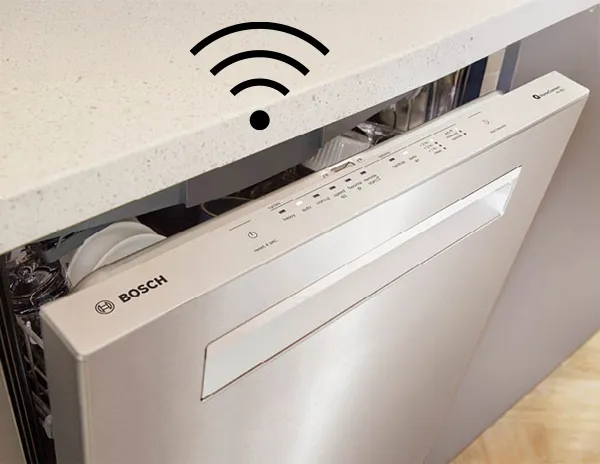
Smart dishwashers that support Apple HomeKit can be controlled by Siri. Add your dishwasher to the Home app on your iPhone.
Once added, you can use Siri voice commands to start or stop the dishwasher and check its status.
- Open the Home app on your iPhone or iPad
- Tap Add Accessory and scan the dishwasher’s HomeKit code
- Follow prompts to add and name your dishwasher
- Use Siri commands like “Hey Siri, turn on the dishwasher”
Automating Dishwasher Operations
Smart dishwashers connect to your smart home system for easy control. Automation helps save time and energy.
You can set up tasks to run the dishwasher at the best times. This makes your home more efficient and convenient.
Creating Custom Routines
Custom routines let you link dishwasher tasks with other smart devices. For example, start the dishwasher when you leave home.
Use your smart home app to make routines that match your schedule and habits. This keeps your kitchen running smoothly.
- Turn on dishwasher after dinner lights off
- Pause dishwasher when someone is watching TV
- Send notification when the wash cycle ends
Scheduling Wash Cycles
Scheduling lets you pick exact times for the dishwasher to run. This saves energy by using off-peak hours.
Set wash cycles to match your daily routine. You can choose quick or eco-friendly modes based on your needs.
- Set dishwasher to run at night for lower energy costs
- Choose cycle type before scheduling
- Repeat schedules for busy days or weekends
Troubleshooting Common Issues
Smart dishwashers can connect to your smart home system for easy control. Sometimes, problems happen with these connections. Knowing how to fix common issues saves time and effort.
This guide covers two main issues: connectivity problems and app functionality challenges. Follow simple tips to keep your smart dishwasher working well.
Connectivity Problems
Connectivity problems stop your dishwasher from linking to the smart home system. These issues often come from weak Wi-Fi or device settings.
Check your Wi-Fi signal near the dishwasher. If the signal is weak, move your router closer or use a Wi-Fi extender. Also, restart your dishwasher and router to reset the connection.
- Ensure the dishwasher is within Wi-Fi range
- Restart the dishwasher and router
- Check if your network uses the correct frequency (2.4 GHz is common)
- Verify the dishwasher’s firmware is up to date
- Reset network settings on the dishwasher if needed
App Functionality Challenges
App problems make it hard to control your dishwasher remotely. The app may freeze, not show updates, or fail to send commands.
Close and reopen the app to fix minor errors. Make sure the app is the latest version. Clear the app cache or reinstall it if problems continue.
- Update the app regularly
- Restart your smartphone or tablet
- Clear the app cache from device settings
- Reinstall the app if it keeps crashing
- Check if the dishwasher’s software supports your app version
Enhancing Energy Efficiency
Smart dishwashers can connect with smart home systems to save energy. They help you control and reduce electricity use.
Linking your dishwasher with other smart devices makes your home more efficient and eco-friendly.
Monitoring Energy Usage
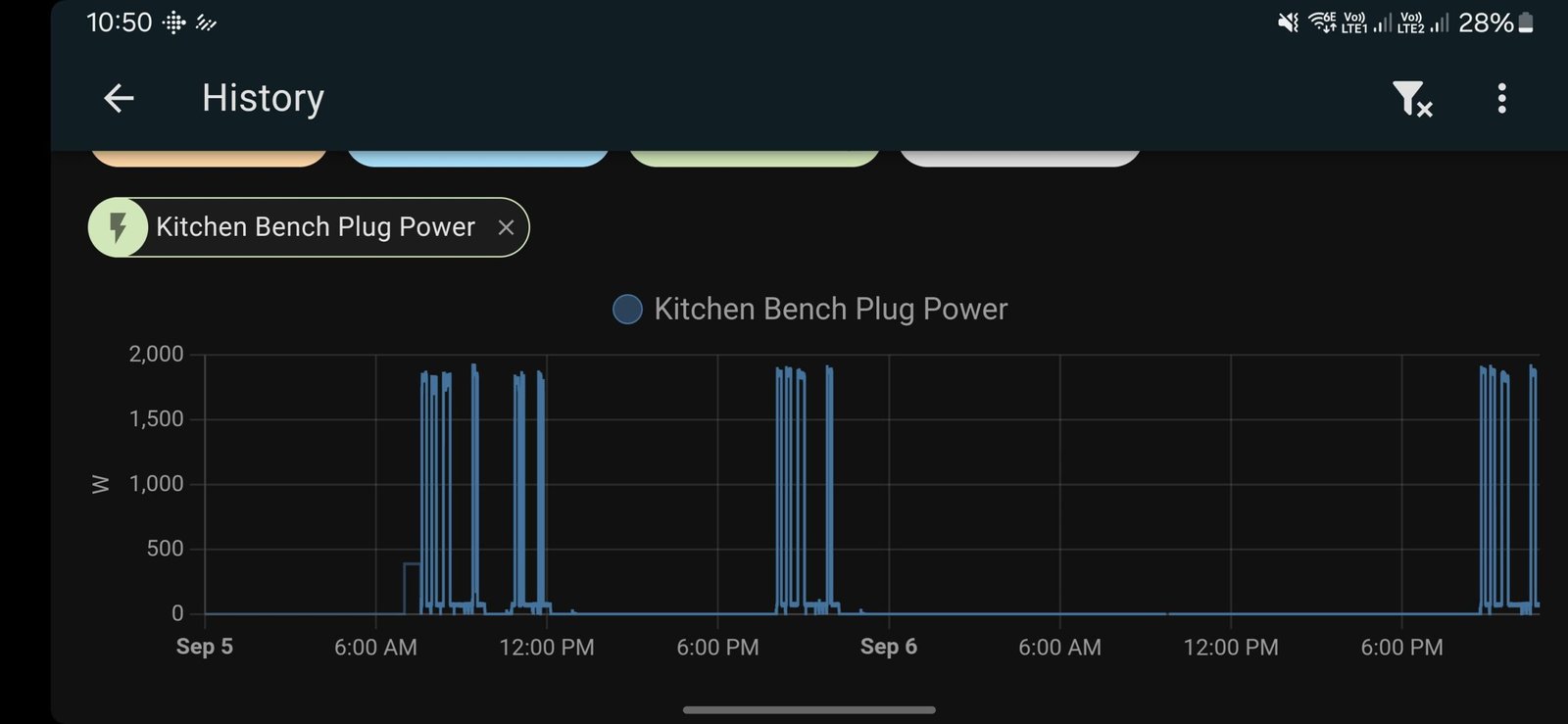
Smart home systems let you track how much energy your dishwasher uses. You can check this data on your phone or tablet.
This information helps you spot when the dishwasher uses too much power and adjust your habits to save energy.
- View real-time energy consumption
- Receive alerts for unusual usage
- Compare energy use over days or weeks
Eco-friendly Dishwasher Settings
Many smart dishwashers have eco modes that use less water and electricity. You can set these modes through your smart home system.
Scheduling dishwasher runs during off-peak hours also saves energy and lowers your bills.
- Choose eco or energy-saving cycles
- Delay start times to off-peak hours
- Use half-load options when possible

Credit: www.reddit.com
Future Trends In Smart Dishwashers
Smart dishwashers are becoming more connected and intelligent. They will work better with other smart home devices.
This article looks at future trends in smart dishwashers. It focuses on AI advancements and IoT integration.
Advancements In Ai Technology
AI helps dishwashers learn user habits and improve cleaning. It can detect dirt levels and choose the best wash cycle.
Future dishwashers will use AI to save water and energy. They will adjust settings automatically for better results.
- Automatic cycle adjustment based on load
- Smart detection of dish types and dirt
- Energy and water use optimization
- Voice control using AI assistants
Integration With Iot Devices
Smart dishwashers connect with other smart home devices. This creates a seamless home cleaning experience.
They can work with smart assistants, sensors, and apps. Users can start or monitor cycles from anywhere.
- Remote control via smartphone apps
- Notifications on cycle status and maintenance
- Connection with smart energy meters
- Sync with kitchen sensors for timing
Credit: www.bosch-home.com
Frequently Asked Questions
What Smart Home Systems Support Smart Dishwashers?
Most smart dishwashers are compatible with Alexa, Google Home, and Apple HomeKit. These systems enable voice control and automation. Check your dishwasher’s specifications for exact compatibility before integrating.
How Do I Connect A Smart Dishwasher To Wi-fi?
Access the dishwasher’s app or control panel to find Wi-Fi settings. Follow on-screen prompts to select your network and enter the password. Ensure your Wi-Fi signal is strong for a stable connection.
Can Smart Dishwashers Be Controlled Remotely?
Yes, smart dishwashers allow remote control via smartphone apps. You can start, pause, or monitor cycles from anywhere. This feature adds convenience and helps manage energy usage efficiently.
Are Smart Dishwashers Energy-efficient?
Smart dishwashers often have energy-saving modes and sensors. They optimize water and power use based on load size. This reduces utility bills and supports eco-friendly living.
Conclusion
Integrating smart dishwashers with home systems makes daily chores easier. You control settings from your phone or voice assistant. This saves time and adds convenience to your routine. Make sure your devices connect well and follow setup steps carefully. Start small, then expand your smart home network over time.
Enjoy the comfort of a connected kitchen. Smart dishwashers help manage tasks smoothly and efficiently. This simple upgrade fits well into modern living. Give your home a smarter touch today.