
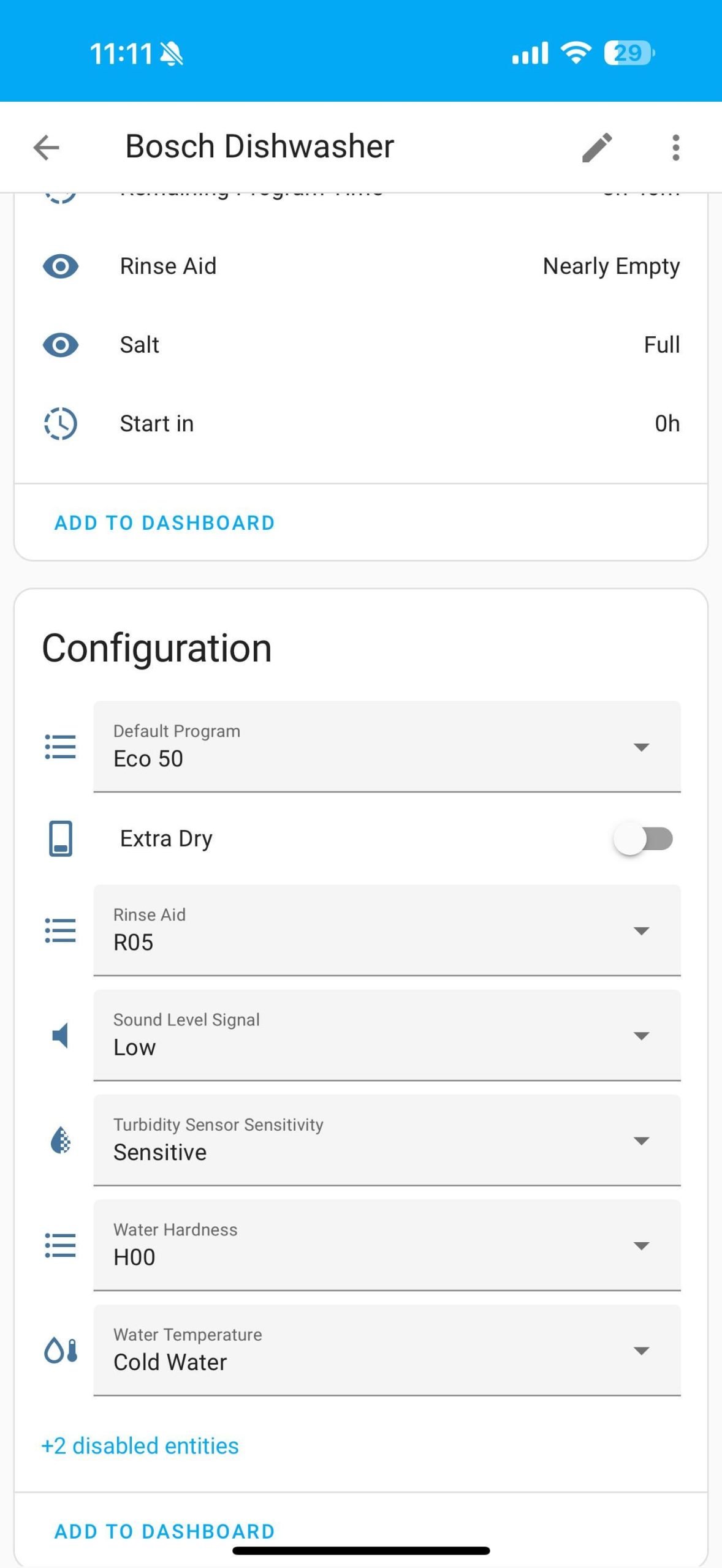
Imagine controlling your dishwasher with just a tap on your phone or a simple voice command. Sounds convenient, right?
If you want to make your kitchen smarter and save time, integrating your smart dishwasher with your smart home apps is the key. You’ll discover easy steps to connect your dishwasher seamlessly, so you can enjoy hands-free operation, monitor cycles from anywhere, and even get alerts when your dishes are done.
Ready to transform your daily routine? Let’s dive in and make your home work smarter for you.
Credit: www.bosch-home.com
Benefits Of Smart Dishwashers
Smart dishwashers bring convenience and efficiency to modern homes. They connect with smart home apps for enhanced functionality.
These dishwashers offer various advantages, making household chores easier and more efficient.
Energy Efficiency
Smart dishwashers use energy-saving technologies. They adjust energy use based on load size and wash cycle.
This helps reduce electricity bills and is better for the environment.
- Eco-friendly wash options
- Automatic load sensing
- Reduced water consumption
Remote Control
With smart home apps, control your dishwasher from anywhere. Start, stop, or monitor the wash cycle remotely.
This feature saves time and offers flexibility for busy schedules.
- Start wash cycle remotely
- Receive cycle notifications
- Monitor wash progress
Custom Wash Cycles
Smart dishwashers offer custom wash settings for different needs. Choose cycles for delicate dishes or heavy loads.
These options ensure your dishes are cleaned properly, without damage.
- Delicate cycle for glassware
- Heavy-duty cycle for pots
- Quick wash for light loads
Choosing Compatible Smart Dishwashers
Smart dishwashers work with home apps to make cleaning dishes easier. Choosing the right dishwasher helps it connect smoothly with your smart home.
Check the brand and model to ensure it supports your smart home system. This saves time and avoids connection problems.
Popular Brands And Models
Many brands offer smart dishwashers that fit common smart home systems. Look for popular names with good app integration.
- Bosch 800 Series
- Samsung Linear Wash
- LG QuadWash
- Whirlpool Smart Dishwasher
- GE Profile Smart Dishwasher
Models from these brands often include Wi-Fi and voice control features. Choose one that matches your home setup.
Connectivity Options
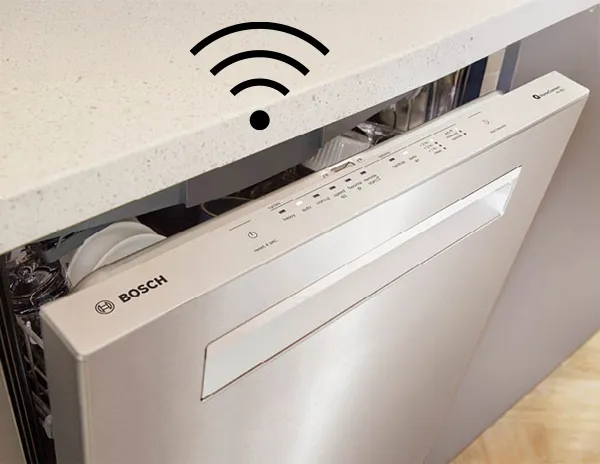
Smart dishwashers connect to your network using Wi-Fi or Bluetooth. Wi-Fi allows remote control from anywhere.
Bluetooth works well for nearby control but has a shorter range. Some models support both for flexibility.
- Wi-Fi: Remote control and notifications
- Bluetooth: Local control and quick setup
- Voice control: Works with assistants like Alexa or Google
App Support
The dishwasher’s app lets you start cycles and check status. It should work well on your phone or tablet.
Look for apps that support your smart home platform. Some apps also provide maintenance alerts and energy reports.
- Supports iOS and Android devices
- Compatible with Alexa, Google Assistant, or Apple HomeKit
- Offers cycle customization and notifications
Setting Up Your Smart Dishwasher
Setting up your smart dishwasher helps it work with your smart home system. This process includes connecting to Wi-Fi, installing apps, and doing initial settings.
Following simple steps will make your dishwasher easy to control from your phone or other devices.
Connecting To Wi-fi
Connecting your dishwasher to Wi-Fi lets it communicate with smart home apps. Make sure your home Wi-Fi network is stable and uses a 2.4 GHz band.
Use the dishwasher control panel to find the Wi-Fi setup menu. Enter your Wi-Fi name and password carefully to connect.
- Check that the dishwasher is in range of the router
- Use the dishwasher screen to start Wi-Fi setup
- Enter your network name (SSID) and password
- Wait for confirmation that it is connected
Installing Manufacturer Apps
Download the dishwasher’s official app from the App Store or Google Play. This app controls the dishwasher remotely and shows status updates.
Make sure your phone’s software is updated. Open the app and create an account if needed. Follow the app’s instructions to add your dishwasher.
- Search for the dishwasher brand app in your app store
- Install and open the app
- Create or log in to your user account
- Use the app to find and add your dishwasher
Initial Configuration
After connecting and installing the app, set up your dishwasher preferences. This includes choosing wash cycles, notifications, and maintenance alerts.
Adjust settings to fit your routine. Test the dishwasher by starting a cycle from the app to confirm everything works.
- Select preferred wash programs in the app
- Set up alerts for cycles and cleaning needs
- Test control by starting and stopping cycles remotely
- Update the dishwasher firmware if available
Integrating With Smart Home Apps
Smart dishwashers can connect with popular smart home apps. This lets you control your dishwasher with your voice or phone. You can check the dishwasher status or start a cycle remotely.
Many smart home apps work with dishwashers. These apps include Alexa, Google Home, and Apple HomeKit. Each app has different steps to connect your dishwasher.
Using Alexa
Alexa lets you control your dishwasher using voice commands. First, enable the dishwasher skill in the Alexa app. Then link your dishwasher account to Alexa.
After setup, you can say commands like “Alexa, start the dishwasher” or “Alexa, check dishwasher status.” Alexa will respond and control your appliance.
- Open the Alexa app
- Go to Skills & Games
- Search for your dishwasher brand skill
- Enable the skill and sign in
- Discover devices to add your dishwasher
Using Google Home
Google Home connects to your dishwasher through the Google Home app. You need to link your dishwasher’s account to Google Home. This allows voice control and status updates.
Once connected, say commands like “Hey Google, start dishwasher” or “Hey Google, is the dishwasher done?” Google Assistant will help manage your dishwasher.
- Open Google Home app
- Tap Add > Set up device > Works with Google
- Find your dishwasher brand
- Sign in to link your account
- Control dishwasher with voice or app
Using Apple Homekit
Apple HomeKit lets you control your dishwasher with the Home app on iPhone or iPad. Your dishwasher must support HomeKit to connect. Use the Home app to add the dishwasher by scanning the HomeKit code.
After adding, you can use Siri to control the dishwasher. Commands like “Hey Siri, start the dishwasher” will work. You can also check dishwasher status in the Home app.
- Open Home app on your iPhone or iPad
- Tap Add Accessory
- Scan the HomeKit code from your dishwasher
- Follow instructions to complete setup
- Use Siri or Home app to control dishwasher
Creating Automation And Scenes
Smart dishwashers can connect to smart home apps for easy control. You can set up automation and scenes to make them work smoothly.
Automation helps you save time by running the dishwasher at the best times. Scenes let you control many smart devices together.
Scheduling Wash Cycles
You can schedule your dishwasher to run wash cycles at certain times. This helps avoid high electricity costs and fits your daily routine.
Most smart home apps let you pick days and times to start the dishwasher automatically.
- Set wash cycles for nighttime to save energy
- Choose specific days for heavy or light loads
- Adjust schedules based on your household needs
Voice Commands
You can control your smart dishwasher using voice assistants like Alexa or Google Assistant. Voice commands make it easy to start or stop wash cycles.
Use simple phrases to check the dishwasher status or change settings without touching your phone or the dishwasher.
- Say “Start dishwasher” to begin a cycle
- Ask “Is the dishwasher done?” for status updates
- Use voice to pause or cancel cycles quickly
Triggering Based On Sensors
Smart dishwashers can react to sensors in your home. For example, they can start when water usage is low or pause when someone opens the door.
You can create automation that triggers wash cycles based on temperature, humidity, or other smart devices.
- Start wash cycle when humidity drops after cooking
- Pause dishwasher if someone opens the kitchen door
- Run dishwasher when energy prices are lowest
Credit: www.bosch-home.com
Troubleshooting Connectivity Issues
Smart dishwashers connect to your home network to work with smart home apps. Sometimes, connection problems can stop them from working right. Fixing these issues helps your dishwasher respond to commands from your phone or voice assistant.
This guide explains how to fix common connection problems, reset your devices, and update firmware to keep your dishwasher working smoothly.
Common Problems
Smart dishwashers may face several connection problems. The most common are weak Wi-Fi signals, incorrect app settings, and device incompatibility. These issues stop your dishwasher from syncing with your smart home app.
- Wi-Fi signal too weak or unstable
- Wrong network password entered
- App not updated or not compatible
- Dishwasher software bugs
- Router settings blocking connection
Resetting Devices
Resetting your dishwasher and router can clear temporary bugs. This often solves connection problems by refreshing the network link. Always follow manufacturer instructions for a reset.
- Turn off the dishwasher and unplug it for 30 seconds
- Restart your Wi-Fi router by unplugging it for 1 minute
- Turn the dishwasher back on and wait for it to reconnect
- If needed, reset the dishwasher’s network settings in the app
- Try connecting the dishwasher to the app again
Updating Firmware
Firmware updates fix bugs and improve device performance. Keeping your dishwasher’s firmware current helps prevent connection issues. Use the smart home app or the dishwasher’s control panel to check for updates.
- Open the smart home app connected to your dishwasher
- Find the firmware update section in settings
- If an update is available, download and install it
- Do not turn off the dishwasher during the update
- Restart the dishwasher after the update completes
Enhancing Dishwasher Performance
Smart dishwashers connect to smart home apps to improve how they work. These apps help you save water and energy. They also make maintenance easier.
Using smart features lets you keep your dishwasher running well. It also helps you fix small problems before they become big issues.
Monitoring Water Usage
Smart home apps track how much water your dishwasher uses. This helps you see if the dishwasher is working efficiently.
You can get alerts if the water use is higher than normal. This can signal leaks or clogs that need attention.
- Check daily and weekly water usage
- Set limits to avoid wasting water
- Get tips to reduce water use
Maintenance Alerts
Smart apps send alerts about dishwasher maintenance. They tell you when to clean filters or add salt for better cleaning.
These alerts help you avoid big repairs. They keep the dishwasher running smoothly and extend its life.
- Receive filter cleaning reminders
- Get alerts for detergent or salt levels
- Know when parts need inspection
Integrating With Other Appliances
Smart dishwashers can work with other smart home devices. This helps save energy and improve overall home efficiency.
For example, the dishwasher can run when solar power is available or pause during high energy use times.
- Sync with smart energy systems
- Coordinate with smart water heaters
- Control using voice assistants

Credit: www.reddit.com
Frequently Asked Questions
How Do Smart Dishwashers Connect To Smart Home Apps?
Smart dishwashers connect via Wi-Fi or Bluetooth. You link them through the dishwasher’s app or your smart home app. This allows remote control and monitoring of cycles and maintenance alerts.
Which Smart Home Apps Support Dishwasher Integration?
Popular apps like Google Home, Amazon Alexa, and Samsung SmartThings support smart dishwasher integration. These apps enable voice control and automation for better convenience and efficiency.
Can I Control My Dishwasher Remotely With Smart Apps?
Yes, smart home apps let you start, pause, or stop your dishwasher remotely. You can also receive notifications when cycles finish or maintenance is needed.
What Are Benefits Of Integrating Dishwashers With Smart Apps?
Integration provides convenience, energy efficiency, and timely maintenance alerts. It helps monitor usage and schedule cycles to save water and electricity effectively.
Conclusion
Smart dishwashers work well with many smart home apps today. You can control your dishwasher from anywhere using your phone. This saves time and makes chores easier. Setting up is simple when you follow app instructions step-by-step. Check your dishwasher’s compatibility before starting.
Using smart apps helps you manage energy and water use better. Enjoy the comfort of a cleaner kitchen with less effort. Start connecting your devices and see the difference in daily life. Smart home integration brings convenience right to your fingertips.