
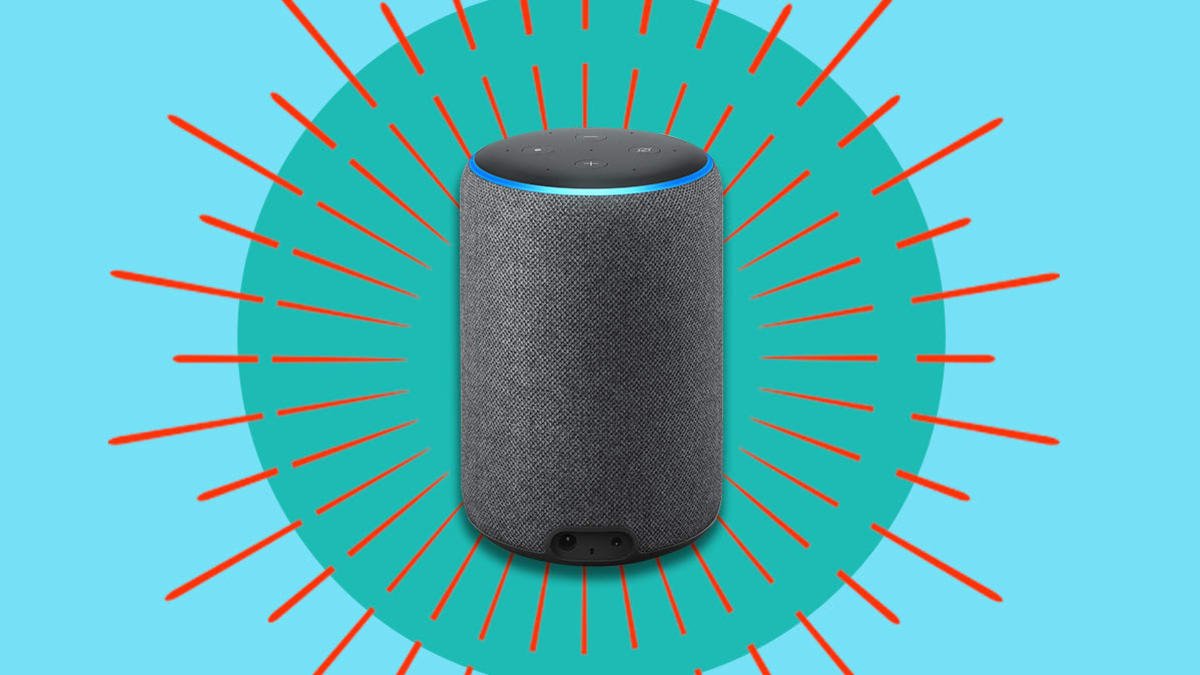
Imagine controlling your kitchen with just your voice. Connecting your smart kitchen appliances to Alexa can make cooking easier, faster, and more fun.
Whether you want to preheat the oven, check your fridge inventory, or start the coffee maker without lifting a finger, Alexa can help. You’ll learn simple steps to link your devices and unlock the full power of your smart kitchen.
Ready to turn your kitchen into a hands-free hub? Let’s get started!

Credit: shopsavvy.com
Choosing Compatible Smart Appliances
Connecting your smart kitchen appliances to Alexa makes life easier. You can control them using your voice.
To start, choose appliances that work well with Alexa. This ensures seamless integration and functionality.
Top Brands That Work With Alexa
Many brands offer smart appliances compatible with Alexa. These brands are known for quality and reliability.
- Samsung
- LG
- Whirlpool
- GE Appliances
Features To Look For
When choosing smart appliances, look for key features. These features enhance your kitchen experience.
- Voice control compatibility
- Energy efficiency
- Remote monitoring
- Automatic updates
Checking Compatibility Before Purchase
Before buying, check if the appliance works with Alexa. This ensures you can connect it easily.
Look for the Alexa logo on the box or in the product description. You can also check the manufacturer’s website for compatibility details.
Setting Up Alexa For Your Kitchen
Connecting smart kitchen appliances to Alexa makes cooking easier. Alexa can control devices with voice commands.
Start by setting up Alexa properly in your kitchen. Follow simple steps to get everything ready.
Installing The Alexa App
Download the Alexa app on your smartphone or tablet. The app helps you set up and control your devices.
Open the app and sign in with your Amazon account. Follow the on-screen instructions to connect Alexa to your Wi-Fi.
- Search for “Amazon Alexa” in your app store
- Install and open the app
- Sign in or create an Amazon account
- Connect Alexa to your home Wi-Fi
Creating And Managing Alexa Routines
Routines help automate tasks by combining commands. You can create routines for your kitchen appliances.
Use the Alexa app to set up routines. Choose triggers like voice commands or schedules to run multiple actions.
- Open the Alexa app and go to the Routines section
- Tap “Create Routine” and name it
- Select a trigger such as a voice phrase or time
- Add actions, like turning on the smart oven or starting a coffee maker
- Save the routine and test it in your kitchen
Using Alexa Skills For Kitchen Devices
Alexa Skills add extra features for smart kitchen appliances. Enable skills that match your devices for better control.
Find skills in the Alexa app. Enable them and link your appliance accounts to Alexa for full access.
- Open the Alexa app and tap “Skills & Games”
- Search for your kitchen appliance brand or type
- Enable the skill and follow linking instructions
- Use voice commands to control the appliances
Connecting Smart Appliances To Alexa
Smart kitchen appliances make cooking easier and more fun. You can control them using Alexa voice commands.
To start, you need to connect your smart appliances to Alexa. This guide shows you how to do it.
Pairing Devices Via Wi-fi
Most smart kitchen appliances connect to Alexa through Wi-Fi. This lets Alexa control them from anywhere.
First, make sure your appliance and Alexa device use the same Wi-Fi network. Then, use the Alexa app to add the device.
- Open the Alexa app and go to Devices.
- Tap “Add Device” and choose your appliance type.
- Follow the app instructions to connect your appliance.
- Wait for confirmation that the device is paired.
Using Bluetooth For Connection
Some smart appliances connect to Alexa using Bluetooth. This works well for close-range control.
Turn on Bluetooth on both your Alexa device and the appliance. Then pair them through the Alexa app.
- Open the Alexa app and select Devices.
- Choose “Add Device” and select Bluetooth.
- Put your appliance in pairing mode.
- Select your appliance from the list in the app.
- Confirm the connection once paired.
Troubleshooting Common Connection Issues
If your smart appliance does not connect, check the basics first. Wi-Fi or Bluetooth might be off or weak.
Restart your appliance and Alexa device. Also, update the Alexa app to the latest version.
- Ensure your appliance is in pairing mode.
- Check your Wi-Fi network is working well.
- Move devices closer to improve Bluetooth signal.
- Restart devices to fix minor glitches.
- Update software on your appliance and Alexa app.
Controlling Appliances With Voice Commands
Smart kitchen appliances make cooking easier by using voice commands. Alexa lets you control these devices without touching buttons.
You can turn on your oven, set timers, or adjust your coffee maker just by talking to Alexa. This saves time and keeps your hands free.
Basic Voice Commands For Kitchen Tasks
Start with simple commands to control your kitchen devices. Alexa understands basic instructions for many appliances.
For example, you can say “Alexa, preheat the oven to 350 degrees” or “Alexa, start the coffee maker.”
- Turn appliances on or off
- Set cooking timers
- Adjust temperature or settings
- Check appliance status
Customizing Commands For Efficiency
You can make your voice commands more efficient by creating custom phrases. This helps Alexa understand your needs better.
Use the Alexa app to set routines or rename devices for easier control. For example, call your oven “main oven” to avoid confusion.
- Create shortcuts for common tasks
- Use simple names for devices
- Set up routines for multiple actions
- Adjust commands to your kitchen habits
Integrating Multiple Devices In A Single Command
You can control several kitchen appliances with one voice command. This saves time and makes cooking smoother.
For example, say “Alexa, start breakfast” to turn on the coffee maker, toaster, and lights at once.
- Group devices in the Alexa app
- Use routines to link actions
- Control smart lights and appliances together
- Customize commands for your daily needs
Enhancing Kitchen Automation
Connecting smart kitchen appliances to Alexa makes cooking easier. It helps you control devices with your voice.
You can save time and keep your kitchen organized. Alexa helps automate many cooking tasks.
Setting Up Timers And Alerts
Use Alexa to set timers for your cooking appliances. You can control ovens, microwaves, and coffee makers.
Alexa will remind you when food is ready or when you need to check on it. This reduces the risk of overcooking.
- Say “Alexa, set a timer for 20 minutes” to the Echo device.
- Connect your smart oven to Alexa for automatic timer alerts.
- Get notifications on your phone or Echo device when timers end.
Automating Cooking Processes
Link smart appliances like slow cookers and air fryers to Alexa. You can start and stop cooking with voice commands.
Alexa can adjust cooking settings without needing to touch the device. This helps keep your hands free and clean.
- Ask Alexa to preheat the oven before cooking.
- Start or pause the slow cooker by voice.
- Control smart coffee makers to brew on schedule.
Using Alexa Routines For Meal Prep
Create Alexa routines to automate multiple kitchen tasks. This saves time during busy meal prep.
Routines can include turning on lights, starting appliances, and setting timers all at once.
- Set a routine to preheat the oven and turn on the kitchen lights.
- Use routines to start the coffee maker and play morning news.
- Combine cooking steps to simplify meal preparation.

Credit: apps.apple.com
Security And Privacy Tips
Connecting smart kitchen appliances to Alexa makes life easier. It also creates new security risks.
Follow these tips to keep your devices and data safe while using Alexa.
Managing Device Permissions
Only give Alexa permission to access what it needs. Limit device controls to trusted apps.
Check permissions regularly and remove any that seem unnecessary or risky.
- Review app permissions in the Alexa app settings
- Disable unused skills linked to your kitchen devices
- Restrict voice purchases or sensitive commands
Securing Your Wi-fi Network
Your Wi-Fi network connects all smart devices. A secure network protects your kitchen appliances.
Use strong passwords and encryption to stop outsiders from accessing your network.
- Set a unique Wi-Fi password with letters, numbers, and symbols
- Enable WPA3 or WPA2 encryption on your router
- Turn off WPS to prevent easy hacking
- Create a separate network for smart devices if possible
Regular Updates And Maintenance
Keep your smart kitchen devices and Alexa updated. Updates fix security problems.
Check for software and firmware updates often. Apply them as soon as possible.
- Enable automatic updates if available
- Restart devices regularly to apply fixes
- Remove old devices no longer in use

Credit: www.the-ambient.com
Frequently Asked Questions
How Do I Connect Smart Kitchen Appliances To Alexa?
To connect, first enable the appliance’s Alexa skill in the Alexa app. Then, link your appliance account. Finally, discover devices in the app to control them via Alexa voice commands.
Which Smart Kitchen Devices Work With Alexa?
Common devices include smart ovens, coffee makers, refrigerators, and slow cookers. Check your device’s compatibility and ensure it supports Alexa integration.
Can Alexa Control Multiple Kitchen Appliances Simultaneously?
Yes, Alexa can control multiple devices at once. Use groups or routines in the Alexa app for seamless multi-device management.
Is Wi-fi Necessary For Alexa To Control Smart Kitchen Appliances?
Yes, a stable Wi-Fi connection is essential. It enables communication between Alexa, your smartphone, and smart kitchen appliances for smooth operation.
Conclusion
Connecting smart kitchen appliances to Alexa makes cooking easier and faster. You control devices with simple voice commands. This saves time and keeps your hands free. Setting up takes just a few steps and little effort. Enjoy a smarter kitchen that fits your daily routine.
Start using Alexa to simplify your cooking today.