
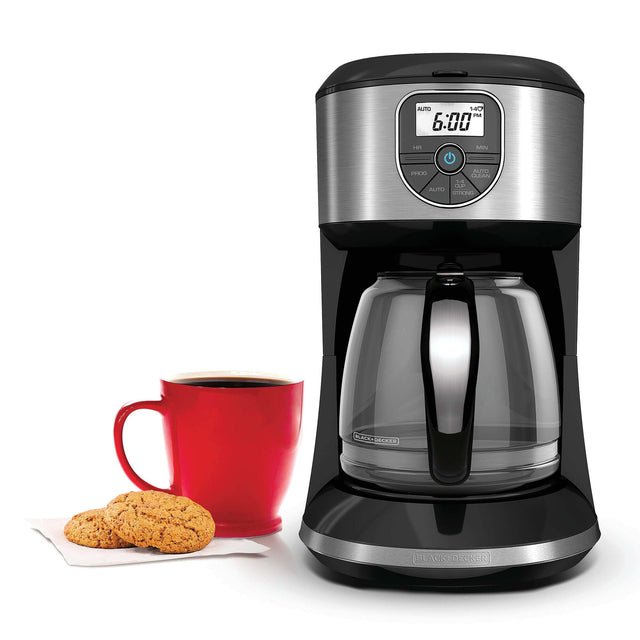
Your coffee maker is your morning hero, brewing the perfect cup to kickstart your day. But have you ever thought about what keeps it running smoothly?
Without proper care, your trusty machine can slow down, lose flavor, or even break. You’ll discover simple, effective steps to maintain your coffee maker. By following these tips, you’ll enjoy fresher coffee, longer machine life, and fewer headaches. Ready to make every cup taste just right?
Let’s dive in.

Credit: glorycloudcoffee.com
Regular Cleaning Routine
Keeping your coffee maker clean helps it work well. Dirt and old coffee can change the taste.
A regular cleaning routine makes your coffee fresh and your machine last longer.
Daily Cleaning Steps
Clean your coffee maker every day after use. This stops buildup and keeps it ready for next time.
Wipe parts that touch coffee and water. This keeps germs and old coffee from staying inside.
- Turn off and unplug the coffee maker.
- Discard used coffee grounds and filter.
- Rinse the carafe with warm water.
- Wipe the outside and warming plate with a damp cloth.
- Dry all parts before reassembling.
Weekly Deep Clean Process
Once a week, clean the machine deeply. This removes coffee oils and mineral buildup inside.
Use vinegar or a special coffee maker cleaner to keep the inside parts fresh and clean.
- Fill the water reservoir with a mix of half vinegar and half water.
- Run a brewing cycle without coffee grounds.
- Pause the cycle halfway and let it sit for 30 minutes.
- Finish the brewing cycle.
- Run two full cycles with clean water to rinse out vinegar.
- Remove and clean removable parts with warm soapy water.
- Dry all parts and put them back in place.
Credit: www.breville.com
Descaling Your Coffee Maker
Descaling your coffee maker removes mineral buildup inside the machine. This buildup can block water flow and affect taste.
Regular descaling keeps your coffee fresh and your machine working well for a long time.
Signs Your Coffee Maker Needs Descaling
You can tell when your coffee maker needs descaling by checking its performance and appearance.
Look out for these common signs that your machine needs cleaning inside.
- Slow brewing or longer brewing time
- Weak or strange-tasting coffee
- Water not heating properly
- White or crusty buildup inside the machine
- Machine makes strange noises during brewing
Step-by-step Descaling Guide
Descaling your coffee maker is easy and only takes a few steps. Use a descaling solution or white vinegar for best results.
- Empty the coffee maker and remove any coffee grounds.
- Fill the water reservoir with equal parts water and white vinegar or use a commercial descaler.
- Run a brewing cycle without coffee grounds to let the solution clean the inside.
- Turn off the machine halfway and let it sit for 30 minutes to break down deposits.
- Finish the brewing cycle and discard the solution.
- Run two or three cycles with clean water to rinse out any leftover vinegar or descaler.
- Wipe the outside and clean any removable parts before using again.
Proper Water Usage
Using the right water is key to keeping your coffee maker working well. Water affects the taste of your coffee and the machine’s life.
Cleaning your coffee maker is easier when you use good water. Bad water can cause problems like buildup and damage.
Choosing The Right Water
Use fresh, clean water for the best coffee flavor. Tap water is fine if it tastes good and is free of strong odors.
Filtered or bottled water can help if your tap water is hard or has a strong taste. Avoid distilled water because it can damage the machine parts.
- Use cold, fresh water each time
- Try filtered water if tap water tastes bad
- Avoid distilled or softened water
- Do not use hot water from the tap
Effects Of Hard Water
Hard water has minerals like calcium and magnesium. These minerals can build up inside your coffee maker.
Mineral buildup can block water flow and damage parts. It also changes the taste of your coffee, making it bitter or strange.
- Causes scale buildup inside the machine
- Reduces coffee maker’s lifespan
- Blocks water flow and heating elements
- Changes coffee taste negatively
Replacing Filters And Parts
Keeping your coffee maker clean and well-maintained helps it work better and last longer. Replacing filters and parts is an important part of this care.
This guide explains when to change filters and how to spot worn-out parts to keep your machine brewing great coffee.
When To Change Filters
Filters trap coffee grounds and help clean water before brewing. Changing them often keeps your coffee fresh and your machine clean.
- Replace paper filters after every use.
- Change permanent mesh filters every 2 to 3 months.
- Water filters should be changed every 60 days.
- If coffee tastes off or weak, check the filter condition.
Identifying Worn-out Parts
Parts that wear out can cause leaks or poor coffee taste. Watch for these signs to know when to replace them.
| Part | Signs of Wear | Replacement Time |
|---|---|---|
| Water Reservoir | Cracks or leaks | Every 1-2 years or if damaged |
| Gaskets and Seals | Leaks or loose fitting | Check every 6 months |
| Carafe | Chips, cracks, or broken handle | Replace if damaged |
| Heating Element | Slow heating or no heat | Check annually |
Storage And Handling Tips
Keeping your coffee maker in good shape helps it last longer. Proper storage and handling are key steps.
Learn simple ways to store and handle your coffee maker safely. These tips keep it clean and working well.
Safe Storage Practices
Store your coffee maker in a dry place. Avoid spots with too much heat or moisture.
Keep it covered or in its box to stop dust from building up. Clean it before storing.
- Unplug the machine before storing
- Dry all parts fully to avoid mold
- Place on a stable shelf or counter
- Keep away from direct sunlight
Handling With Care
Handle your coffee maker gently to avoid damage. Lift it from the base, not the carafe or lid.
Do not force parts when cleaning or assembling. Use mild soaps and soft cloths to clean.
- Always unplug before moving
- Use both hands for heavy parts
- Check for cracks or leaks often
- Keep cords untangled and away from water
Credit: ca.style.yahoo.com
Avoiding Common Mistakes
Keeping your coffee maker in good shape helps it last longer. Avoiding common mistakes can save you time and money. Small habits make a big difference in your coffee machine’s health.
This guide covers two frequent errors: overfilling the machine and ignoring maintenance. Learn how to avoid these to keep your coffee tasting great every day.
Overfilling The Machine
Adding too much water or coffee grounds can harm your coffee maker. It may cause spills, damage, or weak coffee. Always use the correct amount of water and coffee.
- Check the water level indicator before starting.
- Use the recommended amount of coffee grounds.
- Do not fill the water tank above the max line.
- Empty the coffee basket before adding fresh grounds.
- Follow the user manual’s guidelines for best results.
Ignoring Maintenance
Skipping regular cleaning and upkeep leads to build-up and bad taste. Your machine may stop working well or break down. Set a routine to clean and check your coffee maker.
| Maintenance Task | How Often | Why It Matters |
| Clean coffee pot and basket | After each use | Removes leftover coffee oils and grounds |
| Descale machine | Every 1-3 months | Prevents mineral build-up that blocks water flow |
| Check water filter | Monthly | Keeps water clean and fresh tasting |
| Inspect machine parts | Every 6 months | Detects wear or damage early |
Troubleshooting Common Issues
Keeping your coffee maker in good shape means fixing problems fast. Some issues happen often and are easy to fix.
Read these tips to solve common coffee maker problems. You can enjoy better coffee every day.
Resolving Brewing Problems
If your coffee tastes weak or does not brew properly, check the coffee grounds and water level first. Use fresh coffee and clean water for best results.
Clogged filters or old coffee oils can block water flow. Clean the machine regularly to avoid this problem.
- Use the right amount of coffee grounds
- Check water reservoir for enough water
- Clean or replace the coffee filter
- Run a cleaning cycle with vinegar or a cleaner
- Make sure the machine is plugged in and switched on
Dealing With Leaks
Leaks can happen from loose parts or cracks in the machine. Check the water tank and coffee pot for damage.
Make sure all parts fit tightly. Replace worn seals or gaskets to stop leaks. Clean spills to prevent damage.
- Inspect water reservoir for cracks
- Check the coffee pot for chips or cracks
- Ensure the lid and filter basket close properly
- Tighten any loose screws or parts
- Replace seals or gaskets if worn out
Frequently Asked Questions
How Often Should I Clean My Coffee Maker?
Clean your coffee maker every 1 to 2 months to prevent buildup. Regular cleaning ensures better taste and machine longevity. Use vinegar or a descaling solution for thorough cleaning.
What Is The Best Way To Descale A Coffee Maker?
Use equal parts water and white vinegar to descale. Run a brewing cycle with this mix, then rinse twice with clean water. Descaling removes mineral deposits that affect performance and flavor.
Can I Use Vinegar To Clean All Coffee Makers?
Yes, vinegar is safe for most coffee makers, but check your manual. It effectively removes mineral buildup and kills bacteria. Avoid vinegar on machines with special coatings or parts.
How Do I Clean Coffee Maker Filters Properly?
Rinse reusable filters with warm, soapy water after each use. For deep cleaning, soak filters in vinegar solution for 30 minutes. Replace paper filters regularly to maintain coffee quality.
Conclusion
Keeping your coffee maker clean helps it work well longer. Regular cleaning stops old coffee buildup and bad smells. Use simple steps like rinsing and descaling to keep it fresh. Clean parts dry before putting them back. This care saves money on repairs and keeps coffee tasting great.
Small efforts every week make a big difference. Enjoy better coffee with a well-maintained machine. Easy habits lead to tasty coffee every day.