
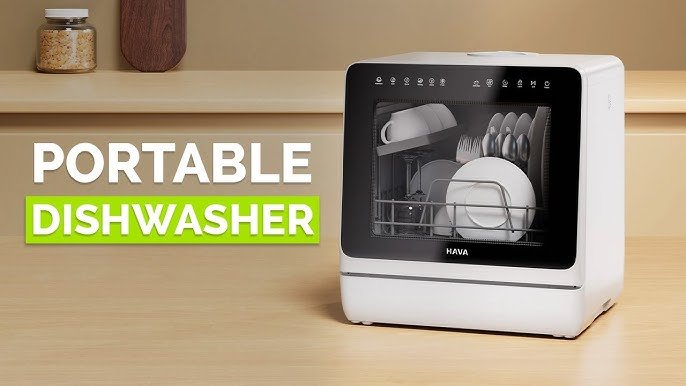
Are you ready to make your kitchen smarter and your dishwashing easier? Setting up a smart dishwasher might seem tricky, but with the right tips, you can get it running perfectly in no time.
Imagine coming home to spotless dishes without lifting a finger. This guide will help you avoid common mistakes, save time, and get the most out of your smart appliance. Keep reading, and you’ll discover simple steps that make a big difference in your daily routine.
Choosing The Right Smart Dishwasher
Smart dishwashers offer convenience and efficiency. Picking the right one can save you time and energy.
Consider features, energy ratings, and size to find the best fit for your needs.
Features To Look For
Smart dishwashers come with various features. Look for those that match your lifestyle.
- Wi-Fi connectivity for remote access
- Multiple wash cycles for different needs
- Quiet operation for a peaceful home
- Self-cleaning filters for easy maintenance
Energy Efficiency Ratings
Energy-efficient dishwashers can lower utility bills. Check the energy ratings before buying.
Choose dishwashers with high energy ratings. They use less water and electricity.
| Rating Level | Energy Use |
| A+++ | Very Low |
| A++ | Low |
| A+ | Moderate |
Size And Capacity Considerations
Dishwasher size affects where it fits in your kitchen. Capacity determines how many dishes it holds.
Measure your space before buying. Make sure it fits and meets your dishwashing needs.
- Compact models for small kitchens
- Standard models for medium families
- Large models for big households

Credit: parade.com
Optimal Placement And Installation
Setting up a smart dishwasher correctly helps it work better and last longer. Proper placement and installation are key to using your dishwasher efficiently.
This guide will explain how to place and install your smart dishwasher for best results in your kitchen.
Ideal Location In The Kitchen
Place the dishwasher near the kitchen sink. This reduces the distance for water supply and drainage.
Make sure there is enough space to open the dishwasher door fully. It should not block walkways or cabinets.
- Near the sink for easy water access
- Close to cabinets for loading and unloading dishes
- Allow enough room to open the door wide
- Avoid blocking kitchen traffic areas
Connecting Water And Power Sources
Connect the dishwasher to a cold water supply line. Use a shut-off valve to control water flow.
Ensure the power outlet matches the dishwasher’s voltage. Use a grounded outlet for safety.
- Use a cold water line with a shut-off valve
- Check water pressure meets dishwasher requirements
- Plug into a grounded power outlet
- Avoid using extension cords
Ensuring Proper Drainage
Drainage should connect to the kitchen sink drain or garbage disposal. This prevents water backup.
Make sure the drain hose is properly secured and not kinked. This keeps water flowing smoothly.
- Attach drain hose to sink drain or disposal
- Keep drain hose looped to avoid backflow
- Check hose for bends or kinks
- Test drainage before final installation
Configuring Smart Features
Smart dishwashers offer many features that make washing dishes easier. Setting up these features correctly helps you get the best use from your appliance.
This guide covers how to connect your dishwasher to Wi-Fi, customize wash cycles, and use voice control.
Setting Up Wi-fi And App Integration
Connect your dishwasher to your home Wi-Fi to control it from your phone. This lets you start or stop cycles and get notifications remotely.
Download the dishwasher’s app and follow the instructions to link it to your device. Make sure your Wi-Fi signal is strong near the dishwasher.
- Turn on Wi-Fi on the dishwasher control panel
- Open the app and select “Add Device”
- Follow the app steps to connect to your home network
- Test the connection by running a command from the app
Customizing Wash Cycles
Smart dishwashers let you change wash cycle settings for different loads. You can save time and water by choosing the right cycle.
Use the app or control panel to pick options like temperature, duration, and drying mode. Save your favorite settings for easy reuse.
- Select cycles such as quick wash, heavy duty, or eco mode
- Adjust water temperature for better cleaning
- Set drying preferences to save energy or speed drying
- Save custom cycles for frequent use
Utilizing Voice Control
Many smart dishwashers work with voice assistants like Alexa or Google Assistant. Voice control lets you start or stop the dishwasher hands-free.
Link your dishwasher to your voice assistant through the app. Use simple commands to control your dishwasher with your voice.
- Enable the dishwasher skill in your voice assistant app
- Link your dishwasher account to the assistant
- Use commands like “Start dishwasher” or “Stop dishwasher”
- Ask for status updates, such as “Is the dishwasher running?”
Loading Tips For Best Results
Smart dishwashers make cleaning dishes easier and more efficient. To get the best results, it helps to load the dishwasher correctly.
Good loading saves water, energy, and keeps your dishes spotless. Use these tips to arrange your dishwasher load well.
Arranging Dishes Efficiently
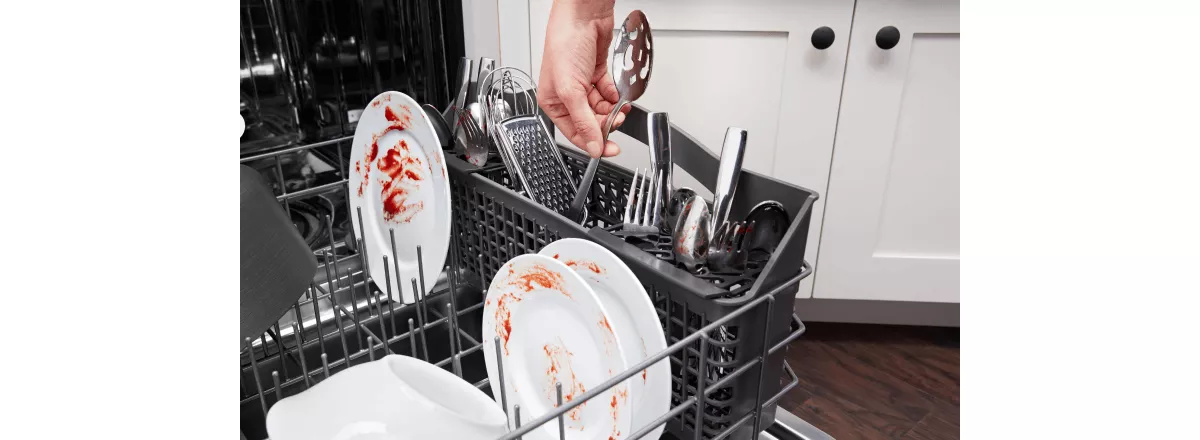
Place plates, bowls, and pots so water reaches all surfaces. Face dirty sides toward the spray arms for better cleaning.
Large items should go on the bottom rack. Cups and glasses fit best on the top rack to avoid breaking.
- Put plates in a row, not overlapping
- Angle bowls so water runs off
- Place pots upside down for thorough cleaning
- Keep cups spaced apart to avoid damage
Avoiding Overloading
Do not fill the dishwasher too full. Overloading blocks water flow and stops dishes from getting clean.
Leave space between items so water and detergent reach all surfaces. A crowded dishwasher wastes energy and time.
- Load dishes with space between them
- Do not stack plates or bowls tightly
- Check spray arms can spin freely
- Use extra cycles only if needed
Using Detergents And Rinse Aids Correctly
Use the right amount of detergent for your load size and water hardness. Too much detergent can leave residue on dishes.
Rinse aids help dishes dry faster and prevent spots. Fill the rinse aid dispenser regularly for best results.
- Follow detergent instructions for dose size
- Use dishwasher-specific detergents only
- Keep rinse aid dispenser full
- Choose detergent type based on water hardness
Maintenance For Longevity
Smart dishwashers need regular care to work well for many years. Proper maintenance helps avoid problems and keeps the machine clean.
Following simple steps can save you money and time. It also makes sure your dishes come out clean every time.
Regular Cleaning Routines
Clean your dishwasher often to stop bad smells and dirt build-up. Wipe the door seals and edges after each use.
Run an empty cycle with dishwasher cleaner or vinegar once a month. This removes grease and food bits inside the machine.
- Wipe door seals and edges with a damp cloth
- Use dishwasher cleaner or vinegar monthly
- Check spray arms for clogs and clean if needed
Checking And Replacing Filters
Filters catch food particles and stop them from clogging the drain. Check filters every two weeks to keep them clean.
Remove the filter and rinse it under running water. Replace it if it is damaged or worn out to keep your dishwasher working well.
- Remove and rinse filters regularly
- Inspect for damage or wear
- Replace filters as needed
Troubleshooting Common Issues
If your dishwasher does not clean dishes well, check for blockages or low water flow. Clean spray arms and filters first.
For strange noises, check if dishes are placed correctly. Make sure the dishwasher is level and stable on the floor.
- Clean spray arms and filters if cleaning is poor
- Check dish placement and avoid overcrowding
- Ensure the dishwasher is level and stable
- Reset the machine if error codes appear
Credit: www.maytag.ca
Maximizing Energy And Water Savings
Smart dishwashers help save energy and water in your home. Using them the right way can lower your bills.
Follow simple tips to get the best results from your dishwasher. This guide shows how to save resources easily.
Choosing Eco-friendly Cycles
Use eco-friendly cycles on your dishwasher to reduce energy and water use. These cycles clean dishes well with less power.
Eco cycles run longer but use lower temperatures and less water. This helps save electricity and water every time.
- Use eco or energy-saving mode for lightly soiled dishes
- Avoid heavy cycles unless dishes are very dirty
- Check your dishwasher manual for eco cycle options
Running Full Loads Only
Run the dishwasher only when it is full. This makes the best use of water and energy for each wash.
Small loads waste water and power. Wait until you have enough dishes to fill the machine.
- Fill all racks properly before starting
- Place items to allow water flow
- Do not overload or block spray arms
Scheduling Wash Times
Set your dishwasher to run during off-peak hours. Many energy companies charge less at night.
Use your dishwasher’s delay start feature to save money and reduce energy demand at busy times.
- Check your utility’s off-peak hours
- Program dishwasher to start at night or early morning
- Use smart home apps to control wash times remotely

Credit: www.maytag.ca
Frequently Asked Questions
How Do I Connect A Smart Dishwasher To Wi-fi?
To connect, ensure your Wi-Fi is stable and 2. 4 GHz. Use the dishwasher’s app to follow the setup steps. Enter your network password when prompted. Once connected, you can control your dishwasher remotely via the app.
What Are The Energy-saving Tips For Smart Dishwashers?
Run your dishwasher during off-peak hours to save energy. Use eco or energy-saving cycles. Avoid pre-rinsing dishes to reduce water use. Regularly clean filters and spray arms for optimal efficiency.
Can I Integrate Smart Dishwashers With Home Assistants?
Yes, most smart dishwashers support integration with Alexa, Google Assistant, or Apple HomeKit. Link the dishwasher’s app with your home assistant app. Use voice commands to start, pause, or check cycle status easily.
How Often Should I Maintain A Smart Dishwasher?
Clean filters and spray arms monthly to maintain performance. Use dishwasher cleaner every few months to prevent buildup. Check app notifications for any maintenance alerts or error messages.
Conclusion
Setting up a smart dishwasher is easier than it seems. Follow these simple tips to save time and water. Choose the right spot and connect to Wi-Fi carefully. Use the app to control and monitor your dishwasher. Regular cleaning keeps it working well for years.
Enjoy clean dishes without extra effort. Smart dishwashers make kitchen chores simpler and faster. Give these steps a try for better dishwashing every day.