
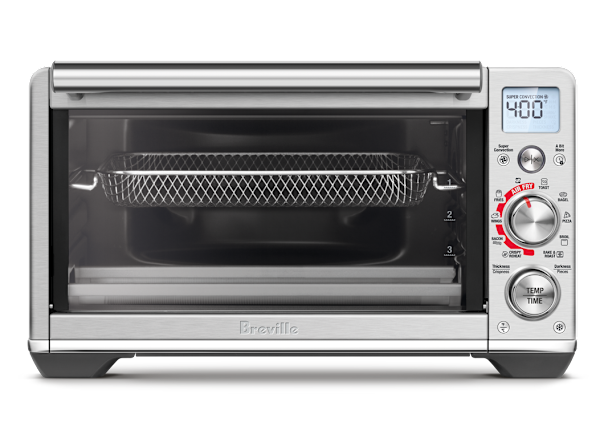
If you own a smart toaster oven, you know how handy it can be. But do you ever wonder if it’s working just right?
Monitoring your smart toaster oven can save you from burnt toast, wasted energy, or even safety hazards. In this post, you’ll learn simple and effective ways to keep an eye on your device. By the end, you’ll feel confident that your smart toaster oven is always performing at its best.
Ready to make the most out of your kitchen gadget? Let’s dive in!
Benefits Of Monitoring Smart Toaster Ovens
Monitoring smart toaster ovens offers many benefits. It enhances your cooking experience and makes it more efficient.
These ovens have features that help you save energy and improve cooking precision. They also extend the lifespan of your appliance.
Energy Savings
Smart toaster ovens help you save energy by using it efficiently. They often come with energy-saving modes that reduce power usage.
Some models have timers and sensors to prevent overheating. This means less wasted energy and lower electricity bills.
- Energy-efficient cooking modes
- Timers to avoid overuse
- Sensors for optimal energy use
Enhanced Cooking Precision
Smart toaster ovens offer precise cooking controls. You can set exact temperatures and times for different recipes.
This precision helps achieve better cooking results. Foods are cooked evenly and taste better.
- Exact temperature control
- Accurate cooking times
- Improved food quality
Extended Appliance Lifespan
Monitoring your smart toaster oven can extend its lifespan. Regular updates and maintenance alerts keep the appliance in good condition.
These features prevent wear and tear over time. Your oven lasts longer and performs better.
- Regular software updates
- Maintenance reminders
- Reduced wear and tear
Key Features To Track
Monitoring your smart toaster oven helps you cook better food. Tracking key features keeps your meals safe and tasty.
Focus on these main features to get the best results from your smart toaster oven.
Temperature Control
Temperature control ensures your food cooks evenly. Watch the temperature to avoid burning or undercooking.
Some smart toaster ovens let you set exact temperatures and show real-time updates. This helps keep food perfect.
Cooking Time
Tracking cooking time helps prevent overcooking or undercooking your food. Set timers for each recipe.
Smart toaster ovens often have alerts when cooking is done. Use these to know exactly when to remove food.
Power Consumption
Monitoring power consumption shows how much energy your toaster oven uses. This helps save electricity.
Smart toaster ovens may display real-time power use. Use this information to cook efficiently and reduce costs.
Connectivity Status
Check the connectivity status to make sure your toaster oven is online. This allows remote control and updates.
A stable connection helps send commands and receive alerts without delay. Watch the status for any connection issues.
Tools And Apps For Monitoring
Smart toaster ovens can be monitored using various tools and apps. These help you control and check your appliance remotely.
Using the right apps lets you see cooking progress and get alerts. This makes cooking safer and more convenient.
Manufacturer Apps
Most smart toaster ovens come with apps made by the manufacturer. These apps connect directly to your device.
You can start, stop, or adjust cooking settings from the app. They often show real-time temperature and cooking time.
- Control cooking modes
- Receive notifications when food is ready
- Access recipes and tips
Third-party Monitoring Tools
Third-party apps can work with many smart devices, including toaster ovens. They offer extra features for monitoring.
These tools can track energy use or combine data from several smart appliances. Some apps provide detailed cooking reports.
- Monitor energy consumption
- Set custom alerts for cooking stages
- View cooking history and stats
Smart Home Integration
Integrating your toaster oven with smart home systems adds convenience. You can use voice commands or automate cooking tasks.
Smart home hubs connect your toaster oven with other devices. This helps you create routines or control several devices at once.
- Use voice assistants like Alexa or Google Assistant
- Automate cooking with smart home routines
- Monitor toaster oven status on smart home dashboards

Credit: www.tasteofhome.com
Setting Up Monitoring Systems
Monitoring your smart toaster oven helps you cook better and safer. Setting up the right system is easy and improves your cooking experience.
This guide covers how to connect your toaster oven to Wi-Fi, set notifications, and customize cooking profiles.
Connecting To Wi-fi
First, turn on your toaster oven and open its app on your phone. Make sure your phone is on the same Wi-Fi network you want to connect to.
Follow the app instructions to find your toaster oven and link it to your Wi-Fi. This lets you control and monitor the oven remotely.
- Open the smart toaster oven app
- Select your Wi-Fi network
- Enter the Wi-Fi password
- Confirm the connection
Configuring Notifications
Set up notifications to get alerts when cooking is done or if there is a problem. This keeps you informed without watching the oven all the time.
You can choose to receive notifications on your phone or by email. Customize the alerts to fit your needs.
- Open the app settings
- Choose notification preferences
- Turn on alerts for cooking status
- Enable safety and error warnings
Customizing Cooking Profiles
Create cooking profiles for different foods like bread, pizza, or veggies. This saves your favorite settings for quick use later.
Adjust temperature, time, and cooking mode to get perfect results every time. Save the profile to use it again easily.
- Select “Add Profile” in the app
- Name the profile for the food type
- Set cooking temperature and time
- Choose the cooking mode (toast, bake, etc.)
- Save the profile for future use
Analyzing Usage Data
Smart toaster ovens collect data about how you use them. This data helps you understand your cooking habits. It also shows how much energy you use.
By analyzing this information, you can make better choices. You can save energy and cook more efficiently.
Tracking Cooking Patterns
Smart toaster ovens record details like cooking time and temperature. You can see which settings you use most often. This helps you learn your favorite cooking styles.
Tracking these patterns helps you plan meals better. You avoid wasting time and food by knowing what works best.
Identifying Energy Wastage
Usage data shows when the toaster oven uses extra energy. For example, leaving it on too long or using high heat unnecessarily wastes power.
Knowing this helps you change habits to save electricity. Small changes can lower your energy bills.
- Check how long the oven stays on after cooking
- Look for frequent use of high temperature settings
- Notice if the oven preheats longer than needed
Adjusting Settings For Efficiency
Use the data to change cooking times and temperatures. Adjust settings to use less energy while still cooking food well.
Try setting timers or using eco modes if your toaster oven has them. This reduces power use without affecting your meals.
- Lower temperature for foods that cook quickly
- Use shorter cooking times for small portions
- Activate energy-saving modes when available

Credit: www.youtube.com
Troubleshooting Common Issues
Smart toaster ovens are helpful kitchen gadgets. Sometimes, they can have problems. Knowing how to fix these issues saves time and stress.
This guide covers common issues with smart toaster ovens. It shows easy ways to solve them.
Connectivity Problems
Smart toaster ovens need a good Wi-Fi connection. If they lose connection, you cannot control them remotely. This is a common problem.
Try these tips to fix connectivity problems:
- Check if the Wi-Fi is working on other devices.
- Restart the toaster oven and your router.
- Move the toaster closer to the router for a stronger signal.
- Make sure the toaster is connected to the correct Wi-Fi network.
- Update the toaster oven’s firmware if updates are available.
Inaccurate Temperature Readings
Sometimes, the toaster oven shows wrong temperatures. This can cause food to cook poorly or burn. It is important to check the temperature sensor.
Follow these steps to fix temperature issues:
- Clean the inside of the toaster to remove dirt or grease.
- Test the temperature with an external thermometer.
- Reset the toaster oven to factory settings.
- If the problem stays, contact customer support for sensor repair or replacement.
App Sync Failures
The app controls your smart toaster oven. Sometimes, the app does not sync with the toaster. This means changes may not apply.
Try these fixes for app sync problems:
- Close and reopen the app on your phone.
- Check if the app is updated to the latest version.
- Restart your phone and the toaster oven.
- Log out and log back into the app.
- Ensure your phone and toaster are on the same Wi-Fi network.
Maintenance Tips For Optimal Performance
Smart toaster ovens combine technology with convenience. To keep them working well, regular care is important. Proper maintenance helps your oven last longer and cook better.
Below are simple tips to maintain your smart toaster oven. These steps help avoid problems and keep your appliance safe to use.
Regular Cleaning
Clean your toaster oven often to prevent food build-up. Dirt and crumbs can cause smoke or fires. Wipe the inside and outside with a damp cloth.
Remove the crumb tray and wash it regularly. Avoid using harsh cleaners that can damage surfaces or sensors.
- Unplug the oven before cleaning
- Use mild soap and warm water
- Dry all parts completely before use
- Clean crumb tray after each use
- Wipe exterior with a soft cloth
Software Updates
Smart toaster ovens have software that controls their functions. Keep the software updated to fix bugs and add new features. Updates improve performance and safety.
Check the manufacturer’s app or website for update notifications. Follow instructions carefully to install updates without errors.
- Connect your toaster oven to Wi-Fi
- Check for updates weekly
- Install updates promptly
- Restart the oven after updates
- Contact support if update fails
Component Checks
Inspect your toaster oven’s parts regularly. Check the heating elements, door seals, and buttons. Replace damaged parts to keep the oven safe and efficient.
Look for cracks, loose connections, or worn areas. Test the oven’s functions to ensure all features work properly.
- Examine heating elements for damage
- Check door seals for tight closure
- Test buttons and touch controls
- Look for unusual noises or smells
- Schedule repairs if needed

Credit: www.goodhousekeeping.com
Frequently Asked Questions
How Do I Connect My Smart Toaster Oven To Wi-fi?
To connect your smart toaster oven to Wi-Fi, access the device’s settings menu. Select your home network and enter the password. Ensure your router supports 2. 4 GHz for better compatibility. Follow the manufacturer’s app instructions for a smooth setup process.
Can I Monitor My Smart Toaster Oven Remotely?
Yes, most smart toaster ovens support remote monitoring through their companion apps. You can check cooking status, adjust settings, and receive notifications from anywhere using your smartphone or tablet.
What Alerts Does A Smart Toaster Oven Provide?
Smart toaster ovens typically send alerts for cooking completion, temperature changes, and errors. These notifications help prevent overcooking and ensure food safety. You receive them via the connected app or device notifications.
How Accurate Is The Temperature Monitoring In Smart Toaster Ovens?
Smart toaster ovens use built-in sensors to provide precise temperature readings. Accuracy varies by model but is generally reliable for home cooking. This helps maintain consistent cooking results and avoids overheating or undercooking.
Conclusion
Monitoring your smart toaster oven keeps your kitchen safe and efficient. Check settings often to ensure perfect cooking results. Use apps or built-in screens to track progress easily. Stay alert for unusual sounds or smells to avoid problems. Regular cleaning helps your toaster last longer and work well.
Simple steps make a big difference in your cooking experience. Keep an eye on your device to enjoy fresh, tasty meals every day. Smart monitoring saves time and worry in the kitchen.