
Baking with a smart oven can change everything in your kitchen—but only if you know how to program it right. Imagine pulling out perfectly baked cookies or a golden loaf of bread every single time, without the guesswork.
This guide will give you simple, effective tips to make your smart oven work for you, not the other way around. Ready to bake smarter and impress everyone? Keep reading to unlock the secrets to mastering your smart oven’s settings.
Choosing The Right Oven Settings
Smart ovens make baking easier with their advanced settings. Picking the right settings is key for perfect results.
Learn how to select temperature, choose between bake and convection, and understand preheating.
Temperature Selection
Temperature is vital for baking success. Each recipe needs a specific temperature.
Too high can burn your food, too low might undercook it.
- Check the recipe for the correct temperature
- Adjust based on oven’s calibration
- Use an oven thermometer for accuracy
Bake Vs. Convection Modes
Smart ovens offer bake and convection modes. Knowing the difference helps you bake better.
Bake mode uses bottom heat. Convection mode uses a fan to circulate air.
- Bake mode is ideal for cakes and bread
- Convection mode is great for cookies and pastries
- Convection cooks faster, reduce the temperature by 25°F
Preheating Importance
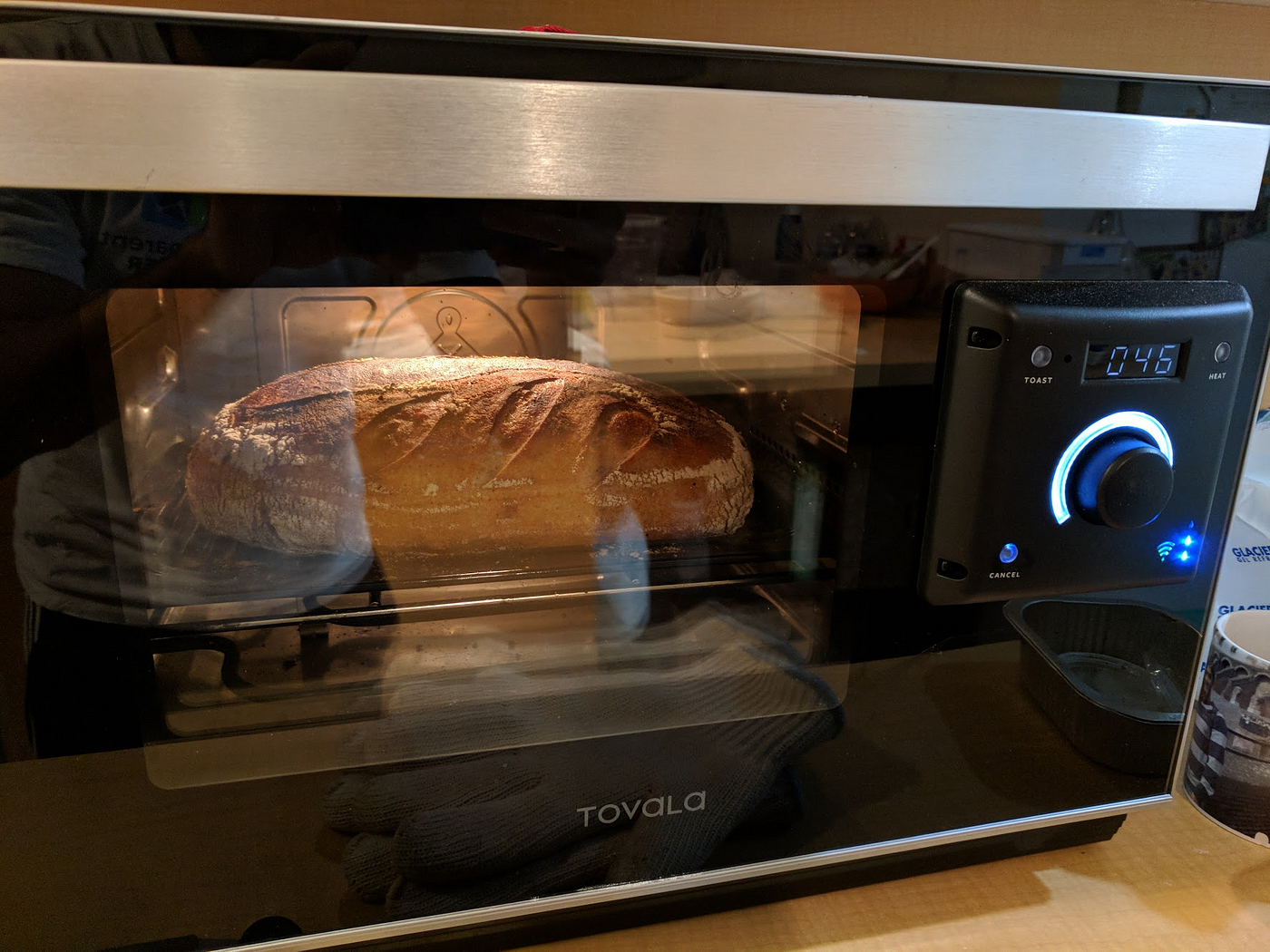
Preheating ensures the oven is at the right temperature before baking starts. It affects baking times and results.
Starting with a cold oven may change the texture and rise of baked goods.
- Preheat 10-15 minutes before baking
- Wait for the oven to signal it’s ready
- Check the oven’s preheat light or digital display
Credit: medium.com
Using Timers And Alerts
Smart ovens let you set timers and alerts for baking. These features help you avoid overcooking or undercooking your food.
Using timers and alerts correctly makes baking easier and more precise. You can focus on other tasks while your oven keeps track.
Setting Accurate Bake Times
Set the timer to match the recipe’s bake time exactly. This helps your food cook evenly and come out perfect.
Check the recipe for temperature and time. Adjust the time if you use a different size or type of pan.
- Use the oven’s timer feature to track cooking time.
- Pause the timer if you open the oven door often.
- Set reminders for checking food during long bakes.
Customizing Alerts For Different Recipes
Smart ovens let you set different alerts for each recipe. This helps you know when to check or remove your food.
Use louder or longer alerts for busy kitchens. Softer alerts work well for quiet environments.
- Set an alert for preheating completion.
- Customize alerts for multi-step recipes.
- Use different sounds for baking and broiling.
Adjusting For Recipe Types
Smart ovens can make baking easier by adjusting settings automatically. Different recipes need different temperatures and times.
Knowing how to program your smart oven for each type of bake improves results every time.
Breads And Yeast-based Bakes
Breads need steady heat and proper rising time. Yeast reacts to temperature changes, so avoid quick shifts.
Set your oven to moderate heat and use steam if your oven supports it. This keeps bread crust soft at first.
- Preheat oven fully before baking
- Use lower temperatures for longer baking
- Enable steam function if available
- Avoid opening the door during baking
Cakes And Pastries
Cakes and pastries need even heat for uniform cooking. Quick temperature changes can cause cracks or uneven rise.
Set your oven to a steady temperature and avoid using convection for delicate pastries unless specified.
- Preheat oven to the recommended temperature
- Use regular bake mode for cakes
- Consider using a lower rack for pastries
- Avoid sudden temperature drops
Cookies And Small Batches
Small batches and cookies bake faster and need careful timing. Overbaking makes them dry or hard.
Use the timer function and check early. Use convection mode if your oven has it to bake evenly.
- Reduce baking time slightly for small batches
- Use convection mode for even heat distribution
- Place cookies in the center of the oven
- Set timer to check doneness early

Credit: medium.com
Incorporating Smart Features
Smart ovens offer new ways to bake with ease and precision. Programming them correctly makes baking simple and fun.
Using smart features helps control baking times, temperatures, and settings from anywhere.
Remote Monitoring And Control
Remote monitoring lets you check your oven’s status from your phone. You can see the temperature and baking time left.
Control your oven remotely to start or stop baking. This feature saves time and prevents overbaking.
- Monitor oven temperature live
- Adjust settings without being near the oven
- Receive alerts when baking is done
Voice Command Integration
Voice commands let you operate your oven hands-free. Use simple phrases to start or change baking settings.
This feature helps when your hands are busy or dirty. It adds convenience and safety to baking tasks.
- Start baking with voice commands
- Adjust temperature or timer by speaking
- Ask for baking status updates
Using Preset Programs
Preset programs make baking easier by using saved settings for common recipes. They control time and heat automatically.
You can select presets for cakes, bread, cookies, and more. This reduces guesswork and improves results.
- Choose presets for different baking types
- Save your favorite custom settings
- Get consistent results every time
Maintaining Consistency
Programming a smart oven for baking needs careful attention. Consistency helps you get the same great results every time. Small changes in temperature or timing can change your baked goods.
Using your smart oven correctly lets you bake with confidence. This guide shows tips for keeping your baking results steady and reliable.
Calibrating Your Oven
Ovens can have slight temperature differences. Calibration helps you check if your oven heats to the right temperature. This step is key for consistent baking.
Use an oven thermometer to measure the real heat inside. Adjust your oven’s settings if the temperature is off. This keeps your baking accurate and prevents overcooking or undercooking.
- Place an oven thermometer in the center rack
- Set your oven to a common baking temperature (like 350°F)
- Wait 15 minutes, then check the thermometer
- Note any difference from the set temperature
- Adjust oven settings or remember the difference for future baking
Tracking Baking Results
Write down your baking times, temperatures, and results. Tracking helps you find the best settings for each recipe. You can spot patterns and make changes if needed.
Keep a baking journal or use a digital note app. Record the oven program, baking time, and how the food turned out. This helps you repeat successes and avoid mistakes.
- Note the recipe and oven temperature used
- Record baking time and any timer settings
- Describe texture, color, and taste after baking
- Mark any adjustments for next time
- Review notes before your next bake to improve results

Credit: www.forbes.com
Troubleshooting Common Issues
Programming a smart oven for baking can save time and improve results. Still, some problems may happen during baking.
Knowing how to fix common issues helps you bake better every time. This guide covers uneven baking, overbaking, and undercooking.
Uneven Baking
Uneven baking means parts of your food cook differently. Some areas may be burnt while others stay raw.
This can happen if the oven temperature is not steady or hot air does not circulate well.
- Check if the oven rack is placed in the center.
- Avoid overcrowding the oven with too many dishes.
- Use convection mode if your oven has it for better air flow.
- Preheat the oven fully before placing food inside.
- Rotate baking trays halfway through the baking time.
Overbaking And Undercooking
Overbaking causes food to dry out or burn. Undercooking leaves food raw or doughy inside.
These problems often happen if the temperature or cooking time is wrong.
- Set the correct temperature according to the recipe.
- Use the timer feature on your smart oven to avoid guessing.
- Check the food a few minutes before the timer ends.
- Calibrate your oven’s temperature sensor if needed.
- Use a food thermometer to check internal temperature when possible.
Frequently Asked Questions
How Do I Set The Right Temperature On A Smart Oven?
Set the temperature based on your recipe’s baking requirements. Use the smart oven’s preset modes for common items. Adjust the temperature gradually for even baking and avoid overheating to maintain food quality and texture.
Can I Control Smart Ovens Remotely For Baking?
Yes, most smart ovens allow remote control via mobile apps. You can preheat, monitor, and adjust settings from anywhere. This feature adds convenience and ensures your baked goods are perfectly timed.
What Are The Best Smart Oven Baking Modes?
Common baking modes include convection bake, traditional bake, and broil. Use convection bake for even heat distribution. Select traditional bake for delicate items. Broil mode is ideal for browning or crisping toppings.
How To Avoid Overbaking In Smart Ovens?
Use timers and alerts built into the smart oven. Monitor baking progress through app notifications. Follow recipe times precisely and check food a few minutes before completion to prevent overbaking.
Conclusion
Programming smart ovens for baking takes practice and patience. Start with basic settings and adjust as needed. Keep notes on what works best for each recipe. Use the oven’s features to save time and energy. Small changes can improve your baking results greatly.
Enjoy the process and learn from each bake. Soon, you will bake with confidence and ease. Simple steps lead to tasty, consistent treats every time. Keep experimenting and have fun in your kitchen!