
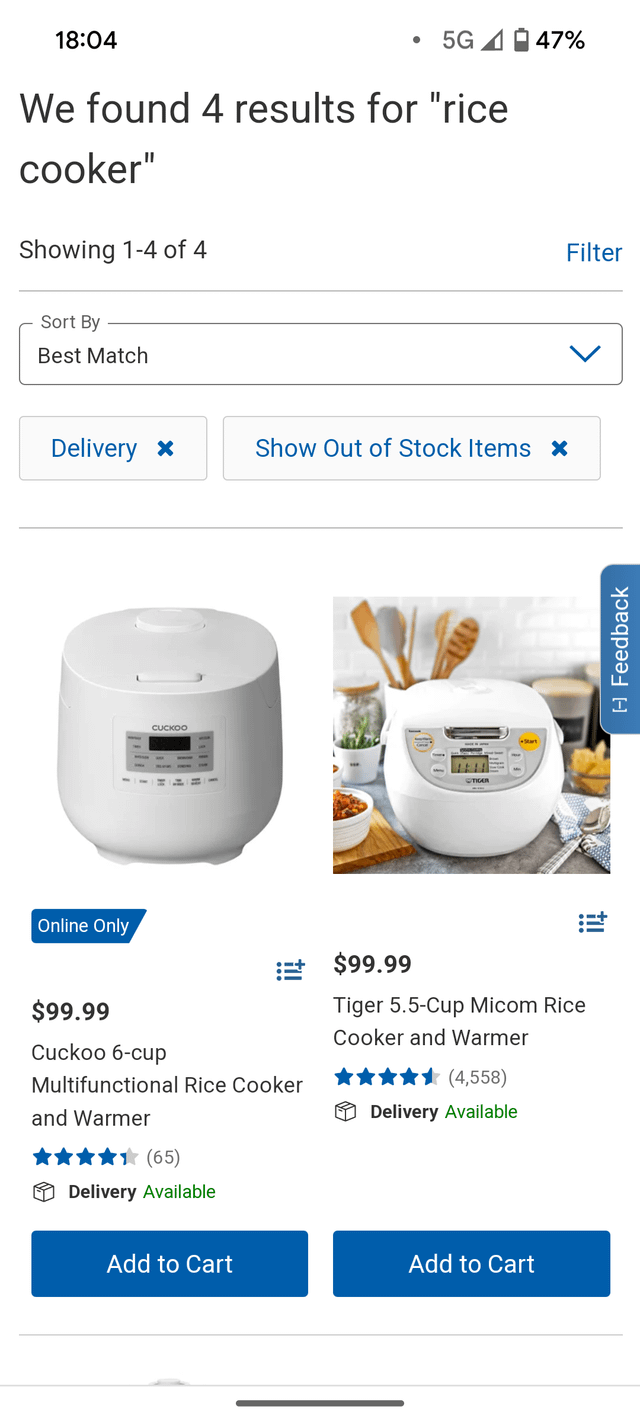
Are you getting the most out of your smart rice cooker? These devices are designed to make cooking easier, but without proper monitoring, you might miss out on their full potential.
Knowing how to keep an eye on your smart rice cooker can save you time, prevent kitchen mishaps, and ensure perfect rice every time. You’ll discover simple, effective tips that will help you stay in control and make your cooking experience smoother and more enjoyable.
Keep reading to unlock the secrets to mastering your smart rice cooker like a pro.
Credit: www.lemon8-app.com
Choosing The Right Smart Rice Cooker
Smart rice cookers make cooking rice easy. They offer features that help with cooking and monitoring.
Choosing the right one can be tricky. Here are some tips to help you decide.
Features To Look For
A good smart rice cooker has many features. Look for easy-to-use controls and clear displays.
Some cookers have timers and delay start options. These can help you plan your meals better.
- Non-stick inner pot for easy cleaning
- Multiple cooking modes for different rice types
- Keep warm function to maintain temperature
Smart Connectivity Options
Smart connectivity makes monitoring easier. Many cookers connect to your smartphone.
With an app, you can start cooking from anywhere. You can also check cooking progress remotely.
- Wi-Fi or Bluetooth connectivity
- App with easy interface
- Notifications for cooking status
Capacity And Size Considerations
Choose a size that fits your needs. Small families may need a smaller cooker.
Larger families or frequent cooks might need a bigger capacity. Check the dimensions to ensure it fits your space.
- Small cookers for 1-2 people
- Medium cookers for 3-5 people
- Large cookers for 6 or more people
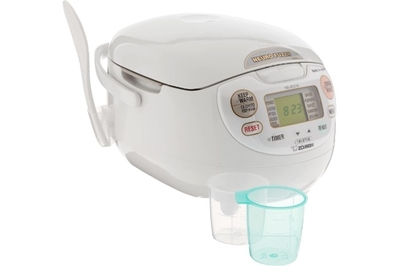
Credit: www.nytimes.com
Setting Up Your Smart Rice Cooker
Setting up your smart rice cooker correctly helps it work better. Follow simple steps to get started.
Proper setup lets you control cooking with ease. It also improves the taste of your rice.
Initial Calibration Steps
Calibration makes sure your rice cooker cooks rice perfectly. Start by cleaning the inner pot and sensors.
Run a test cooking cycle with water only. This helps the cooker adjust temperature and timing.
- Clean inner pot and sensor areas
- Fill with water up to the minimum level
- Start a test cooking cycle
- Let the cooker finish and cool down
- Check for any error messages
App Integration Tips
Connect your smart rice cooker to the app for easy control. Make sure your phone and cooker use the same Wi-Fi.
Keep the app updated to get new features. Use app settings to get alerts and monitor cooking progress.
- Download the official app for your model
- Connect via Wi-Fi or Bluetooth
- Allow necessary permissions on your phone
- Check for app updates regularly
- Set notifications for cooking status
Customizing Cooking Preferences
Adjust settings to cook rice the way you like. Change water levels, cooking time, and heat settings.
Save your favorite settings in the app. This lets you cook your preferred rice style every time.
- Choose rice type (white, brown, sushi)
- Set cooking duration and temperature
- Adjust water amount for texture
- Save custom presets in the app
- Test settings and tweak if needed
Real-time Monitoring Techniques
Smart rice cookers use technology to give you real-time updates. These updates help you cook rice perfectly every time.
Monitoring your cooker while it works saves time and prevents overcooking. Use tools like notifications and sensor data to watch progress.
Using Mobile Notifications
Mobile notifications alert you when cooking starts and finishes. You get messages on your phone without checking the cooker.
These alerts help you plan meals and avoid burning rice. You can also get warnings if there is a problem.
- Receive start and finish alerts
- Get warnings for water level or temperature issues
- Stay updated without staying in the kitchen
Interpreting Sensor Data
Smart rice cookers use sensors to track heat and moisture. These sensors help the cooker adjust cooking time.
Understanding this data can help you choose the right settings. You can see if the rice is cooking too fast or slow.
- Monitor temperature changes
- Check moisture levels during cooking
- Adjust settings based on sensor feedback
Remote Control Best Practices
Use remote control features to start or stop cooking from anywhere. This saves time and adds convenience.
Make sure your phone and cooker stay connected. Avoid turning off the cooker remotely if you are unsure about the settings.
- Check Wi-Fi or Bluetooth connection regularly
- Start cooking remotely to save time
- Stop cooking only if you know the current status
Maintaining Optimal Performance
Smart rice cookers help cook rice perfectly with less effort. Keeping them in good shape ensures they work well for a long time.
Regular care and monitoring help avoid problems and keep your cooker efficient. Follow simple tips to maintain your device.
Regular Cleaning Routines
Cleaning your smart rice cooker regularly stops dirt and food buildup. It also prevents bad smells and keeps the cooker working well.
Clean the inner pot, lid, and steam vent after every use. Wipe the outer body with a damp cloth to remove dust.
- Remove and wash the inner pot with warm soapy water
- Clean the lid and steam vent carefully to avoid clogging
- Dry all parts fully before reassembling
- Check and clean the heating plate gently to remove residue
Firmware Updates
Smart rice cookers may have firmware to improve functions. Keeping firmware updated helps fix bugs and add new features.
Check the manufacturer’s app or website for update notifications. Follow instructions to download and install updates safely.
- Connect your cooker to Wi-Fi if needed
- Use the official app to check for updates
- Install updates only from trusted sources
- Restart the cooker after updating firmware
Troubleshooting Common Issues
Sometimes smart rice cookers may face simple problems. Knowing how to solve them keeps your cooker working without delays.
Common issues include error codes, cooker not heating, or rice not cooking properly. Try basic fixes first before seeking help.
- Unplug and restart the cooker to reset it
- Check if the inner pot is placed correctly
- Make sure the power cord is connected firmly
- Clean sensors and heating elements if needed
- Refer to the user manual for error code meanings
Enhancing Cooking Results
Smart rice cookers help you cook rice better than traditional pots. They use sensors to adjust cooking times and temperatures.
Monitoring your smart rice cooker can improve the taste and texture of your rice every time.
Adjusting Settings For Different Rice Types
Rice types like white, brown, or jasmine need different heat and water levels. Your smart rice cooker lets you change settings for each type.
Choose the right setting before cooking to get the best results for that rice.
- White rice: Use standard water and cooking time
- Brown rice: Add more water and cook longer
- Jasmine rice: Use less water for fluffier texture
Combining Ingredients Efficiently
Adding ingredients like vegetables or spices can change cooking times. Monitor your cooker to avoid overcooking.
Mix ingredients well before cooking to ensure even flavor and heat distribution.
- Wash rice and ingredients thoroughly
- Layer heavier ingredients at the bottom
- Use the cooker’s preset modes for mixed dishes
Timing For Perfect Texture
Check the cooking time to avoid mushy or hard rice. Use the timer function on your smart rice cooker.
Let the rice rest after cooking. This helps the grains absorb moisture and improves texture.
- Start timer as soon as cooking begins
- Use delay start for fresh rice timing
- Keep the lid closed while rice rests

Credit: www.amazon.com
Frequently Asked Questions
How To Check Smart Rice Cooker’s Cooking Progress?
Most smart rice cookers have an app or display showing real-time cooking status. Use these features to monitor progress easily.
What Alerts Do Smart Rice Cookers Provide?
Smart rice cookers notify you when cooking is done or if there’s an error via app alerts or sounds.
How To Maintain Your Smart Rice Cooker?
Regularly clean the inner pot and sensors. Follow manufacturer guidelines to keep the device accurate and efficient.
Can I Remotely Control A Smart Rice Cooker?
Yes, many models allow remote control through smartphone apps for starting, stopping, or adjusting cooking settings.
Conclusion
Smart rice cookers make cooking easy and fast. Watching the cooking process helps avoid overcooking or burning. Checking water levels and cleaning the cooker keeps it working well. Using the timer helps cook rice perfectly every time. Small steps lead to better rice and longer cooker life.
Keep an eye on your cooker and enjoy tasty meals. Simple care makes a big difference in your cooking experience.