
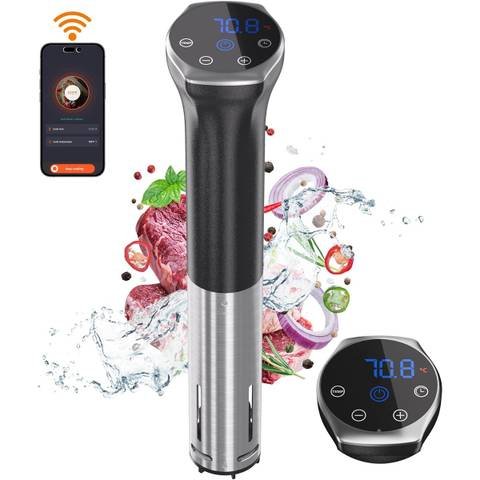
Imagine having perfect control over your cooking, right from your phone. You can set the temperature, monitor progress, and get alerts without standing by the stove.
That’s exactly what smart sous vide machines with app integration offer you. If you want to make your cooking smarter and easier, understanding how to connect and use these devices with their apps is key. You’ll learn simple steps to integrate your smart sous vide machine with its app, so you can cook like a pro every time.
Ready to unlock the full potential of your kitchen gadget? Let’s dive in.
Benefits Of Smart Sous Vide Integration
Smart sous vide machines make cooking easier and more precise. Integrating them with apps offers many advantages. These benefits improve how you prepare meals at home.
Discover how smart sous vide integration can enhance your cooking experience. Learn about cooking precision, remote control, and recipe management.
Enhanced Cooking Precision
Smart sous vide machines use apps to control cooking temperatures. This ensures your food is cooked perfectly every time.
The app lets you set and monitor precise temperatures. This reduces the risk of overcooking or undercooking your meals.
- Set exact temperature for perfect cooking
- Monitor cooking progress in real-time
- Reduce guesswork in meal preparation
Remote Control Convenience
With smart sous vide integration, you can control your cooking from anywhere. Use the app to start, stop, or adjust your cooking settings remotely.
This feature is perfect for busy people. It allows you to manage your cooking schedule with ease.
- Start cooking before you get home
- Adjust settings without being in the kitchen
- Receive alerts when cooking is done
Recipe Management And Sharing
Smart apps help you organize and store recipes. You can easily access and share your favorite recipes with friends and family.
This makes meal planning simple and fun. Try new recipes and keep track of your culinary creations.
- Save and organize your favorite recipes
- Share recipes through the app
- Access a wide range of new recipe ideas
Credit: www.androidpolice.com
Choosing Compatible Sous Vide Machines
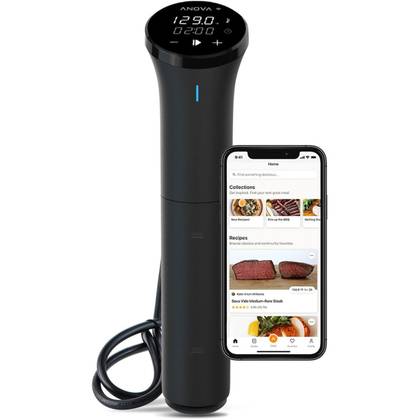
Smart sous vide machines connect with apps to help control cooking. Choosing the right machine is important for smooth app integration.
Look for machines that match your phone and app needs. This makes cooking easier and more precise.
Key Features To Look For
Check if the sous vide machine has Wi-Fi or Bluetooth. These features allow connection to your phone app.
Look for a machine with an easy-to-use app. The app should have timers, temperature control, and recipe options.
- Wi-Fi or Bluetooth connectivity
- Precise temperature control
- Timer settings in the app
- Recipe guides and alerts
- User-friendly app design
Popular Smart Models
Some sous vide machines are well-known for smart features. These models often work well with many apps.
- Anova Precision Cooker
- Joule by ChefSteps
- Instant Pot Accu Slim
- Wancle Wi-Fi Sous Vide
- Inkbird WIFI Sous Vide Cooker
These models offer good app control and reliable cooking results.
Compatibility With Apps
Check if the sous vide machine’s app works on your phone’s operating system. Some apps support iOS and Android.
Look for apps that update regularly. This keeps them working well with your machine and phone.
- Supports iOS and Android devices
- Regular app updates
- Easy Bluetooth or Wi-Fi pairing
- Clear instructions for app use
- Access to recipes and cooking tips
Setting Up Your Sous Vide Device
Smart sous vide machines make cooking easier with app control. Setting up your device correctly is key.
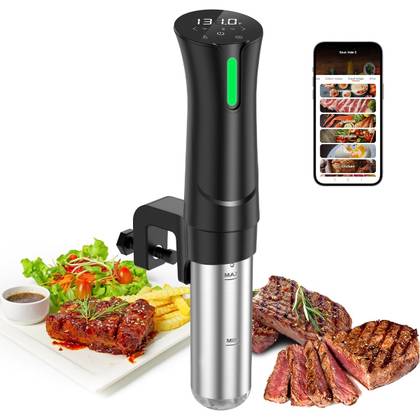
This guide helps you connect your sous vide to Wi-Fi and pair it with your phone. It also covers fixing common connection problems.
Connecting To Wi-fi
First, turn on your sous vide machine. Open its settings menu on the device screen.
Find the Wi-Fi option and select your home network. Enter your Wi-Fi password carefully to connect.
- Make sure your Wi-Fi signal is strong near the device.
- Use a 2.4 GHz network if your device does not support 5 GHz.
- Keep your router password handy for quick setup.
Pairing With Your Smartphone
Download the sous vide app from your phone’s app store. Open the app and create an account if needed.
Turn on Bluetooth on your phone. Follow the app instructions to find and connect to your sous vide device.
- Keep your phone close to the sous vide during pairing.
- Allow any permission requests from the app.
- Check that your phone’s Bluetooth is active.
Troubleshooting Connection Issues
If your sous vide does not connect, restart the device and your phone. Sometimes this fixes minor issues.
Check that your Wi-Fi or Bluetooth is working well. Move closer to the router or device if needed.
- Make sure your app is updated to the latest version.
- Reset the sous vide’s network settings and try again.
- Consult the device manual for specific error codes.
Credit: www.androidpolice.com
Using Apps To Control Cooking
Smart sous vide machines connect to apps for easy control. These apps let you cook with precision and convenience.
You can start, adjust, and watch your cooking from anywhere. The apps make cooking simple and flexible.
Starting And Monitoring Cooking Sessions
Apps allow you to start cooking sessions with a few taps. You choose the recipe or set your own cooking plan.
Once started, you can watch the cooking progress on your phone. The app shows real-time information about the water temperature and time left.
- Start cooking remotely before you get home
- See current temperature and cooking time
- Pause or stop cooking from the app
Adjusting Temperature And Time
The app lets you change the temperature and cooking time anytime. You do not need to be near the machine.
This flexibility helps if you want your food softer or firmer. You can make changes based on your taste or schedule.
- Increase or decrease temperature easily
- Extend or shorten cooking time
- Save settings for future use
Receiving Notifications And Alerts
Apps send notifications when cooking finishes or needs attention. This keeps you informed without checking often.
You get alerts if the water level is low or if there is a problem. Notifications help you avoid mistakes and cook safely.
- Alert when cooking is done
- Warning if water level is too low
- Reminders to check or stir food
Exploring Advanced App Features
Smart sous vide machines connect to apps for better cooking control. These apps offer features that make cooking easier and more precise.
Users can adjust settings, use voice commands, and schedule cooking times. This helps create perfect meals with less effort.
Customizing Cooking Profiles
Apps let you save your favorite cooking settings. You can change temperature, time, and cooking style for different foods.
Custom profiles make it simple to repeat recipes. You do not need to set everything again for each meal.
- Create profiles for meats, vegetables, and desserts
- Adjust temperature and cook time easily
- Save profiles for quick access later
Integrating Voice Assistants
Voice assistant integration lets you control your sous vide hands-free. Use simple commands to start, stop, or adjust cooking.
This feature is helpful when your hands are busy or dirty. It adds convenience and improves kitchen safety.
- Start and stop cooking with voice commands
- Check cooking status without touching the device
- Adjust temperature or time using your voice
Scheduling And Automation
Apps allow you to set cooking times in advance. You can schedule your meal to be ready when you want it.
Automation features help keep food at the right temperature after cooking. This avoids overcooking and saves time.
- Set start and stop times for cooking
- Use timers to control cooking length
- Keep food warm automatically after cooking
Tips For Optimizing Your Sous Vide Experience
Integrating smart sous vide machines with apps makes cooking easier. You can control temperature and time from your phone.
Using these tips will help you get the best results and keep your device working well.
Maintaining Device Firmware
Firmware updates improve your sous vide machine’s performance. They fix bugs and add new features.
Check for updates regularly to keep your device running smoothly and safely.
- Connect your device to Wi-Fi for automatic updates
- Follow the app instructions to update firmware
- Restart the device after updating
Keeping Your App Updated
App updates improve control and add new cooking programs. They also fix bugs that might cause issues.
Always use the latest version of the app to get the best features and stability.
- Enable automatic updates on your phone
- Check the app store for manual updates
- Review app permissions to ensure proper device control
Safe Food Handling Practices
Food safety is important when cooking sous vide. Use clean tools and proper temperatures to avoid bacteria.
Follow these steps to keep your food safe and tasty.
- Use fresh, high-quality ingredients
- Seal food properly in vacuum bags
- Cook at recommended temperatures and times
- Cool cooked food quickly if not eating immediately
- Store leftovers in the fridge within two hours
Credit: www.engadget.com
Frequently Asked Questions
What Apps Are Compatible With Smart Sous Vide Machines?
Popular smart sous vide machines work with apps like Anova Culinary, Joule, and Inkbird. These apps allow you to control temperature and cooking times remotely. They also provide recipes and cooking guides, enhancing your sous vide experience.
How Do I Connect My Sous Vide Machine To An App?
Connect your sous vide machine via Bluetooth or Wi-Fi through the manufacturer’s app. First, install the app on your smartphone. Then, follow the pairing instructions to sync the device, enabling remote control and monitoring.
Can I Control Multiple Sous Vide Devices With One App?
Yes, many apps support controlling multiple sous vide machines simultaneously. This feature helps when cooking different dishes at once. Check your device’s app for multi-device management options and compatibility.
Are Smart Sous Vide Apps User-friendly For Beginners?
Most smart sous vide apps are designed with user-friendly interfaces. They include step-by-step instructions and preset cooking modes. This makes it easy for beginners to achieve precise and consistent cooking results.
Conclusion
Smart sous vide machines with apps make cooking easier and precise. You can control temperature and time from your phone. This helps you cook meals perfectly every time. Connecting the device to an app saves effort and time. It also lets you explore new recipes and settings.
Start simple and explore features step by step. Enjoy tasty meals with less stress and more fun. Integrating these tools brings convenience to your kitchen. Try it today and see how smooth cooking can be.