
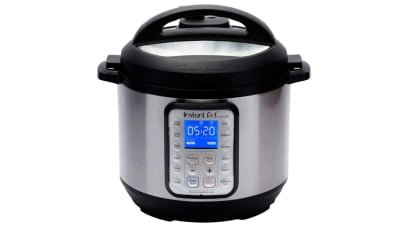
Imagine starting your dinner and then stepping out, without worrying about overcooking or burning your meal. With a smart slow cooker, you can do just that—control and monitor your cooking from anywhere using your phone.
But how exactly do you keep an eye on your slow cooker remotely? If you want to save time, reduce stress, and make sure your meals turn out perfect every time, this guide is for you. Keep reading to discover simple steps and tips that will make managing your smart slow cooker easier than ever.

Credit: www.reddit.com
Choosing The Right Smart Slow Cooker
Smart slow cookers let you control cooking from anywhere. Choose the right one for your needs to enjoy this convenience.
Consider features, brands, and compatibility with your smart home system. These factors help in making a smart choice.
Key Features To Look For
Smart slow cookers come with many features. Some are more useful than others.
- Remote control via smartphone app
- Programmable cooking times
- Temperature control settings
- Automatic keep-warm function
Popular Brands And Models
Many brands offer smart slow cookers. Each has unique models and features.
- Crock-Pot Smart Slow Cooker with WeMo
- Instant Pot Smart WiFi
- Hamilton Beach Set & Forget
- Ninja Foodi XL
Compatibility With Smart Home Systems
Check if the slow cooker works with your home system. Compatibility helps in seamless operation.
Some cookers work with Alexa or Google Assistant. This allows voice control and integration with other smart devices.
Setting Up Remote Monitoring
Smart slow cookers let you watch your food from anywhere. You can check the cooking status without being in the kitchen.
To monitor remotely, you need to connect the slow cooker to the internet and use a mobile app. Setting up notifications helps you stay updated.
Connecting To Wi-fi
First, link your slow cooker to your home Wi-Fi. This connection lets the cooker talk to your phone.
Make sure your Wi-Fi is stable and the signal reaches the kitchen well. Follow these steps to connect:
- Turn on the slow cooker’s Wi-Fi mode.
- Open the cooker’s settings on its control panel.
- Search for your home Wi-Fi network.
- Enter your Wi-Fi password carefully.
- Wait for the cooker to confirm the connection.
Installing And Using Mobile Apps
Download the official app for your slow cooker on your phone. The app lets you control and check cooking progress.
Open the app and create an account if needed. Add your slow cooker by following the app’s instructions.
- Log in to the app.
- Choose “Add Device” or “Connect Slow Cooker.”
- Scan the QR code on the cooker or enter its ID.
- Check that the app shows the cooker’s status.
Enabling Notifications And Alerts
Turn on alerts in the app to get messages about cooking status. Notifications tell you when food is ready or if there is a problem.
Set alerts for important updates like temperature changes or cooking time left. This keeps you informed without checking the app all the time.
- Open the app’s settings.
- Find the notifications section.
- Enable alerts for cooking start, finish, and errors.
- Choose how you want to receive alerts (push, email, etc.).
Using Voice Assistants
Smart slow cookers let you control cooking from anywhere. Voice assistants make this easier.
You can check and adjust cooking without touching your phone or cooker.
Integrating With Alexa Or Google Assistant
Connect your slow cooker to Alexa or Google Assistant through their apps. This links your devices.
After setup, your voice assistant can access your cooker’s functions at any time.
- Open Alexa or Google Home app
- Find your slow cooker brand or skill
- Follow instructions to link accounts
- Allow permissions for control
- Test connection with a simple voice command
Controlling Cooking Through Voice Commands
Use voice commands to start, stop, or change cooking settings. Speak clearly for best results.
You can ask about cooking status or adjust time and temperature hands-free.
- “Alexa, start the slow cooker.”
- “Hey Google, set the slow cooker to low.”
- “Alexa, how much time is left?”
- “Hey Google, stop the slow cooker.”
Tracking Cooking Progress
Smart slow cookers let you watch your food cook from anywhere. You do not need to be in the kitchen all the time.
Using your phone or tablet, you can see how the cooking is going. This helps you get your meal just right.
Monitoring Temperature And Time
Smart slow cookers send data about the temperature inside the pot. They also track how long the food has cooked.
You can check if the heat is steady or needs change. The cooking time helps you know when food is done or needs more time.
- View current temperature remotely
- See elapsed cooking time
- Receive alerts if temperature changes
Adjusting Settings Remotely
You can change the temperature or cooking time from your device. This means no need to stop cooking to adjust the slow cooker.
Remote control lets you slow down or speed up cooking. You can also switch between cooking modes like low, high, or warm.
- Change heat level using an app
- Extend or shorten cooking time
- Switch cooking modes remotely
Checking Cooking Status In Real-time
Real-time updates show you how your meal is cooking. You see current temperature, time left, and any alerts right away.
This helps you avoid overcooking or undercooking food. You get peace of mind knowing your meal is on track.
- Live temperature readings
- Remaining cooking time display
- Instant notifications for changes
Ensuring Safety And Security
Smart slow cookers bring convenience by letting you cook remotely. Safety and security are key when using these devices.
You need to monitor your slow cooker to avoid accidents and protect your home network.
Automatic Shutoff Features
Many smart slow cookers have automatic shutoff to stop cooking after a set time. This feature helps prevent overcooking and fire risks.
The cooker can turn off even if you forget. It adds safety by controlling cooking time precisely.
- Stops cooking when timer ends
- Prevents overheating
- Reduces fire hazards
- Works even if you are away
Securing Your Device And Network
Smart slow cookers connect to your home Wi-Fi. Securing this connection keeps your device safe from hackers.
Use strong passwords and update your slow cooker’s software often. This protects your device and personal data.
- Use a unique Wi-Fi password
- Enable two-factor authentication if possible
- Keep the slow cooker app updated
- Connect to a secure home network
Handling Alerts For Malfunctions
Smart slow cookers send alerts if something goes wrong. These alerts help you fix problems early.
Respond quickly to alerts about power issues, temperature problems, or connection loss. This keeps cooking safe.
- Check alerts on your smartphone
- Unplug the cooker if you detect a problem
- Contact support for device issues
- Do not ignore repeated warnings
Troubleshooting Remote Access Issues
Smart slow cookers let you control cooking from far away. Sometimes, you may face problems connecting to them remotely.
This guide helps you fix common remote access issues quickly and easily.
Common Connectivity Problems
Slow cookers need a strong Wi-Fi signal to connect to your phone. Weak signals cause connection failures or delays.
Check your router and slow cooker location. Too far or many walls can block signals.
- Move slow cooker closer to the Wi-Fi router
- Restart your router to fix network issues
- Make sure your phone is on the same Wi-Fi network
- Check if your internet connection is active
App Crashes And Updates
The app controlling your slow cooker may crash or freeze. This stops remote monitoring and control.
Keeping the app updated can fix bugs and improve performance.
- Close and reopen the app to clear temporary bugs
- Update the app to the latest version in your app store
- Clear the app cache in your phone settings if it still crashes
- Reinstall the app if problems continue
Resetting And Reconnecting Devices
If connection problems remain, reset your slow cooker and app settings. This clears errors and starts fresh.
Reconnecting devices can restore remote access and control.
- Turn off the slow cooker and unplug it for 30 seconds
- Restart your phone to refresh network settings
- Open the app and follow setup instructions to add the slow cooker again
- Check if the slow cooker appears in the app and responds
Maximizing Convenience With Scheduling
Smart slow cookers let you control cooking from anywhere. Scheduling meals saves time and effort.
Using scheduling features, you can plan your meals better. This makes cooking easier and more flexible.
Setting Cooking Timers Remotely
You can start or stop cooking using your phone. Set timers to cook food perfectly on your schedule.
Remote timers let you adjust cooking time if your plans change. This keeps food fresh and ready when you want.
- Start cooking before you get home
- Pause or extend cooking time if needed
- Check cooking status from anywhere
Planning Meals Ahead
Scheduling meals ahead helps you organize your day. You can set cooking times to match your busy routine.
Plan meals for the week by setting slow cooker times in advance. This reduces last-minute meal stress.
- Prepare ingredients early
- Set cooking to finish at mealtime
- Ensure meals are hot and fresh
Using Preset Cooking Programs
Smart slow cookers offer preset programs for common dishes. Choose a program to cook food correctly every time.
Presets save time by selecting the right heat and cooking duration. They help avoid guesswork in cooking.
- Programs for soups, stews, and roasts
- Automatic temperature adjustments
- Easy to use with a single tap
Credit: www.techradar.com

Credit: www.reddit.com
Frequently Asked Questions
How Can I Monitor My Smart Slow Cooker Remotely?
You can monitor your smart slow cooker remotely using its dedicated mobile app. Connect the cooker to Wi-Fi, then control and check cooking progress from anywhere.
What Features Do Smart Slow Cookers Offer For Remote Control?
Smart slow cookers offer temperature control, cooking time adjustment, and notifications. These features allow precise cooking and alerts directly on your smartphone.
Is Remote Monitoring Safe For Smart Slow Cookers?
Yes, remote monitoring is safe. Most smart slow cookers use secure Wi-Fi connections and encryption to protect your data and device control.
Can I Change Cooking Settings Remotely On Smart Slow Cookers?
Absolutely. Remote apps let you adjust temperature, cooking mode, and time. This flexibility ensures your meal cooks perfectly even when you’re away.
Conclusion
Monitoring smart slow cookers remotely keeps cooking easy and stress-free. You can check progress without staying in the kitchen. Adjust settings from anywhere using your phone or tablet. This saves time and prevents overcooking or burning food. Stay connected to your meal and enjoy perfectly cooked dishes every time.
Smart slow cookers bring convenience and control to your cooking routine. Try these tips to make the most of your smart slow cooker today.