
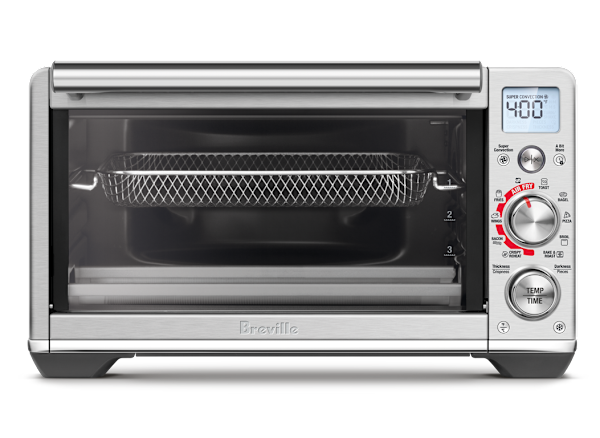
Imagine your smart toaster oven not just making perfect toast but also keeping an eye on itself to ensure everything runs smoothly. Wouldn’t it be great to know exactly when it’s time to clean, if it’s using too much energy, or if something isn’t working right?
Monitoring your smart toaster oven can save you money, prevent problems, and make your kitchen experience easier and safer. You’ll discover simple, effective ways to keep track of your smart toaster oven’s performance and get the most out of this handy device.
Ready to take control of your kitchen tech? Let’s dive in.
Benefits Of Monitoring Smart Toaster Ovens
Smart toaster ovens are more than just a kitchen gadget. Monitoring them brings many benefits to your home. Understanding these advantages helps make the most out of your appliance.
With the right monitoring, you can save energy, cook with precision, and extend the life of your toaster oven. Let’s explore these benefits further.
Energy Savings
Monitoring your smart toaster oven helps save energy. You can track its energy use and adjust settings to reduce power consumption.
Using less energy is good for the environment and your wallet. Here’s how you can save energy:
- Turn off the toaster when not in use
- Use energy-efficient settings
- Set timers to avoid overuse
Enhanced Cooking Precision
Smart toaster ovens offer precise cooking controls. Monitoring them ensures your food is cooked perfectly every time.
You can adjust temperature and time settings easily. This helps you avoid undercooked or burnt meals. Here are some tips for precise cooking:
- Use preset cooking modes
- Check food progress through the app
- Adjust settings based on food type
Extended Appliance Lifespan
Monitoring your toaster oven can extend its life. By keeping an eye on its usage, you reduce wear and tear.
This means fewer repairs and replacements. Here are ways to prolong your toaster oven’s life:
- Clean the oven regularly
- Use recommended settings
- Monitor for unusual sounds or smells
Key Features To Track
Monitoring your smart toaster oven helps improve cooking results. Tracking key features lets you control the cooking process better.
Knowing what to watch helps avoid overcooking or wasting energy. It also keeps your appliance working well for a long time.
Temperature Control
Temperature control is important for cooking food evenly. Your smart toaster oven should let you set and monitor exact temperatures.
Watch the temperature during cooking to avoid burning or undercooking your food.
- Check temperature settings before starting
- Use real-time temperature feedback
- Adjust temperature if the oven is too hot or cold
Cooking Time
Cooking time controls how long your food stays in the oven. Tracking this helps prevent overcooking and saves energy.
Your smart toaster oven can remind you when the food is ready. Use timers and alerts to keep cooking on track.
- Set the correct cooking time for each recipe
- Use alerts to know when cooking ends
- Pause or adjust time if needed
Power Consumption
Power consumption shows how much electricity your oven uses. Monitoring this can help reduce energy bills and environmental impact.
Smart toaster ovens may display real-time power use. Check this to avoid wasting energy during cooking.
- Track energy use per cooking session
- Compare power use between settings
- Turn off the oven when not needed
Device Connectivity
Device connectivity lets you control the oven from your phone or smart home system. It makes monitoring easier and more convenient.
Check that your smart toaster oven stays connected to Wi-Fi or Bluetooth. This ensures you get updates and control anytime.
- Use app notifications for cooking alerts
- Control oven settings remotely
- Keep software updated for best connection
Tools For Monitoring
Smart toaster ovens offer new ways to watch how they work. You can check their status anytime.
There are different tools to help you monitor these appliances. They make cooking easier and safer.
Mobile Apps
Many smart toaster ovens connect to mobile apps. These apps show cooking time, temperature, and settings.
You can start or stop cooking from your phone. The app also sends alerts when food is ready.
- View cooking progress in real time
- Adjust temperature or timer remotely
- Receive notifications when done
- Access preset cooking modes
Smart Home Integrations
Smart toaster ovens can link with home systems like Alexa or Google Home. This lets you control them by voice.
These integrations help monitor your oven without using your hands. You can ask for cooking status anytime.
- Check oven status by voice command
- Turn oven on or off remotely
- Use routines to start cooking at set times
- Link oven alerts with other smart devices
Built-in Appliance Displays
Many smart toaster ovens have built-in screens. These displays show cooking time, temperature, and mode.
You can use the display to adjust settings quickly. It also shows alerts like preheat done or cooking finished.
- Easy to read cooking progress
- Touch controls for quick changes
- Status alerts directly on the oven
- Some have recipe guides on screen

Credit: www.youtube.com
Setting Up Real-time Alerts
Real-time alerts help you keep track of your smart toaster oven’s status. They send notifications instantly for any important changes.
Setting up these alerts lets you act fast to avoid problems and save energy.
Temperature Notifications
Temperature alerts warn you if the toaster oven gets too hot or too cold. This helps prevent burning or undercooking your food.
You can set a temperature range and get notified if the oven goes outside it. This keeps cooking safe and consistent.
- Set maximum and minimum temperature limits
- Receive alerts on your phone or device
- Adjust cooking time based on alerts
Maintenance Reminders
Maintenance alerts remind you to clean or check your toaster oven. Regular care helps the oven last longer and work better.
These alerts can include filter changes, cleaning schedules, or software updates for your smart oven.
- Get reminders for cleaning times
- Receive alerts for part replacements
- Stay updated with software notifications
Power Usage Alerts
Power alerts notify you if your toaster oven uses too much electricity. This helps reduce energy waste and lower bills.
You can track power spikes or unusual usage with these alerts to find issues early.
- Monitor daily and weekly power use
- Receive alerts for abnormal consumption
- Adjust settings to save energy
Analyzing Usage Data
Smart toaster ovens collect data about how you use them. This data helps you understand cooking habits and appliance performance.
By analyzing this data, you can improve cooking results and save energy. Let’s explore how to do this effectively.
Identifying Patterns
Look at the times you use the toaster oven most. Notice which cooking modes you select often. This shows your common cooking routines.
Tracking frequent uses helps spot habits like daily breakfast or weekend baking. Recognizing these patterns guides better appliance use.
- Check usage times during the day
- Note favorite cooking modes
- Track duration of each cooking session
Optimizing Cooking Settings
Use data to adjust cooking temperature and time. This improves food quality and prevents overcooking or undercooking.
Smart toaster ovens can suggest better settings based on past results. Follow these tips to cook more evenly and save time.
- Reduce temperature for foods that cook too fast
- Increase time for thicker items
- Use preset modes matching your recipes
Reducing Energy Waste
Analyze data to find when the toaster oven runs unnecessarily long. Shorter cooking times save electricity and lower bills.
Turn off the appliance promptly when cooking ends. Use energy-saving modes if available to cut power use during idle times.
- Review average cooking durations
- Identify long idle periods with the oven on
- Enable automatic shutoff features

Credit: www.goodhousekeeping.com
Troubleshooting Common Issues
Smart toaster ovens can have small problems that stop them from working well. Knowing how to fix these issues helps you use your oven better.
This guide covers common problems like connectivity, sensor errors, and software updates. It gives easy ways to check and fix them.
Connectivity Problems
Smart toaster ovens often connect to Wi-Fi or apps. If the connection breaks, the oven may not respond or update.
Check if your Wi-Fi is working. Restart your router and oven. Make sure the oven is close to the router for a strong signal.
- Restart your Wi-Fi router and toaster oven
- Move the oven closer to the Wi-Fi source
- Check app permissions and update the app
- Reset the oven’s network settings if needed
Inaccurate Sensors
Sensors in smart toaster ovens control temperature and cooking time. If sensors give wrong readings, food may burn or stay raw.
Clean the sensors gently with a soft cloth. Avoid water or harsh cleaners. If problems continue, restart the oven or contact support.
- Wipe sensors carefully to remove dirt
- Do not use wet cloths or chemicals
- Restart the oven to reset sensors
- Check if sensor covers are properly placed
Software Updates
Software updates fix bugs and add features to smart toaster ovens. Missing updates can cause errors or slow performance.
Check your app or oven settings for updates. Install updates as soon as possible. Keep your internet connected during updates.
- Open the app or oven menu to find updates
- Download and install updates fully
- Keep a steady Wi-Fi connection during updates
- Restart the oven after updating
Tips For Maximizing Efficiency
Smart toaster ovens save time and energy. Watching them closely helps you get the best results.
Use simple habits to keep your toaster oven working well. This guide shares easy tips for daily use.
Regular Cleaning
Clean your toaster oven often to avoid crumbs and grease buildup. Dirt can affect heating and taste.
Wipe the inside with a soft cloth and mild soap. Remove trays and clean them separately.
- Unplug the oven before cleaning
- Use a damp cloth for the inside
- Clean trays after each use
- Check and clean the crumb tray weekly
Proper Loading Techniques
Load food evenly and avoid overcrowding. This helps heat reach all parts for even cooking.
Place items in a single layer. Keep space between pieces to allow hot air to flow well.
- Use the right size tray for your food
- Do not block air vents
- Turn food halfway if needed
- Follow the user guide for load limits
Using Preset Programs
Smart toaster ovens have preset programs for common foods. Use these to save time and avoid mistakes.
Choose the preset that matches your food type. The oven adjusts time and temperature automatically.
- Select presets like toast, bake, or broil
- Follow the preset instructions in the manual
- Check food near the end to avoid burning
- Adjust settings slightly for personal taste
Future Trends In Smart Toaster Monitoring
Smart toaster ovens will get better at helping you cook. New technology will make monitoring easier and more useful.
These trends will improve how you control and track your toaster oven’s performance.
Ai-powered Adjustments
Artificial intelligence will help toaster ovens cook food perfectly. The oven will learn your preferences and adjust settings automatically.
It will change temperature and time based on the food type and humidity. This helps avoid overcooking or undercooking your meals.
- Detects food type and size
- Adjusts cooking time and heat
- Improves cooking results with each use
Voice Control Enhancements
Voice commands will become more accurate for toaster ovens. You can start, stop, or change settings without touching the device.
Smart assistants will understand more natural speech. This makes cooking hands-free and easier, especially when busy in the kitchen.
- Works with popular voice assistants
- Understands simple and complex commands
- Supports multiple users with personalized settings
Integration With Energy Management Systems
Smart toaster ovens will connect to home energy systems. This helps track and reduce power use during cooking.
You can set ovens to run at times when electricity is cheaper. This integration supports energy-saving habits and lowers bills.
- Monitors energy consumption in real time
- Schedules cooking for off-peak hours
- Works with smart meters and home hubs

Credit: www.tasteofhome.com
Frequently Asked Questions
How Do I Connect My Smart Toaster Oven To Wi-fi?
To connect, access the toaster oven’s settings menu. Select Wi-Fi, then choose your network. Enter your password. Ensure your phone and oven are on the same network. Follow the app’s prompts to complete setup for remote monitoring and control.
What App Is Best For Monitoring Smart Toaster Ovens?
Most smart toaster ovens work best with their manufacturer’s official app. These apps offer real-time monitoring, custom settings, and notifications. Check the product manual or website to download the compatible app for smooth device integration and control.
Can I Monitor Cooking Progress Remotely?
Yes, smart toaster ovens with Wi-Fi enable remote monitoring. Use the app to check cooking status, adjust settings, and receive alerts. This helps prevent overcooking and allows you to multitask efficiently while your food cooks safely.
How Do I Receive Alerts From My Smart Toaster Oven?
Enable notifications in the toaster oven’s app settings. Alerts inform you when cooking completes or if there’s a malfunction. Make sure your smartphone’s notification settings allow alerts from the app for timely updates.
Conclusion
Monitoring your smart toaster oven helps keep your kitchen safe and efficient. Check settings often to avoid overcooking or burning food. Use the app or device screen to track cooking progress. Regular cleaning and maintenance improve performance and lifespan. Stay alert to alerts or notifications from your toaster oven.
Small steps make a big difference in cooking quality. Enjoy tasty meals with less worry and more control. Smart monitoring keeps your toaster oven working at its best.