
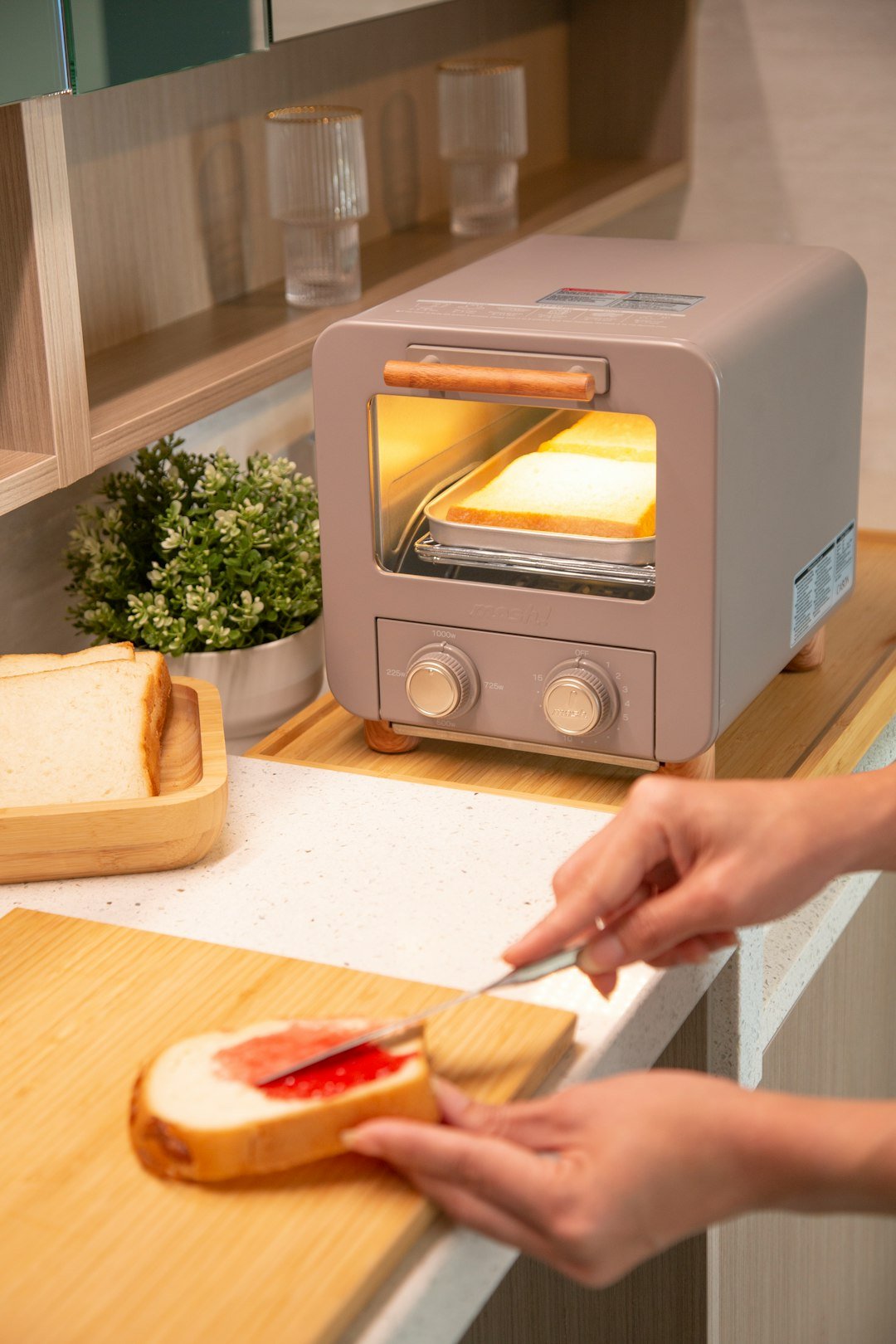
Imagine waking up to perfectly toasted bread or enjoying a hot, crispy snack without the hassle of guessing settings. Learning how to program your smart toaster oven can make this a reality.
You don’t need to be a tech expert or spend hours figuring it out. With a few simple steps, you’ll unlock your toaster oven’s full potential, saving time and getting consistent results every time. Ready to take control of your kitchen and enjoy smarter cooking?
Let’s dive in and make your smart toaster oven work exactly the way you want.

Credit: www.tasteofhome.com
Choosing The Right Toaster Oven
Smart toaster ovens are a great kitchen gadget. They make cooking easy and fast. Picking the right one is important for your needs.
Consider features and types when choosing a smart toaster oven. This will help you make the best decision for your kitchen.
Features To Look For
Different features can make a toaster oven more useful. Look for ones that fit your cooking style.
- Temperature control helps cook food evenly.
- Preset functions save time on common meals.
- Smart connectivity lets you control it with your phone.
- Energy efficiency reduces electricity use.
- Easy-to-clean surfaces cut down on maintenance.
Types Of Toaster Ovens
Toaster ovens come in different types. Each type has its own benefits.
- Convection ovens cook faster and more evenly.
- Rotisserie ovens are great for roasting meats.
- Air fryer ovens use less oil for frying foods.
- Compact ovens fit in small kitchens.
- Multi-function ovens offer more cooking options.

Credit: www.tasteofhome.com
Basic Controls And Settings
Smart toaster ovens have simple controls to help you cook food perfectly. Learning these controls makes cooking easier and faster.
This guide explains how to adjust temperature, set timers, and choose toast shades on your smart toaster oven.
Temperature Adjustments
You can change the cooking temperature on a smart toaster oven. This helps you cook different foods correctly.
Use the temperature buttons or touchscreen to set the right heat level for your recipe.
- Lower temperatures for slow cooking
- Higher temperatures for quick cooking or broiling
- Check the display to confirm your setting
Timer Functions
The timer function lets you cook food for a set time. It stops the oven when the time ends.
Set the timer using the dial, buttons, or touchscreen. This prevents overcooking or burning.
- Choose the cooking time in minutes
- Some ovens beep when time is up
- Use the timer for baking, toasting, or reheating
Toast Shade Options
Smart toaster ovens let you pick how dark your toast becomes. This is called the toast shade setting.
Adjust the shade to get toast from light to dark. Use the controls to find your favorite level.
- Light shade for soft, pale toast
- Medium shade for golden brown toast
- Dark shade for crispy, well-done toast
Step-by-step Programming Guide
Programming a smart toaster oven is simple. It helps you cook food just right every time.
This guide will show you how to set time, temperature, toast level, and use presets.
Setting The Time And Temperature
First, turn on your toaster oven. Find the buttons for time and temperature on the control panel.
Use the plus or minus buttons to adjust the cooking time and heat level. Check the display to see your changes.
- Press the time button
- Use plus or minus to set minutes
- Press temperature button
- Adjust heat with plus or minus
- Wait for the display to confirm
Selecting Toast Level
Choose how dark you want your toast. Most smart toaster ovens have levels from light to dark.
Press the toast level button. Press again to move through the options. Stop when you find your favorite level.
- Light: lightly browned
- Medium: golden brown
- Dark: deep brown, crispy
Using Preset Modes
Smart toaster ovens have preset modes for common foods like pizza, bagels, or frozen snacks.
Press the preset button. Use the arrows to choose the food type. The oven sets time and temperature automatically.
- Pizza mode: cooks pizza evenly
- Bagel mode: toasts one side
- Frozen food mode: defrost and cook
Tips For Consistent Toast
Programming a smart toaster oven can help you get perfect toast every time. Small changes in settings and placement make a big difference.
Follow simple tips to avoid uneven toasting. Consistency is easier with the right choices and careful handling.
Choosing Bread Types
Different breads toast differently. Some need more time or heat to get crispy. Choose bread that matches your toaster oven settings.
Thicker breads like sourdough take longer. Thin breads toast faster. Adjust the timer based on bread type.
- White bread toasts quickly and evenly
- Whole wheat may need extra time
- Bagels and thick slices require longer heat
- Frozen bread needs defrost before toasting
Positioning The Bread
Place bread in the center of the rack for even heat. Avoid touching the oven walls or heating elements.
Keep space between slices for airflow. Overlapping bread causes uneven toasting and soggy spots.
- Center bread on the rack
- Do not stack slices
- Leave gaps for heat circulation
- Use the middle rack for best results
Avoiding Common Mistakes
Do not set the toaster oven too high; it burns bread quickly. Avoid using the wrong timer settings for your bread type.
Clean crumbs regularly to prevent smoke. Do not open the door while toasting; it lowers the heat inside.
- Set proper heat based on bread thickness
- Use timer settings recommended by the toaster
- Clean crumbs to avoid burning smells
- Keep the door closed during toasting
Maintaining Your Toaster Oven
Keeping your smart toaster oven clean and well-maintained helps it work better. Regular care makes it last longer.
Simple steps can prevent problems and keep your toaster oven safe to use every day.
Cleaning Tips
Clean your toaster oven often to stop food buildup. Unplug it before cleaning to stay safe.
Use warm, soapy water and a soft cloth to wipe the inside and outside. Avoid harsh chemicals.
- Remove crumb trays and wash them regularly
- Clean the glass door with gentle cleaner
- Use a soft brush to clean heating elements carefully
Regular Maintenance
Check your toaster oven often for signs of wear. Look for loose parts or damaged cords.
Keep the oven in a dry place and avoid overloading it. Follow the user manual for proper use.
- Inspect power cord for cracks or frays
- Test buttons and dials to ensure they work smoothly
- Replace parts like crumb trays if broken
Troubleshooting Common Issues
If your toaster oven does not heat properly, check the power source first. Make sure it is plugged in.
Sometimes heating elements wear out or sensors fail. Cleaning may fix some problems.
- Reset the oven by unplugging it for a few minutes
- Check for food stuck inside that blocks heat
- Contact a technician for broken parts or persistent errors

Credit: www.nuwavenow.com
Advanced Programming Features
Smart toaster ovens offer more than just basic toasting. They come with advanced features to improve your cooking.
These features help you customize settings and control the oven easily.
Custom Toast Profiles
Custom toast profiles let you save your favorite toasting settings. You can choose time, temperature, and browning level.
Each profile can be named for quick access next time you use the toaster oven.
- Adjust toast darkness from light to dark
- Set specific cooking times for different breads
- Save multiple profiles for different users
Smart Connectivity Options
Smart toaster ovens connect to your phone or smart home system. This connection allows remote control and monitoring.
You can start or stop cooking and receive alerts when your food is ready.
- Use smartphone apps to control settings
- Receive notifications on cooking progress
- Integrate with smart home devices like Alexa or Google Home
Using Voice Commands
Voice commands let you control the toaster oven hands-free. Speak simple instructions to start or stop cooking.
This feature works with popular voice assistants and makes cooking easier when your hands are busy.
- Say commands like “Start toasting” or “Set temperature to 350 degrees”
- Pause or cancel cooking with your voice
- Check cooking status by asking your voice assistant
Frequently Asked Questions
How Do I Set Cooking Time On A Smart Toaster Oven?
To set cooking time, use the digital timer on the control panel. Select your desired cooking mode, then press the timer button. Adjust the time using the plus or minus buttons. The oven will start cooking once the timer is set and confirmed.
Can I Program Multiple Cooking Modes In Smart Toaster Ovens?
Yes, many smart toaster ovens allow programming of multiple modes. You can combine baking, toasting, and broiling settings. This customization helps achieve precise cooking results. Always check your oven’s manual for specific programming instructions.
What Safety Features Come With Smart Toaster Ovens?
Smart toaster ovens include auto shut-off, cool-touch exteriors, and overheat protection. These features prevent accidents and ensure safe cooking. Some models also have child locks and alert notifications for added security.
How Do I Connect My Smart Toaster Oven To Wi-fi?
To connect, access the oven’s settings menu and select Wi-Fi setup. Choose your home network and enter the password. Once connected, you can control the oven via a mobile app for remote programming.
Conclusion
Programming your smart toaster oven does not have to be hard. Follow the steps carefully and take your time. Use the buttons and settings as shown in the guide. Test small cooking times first to avoid burning food. You will get better with practice and feel more confident.
Enjoy warm, tasty meals made just how you like them. Smart toaster ovens save time and add convenience to cooking. Keep experimenting with different recipes and settings for best results. Simple tips make your cooking easier every day.