
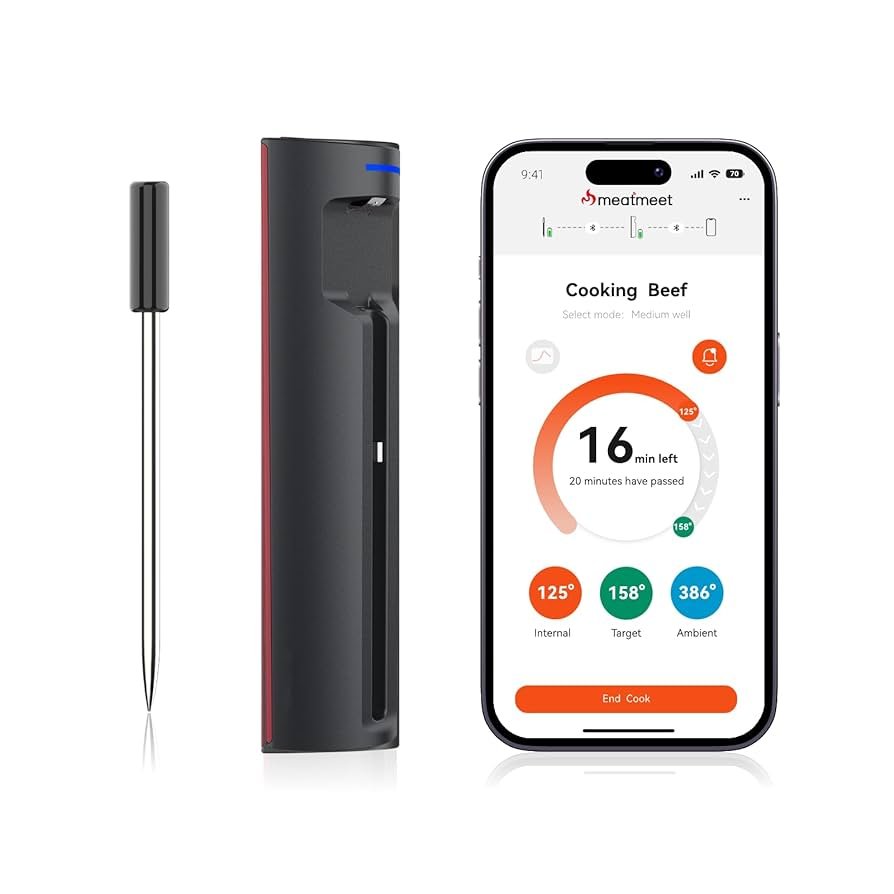
Imagine never having to worry about burning your food or overcooking your favorite meal again. With smart devices, you can keep an eye on your cooking from anywhere, whether you’re in the next room or out running errands.
You’ll save time, reduce stress, and enjoy perfectly cooked dishes every time. Curious how to make this happen in your kitchen? Keep reading to discover simple ways to monitor your cooking using smart technology—and transform the way you prepare meals forever.
Credit: www.bosch-home.com
Benefits Of Smart Cooking Devices
Smart cooking devices can change how we cook at home. They offer many benefits that make cooking simpler and more enjoyable.
With smart devices, you can save time, cook with precision, and monitor your meals remotely.
Time Saving Features
Smart cooking devices help you save time in the kitchen. They often come with pre-set cooking modes for different recipes.
These devices can also reduce the time you spend watching over your food.
- Pre-set modes for quick meal prep
- Automated cooking processes
- Less need for constant checking
Precision And Consistency
Cooking with precision is easier with smart devices. They allow you to set exact temperatures and cooking times.
This helps achieve consistent results every time you cook.
- Exact temperature control
- Consistent cooking results
- Better texture and taste
Remote Monitoring Advantages
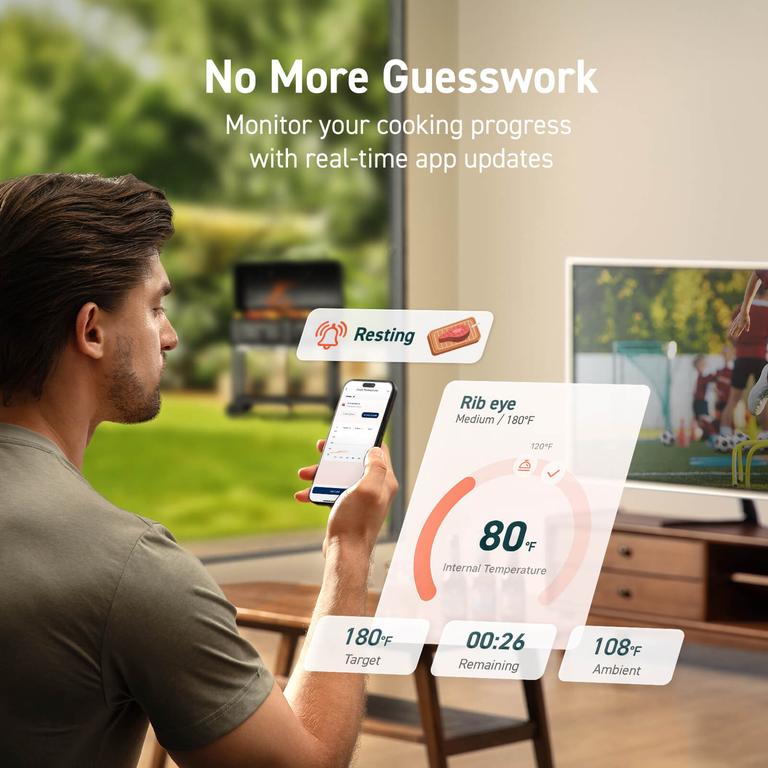
Smart devices let you monitor your cooking remotely. You can use your smartphone or tablet to check on your meals.
This means you can leave the kitchen and still keep an eye on your food.
- Monitor cooking from anywhere
- Receive alerts when cooking is done
- Peace of mind while multitasking
Credit: us.vesync.com
Popular Smart Cooking Devices
Smart cooking devices make it easy to cook with precision. They connect to your phone for easy control.
These devices help monitor cooking times and temperatures. This reduces guesswork in the kitchen.
Smart Ovens And Ranges
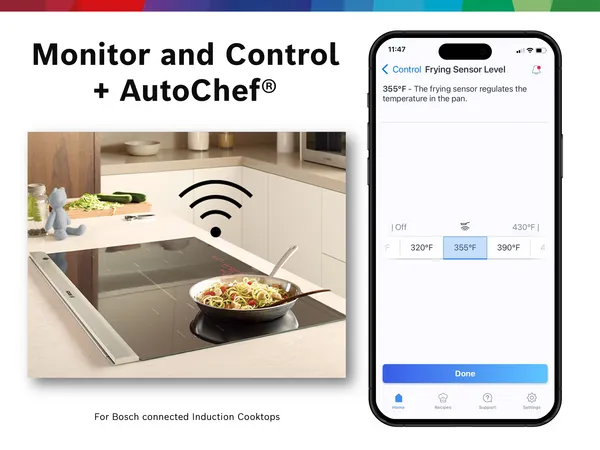
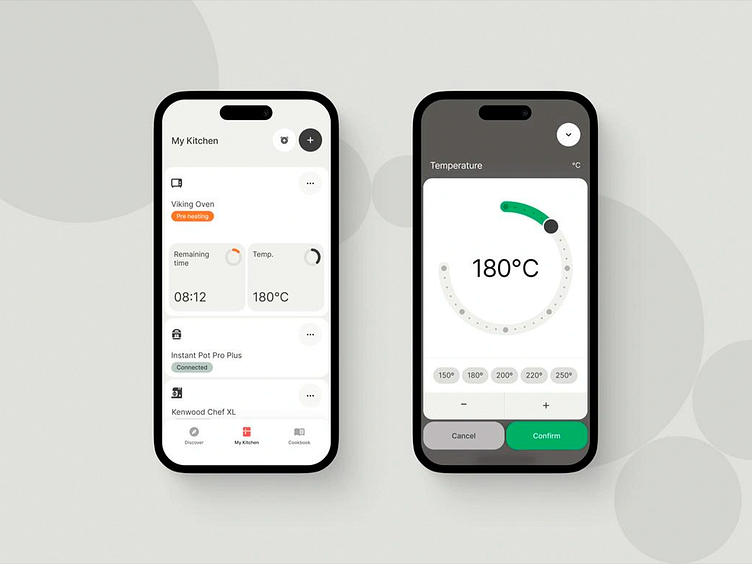
Smart ovens and ranges let you control cooking from anywhere. Use an app to preheat or adjust settings.
They often come with sensors to track food doneness. This helps prevent overcooking or undercooking meals.
- Remote temperature control
- Built-in cooking presets
- Automatic shut-off features
Wi-fi Enabled Slow Cookers
Wi-Fi slow cookers let you start and stop cooking from your phone. Adjust heat levels without being in the kitchen.
They provide alerts when cooking is done. This helps keep your food safe and tasty.
- Schedule cooking times remotely
- Receive notifications when food is ready
- Keep food warm automatically
Smart Thermometers
Smart thermometers monitor food temperature during cooking. They send alerts to your phone when food reaches the right heat.
Use them for grilling, roasting, or baking. They ensure food is safe and cooked perfectly.
- Real-time temperature tracking
- Multiple probes for different foods
- Custom temperature alerts
Connected Air Fryers
Connected air fryers let you control cooking time and temperature remotely. Use an app to adjust settings while away.
They help cook food evenly with less oil. Smart features guide you for better results.
- Remote start and stop
- Preset cooking modes
- Cooking progress notifications
Setting Up Your Smart Cooking Devices
Smart cooking devices can help you cook safely and easily. Setting them up correctly is important.
This guide shows how to connect your device, install apps, and calibrate it for the best results.
Connecting To Wi-fi
Most smart cooking devices need Wi-Fi to work. Connect to your home network to get started.
Use the device screen or app to find your Wi-Fi network. Enter your password carefully.
- Check your Wi-Fi signal strength near the device
- Use a 2.4 GHz network if the device does not support 5 GHz
- Restart your router if connection fails
Installing Companion Apps
Smart devices often use apps for control and monitoring. Download the app from your device store.
Open the app and follow the instructions to add your cooking device. You may need an account.
- Make sure your phone or tablet is on the same Wi-Fi network
- Allow permissions for Bluetooth or notifications if asked
- Keep the app updated for new features and security
Calibrating Devices For Accuracy
Calibration ensures your device measures temperature and time correctly. Follow the device guide.
Use a known accurate thermometer or timer to compare readings and adjust settings if needed.
- Place the device sensor in boiling water to check temperature accuracy
- Adjust the device settings if readings are off by a few degrees
- Test timers with a stopwatch for proper countdown
Using Smart Thermometers For Perfect Cooking
Smart thermometers help you cook food at the right temperature. They connect to your phone or tablet for easy monitoring.
Using these devices, you can cook meat, poultry, and baked goods with better results. They reduce guesswork in the kitchen.
Choosing The Right Thermometer
Pick a thermometer that matches your cooking needs. Check if it works with your smartphone or tablet.
Look for a device with good accuracy and fast readings. Some have multiple probes for cooking more than one item.
- Bluetooth or Wi-Fi connection options
- Multiple probe support
- Clear display and easy controls
- Wide temperature range
- Durable and heat-resistant design
Setting Target Temperatures
Set the right temperature based on the food type. Use safe cooking temperatures to avoid undercooking.
Many smart thermometers have preset temperatures for common foods. You can also set custom targets for recipes.
- Chicken: 165°F (74°C)
- Beef medium rare: 135°F (57°C)
- Pork: 145°F (63°C)
- Fish: 140°F (60°C)
- Baked goods vary by recipe
Receiving Alerts And Notifications
Smart thermometers send alerts to your phone when food reaches the target temperature. This helps prevent overcooking.
You can also get notifications if the temperature changes too much. This keeps your food safe and tasty.
- Real-time temperature updates
- Custom alerts for different foods
- Sound and vibration notifications
- Remote monitoring from any room
Remote Monitoring Techniques
Smart devices help you watch your cooking from anywhere. They make cooking safer and easier.
Using remote monitoring, you can check food without being in the kitchen. This saves time and prevents mistakes.
Live Video Feeds
Live video feeds let you see your cooking in real time. Cameras connect to your phone or tablet.
You can watch food cook from another room or outside your home. This helps avoid overcooking or burning.
Real-time Temperature Tracking
Smart thermometers send live temperature updates to your device. You always know how hot your food is.
Temperature alerts notify you if food is too cold or too hot. This keeps meals safe and tasty.
- Set target cooking temperatures
- Receive instant alerts on your phone
- Track multiple dishes at once
Voice Assistant Integration
Voice assistants let you control cooking devices with simple commands. You can check cooking status hands-free.
Ask your voice assistant about temperature or time left. This helps you stay focused on other tasks.
Troubleshooting Common Issues
Smart cooking devices help you cook with ease. Sometimes, problems can stop them from working right.
Knowing how to fix common issues saves time and avoids frustration while cooking.
Connectivity Problems
Smart devices rely on Wi-Fi or Bluetooth to connect. If connection drops, the device stops responding.
Check your internet or Bluetooth settings first. Restart your router or device if needed.
- Move closer to the router or phone
- Restart the smart device
- Update the device firmware
- Reset network settings if problems continue
App Malfunctions
Apps control many smart cooking devices. Sometimes, apps freeze or crash unexpectedly.
Try closing and reopening the app. Check for app updates regularly to keep it stable.
- Clear the app cache to fix slow responses
- Reinstall the app if it won’t open
- Make sure your phone’s OS is updated
- Check app permissions for device control
Device Calibration Errors
Calibration keeps your cooking device accurate. If it is off, cooking results may be wrong.
Follow the device manual to recalibrate. Use a known reference point like a thermometer.
- Clean sensors before calibration
- Recalibrate after moving or repairing device
- Check battery or power supply levels
- Contact support if calibration fails repeatedly
Tips For Maximizing Smart Cooking Efficiency
Smart devices make cooking easier and help save time. Using them well can improve your kitchen work.
Focus on planning and using your smart tools together. This helps you cook meals faster and better.
Meal Prepping With Smart Timers
Smart timers keep track of cooking times for different dishes. They help you avoid overcooking or burning food.
Set timers for each step in your meal prep. This keeps your cooking organized and on schedule.
- Use separate timers for each dish
- Check timer alerts to stay on track
- Adjust cooking times based on food type
Combining Devices For Multi-tasking
Use several smart devices at once to cook many things. This saves time and lets you focus on other tasks.
Link devices like smart ovens and slow cookers. Control them all from one app or voice command.
- Start with devices that have app control
- Use voice assistants to manage cooking steps
- Check progress from your phone or tablet
Maintaining Device Hygiene
Keep smart cooking devices clean to avoid germs and food smells. Clean devices work better and last longer.
Wipe devices after use and follow cleaning instructions. Clean sensors and screens carefully to avoid damage.
- Use soft cloths for screens and controls
- Remove food spills quickly
- Disinfect handles and buttons regularly
Credit: dribbble.com
Frequently Asked Questions
What Smart Devices Help Monitor Cooking Effectively?
Smart ovens, Bluetooth meat thermometers, and smart cameras are top devices. They provide real-time temperature and progress updates. These devices ensure precise cooking and reduce overcooking risks. Many connect to apps for remote monitoring and alerts.
How Do Smart Cooking Devices Improve Meal Preparation?
They offer accurate temperature control and cooking time alerts. Smart devices reduce guesswork and prevent food burning. They allow multitasking by sending notifications to your phone. This results in consistent, perfectly cooked meals every time.
Can Smart Devices Control Cooking Remotely?
Yes, many smart cooking devices connect to Wi-Fi. You can monitor and adjust settings via smartphone apps. This remote control lets you manage cooking without staying in the kitchen. It adds convenience and flexibility to your cooking routine.
Are Smart Cooking Monitors Easy To Use?
Most smart cooking devices feature intuitive apps and interfaces. They guide users through setup and cooking steps. Voice commands and automation simplify the cooking process further. This ease of use suits both beginners and experienced cooks.
Conclusion
Smart devices make cooking easier and safer. They help you watch food without standing near the stove. You can cook with less stress and avoid burning meals. Many devices connect to your phone for easy control. Start using smart tools to save time and enjoy cooking more.
Small steps bring big changes in your kitchen routine. Try them and see how cooking can become simple and fun.