
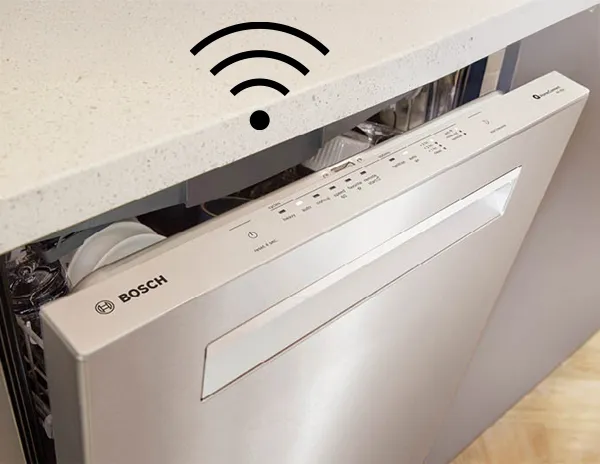
Imagine controlling your dishwasher with just a tap on your phone, no matter where you are. Integrating your smart dishwasher with your smart home apps can make this a reality, saving you time and making your daily chores easier.
You’ll discover simple steps to connect your dishwasher to your favorite smart home system. By the end, you’ll have the power to start, monitor, and customize your dishwasher right from your device. Ready to turn your kitchen into a smarter space?
Keep reading to find out how.
Choosing The Right Smart Dishwasher
Smart dishwashers make life easier by connecting to your smart home. They offer convenience and energy savings. Picking the right one is important for seamless integration.
Consider features, compatibility, and energy use when choosing your smart dishwasher. These factors ensure you get the most out of your smart home setup.
Features To Look For
Smart dishwashers come with different features. Look for those that add value to your home. Key features can enhance your experience.
- Wi-Fi connectivity for remote control
- Adjustable racks for flexible loading
- Delay start to run at off-peak times
- Quiet operation for a peaceful home
Compatibility With Smart Home Systems
Your smart dishwasher should work with your home system. Check compatibility before buying. This ensures easy integration with your smart home.
- Works with voice assistants like Alexa or Google Assistant
- Integrates with smart home apps for easy control
- Supports IFTTT for custom automations
Energy Efficiency Considerations
Energy efficiency is key for smart dishwashers. Look for models that save water and electricity. This helps reduce your utility bills.
Energy-efficient models often have eco-friendly settings. They use less water and energy while still cleaning effectively. Check for Energy Star ratings.
- Energy Star rated for efficiency
- Eco modes that reduce water usage
- Smart sensors for optimal washing cycles
Popular Smart Home Apps For Dishwashers
Smart dishwashers connect to apps for easy control and monitoring. These apps help you start, stop, and check dishwasher cycles remotely.
Many smart home platforms support dishwashers. This guide covers popular apps to use with your smart dishwasher.
Google Home
Google Home app links your dishwasher to Google Assistant. You can use voice commands to operate your dishwasher.
It lets you check dishwasher status and get notifications on your phone. The app works well with many dishwasher brands.
- Start or stop dishwasher with voice
- Receive alerts when cycles finish
- Monitor water usage and energy
Amazon Alexa
Amazon Alexa app controls dishwashers via voice commands. Alexa can start cycles or pause the dishwasher.
You get updates on wash progress and can adjust settings remotely. Alexa works with many smart dishwasher models.
- Use voice to manage dishwasher
- Check cycle status anytime
- Set reminders for maintenance
Apple Homekit
Apple HomeKit app connects smart dishwashers to your iPhone or iPad. You can control dishwasher functions using the Home app.
HomeKit supports voice commands via Siri. It also allows automation with other smart home devices.
- Control dishwasher with Siri
- Monitor dishwasher status
- Automate washing with schedules
Proprietary Manufacturer Apps
Many dishwasher brands offer their own apps. These apps provide detailed controls and special features.
They usually include cycle customization and maintenance alerts. Some apps connect with smart home platforms too.
- Custom wash cycle settings
- Maintenance and filter alerts
- Remote start and stop
- Integration with Google, Alexa, or HomeKit
Preparing Your Smart Dishwasher For Integration
Integrating your smart dishwasher with your smart home apps starts with proper preparation. This ensures the device works smoothly with your home system.
Follow simple steps to get your dishwasher ready. These steps include connecting to Wi-Fi, registering the device, and updating its software.
Setting Up Wi-fi Connection
Connect your dishwasher to your home Wi-Fi network. This allows the appliance to communicate with your smart home apps.
Use the dishwasher’s control panel or app to find the Wi-Fi settings. Enter your network name and password carefully to avoid errors.
- Check that your Wi-Fi signal is strong near the dishwasher
- Use a 2.4 GHz network if your dishwasher does not support 5 GHz
- Keep your router updated to improve connectivity
Registering The Device
Register your dishwasher with the manufacturer’s app or website. This links the device to your account for easy management.
Registration helps with warranty, updates, and support. It also enables the dishwasher to connect with other smart home systems.
- Create an account if you don’t have one
- Enter the dishwasher’s serial number or scan a QR code
- Follow the app’s instructions to complete registration
Updating Firmware
Check for firmware updates after registration. Firmware updates fix bugs and add new features to your dishwasher.
Use the app or dishwasher settings to download and install updates. Keep your device updated for better performance and security.
- Connect the dishwasher to Wi-Fi before updating
- Do not turn off the dishwasher during the update process
- Check for updates regularly to stay current
Step-by-step Integration Process
Smart dishwashers can connect to your smart home apps easily. This guide shows you how to link them step-by-step.
Follow each step to control your dishwasher from your phone or voice assistant.
Connecting Through The App
First, download the dishwasher’s official app from your app store. Open the app and create an account if needed.
Turn on your dishwasher and enable its Wi-Fi or Bluetooth connection. Then, use the app to find the dishwasher on your network.
- Open the app and log in or sign up
- Turn on dishwasher’s wireless feature
- Search for the dishwasher in the app
- Follow prompts to connect the device
Linking To Voice Assistants
After connecting the dishwasher app, link it to your voice assistant app like Alexa or Google Assistant. Open the voice app and find the smart home or device section.
Look for the dishwasher brand or app and enable the skill or service. Sign in with your dishwasher app account to complete the link.
- Open your voice assistant app
- Go to smart home or devices section
- Find and enable dishwasher skill/service
- Log in with dishwasher app credentials
- Test voice commands with your dishwasher
Customizing Settings And Notifications
Use the dishwasher app to customize how your device works. You can set washing modes, start times, and other preferences.
Enable notifications to get alerts when a wash cycle ends or if there is an issue. Adjust notification types and sounds to fit your needs.
- Choose wash cycles and options
- Set start or delay times
- Turn on cycle completion alerts
- Enable error or maintenance notifications
- Adjust notification sounds and frequency
Troubleshooting Common Issues
Smart dishwashers connect to apps to make cleaning easier. Sometimes, these connections face problems. Troubleshooting helps fix common issues fast.
This guide covers common problems like connectivity, app syncing, and voice control errors. Learn simple fixes to keep your dishwasher working well.
Connectivity Problems
Your dishwasher may lose connection to Wi-Fi or smart home hubs. This stops remote control and status updates.
Check your internet and router first. Restart your dishwasher and router to refresh the link. Make sure your device is near the Wi-Fi source.
- Restart dishwasher and router
- Move dishwasher closer to Wi-Fi
- Check if Wi-Fi password changed
- Update dishwasher firmware
App Synchronization Errors
Sometimes, the app may not show the dishwasher’s real status. This happens if syncing fails between the device and app.
Close and reopen the app. Log out and log in again. Make sure the app is updated to the latest version. Check if the dishwasher is powered on and connected.
- Force close and reopen app
- Log out then log back in
- Update app to latest version
- Confirm dishwasher is online
Voice Command Failures
Voice controls may not work if the assistant cannot hear or understand commands. This stops hands-free operation.
Check microphone settings on your voice assistant device. Speak clearly and use the exact command phrases. Ensure your dishwasher supports voice commands and is linked properly.
- Verify microphone is on and working
- Use correct voice command phrases
- Confirm dishwasher supports voice control
- Check smart home app links
Credit: www.bosch-home.com
Maximizing Smart Dishwasher Benefits
Smart dishwashers connect to your home apps for better control. They help save time, energy, and effort.
Using smart home apps with your dishwasher makes daily chores easier and more efficient.
Scheduling And Remote Control
Smart dishwashers let you set wash times through your phone. You can start or stop cycles from anywhere.
This feature lets you run the dishwasher when energy costs are low or when you are away.
- Set wash cycles to run at night or off-peak hours
- Start or pause the dishwasher remotely
- Get notifications when cycles finish
Energy Monitoring
Smart apps track how much energy your dishwasher uses. This helps you reduce electricity bills.
You can see which wash programs use less power and choose them to save energy.
- Check real-time energy consumption
- Compare energy use between cycles
- Adjust settings for better efficiency
Maintenance Alerts
Smart dishwashers send alerts when they need cleaning or repairs. This prevents breakdowns.
Regular maintenance helps your dishwasher last longer and work better.
- Receive reminders to clean filters
- Get warnings about low rinse aid
- Know when parts need service or replacement
Security And Privacy Tips
Smart dishwashers connect to your home network and apps. This makes daily tasks easier but can risk your privacy and security. Protect your smart dishwasher and data by following simple steps.
These tips help keep your smart home safe. They focus on securing networks, managing app permissions, and updating software regularly.
Securing Your Network
Your home Wi-Fi connects smart devices like dishwashers to the internet. A weak network allows hackers to enter your smart home. Secure your network to stop this risk.
Use a strong password for your Wi-Fi. Avoid default names and passwords. Enable network encryption like WPA3 if your router supports it.
- Change default router login details
- Set a strong, unique Wi-Fi password
- Use WPA3 or WPA2 encryption
- Disable remote access if not needed
- Consider a separate network for smart devices
Managing App Permissions
Smart home apps control your dishwasher and collect data. Some apps may ask for more permissions than needed. Check and limit app permissions to protect your privacy.
Only allow app access to necessary features. Remove permissions for location, contacts, or camera if the app does not need them.
- Review app permissions in your phone settings
- Limit access to only what the app requires
- Revoke permissions you do not trust
- Uninstall apps you no longer use
Regular Software Updates
Updates fix security problems and improve device safety. Your smart dishwasher and its app need updates to stay secure. Check for updates often.
Turn on automatic updates if possible. This keeps your dishwasher and apps protected without extra effort.
- Check for firmware updates on your dishwasher
- Update the smart home app regularly
- Enable automatic updates if available
- Restart devices after updates for best performance

Credit: www.reddit.com

Credit: www.reddit.com
Frequently Asked Questions
How Do Smart Dishwashers Connect To Home Apps?
Smart dishwashers connect via Wi-Fi or Bluetooth. You must download the compatible app. Follow the pairing instructions to sync devices.
Which Smart Home Apps Support Dishwashers?
Popular apps like Google Home, Alexa, and SmartThings support smart dishwashers. Check your dishwasher’s manual for specific app compatibility.
Can I Control Dishwasher Remotely Through Apps?
Yes, smart home apps allow remote control. You can start, pause, or monitor cycles from anywhere using your smartphone.
Are Smart Dishwasher Integrations Secure?
Yes, most brands use encrypted connections to protect your data. Always update your app and dishwasher firmware for added security.
Conclusion
Integrating smart dishwashers with home apps makes life easier. You can control your dishwasher from anywhere using your phone. Setting schedules saves time and energy. Alerts help you know when cycles finish. Connecting devices creates a smoother home experience. Start with simple steps to link your dishwasher and app.
Enjoy convenience and better control every day. Smart homes feel smarter this way. Try it and see how small changes add up.