
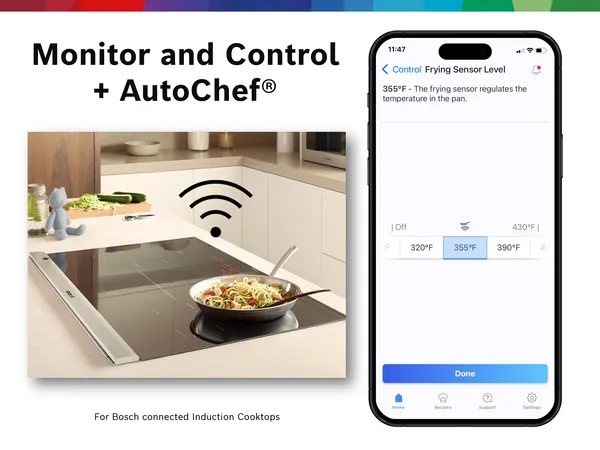
Imagine being able to control your smart induction cooktop from anywhere, ensuring your meals are cooking perfectly without you standing in the kitchen. You can save time, avoid accidents, and have peace of mind knowing exactly what’s happening on your stove.
If you’ve ever wanted to keep an eye on your cooking remotely, this guide will show you how to monitor your smart induction cooktop easily and effectively. Keep reading to discover simple steps that put control right at your fingertips.
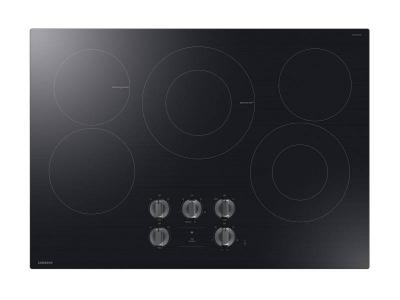
Credit: www.cohens.ca
Benefits Of Remote Monitoring
Remote monitoring of smart induction cooktops offers many benefits. You can ensure safety, save energy, and enjoy convenience.
With technology, managing your kitchen becomes easier. Let’s explore the benefits.
Enhancing Kitchen Safety
Monitoring your cooktop remotely helps prevent accidents. You can turn off the cooktop from anywhere.
Get alerts if the cooktop is left on for too long. This feature keeps your home safe.
- Receive safety alerts on your phone
- Control cooktop power remotely
- Monitor cooking times
Energy Efficiency Gains
Smart cooktops help you save energy. Remote monitoring lets you manage usage better.
Turn off the cooktop if you forget. This reduces unnecessary energy consumption.
- Monitor real-time energy use
- Optimize cooking schedules
- Reduce electricity bills
Convenience For Busy Users
Busy people benefit from remote monitoring. It lets you manage cooking tasks from afar.
You can adjust cooking settings while at work or on the go. This makes meal preparation easier.
- Control cooktop via smartphone
- Adjust settings remotely
- Plan meals while multitasking
Essential Tools And Apps
Smart induction cooktops bring convenience to cooking. You can control and monitor them from far away.
This guide covers tools and apps to watch your cooktop remotely. It helps you cook safely and smartly.
Compatible Smart Cooktop Features
Not all smart cooktops offer remote monitoring. Look for models with Wi-Fi or Bluetooth connectivity.
Common features for remote use include app control, temperature alerts, and usage reports.
- Wi-Fi or Bluetooth connection
- Mobile app control
- Real-time temperature monitoring
- Automatic shut-off alerts
- Usage history and reports
Recommended Monitoring Apps
Apps help you control the cooktop from a phone or tablet. Choose apps that match your cooktop brand.
Popular apps offer simple controls and notifications for safety and cooking progress.
- Brand-specific cooktop apps
- Apps with temperature and timer controls
- Notification and alert features
- User-friendly interfaces
- Remote on/off switching
Setting Up Connectivity
Connect your cooktop to Wi-Fi or Bluetooth to use apps. Follow these steps for setup.
First, download the app and create an account. Then, link the cooktop to your home network.
- Ensure stable Wi-Fi or Bluetooth signal
- Download the compatible app from store
- Create an account or log in
- Follow in-app setup instructions
- Test controls and alerts after setup
Step-by-step Setup Guide
Monitoring your smart induction cooktop remotely helps you control cooking from anywhere. Follow these steps to set up your device for remote access.
This guide will walk you through connecting to Wi-Fi, configuring remote access, and testing the interface.
Connecting To Wi-fi
First, connect your cooktop to a stable Wi-Fi network. This allows it to communicate with your phone or computer.
Use the cooktop’s control panel or mobile app to find the Wi-Fi settings and enter your network details.
- Open the cooktop’s settings menu.
- Select Wi-Fi or Network settings.
- Choose your home Wi-Fi network.
- Enter the Wi-Fi password carefully.
- Confirm and wait for connection.
Configuring Remote Access
Enable remote access to control your cooktop from anywhere. Set up user accounts and permissions if needed.
Use the app or device menu to turn on remote control features and link your account.
- Open the cooktop app or device web interface.
- Find the Remote Access or Cloud Control option.
- Turn on remote control features.
- Create or sign in to your user account.
- Pair your cooktop with the account.
Testing The Remote Interface
Check that your remote connection works well. Test functions like adjusting heat or turning the cooktop on and off.
Make sure commands sent from your phone or computer show up on the cooktop without delay.
- Open the remote control app or website.
- Connect to your cooktop.
- Try changing the temperature settings.
- Turn the cooktop on and off remotely.
- Watch for immediate responses on the device.
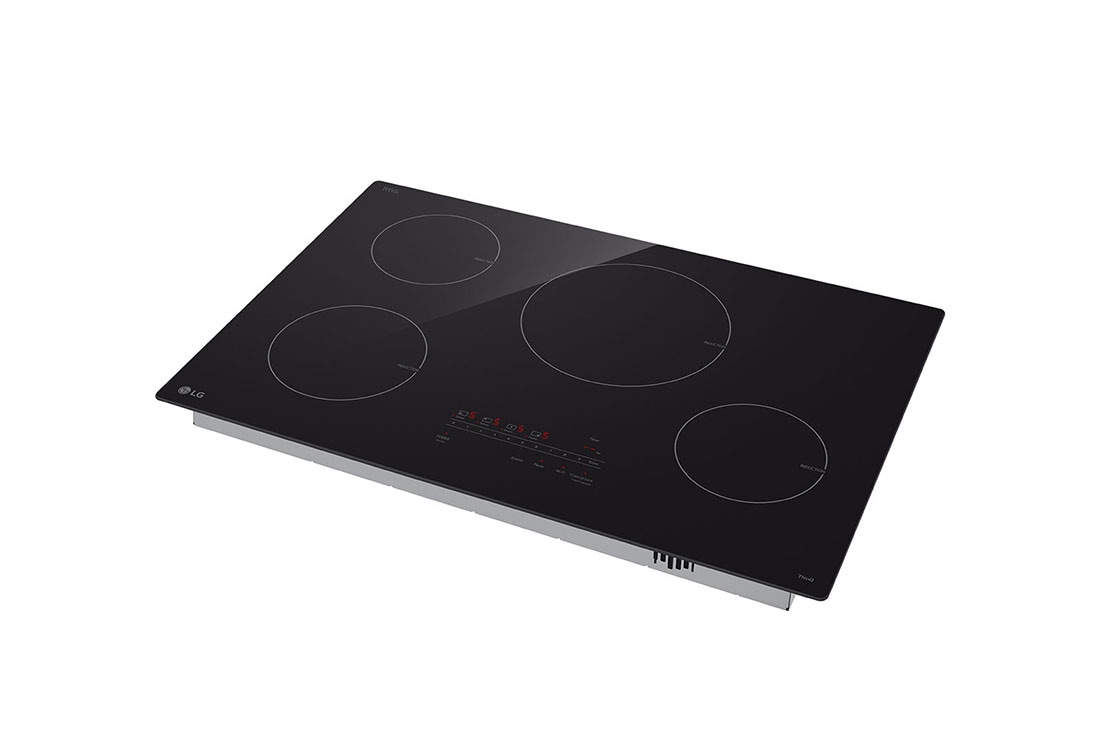
Credit: www.lg.com
Security Measures To Implement
Monitoring smart induction cooktops remotely helps control cooking even from far away. It is important to keep these devices safe from hackers and unauthorized access.
Using strong security measures protects your cooktop and your personal data. Follow simple steps to improve your device’s safety.
Using Strong Passwords
Create passwords that are hard to guess. Use a mix of letters, numbers, and symbols. Avoid easy words like “password” or “1234”.
Change your passwords regularly and do not reuse the same password for different devices or accounts.
- Use at least 8 characters
- Include uppercase and lowercase letters
- Add numbers and special characters
- Do not use personal information
Enabling Two-factor Authentication
Two-factor authentication adds an extra layer of protection. It asks for a second code after entering your password.
This method reduces the chance of someone else accessing your cooktop without permission.
- Check if your cooktop app supports two-factor authentication
- Use an authenticator app or SMS for the second code
- Keep your phone secure as it receives the code
Regular Firmware Updates
Firmware updates fix security problems and improve device functions. Keep your cooktop’s software up to date to stay protected.
Set your device to update automatically or check for updates often.
- Enable automatic updates if available
- Check the manufacturer’s website for new versions
- Install updates as soon as they are released
Troubleshooting Common Issues
Smart induction cooktops offer remote control for easy cooking. Sometimes, issues can occur during use.
Knowing how to fix common problems helps keep your cooktop working well. Here are simple solutions.
Resolving Connectivity Problems
Connectivity issues stop your cooktop from linking to your device. This can make remote control fail.
Check your Wi-Fi signal strength and router settings first. Move closer to the router if the signal is weak.
- Restart your Wi-Fi router and the cooktop
- Make sure your cooktop is within Wi-Fi range
- Verify the cooktop is connected to the right network
- Update your cooktop firmware if available
Fixing App Synchronization Errors
App sync errors stop your phone and cooktop from sharing data. This can cause delayed or missing commands.
Close the app completely and reopen it. Log out and log back in to refresh the connection.
- Ensure your app is updated to the latest version
- Clear the app cache in your phone settings
- Check for any app permissions needed for connectivity
- Restart your phone to reset the app state
Handling Unexpected Shutdowns
Unexpected shutdowns can happen due to power issues or device errors. This stops cooking and remote control.
Check if the cooktop is properly plugged in. Look for any error codes on the display and reset the device.
- Inspect the power cable and outlet for damage
- Reset the cooktop by unplugging for 30 seconds
- Do not overload the cooktop with large pots or pans
- Contact support if shutdowns continue after resets
Credit: www.tataneu.com
Advanced Monitoring Features
Smart induction cooktops offer features that help you watch your cooking from far away. These features make cooking safer and easier.
You can get alerts, control heat, and check energy use with smart tools. These tools connect to your phone or device.
Real-time Usage Alerts
Real-time alerts tell you when your cooktop is on or off. You can also get warnings if something is wrong.
Alerts help prevent accidents and save energy. You can stop cooking early if needed.
- Notification when cooktop starts or stops
- Warnings for overheating or spills
- Alerts if the cooktop is left on too long
Remote Temperature Control
You can change the cooktop temperature from your phone. This control lets you cook safely from another room.
Remote control keeps food at the right heat. It stops food from burning or cooling down.
- Increase or lower temperature remotely
- Set timers with temperature changes
- Pause cooking when needed
Energy Consumption Reports
Energy reports show how much power your cooktop uses. You can see daily or weekly energy use.
These reports help you save energy and reduce bills. You can find ways to cook more efficiently.
| Report Type | Details |
|---|---|
| Daily Usage | Shows energy used each day |
| Weekly Summary | Compares energy use over a week |
| Peak Usage Times | Shows when cooktop uses most power |
Frequently Asked Questions
How Can I Monitor Smart Induction Cooktops Remotely?
You can monitor smart induction cooktops using dedicated mobile apps. These apps connect via Wi-Fi or Bluetooth. They show real-time cooking status and control options from anywhere.
What Devices Support Remote Monitoring Of Cooktops?
Most smart induction cooktops support Android and iOS devices. Ensure your smartphone or tablet is compatible with the cooktop’s app. This allows seamless remote control and monitoring.
Is Remote Monitoring Safe For Smart Induction Cooktops?
Yes, remote monitoring is safe when using secure apps. Always update firmware and apps regularly. Enable strong passwords and encryption to protect your cooktop from unauthorized access.
Can I Control Cooking Temperature Remotely?
Yes, smart induction cooktops allow remote temperature adjustments. This feature helps maintain precise cooking control without being physically present in the kitchen.
Conclusion
Monitoring smart induction cooktops remotely keeps your kitchen safe and efficient. You can check cooking status anytime and control heat from anywhere. This helps avoid accidents and saves energy. Using apps or smart home devices makes cooking easier and more convenient.
Stay connected with your cooktop to enjoy stress-free cooking every day. Smart technology brings comfort to your kitchen routine. Simple steps lead to better cooking control and peace of mind. Try remote monitoring to make your kitchen smarter and safer today.