
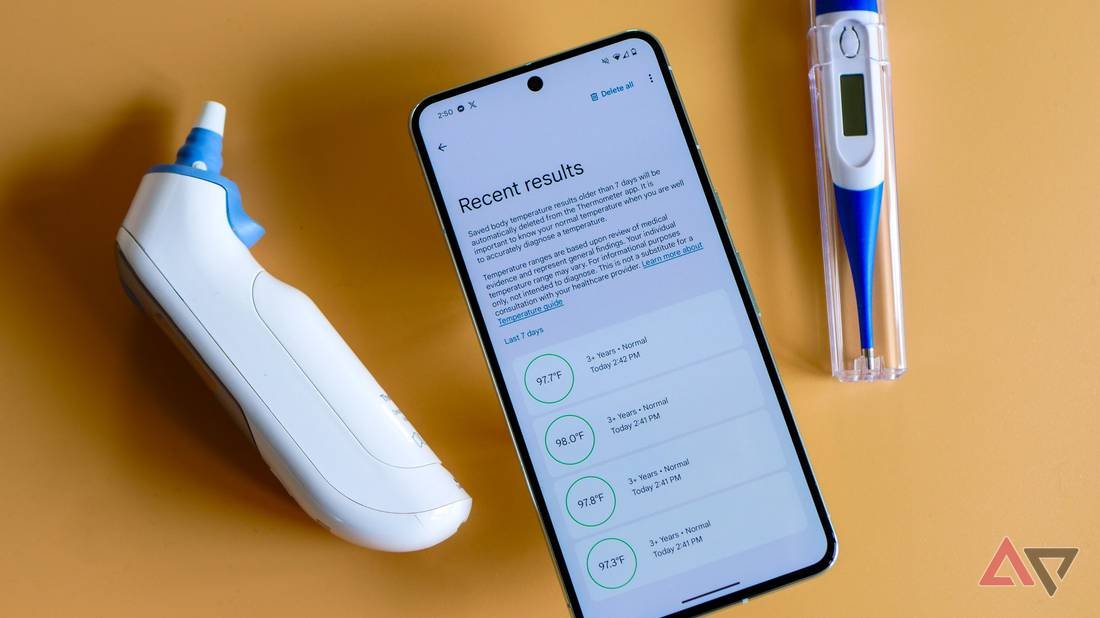
Have you ever wondered if you’re getting the most accurate reading from your smart thermometer? Using this handy device correctly can make all the difference in tracking your health or your loved ones’ well-being.
You’ll discover simple tips and tricks to use your smart thermometer the right way every time. By the end, you’ll feel confident in your readings and ready to take control of your health with ease. Keep reading to unlock the full potential of your smart thermometer!
Choosing The Right Thermometer
Smart thermometers help you track temperatures accurately. Choosing the right one is important for the best results.
Consider the types and features of thermometers before making a choice. This will ensure you get the most accurate readings.
Types Of Smart Thermometers
There are different types of smart thermometers available. Each type has its own benefits.
- Ear thermometers are quick and easy to use.
- Forehead thermometers are non-invasive and simple.
- Oral thermometers are traditional and reliable.
- Wearable thermometers track temperature over time.
Features To Look For
Smart thermometers come with various features. Picking the right features can make a big difference.
- Bluetooth connectivity for easy data transfer.
- Large display for clear readings.
- Fast measurement times for convenience.
- Compatibility with mobile apps for tracking.
- Long battery life for extended use.

Credit: www.youtube.com
Preparing For Measurement
Using a smart thermometer correctly starts with good preparation. It helps get an accurate temperature reading.
Prepare the device and the environment before measuring your temperature. This reduces errors and gives clear results.
Cleaning The Device
Clean the thermometer before each use. Dirt or germs can affect the reading and cause infections.
Use a soft cloth with rubbing alcohol or warm soapy water. Avoid harsh chemicals that can damage the sensor.
- Wipe the sensor gently
- Do not soak the device in water
- Let the thermometer dry completely before use
Optimal Environment Conditions
Measure temperature in a calm and stable room. Avoid places with strong sunlight or drafts.
Make sure you rest for 10 minutes before measuring. Physical activity or hot drinks can change your body temperature.
- Stay indoors in a room with steady temperature
- Avoid direct sunlight or air conditioners
- Rest quietly before taking your temperature
- Wait 15 minutes after eating or drinking
Taking Accurate Readings
Smart thermometers help check body temperature quickly. Using them right gives the best results.
Knowing how to place the thermometer and avoid mistakes improves reading accuracy. This guide shows you how.
Proper Placement Techniques
Place the thermometer correctly for the best reading. Different types need different placements.
For oral use, put the tip under the tongue and close your mouth. Keep it steady until it beeps.
- For ear thermometers, gently pull the ear back to straighten the canal.
- Place the tip inside the ear canal without pushing too hard.
- Forehead thermometers need a clean, dry forehead.
- Hold the sensor close and scan slowly across the forehead.
- Keep the thermometer steady to avoid false readings.
Avoiding Common Mistakes
Several simple mistakes can cause wrong readings. Avoid these to get accurate results.
Do not take a reading right after eating or drinking. Wait at least 15 minutes before measuring.
- Do not use a thermometer on broken skin or wounds.
- Clean the thermometer before and after each use.
- Do not move or talk during the reading.
- Do not use ear thermometers if there is earwax or infection.
- Replace batteries when the display dims or errors occur.
Interpreting Temperature Data
Smart thermometers give you quick and clear temperature readings. Knowing how to read these numbers helps you understand your health better.
Temperature data shows if your body is normal or if you might have a fever. It also helps track changes over time.
Normal Vs. Fever Ranges
Normal body temperature varies but usually stays close to 98.6°F (37°C). A fever means your body is fighting something.
Temperatures above normal show a fever. Knowing the range helps decide when to rest or see a doctor.
| Temperature (°F) | Meaning |
|---|---|
| 97°F to 99°F | Normal range |
| 99.1°F to 100.3°F | Low-grade fever |
| 100.4°F and above | Fever |
Tracking Trends Over Time
Checking your temperature regularly helps spot patterns. This shows if your fever is getting better or worse.
Smart thermometers store past readings. Use this data to share with your doctor or monitor your health at home.
- Take temperature at the same time each day
- Note activities that might affect body heat
- Look for rising or falling trends
- Use app features to view charts or graphs
Maintaining Your Thermometer
Smart thermometers give accurate readings if you care for them well. Keeping your device clean and checked helps it work right.
This guide explains simple ways to keep your thermometer in good shape. Follow these tips to get the best results every time.
Regular Calibration
Calibration means checking if your thermometer shows the right temperature. Doing this often keeps your readings correct.
You can test calibration by comparing your thermometer to a known accurate device. If the numbers are off, adjust or service it.
- Check calibration every month
- Use ice water or boiling water tests
- Follow manufacturer instructions for adjustments
- Contact support if readings stay wrong
Battery Care Tips
Batteries power your smart thermometer. Good battery care keeps your device working well and lasting longer.
Replace batteries before they die. Remove batteries if you store the thermometer for a long time to avoid leaks.
- Use the correct battery type
- Replace batteries every 6 months or as needed
- Keep battery contacts clean and dry
- Store thermometer in a cool, dry place

Credit: www.amazon.com
Integrating With Health Apps
Smart thermometers can connect to health apps on your phone or tablet. This helps you track temperature readings over time.
Linking your thermometer with health apps makes managing your health easier. You can see trends and share data with doctors.
Syncing Data Seamlessly
Most smart thermometers sync data automatically with health apps. This saves time and reduces errors from manual entry.
Make sure Bluetooth or Wi-Fi is on for smooth syncing. Open the app and follow instructions to pair your device.
- Turn on Bluetooth or Wi-Fi on your phone
- Open the health app connected to your thermometer
- Allow the app to access your thermometer data
- Check for confirmation that data is syncing
Using Alerts And Notifications
Health apps can send alerts based on your temperature readings. This helps you respond quickly if a fever rises.
You can set custom notifications for certain temperature levels. These alerts can remind you to take medicine or see a doctor.
- Enable notifications in your health app settings
- Set temperature thresholds for alerts
- Choose how you want to receive alerts (sound, vibration, or message)
- Respond to alerts by checking your thermometer or contacting a health professional

Credit: taime.com
Frequently Asked Questions
How Do I Calibrate A Smart Thermometer Correctly?
To calibrate, follow the manufacturer’s instructions carefully. Usually, place the thermometer in ice water and adjust settings. Calibration ensures accurate temperature readings every time.
What Is The Best Way To Clean A Smart Thermometer?
Use a soft cloth with alcohol or mild soap. Avoid immersing it in water. Proper cleaning prevents infection and maintains device accuracy.
Can Smart Thermometers Work With All Smartphones?
Most smart thermometers connect via Bluetooth and support iOS and Android. Check compatibility before purchase to ensure seamless syncing and data tracking.
How Often Should I Replace Smart Thermometer Batteries?
Replace batteries every 6 to 12 months or when the device signals low power. Timely replacement ensures consistent and accurate temperature readings.
Conclusion
Using smart thermometers correctly helps track health well. Always follow the device’s instructions carefully. Clean the thermometer before and after use to stay safe. Take readings at the right spots for best results. Check the battery regularly to avoid errors.
Keep a record of your temperatures for easy tracking. These simple steps make smart thermometers reliable tools. Stay aware and use them with confidence every day.