

Are you making the most of your smart air fryer? Monitoring your device can save you time, improve your cooking results, and even protect your kitchen.
But how do you keep track of all those settings, temperatures, and cooking times without stress? In this guide, you’ll discover simple ways to monitor your smart air fryer effortlessly. By the end, you’ll feel confident controlling every meal with precision and ease.
Ready to unlock the full potential of your smart air fryer? Let’s dive in.
Benefits Of Monitoring Smart Air Fryers
Smart air fryers use technology to cook food evenly and quickly. Monitoring them helps you get the best results every time.
Keeping an eye on your smart air fryer saves energy and prevents food from burning or undercooking.
Improved Cooking Accuracy
Monitoring your smart air fryer lets you adjust time and temperature easily. This helps cook food just right.
You can avoid overcooking or undercooking meals by checking the fryer’s status during cooking.
Energy Efficiency
Smart air fryers use less energy when monitored properly. You can stop cooking at the perfect time.
- Reduce wasted electricity
- Lower your utility bills
- Help protect the environment
Safety And Convenience
Monitoring helps you avoid accidents like fires or overheating. You get alerts if something is wrong.
You can control the fryer from your phone. This adds convenience and peace of mind.
Better Food Quality
Smart monitoring keeps food crispy and tasty by adjusting cooking settings. You get consistent results.
You can try different recipes and save your favorite settings for future use.
Choosing The Right Smart Air Fryer
Smart air fryers make cooking easier and faster. They connect to your phone or tablet.
Picking the right one means checking features and device compatibility. This helps you monitor your cooking well.
Key Features To Look For
Look for features that help you control and check your air fryer easily. These features improve your cooking experience.
- Temperature control to cook food perfectly
- Timer settings to avoid overcooking
- Recipe apps or guides for easy meal ideas
- Alerts and notifications on your device
- Easy-to-clean design for quick maintenance
Compatibility With Smart Devices
Your smart air fryer should work well with your phone or tablet. This lets you monitor cooking anytime.
Check if the air fryer app supports your device’s operating system. Also, look for voice control options if you use smart speakers.
- iOS and Android app availability
- Works with voice assistants like Alexa or Google Assistant
- Easy app setup and connection
- Stable Wi-Fi or Bluetooth connection
Connecting Your Air Fryer To Wi-fi
Smart air fryers can connect to your home Wi-Fi. This lets you control the fryer using your phone or voice assistant.
Connecting to Wi-Fi helps you monitor cooking and get notifications. Follow simple steps to link your air fryer to the network.
Step-by-step Guide
First, check your air fryer’s manual for Wi-Fi setup instructions. Make sure your phone is on the same Wi-Fi network you want to use.
Next, open the air fryer app on your phone. The app will guide you to connect your fryer to Wi-Fi.
- Turn on your air fryer and put it in Wi-Fi setup mode.
- Open the app and select “Add Device” or “Connect Air Fryer.”
- Choose your home Wi-Fi network from the list.
- Enter your Wi-Fi password carefully.
- Wait for the app to confirm the connection.
- Test by sending a command from the app to the air fryer.
Troubleshooting Connection Issues
If your air fryer does not connect, check your Wi-Fi signal strength. A weak signal can cause connection problems.
Restart your air fryer and phone. Sometimes this fixes simple network errors.
- Make sure your Wi-Fi password is correct.
- Check if your router supports 2.4 GHz Wi-Fi. Many air fryers need this band.
- Move the air fryer closer to your router if the signal is weak.
- Update your air fryer app to the latest version.
- Reset the air fryer’s network settings and try again.
Credit: www.t3.com
Using Companion Apps For Monitoring
Smart air fryers connect to apps on your phone. These apps help you watch your cooking from anywhere.
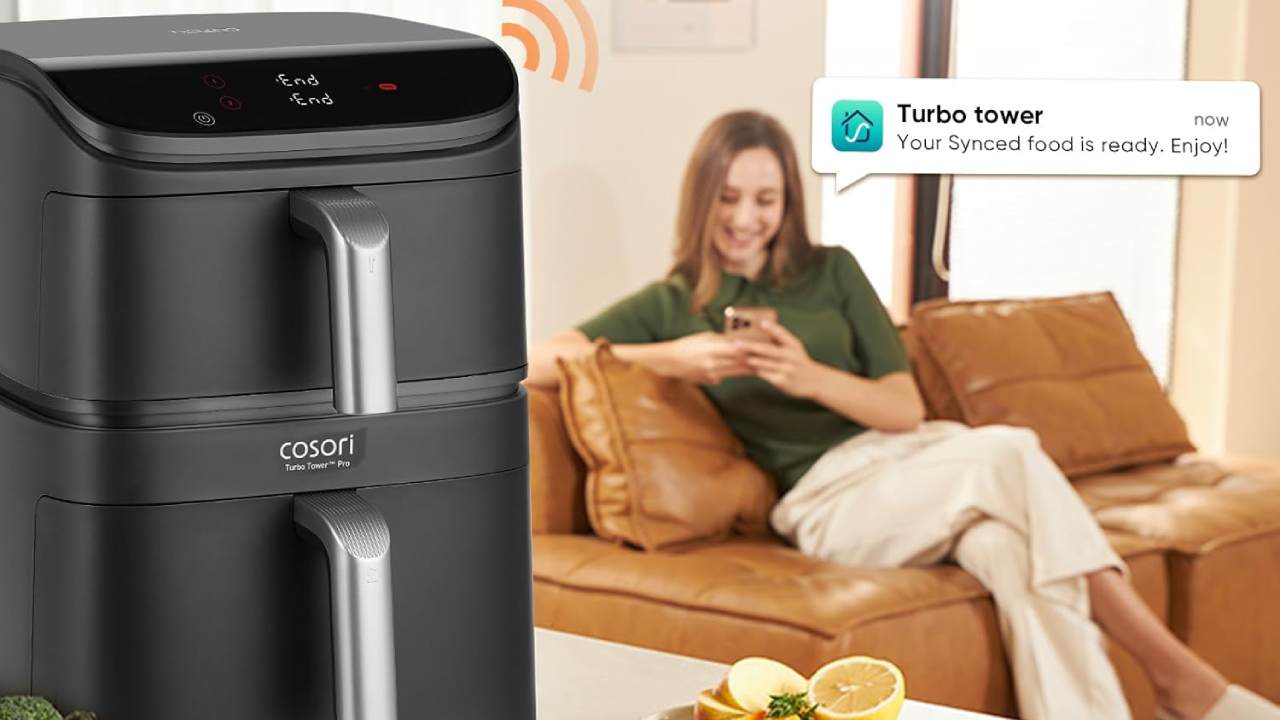
You can start, stop, and change cooking settings without being near the fryer. The apps send alerts to keep you informed.
Popular Apps And Their Features
Many smart air fryers work with special apps. These apps have easy controls and useful tools for cooking.
- Remote control to start or stop cooking
- Real-time cooking status updates
- Timer settings and notifications
- Recipe suggestions and guides
- Temperature and time adjustment
Some apps let you save your favorite cooking settings. This saves time for future meals.
Customizing Cooking Presets
Companion apps allow you to create your own cooking presets. You choose the time and temperature you like.
These presets make cooking easy and consistent. You do not have to guess the right settings each time.
- Set cooking time for different foods
- Adjust temperature to your preference
- Name and save your custom presets
- Access presets quickly from the app
- Update presets as you try new recipes
Tips For Remote Cooking Control
Smart air fryers let you control cooking from far away. You can change settings using a phone app.
Remote control helps you cook safely and save time. It also makes cooking more flexible.
Adjusting Temperature And Time
Use the app to change the temperature anytime during cooking. This keeps food from burning or undercooking.
You can also extend or shorten cooking time remotely. This is helpful if you get delayed or want crispier food.
- Set the temperature based on the recipe or food type
- Lower temperature for slow cooking or delicate foods
- Increase time for thicker or frozen items
- Reduce time to avoid overcooking
Monitoring Cooking Progress
Most smart air fryer apps show real-time cooking status. You can check how much time is left and current temperature.
Some models send alerts when food is ready or needs attention. This keeps you informed without opening the fryer.
- Watch cooking time countdown on your phone
- Receive notifications for cooking milestones
- Pause or stop cooking remotely if needed
- Track temperature changes to ensure even cooking
Credit: www.fortunebusinessinsights.com
Safety Measures While Using Smart Air Fryers
Smart air fryers use technology to cook food quickly and evenly. They have features that help keep cooking safe.
It is important to follow safety steps to avoid accidents and keep your air fryer working well.
Avoiding Common Mistakes
Many users make simple errors that can cause problems. Avoid these to keep your air fryer safe and efficient.
Do not overcrowd the basket. Too much food blocks air flow and causes uneven cooking.
- Place the air fryer on a flat, heat-resistant surface.
- Keep the air fryer away from water and wet areas.
- Do not use metal utensils inside the basket to avoid damage.
- Always unplug the device after use.
- Do not leave the air fryer unattended while cooking.
Ensuring Proper Maintenance
Regular cleaning and checks keep your air fryer safe and working longer. Follow these simple steps.
Clean the basket and tray after each use. Remove food residue to prevent smoke and bad smells.
- Use a soft cloth to wipe the outer surface.
- Check the power cord for damage before use.
- Do not use harsh chemicals or abrasive tools to clean.
- Allow the air fryer to cool before cleaning.
- Follow the manufacturer’s instructions for deep cleaning.
Maximizing Efficiency With Smart Features
Smart air fryers bring convenience to cooking. You can monitor and control them easily.
Using their smart features helps save time and energy. It also improves cooking results.
Utilizing Voice Commands
Voice commands let you control the air fryer without touching it. This keeps your hands free and clean.
You can start, stop, or adjust cooking settings using simple phrases. This makes cooking faster and easier.
- Turn on or off the air fryer
- Set cooking temperature and time
- Ask for cooking status updates
- Pause or resume cooking anytime
Scheduling Cooking Times
Scheduling lets you plan cooking ahead. You can set the air fryer to start at a certain time.
This feature saves energy and fits cooking into your daily routine. Your food will be ready when you want it.
- Set start time for cooking
- Choose cooking duration
- Adjust settings for different meals
- Receive alerts when cooking ends

Credit: www.youtube.com
Troubleshooting Common Issues
Smart air fryers make cooking easier but may sometimes face issues. Knowing how to spot and fix problems saves time and effort.
Check your air fryer regularly to keep it working well. This guide helps you understand error codes and when to get help.
Error Codes And Their Solutions
Smart air fryers show error codes to tell you what went wrong. Each code means a specific problem and needs a different fix.
- E1:Temperature sensor error. Make sure the sensor is clean and not damaged.
- E2:Overheating warning. Turn off the fryer and let it cool for 30 minutes.
- E3:Door not closed properly. Check the door and close it firmly.
- E4:Fan malfunction. Unplug the unit and inspect the fan for blockages.
- E5:Power supply issue. Ensure the plug is secure and the outlet works.
If an error code stays after trying these fixes, consult the user manual for your model.
When To Contact Customer Support
Contact customer support if the air fryer still has problems after your attempts. Experts can guide you safely.
Call support when you see strange noises, burning smells, or the device does not turn on.
- If error codes repeat even after resets
- Physical damage to the fryer
- Parts not working as expected
- Unclear instructions in the manual
Future Trends In Smart Cooking Technology
Smart cooking technology is changing how people cook at home. New devices are easier to use and save time.
Smart air fryers are part of this trend. They can be monitored and controlled with smartphones and apps.
Advancements In Smart Appliances
Smart appliances now have better sensors and controls. They can adjust cooking times and temperatures automatically.
These devices learn user habits and suggest recipes. They also send alerts if food needs attention.
- Improved cooking precision
- Energy-saving features
- Automatic adjustments for food type
- Recipe suggestions based on user preferences
- Alerts and notifications for cooking status
Integration With Smart Home Systems
Smart air fryers can connect with other smart home devices. This allows easy control from one place.
Users can use voice assistants to start or stop cooking. They can also check cooking status without being in the kitchen.
- Control appliances with voice commands
- Monitor cooking from mobile apps
- Sync cooking with other devices like smart lights
- Receive alerts on multiple devices
- Automate cooking schedules
Frequently Asked Questions
How Do Smart Air Fryers Connect To Monitoring Apps?
Smart air fryers connect via Wi-Fi or Bluetooth to their apps. This allows real-time cooking status and control from your smartphone or tablet.
What Features Help Monitor Smart Air Fryers Remotely?
Features like temperature control, timer alerts, and recipe guidance enable remote monitoring. These help ensure perfect cooking results anytime.
Can I Track Cooking Progress On Smart Air Fryers?
Yes, most smart air fryers provide live updates on cooking progress. You can check remaining time and adjust settings remotely.
Are Notifications Available For Smart Air Fryer Monitoring?
Smart air fryers send notifications when cooking is complete or if adjustments are needed. This keeps you informed without checking constantly.
Conclusion
Monitoring your smart air fryer helps cook food better and safer. Check the app often to track cooking times and temperatures. Keep the device clean and update its software regularly. Small steps lead to great results in your kitchen. Enjoy tasty meals without worry by staying alert to your fryer’s signals.
Smart cooking gets easier with simple, steady attention.