
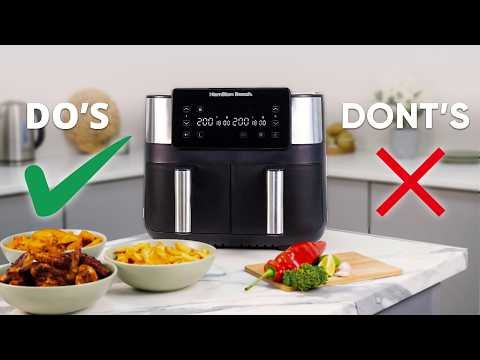
Are you ready to make your cooking faster, healthier, and smarter? Setting up your smart air fryer is the first step to enjoying crispy, delicious meals with less oil and effort.
Imagine controlling your air fryer right from your phone, setting perfect cooking times, and never worrying about overcooking again. This guide will walk you through every simple step to get your smart air fryer up and running, so you can start creating tasty dishes in no time.
Keep reading, and you’ll be amazed at how easy and convenient cooking can become!

Credit: m.youtube.com
Choosing The Right Smart Air Fryer
Smart air fryers make cooking easier and faster. Picking the right one helps you enjoy healthy meals.
Look at features, size, and how it fits your kitchen. These details help you find the best air fryer.
Consider The Size And Capacity
Air fryers come in different sizes. Choose one that matches your family size and cooking needs.
If you cook for many people, pick a larger fryer. For one or two people, a smaller one works well.
- Small: 2-3 quarts, good for 1-2 people
- Medium: 3-5 quarts, fits 3-4 people
- Large: 5+ quarts, ideal for 5 or more
Check The Smart Features
Smart air fryers connect to Wi-Fi or Bluetooth. This lets you control cooking from your phone.
Look for features like app control, voice commands, and preset cooking programs. These save time.
- App control to start or stop cooking remotely
- Voice control with assistants like Alexa or Google
- Preset cooking modes for easy use
Look At Cooking Performance
Good cooking results depend on air fryer power and temperature range. Check these before buying.
A higher wattage means faster cooking. A wide temperature range lets you cook many foods.
- Power usually ranges from 800 to 1800 watts
- Temperature range from 180°F to 400°F is common
- Quick heat-up saves time
Consider Ease Of Use And Cleaning
Choose an air fryer that is simple to use. Clear controls and a good display help.
Removable, dishwasher-safe parts make cleaning easier. Non-stick baskets help too.
- Touchscreen or easy buttons for controls
- Dishwasher-safe baskets and trays
- Non-stick coating for less mess
Set Your Budget
Smart air fryers come in different price ranges. Set a budget before shopping.
More expensive models offer extra features. Choose what fits your budget and needs.
- Basic models start around $70
- Mid-range models cost $100 to $150
- High-end models can cost $200 or more
Unboxing And Initial Setup
Setting up a smart air fryer is simple. This guide helps you start cooking quickly.
Follow these steps to unbox and prepare your air fryer for use safely.
Unboxing Your Smart Air Fryer
Open the box carefully to avoid damage. Check all parts inside.
- Main air fryer unit
- Air fryer basket or tray
- User manual and warranty card
- Power cord (if detachable)
- Accessories like racks or skewers
Make sure nothing is missing or broken before you proceed.
Cleaning Before First Use
Wash the basket and accessories with warm, soapy water. Rinse and dry well.
Wipe the main unit with a damp cloth. Do not immerse it in water.
Plugging In And Powering On
Place the air fryer on a flat, heat-safe surface. Keep it away from walls.
- Connect the power cord to the air fryer.
- Plug the cord into a grounded outlet.
- Press the power button to turn it on.
Read the display or listen for sounds to confirm it is ready.
Connecting To Wi-fi And App Setup
Download the recommended app on your smartphone. Open it to start setup.
- Turn on Wi-Fi on your phone.
- Follow app instructions to link the air fryer.
- Select your home Wi-Fi network and enter password.
- Wait for the connection confirmation.
After connection, you can control the air fryer from your phone.
Connecting To Wi-fi
Smart air fryers need Wi-Fi to work with apps and voice controls. Connecting to Wi-Fi lets you control your air fryer remotely.
Follow simple steps to connect your air fryer to your home Wi-Fi network. This guide helps you get started quickly.
Check Your Wi-fi Network
Make sure your Wi-Fi network is 2.4 GHz. Most smart air fryers do not work with 5 GHz networks.
Also, check that your Wi-Fi has a strong signal near your air fryer’s location.
- Use a 2.4 GHz Wi-Fi network
- Ensure the Wi-Fi signal is strong
- Keep network password ready
Download The Air Fryer App
Download the official app for your smart air fryer on your phone or tablet. This app controls your air fryer settings.
The app will guide you through the Wi-Fi setup process step by step.
- Find the app in the Apple App Store or Google Play Store
- Install the app on your device
- Create an account if needed
Put The Air Fryer In Pairing Mode
Turn on your air fryer and activate pairing mode. This lets your device find the air fryer’s Wi-Fi signal.
Check the air fryer manual for the pairing mode instructions. Usually, you press and hold a button for a few seconds.
- Power on the air fryer
- Press and hold the Wi-Fi or connect button
- Wait for the Wi-Fi indicator to blink
Connect Through The App
Open the app and start the Wi-Fi setup. The app will ask you to select your home Wi-Fi network and enter the password.
The app sends the Wi-Fi details to your air fryer. Wait until the connection is confirmed.
- Select your Wi-Fi network in the app
- Enter the correct Wi-Fi password
- Confirm and wait for connection success message
Troubleshoot Connection Issues
If the connection fails, check your password and network type. Restart your air fryer and router to try again.
Move your air fryer closer to the router if the signal is weak. Make sure no firewall blocks the connection.
- Double-check Wi-Fi password
- Use 2.4 GHz network only
- Restart devices and try again
- Move air fryer closer to router
Installing And Using The App
Smart air fryers use an app to control cooking settings from your phone. The app connects your device and helps you cook easily.
This guide shows you how to download the app, create an account, and pair your air fryer.
Downloading The App
First, find the official app for your smart air fryer. It is usually available on both Android and iOS stores.
Search for the app by the air fryer brand or name. Download and install it on your phone or tablet.
Creating An Account
Open the app after installation. You will need to create an account to use all features.
Provide your email address and set a password. Some apps may ask for your phone number for verification.
- Enter a valid email
- Create a strong password
- Confirm your email or phone if asked
Pairing The Device
Turn on your smart air fryer and enable its Wi-Fi or Bluetooth mode. Check your user manual for this step.
In the app, find the option to add or pair a new device. Follow the on-screen instructions to connect your air fryer.
- Make sure your phone is near the air fryer
- Select the air fryer from the device list
- Enter your Wi-Fi password if needed
- Wait for the app to confirm the connection
Calibrating The Air Fryer
Calibrating your smart air fryer helps it cook food evenly. Proper calibration ensures the right temperature and time.
This guide explains how to adjust temperature and set cooking time for best results.
Temperature Adjustment
Temperature calibration makes sure your air fryer heats correctly. Check if the displayed temperature matches actual heat.
Use an oven thermometer inside the air fryer basket to test the heat. Adjust settings if the temperature is off.
- Place an oven-safe thermometer in the basket
- Set the air fryer to a common temperature, like 350°F (175°C)
- Compare the thermometer reading to the set temperature
- Adjust the air fryer settings if needed
- Repeat the test to confirm accuracy
Time Settings
Set the cooking time based on the food type and thickness. Proper timing avoids undercooked or burnt food.
Test your air fryer by cooking simple items like fries or chicken. Note the time it takes to cook them perfectly.
- Choose a test food with known cooking time
- Set the air fryer timer according to the recipe
- Check the food at the end of the timer
- Adjust the time for your preferred doneness
- Write down the best time for future use

Credit: mishop.pk
Exploring Pre-set Cooking Modes
Smart air fryers come with pre-set cooking modes to make cooking easy. These modes help you cook food perfectly without guessing time or temperature.
Using pre-set modes saves time and reduces errors. You just select the mode, and the air fryer does the rest.
Common Pre-sets
Most smart air fryers include common pre-sets for popular foods. These modes adjust heat and time for best results.
- French Fries: Cooks fries crisp and golden
- Chicken: Ensures juicy and cooked-through pieces
- Fish: Keeps fish tender without drying out
- Vegetables: Roasts veggies evenly and quickly
- Frozen Foods: Cooks frozen snacks without thawing
These pre-sets take the guesswork out of cooking. They are designed to fit common recipes and food types.
Customizing Settings
You can change time and temperature for each pre-set. This helps if you want food softer, crispier, or cooked longer.
Many air fryers let you save your custom settings. This way, you can reuse your favorite cooking style anytime.
- Adjust temperature to cook slower or faster
- Change cooking time for different portion sizes
- Save new settings under a custom pre-set name
- Use trial and error to find your perfect cooking mode
Maintaining Your Air Fryer
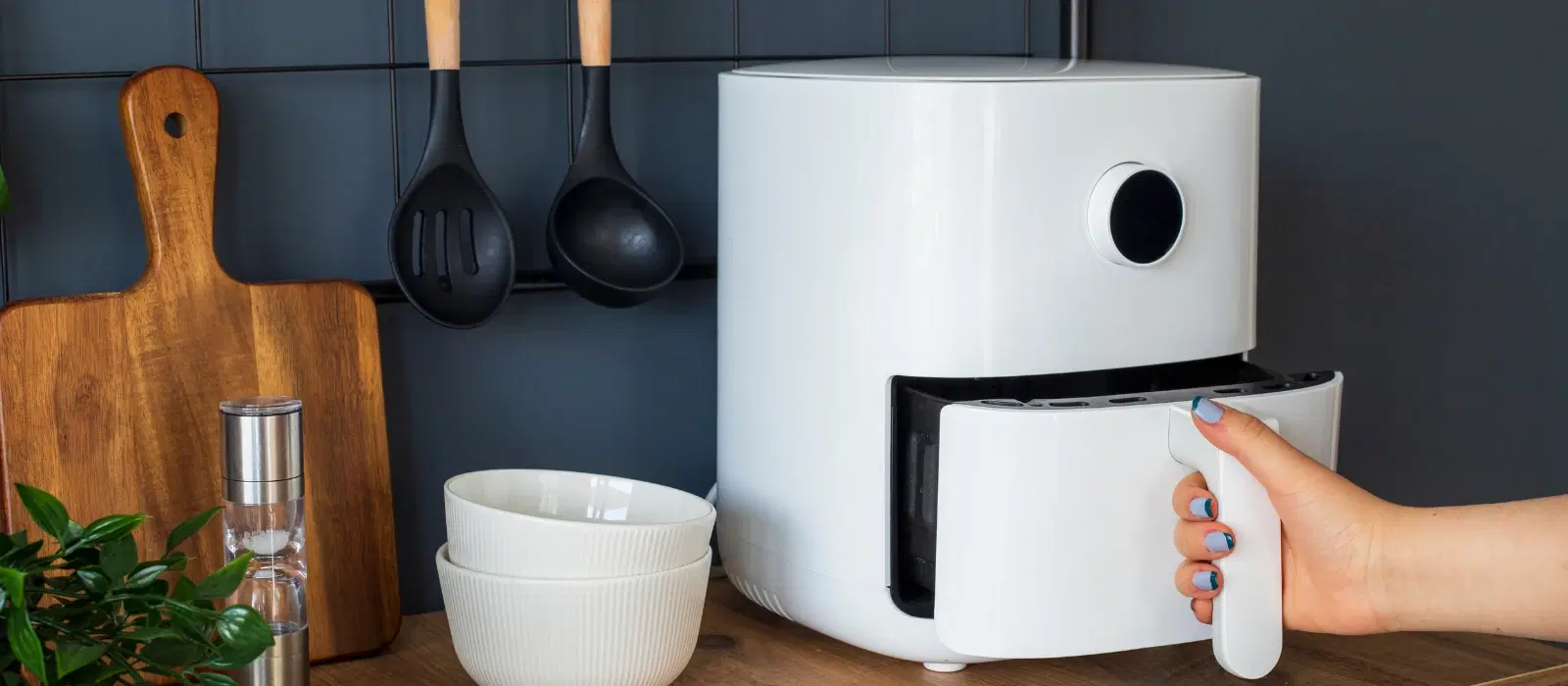
Keeping your smart air fryer clean and well-maintained helps it last longer. It also ensures your food tastes great every time.
Regular care prevents damage and keeps your air fryer working safely. Let’s look at cleaning and maintenance tips.
Cleaning Tips
Clean your air fryer after every use. Remove the basket and tray to wash them with warm, soapy water.
Use a soft cloth or sponge to avoid scratching non-stick surfaces. Wipe the inside and outside with a damp cloth.
- Do not use harsh chemicals or metal scrubbers
- Dry parts completely before reassembling
- Check the heating element for food bits and clean gently
- Empty the drip tray regularly to avoid buildup
Regular Maintenance
Check your air fryer regularly for signs of wear. Look at the power cord and plug for damage.
Keep the air vents clear of dust and debris to allow good airflow. This helps the fryer work efficiently.
- Inspect seals and replace if cracked or worn out
- Use the fryer on a flat, stable surface to avoid tipping
- Store the air fryer in a dry place when not in use
- Follow the manufacturer’s instructions for updates or repairs
Credit: www.tataneu.com
Troubleshooting Common Issues
Smart air fryers make cooking easy, but sometimes they can have problems. Knowing how to fix common issues helps you use your device without stress.
This guide covers common connection and app problems you may face. You will learn simple steps to solve them quickly.
Connection Problems
Smart air fryers need a stable Wi-Fi connection to work well. If your device does not connect, check your network first.
Try these tips to fix connection problems:
- Ensure your Wi-Fi is on and working
- Restart your router and air fryer
- Check if the air fryer is near the router
- Use the correct Wi-Fi password
- Make sure the air fryer supports your Wi-Fi band (2.4 GHz or 5 GHz)
- Update the air fryer firmware if possible
App Functionality
The app controls your smart air fryer. Sometimes the app may not work or respond as expected.
Follow these steps to solve app issues:
- Close and reopen the app
- Update the app to the latest version
- Restart your phone or tablet
- Check if your phone is connected to the same Wi-Fi as the air fryer
- Clear the app cache in your phone settings
- Reinstall the app if it still does not work
Frequently Asked Questions
How Do I Connect My Smart Air Fryer To Wi-fi?
To connect, turn on your air fryer and open its app. Follow in-app instructions to link your Wi-Fi network. Ensure your phone and fryer are on the same network. This enables remote control and recipe updates for your smart air fryer.
What App Is Best For Controlling Smart Air Fryers?
The best app depends on your air fryer brand. Most brands have official apps like Philips Airfryer or COSORI Kitchen. These apps offer remote control, cooking guides, and recipe sharing. Always download apps from trusted sources like Google Play or Apple Store.
Can I Use Voice Commands With Smart Air Fryers?
Yes, many smart air fryers support voice assistants like Alexa or Google Assistant. Link your fryer’s app to your voice assistant. Then, you can start, stop, or adjust cooking with simple voice commands. This adds convenience and hands-free operation.
How Do I Update My Smart Air Fryer Firmware?
Firmware updates are usually done through the air fryer’s app. Connect the fryer to Wi-Fi, open the app, and check for updates. Regular updates improve performance and add new features. Always keep your device updated for best results.
Conclusion
Setting up a smart air fryer is simple and fast. Follow the steps carefully to enjoy tasty meals. Adjust settings to fit your cooking style. Clean your air fryer regularly to keep it working well. This small appliance saves time and energy.
Cooking at home becomes easier and more fun. Give your smart air fryer a try today. You will enjoy healthier and delicious food every day.