
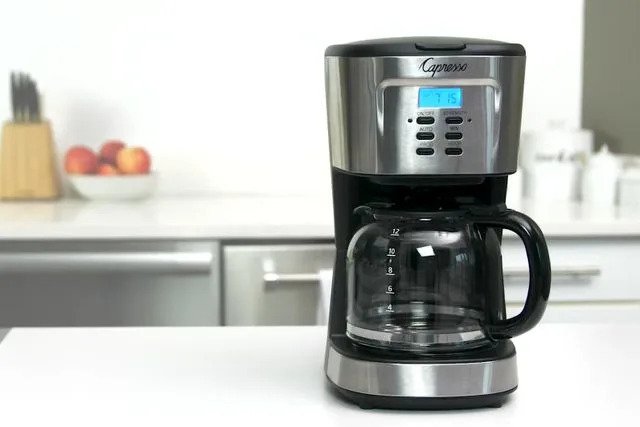
Your smart coffee maker is more than just a gadget—it’s your daily source of fresh, delicious coffee with the tap of a button. But to keep it brewing perfectly every time, you need to take good care of it.
If you want to avoid bitter tastes, clogs, or machine breakdowns, this guide is exactly what you need. Keep reading, and you’ll discover simple, effective steps to maintain your smart coffee maker so it works like new for years to come.
Choosing The Right Location
Placing your smart coffee maker in the right spot helps it work well. The location affects its performance and ease of use.
Think about space, power sources, and safety before setting up your coffee maker.
Keep It Near An Electrical Outlet
Your smart coffee maker needs power to work. Place it close to an outlet to avoid using long cords.
Using the right outlet reduces the risk of electrical problems or tripping over wires.
Choose A Stable, Flat Surface
Set the coffee maker on a flat, steady surface. This stops it from tipping over or spilling.
A sturdy counter or table works best to keep the machine steady during use.
Avoid Areas With Direct Sunlight
Direct sunlight can heat the machine and affect its sensors. Choose a shaded spot to keep it cool.
Sunlight may also fade the coffee maker’s finish over time.
Keep Away From Water Sources
Place the coffee maker away from sinks or areas where water may splash. This prevents electrical damage.
Water and electricity do not mix well. A dry area helps keep your appliance safe.
Allow Space For Ventilation
Smart coffee makers need air to cool down. Leave some space around the machine for airflow.
- Keep at least 4 inches of space on all sides
- Do not block vents or air openings
- Good airflow helps prevent overheating

Credit: manuals.plus
Regular Cleaning Routine
Keeping your smart coffee maker clean helps it work well. Regular cleaning stops build-up and keeps coffee fresh.
Follow simple daily and weekly cleaning steps. This keeps your coffee maker in good shape for a long time.
Daily Cleaning
After each use, clean the removable parts. This stops coffee oils and residue from building up.
Rinse the carafe, filter basket, and lid with warm water. Wipe the outside of the machine with a soft cloth.
- Empty used coffee grounds
- Rinse carafe and filter basket
- Wipe machine surface
- Keep the coffee maker dry
Weekly Deep Clean
Once a week, clean the coffee maker more deeply. This removes mineral deposits and keeps parts working well.
Use a mix of water and vinegar to run a cleaning cycle. After, run fresh water cycles to rinse well.
- Fill water reservoir with half water, half vinegar
- Run a full brew cycle without coffee
- Run two or three cycles with fresh water
- Clean removable parts with warm soapy water
- Dry all parts before reassembling
Descaling The Coffee Maker
Keeping your smart coffee maker clean helps it work well. Descaling removes mineral buildup inside the machine.
Regular descaling keeps your coffee tasting fresh and your machine lasting longer.
Signs Of Mineral Buildup
Mineral buildup can slow down your coffee maker or change the taste of your coffee.
Look for these signs that your coffee maker needs descaling:
- Water takes longer to heat
- Strange noises during brewing
- Weak or bitter coffee taste
- White or crusty deposits inside the water tank
- Machine stops working or shuts off unexpectedly
Step-by-step Descaling Process
Descaling your smart coffee maker is simple. Follow these steps to clean it safely.
- Empty the water tank and remove any coffee pods or filters.
- Mix a descaling solution with water. Use vinegar or a store-bought product.
- Pour the solution into the water tank.
- Start the brew cycle without adding coffee. Let the machine run halfway.
- Pause the machine and let the solution sit for 15 minutes.
- Complete the brew cycle to flush out the minerals.
- Rinse the water tank and fill it with fresh water.
- Run 2-3 brew cycles with clean water to remove any leftover solution.
- Wipe the exterior and dry all parts before using the coffee maker again.
Filter Maintenance
Keeping your smart coffee maker clean is important. The filter plays a big role in making good coffee.
Regular maintenance of the filter helps your coffee taste fresh. It also keeps the machine working well.
Replacing Filters
Replace your coffee maker’s filters often. Old filters can block water flow and affect taste.
Check the user guide to see how often to change the filter. Usually, it is every 2 to 3 months.
- Turn off and unplug the coffee maker first
- Remove the old filter carefully
- Insert a new filter in the right place
- Rinse the new filter with water before use
- Reset the filter indicator if your machine has one
Cleaning Reusable Filters
Some smart coffee makers have reusable filters. Clean them regularly to avoid clogs.
Use warm water and mild soap to clean the filter. Avoid harsh chemicals that can damage it.
- Remove the reusable filter from the coffee maker
- Rinse under warm running water
- Use a soft brush to remove coffee grounds
- Soak in mild soap water if needed
- Rinse again and let it dry fully before reuse
Updating Software And Firmware
Keeping your smart coffee maker up to date is important. Updates improve performance and fix bugs.
Software and firmware updates help your coffee maker work smoothly and add new features.
Checking For Updates
Check your smart coffee maker regularly for available updates. This keeps the device secure and efficient.
Many coffee makers show update alerts on their app or display screen. Follow these steps to check:
- Open the coffee maker’s app on your phone
- Go to the settings or device menu
- Look for “Software Update” or “Firmware Update”
- Check if a new version is available
Installing Updates Safely
Install updates only when your coffee maker is plugged in. This prevents power loss during the process.
Follow these tips to update safely:
- Make sure your Wi-Fi connection is stable
- Do not turn off the coffee maker during the update
- Wait for the update to finish completely
- Restart the device if needed after updating

Credit: www.dreo.com
Troubleshooting Common Issues
Smart coffee makers make brewing easier with technology. Sometimes, they face problems that stop them from working well.
Knowing how to fix common issues helps keep your coffee maker running smoothly. This guide covers common problems and solutions.
Connectivity Problems
Your smart coffee maker needs a good connection to work with apps or voice commands. If it cannot connect, check the Wi-Fi signal first.
Restart your router and coffee maker to refresh the connection. Make sure the coffee maker is within range of your Wi-Fi.
- Check Wi-Fi signal strength near the coffee maker.
- Restart your router and coffee maker.
- Update the coffee maker’s app and firmware.
- Reset network settings on the coffee maker if needed.
- Ensure your phone or device is on the same Wi-Fi network.
Brewing Errors
If your coffee maker does not brew correctly, it might show an error message or stop working. Check if there is enough water and coffee grounds.
Clean the machine regularly. Old coffee oils or clogs can cause brewing problems.
- Fill the water reservoir to the correct level.
- Use fresh coffee grounds and the right amount.
- Clean the brew basket and coffee maker parts.
- Descale the coffee maker to remove mineral build-up.
- Check for error codes and follow the user manual to fix them.
Energy Efficiency Tips
Smart coffee makers use electricity to brew coffee quickly. Saving energy helps lower your bills and protects the environment.
Simple changes in how you use and care for your coffee maker can save power every day.
Power-saving Modes
Many smart coffee makers have power-saving modes. These modes reduce electricity use when the machine is not brewing.
Using power-saving modes can cut energy use by turning off heating elements or lowering standby power.
- Enable auto-shutoff to turn the machine off after brewing
- Use sleep mode to lower power when idle
- Set shorter timers to avoid long standby times
Optimal Usage Times
Using your smart coffee maker at certain times can save energy. Avoid brewing coffee multiple times a day.
Make coffee when you need it and try to prepare enough in one brew to reduce power use.
- Brew coffee in the morning and store it in a thermos
- Avoid reheating coffee often to save energy
- Use programmable timers to start brewing before you wake up

Credit: www.youtube.com
Storing The Coffee Maker
Keeping your smart coffee maker in good shape needs the right storage. Proper storage stops damage and keeps it clean. This helps your coffee maker last longer and work better.
Learn how to store your coffee maker for short or long times. Each way needs different care to protect the machine.
Short-term Storage
Short-term storage means keeping the coffee maker unused for a few days or weeks. This happens if you travel or do not drink coffee daily.
Clean the machine before storage. Empty the water tank and drip tray. Wipe all parts with a dry cloth. Store it in a dry place away from direct sunlight.
- Turn off and unplug the coffee maker
- Remove and clean water tank and drip tray
- Dry all removable parts fully
- Wipe outside with a soft cloth
- Keep in a cool, dry area
- Cover to stop dust buildup
Long-term Storage
Long-term storage means not using the coffee maker for months. This can happen during moves or long trips. You must prepare the machine carefully to avoid damage.
Clean and dry every part well. Descale the machine to remove mineral build-up. Take out water filters and pods. Store the coffee maker in its box or a sealed container to keep it safe.
- Run a cleaning cycle or descale the machine
- Remove and dry all water parts
- Take out any coffee pods or filters
- Wipe and dry all surfaces
- Store in original box or airtight container
- Keep in a place without extreme temperature changes
Frequently Asked Questions
How Often Should I Clean My Smart Coffee Maker?
Clean your smart coffee maker every 1 to 2 weeks. Regular cleaning prevents buildup and keeps coffee tasting fresh. Descale monthly to remove mineral deposits. Follow the manufacturer’s instructions for best results and to maintain optimal performance.
What Is The Best Way To Descale A Smart Coffee Maker?
Use a descaling solution or a mixture of vinegar and water. Run the solution through a brewing cycle, then rinse thoroughly. Descaling removes mineral buildup that affects taste and machine efficiency. Always check your coffee maker’s manual for specific guidelines.
Can I Use Regular Water For My Smart Coffee Maker?
It’s best to use filtered or bottled water. Tap water may contain minerals that cause buildup and affect taste. Using clean water extends your machine’s lifespan and ensures better coffee flavor. Avoid hard water to reduce frequent descaling needs.
How Do I Update My Smart Coffee Maker’s Software?
Connect your coffee maker to Wi-Fi and access the companion app. Follow prompts to download and install updates. Software updates improve functionality, add features, and fix bugs. Regular updates help keep your device running smoothly and securely.
Conclusion
Keeping your smart coffee maker clean helps it work well longer. Regular care stops build-up and keeps the taste fresh. Always follow the steps to clean and descale carefully. Small efforts save money on repairs and replacement. Enjoy fresh coffee every day with a well-maintained machine.
Simple habits make a big difference in your coffee routine. Take a few minutes weekly to care for your device. Your smart coffee maker will thank you with great brews.