
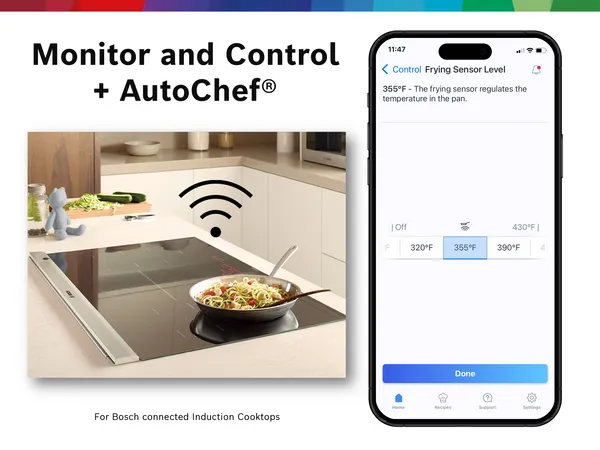
Are you using a smart induction cooktop and want to get the most out of it? Knowing how to monitor your cooktop can save you time, energy, and even prevent accidents.
Imagine having full control over your cooking process right at your fingertips. You’ll discover simple, effective ways to keep an eye on your smart induction cooktop. Whether you’re a busy home chef or just love smart gadgets, these tips will help you cook smarter and safer every day.
Keep reading to unlock the secrets to mastering your smart cooktop!
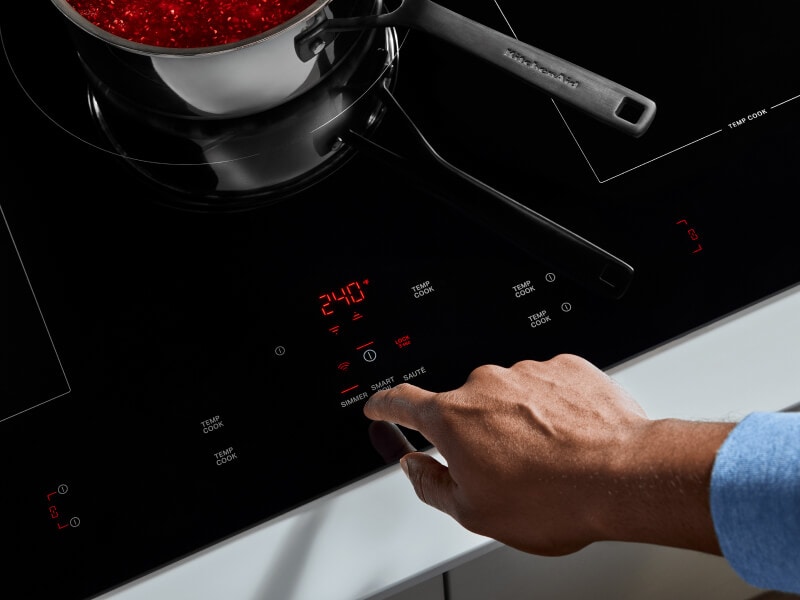
Credit: www.kitchenaid.com
Benefits Of Smart Induction Cooktops
Smart induction cooktops offer many advantages for everyday cooking. They provide precise control and save energy.
These cooktops also allow easy monitoring and improve kitchen safety.
Energy Efficiency
Smart induction cooktops use less energy than traditional stoves. They heat only the cookware, not the air.
This focused heating reduces energy waste and lowers electricity bills.
Precise Temperature Control
These cooktops allow exact temperature settings. This helps cook food evenly and avoid burning.
Users can adjust heat quickly, making cooking faster and easier.
Safety Features
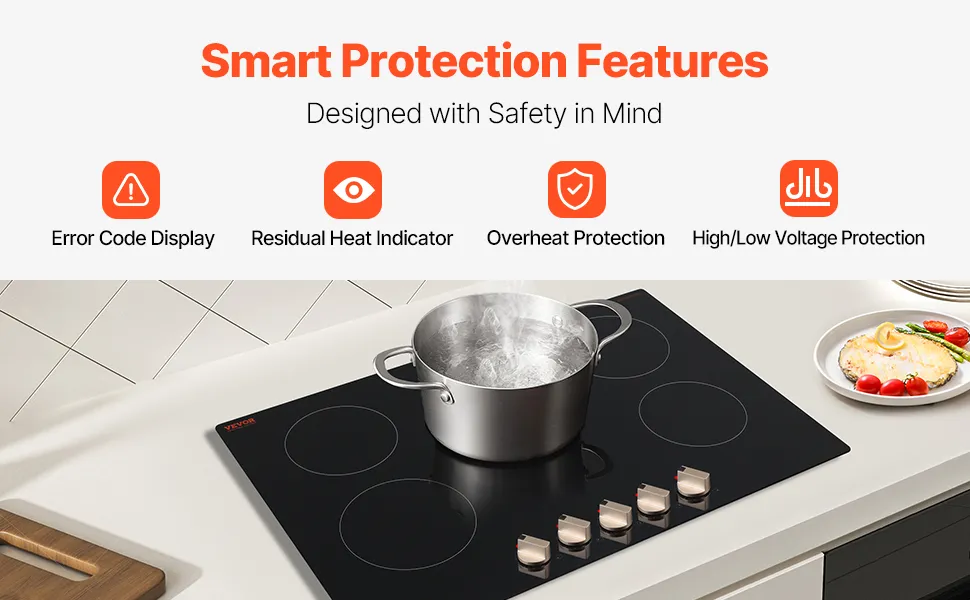
Smart induction cooktops have built-in safety controls. They detect if no pan is present and turn off automatically.
This reduces the risk of burns and fire accidents in the kitchen.
Remote Monitoring And Control
Many smart cooktops connect to smartphones or tablets. Users can monitor cooking progress from anywhere in the home.
This feature helps avoid overcooking and makes multitasking easier.
Easy Cleaning
The flat glass surface of smart induction cooktops is simple to clean. Spills do not burn onto the surface.
Quick wipe-downs keep the cooktop looking new and hygienic.
Key Features To Monitor
Smart Monitoring Tools
Smart induction cooktops come with tools to help you monitor cooking easily. These tools give real-time updates and control features.
You can track temperature, cooking time, and energy use. This helps you cook safely and save energy.
Mobile Apps
Many smart cooktops connect to mobile apps. These apps let you control the cooktop from your phone.
With apps, you can set timers, adjust heat, and get alerts if cooking is done. This makes cooking more flexible.
- Start or stop cooking remotely
- Receive notifications about cooking progress
- Access cooking guides and recipes
- Monitor energy consumption
Voice Assistants
Voice assistants like Alexa or Google Assistant work with some smart cooktops. You can use voice commands to control the cooktop.
This hands-free control helps when your hands are busy. You can ask for cooking status or change settings by speaking.
- Turn the cooktop on or off
- Adjust temperature with voice commands
- Set timers without touching the cooktop
- Check cooking status verbally
Smart Home Integrations
Smart cooktops can connect to other smart home devices. This integration adds convenience and safety to your kitchen.
You can link your cooktop with smart lights, sensors, or alarms. This way, your kitchen reacts to cooking activity automatically.
- Turn on kitchen lights when cooking starts
- Receive alerts if the cooktop is left on
- Control the cooktop from your smart home hub
- Automate cooking routines with other devices
Setting Up Alerts And Notifications
Smart induction cooktops offer alerts to help keep cooking safe and efficient. Setting up these alerts lets you monitor your cooktop easily.
You can customize alerts to fit your needs. This helps you respond quickly to any cooking issues or emergencies.
Customizing Alerts
Customize alerts by choosing what triggers them. You can set alerts for temperature changes, cooking time, or power use.
Adjust alert sounds and notification types. This way, you get alerts that are clear and easy to notice.
- Set temperature limits for safety
- Choose silent or loud alerts
- Enable push notifications on your phone
- Turn off alerts when not needed
Real-time Monitoring
Real-time monitoring lets you watch your cooktop as it works. You see updates on heat and cooking progress instantly.
This helps prevent food from burning or overcooking. You stay informed without needing to check the cooktop constantly.
- Track temperature changes live
- View cooking time countdown
- Monitor power consumption
- Receive instant alerts for unusual activity
Emergency Notifications
Emergency notifications warn you about serious issues like overheating or electrical faults. These alerts help keep you safe.
Set emergency alerts to send notifications to your phone or smart device. This lets you act fast even if you are away.
- Overheat warnings
- Power failure alerts
- Automatic shut-off notifications
- Smoke or fire detection alerts (if supported)
Safety Tips For Daily Use
Smart induction cooktops are safe and efficient. You can keep them safer by following simple steps every day.
These tips help protect your family and keep the cooktop in good condition.
Proper Cookware
Use cookware made for induction cooktops. It must have a flat bottom and magnetic base.
Cookware that fits well on the cooktop heats food evenly and reduces accidents.
- Choose pots and pans labeled “induction compatible”
- Use flat-bottomed cookware for better contact
- Avoid using glass, aluminum, or copper without induction base
- Keep cookware clean to avoid slipping
Regular Maintenance
Clean the cooktop after each use. Dirt and spills can cause damage or fires.
Check the cooktop and power cord regularly for cracks or damage.
- Wipe the surface with a soft cloth and mild cleaner
- Do not use abrasive tools that scratch the glass
- Inspect power cables for wear or frays
- Call a technician if the cooktop behaves oddly
Child Safety Measures
Keep children away from the cooktop while it is hot or in use. Induction cooktops can still cause burns.
Use built-in safety features like child locks to prevent accidents.
- Engage the child lock feature every time you cook
- Do not leave cooking unattended when children are nearby
- Teach children to stay away from the cooktop
- Store sharp utensils and hot cookware out of reach
Troubleshooting Common Issues
Smart induction cooktops can sometimes have problems. Knowing how to spot and fix these issues helps you keep cooking.
This guide covers common problems and how to solve them quickly and easily.
Connection Problems
Smart cooktops need a good connection to work with apps or voice controls. Poor connections cause delays or no response.
Check your Wi-Fi or Bluetooth settings first. Make sure the cooktop is close to the router or device.
- Restart your router and the cooktop
- Move the cooktop closer to your Wi-Fi source
- Turn Bluetooth off and on again on your device
- Check for interference from other electronics
Sensor Malfunctions
Sensors on induction cooktops detect pots and heat levels. If sensors fail, the cooktop may not heat or show errors.
Clean the cooktop surface and sensor areas. Dirt or spills can block sensors and cause problems.
- Use a soft cloth and mild cleaner for cleaning
- Avoid heavy scrubbing on sensor spots
- Check if the pot is compatible with induction cooking
- Restart the cooktop if sensors act strange
Software Updates
Software keeps smart cooktops running smoothly. Old software can cause bugs or slow performance.
Regularly check for updates through the cooktop’s app or control panel. Update when new versions are available.
- Connect the cooktop to Wi-Fi for updates
- Follow instructions in the user manual for updating
- Do not turn off the cooktop during update
- Restart after update completes
Future Trends In Smart Cooking
Smart induction cooktops are changing how people cook. They offer new ways to control and monitor cooking.
These cooktops will get smarter with new technology. This helps users cook easier and safer.
Ai Integration
Artificial intelligence will help cooktops learn user habits. It can adjust heat and time automatically.
AI can suggest recipes and cooking steps. It improves cooking results and saves time.
- Automatic temperature control
- Recipe guidance based on ingredients
- Learning user cooking preferences
Enhanced Connectivity
Smart cooktops will connect better with other devices. Users can control cooktops from phones or smart assistants.
Connectivity allows remote monitoring and alerts. It helps prevent accidents and keeps cooking on track.
- App control for remote cooking
- Integration with smart home systems
- Real-time cooking status updates
Energy Saving Innovations
New cooktops will use less energy. They will adjust power based on the pot size and cooking needs.
Energy saving features reduce electricity bills. They also help protect the environment.
- Power use optimization
- Automatic shut-off after cooking
- Heat retention to save energy
Credit: www.vevor.com
Credit: www.thecooldown.com
Frequently Asked Questions
How Do I Connect My Smart Induction Cooktop To Wi-fi?
To connect, access your cooktop’s settings and select Wi-Fi. Enter your network password. Ensure your router is nearby for a stable connection.
What Apps Are Best For Monitoring Smart Induction Cooktops?
Most manufacturers offer dedicated apps. Popular ones include Smart Kitchen and Cooktop Control. These apps provide real-time monitoring and remote control features.
Can I Monitor Energy Usage On My Cooktop?
Yes, many smart induction cooktops display energy consumption. Use the app or cooktop interface to track and optimize your energy use efficiently.
How Do I Get Alerts From My Smart Induction Cooktop?
Enable notifications in the cooktop’s app settings. You’ll receive alerts for cooking status, errors, or maintenance reminders directly on your phone.
Conclusion
Monitoring smart induction cooktops keeps your kitchen safe and efficient. Check the display regularly for alerts or errors. Use the companion app to track temperature and usage. Clean the cooktop surface often to avoid sensor issues. Stay aware of unusual sounds or smells while cooking.
Small actions help maintain performance and prevent problems. Smart cooktops offer convenience, but they need attention too. Keep these tips in mind for smooth cooking experiences every day. Simple care makes smart cooking easier and more reliable.