
Are you getting the most out of your smart kitchen scale? Monitoring your smart scale properly can make a big difference in how accurately you track your ingredients and manage your recipes.
If you want to avoid errors and ensure your meals turn out just right every time, knowing how to keep an eye on your smart kitchen scale is key. You’ll discover simple steps and insider tips to help you monitor your device effectively.
Keep reading, and you’ll never have to worry about guesswork or wasted ingredients again.
Benefits Of Smart Kitchen Scales
Smart kitchen scales help you measure food accurately. They connect with apps to track nutrition and recipes.
Using these scales makes cooking easier and helps with healthy eating habits.
Accurate Portion Control
Smart scales give precise weight measurements. This helps you control portion sizes easily.
Accurate portions prevent overeating and support weight management goals.
Nutritional Tracking
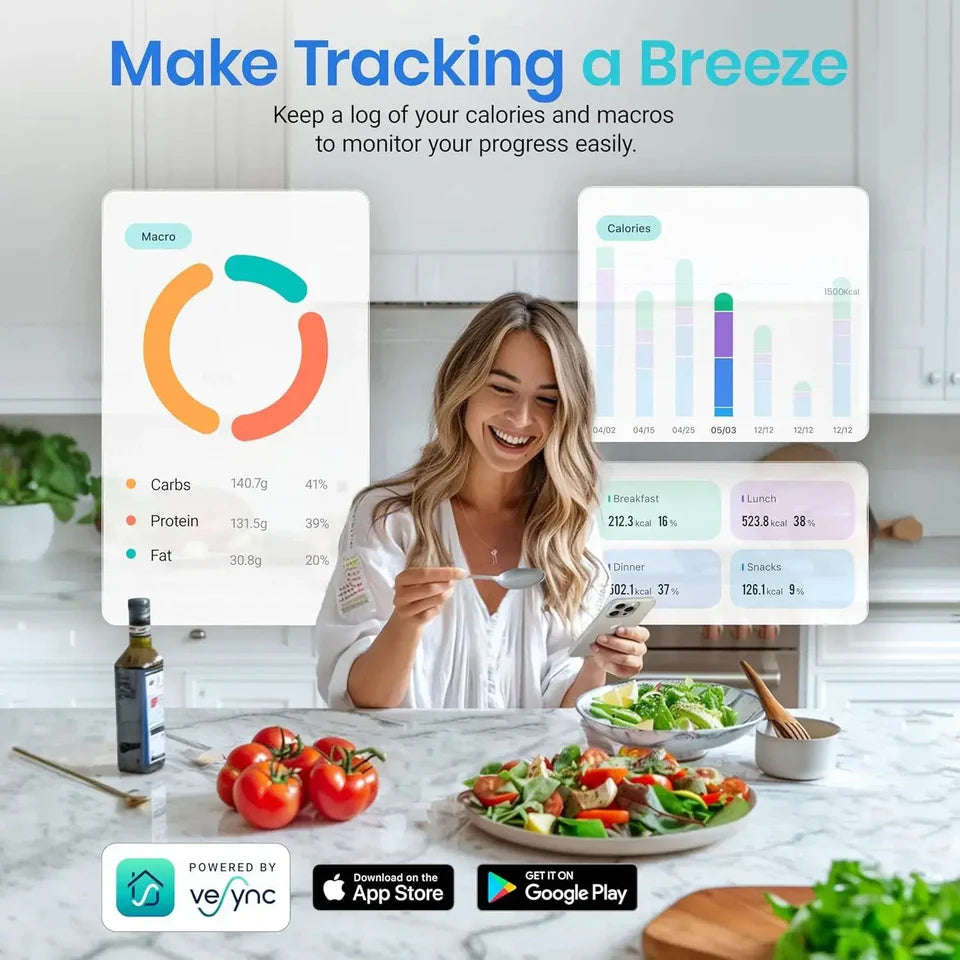
These scales connect to apps that track calories and nutrients. This helps you know what you eat.
You can see details about proteins, carbs, and fats in your meals.
Easy Recipe Management
Smart scales help you follow recipes by weighing ingredients. This improves cooking accuracy.
You can save recipes and get alerts when to add each ingredient.
Time Saving Convenience
These scales speed up meal prep by showing exact measurements. You do not need extra tools.
They reduce guesswork and make cooking faster and less stressful.
Improved Food Waste Management
Smart kitchen scales help track how much food you use. This lowers waste and saves money.
You learn to buy and cook just the right amounts for your needs.
Credit: fitkitchpro.com
Key Features To Consider
Smart kitchen scales help you measure ingredients with ease. They connect to apps and offer more than just weight.
Choosing the right smart scale means looking at important features. This guide covers what you should check.
Precision And Accuracy
Precision means how small a weight the scale can measure. Accuracy shows if the measurement is correct.
Look for scales with a small minimum unit, like 1 gram or less. Accurate scales help with recipes and diet tracking.
Connectivity Options
Smart scales use Bluetooth or Wi-Fi to connect with devices. Check which option fits your home setup.
Bluetooth works well near your phone. Wi-Fi allows remote access but needs a strong network.
- Bluetooth: simple and low energy use
- Wi-Fi: connects from anywhere in your home
- USB: some scales allow wired connection
App Integration
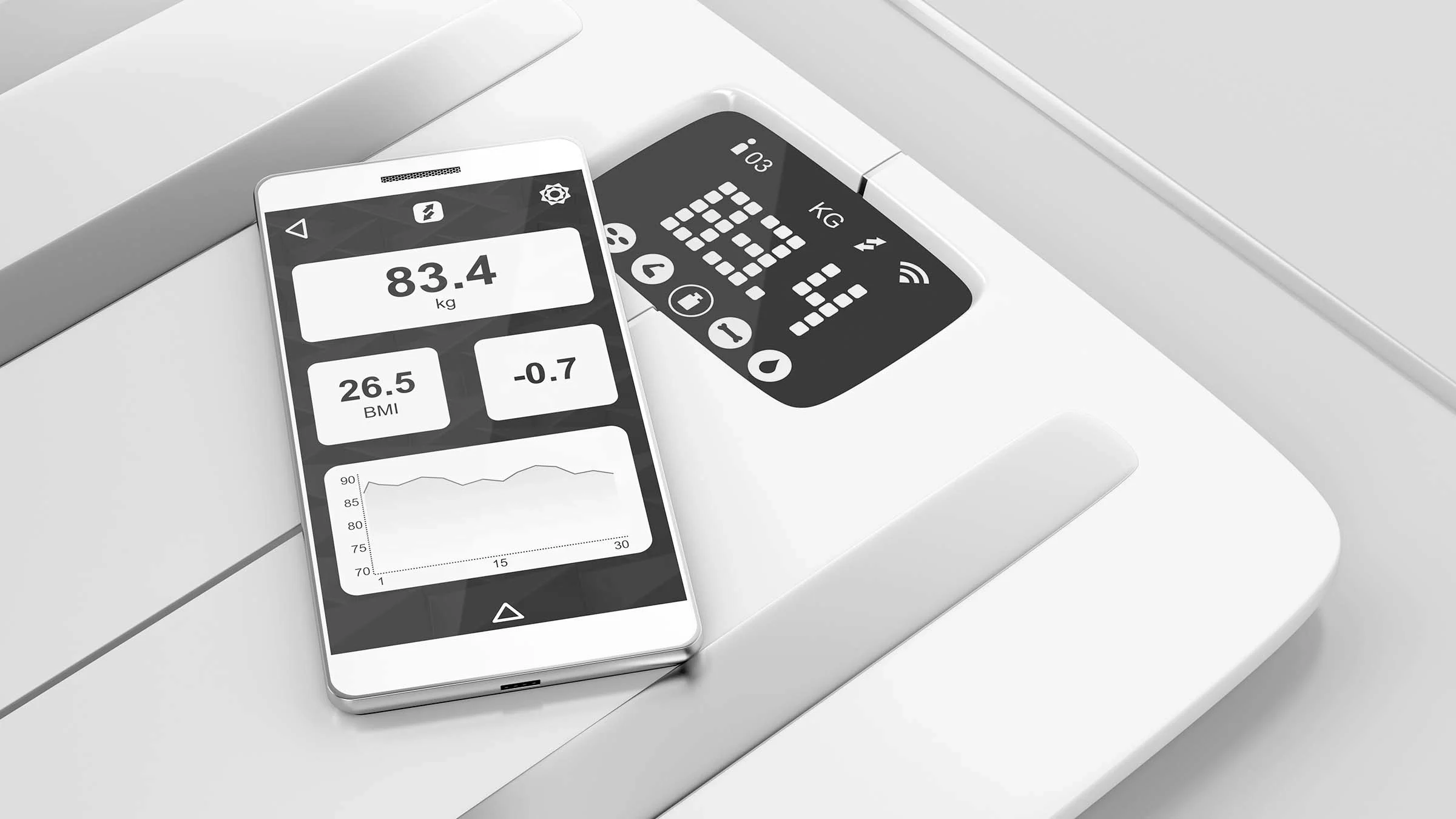
Apps show your measurements and track data over time. Choose scales with easy-to-use apps.
Good apps offer recipe suggestions and nutrition info. Check if the app supports your smartphone.
- Track weight and nutrition history
- Sync with fitness or health apps
- Receive alerts and tips
Battery Life And Power Options
Long battery life means less charging or replacing batteries. Some scales use rechargeable batteries.
Check if the scale uses standard batteries or USB charging. Power options affect convenience and cost.
- Standard batteries: easy to replace
- Rechargeable batteries: save money over time
- USB charging: fast and handy
Setting Up Your Smart Kitchen Scale
Setting up your smart kitchen scale is easy. Follow a few simple steps to get accurate measurements.
Proper setup ensures your scale works well with your devices and apps.
Initial Calibration
Calibration makes sure your scale shows the right weight. Start on a flat, hard surface.
Turn on the scale and wait for it to show zero. Place a known weight if needed to adjust.
- Use a calibration weight if available
- Follow the scale’s instructions carefully
- Repeat calibration if readings seem wrong
Connecting To Smart Devices
Connect your scale to a smartphone or tablet via Bluetooth or Wi-Fi. This helps track your food data.
Open the scale’s app and follow prompts to pair your device. Make sure Bluetooth or Wi-Fi is turned on.
- Keep your device close to the scale
- Allow the app to access necessary permissions
- Check connection status in the app settings
Updating Software And Apps
Keep your scale’s software and app updated for best performance and new features.
Check for updates regularly in the app store or scale settings. Install updates as soon as they are available.
- Open the app and go to settings
- Look for update notifications
- Follow instructions to complete the update
Ensuring Accurate Measurements
Smart kitchen scales help you measure ingredients with ease. Accurate measurements improve your cooking and baking results.
To keep your smart scale accurate, monitor its condition and use it carefully. Small steps can make a big difference.
Placement And Stability
Place your smart scale on a flat, hard surface. Avoid soft or uneven surfaces that can cause wrong readings.
Make sure the scale stays still during use. Movement or vibrations can change the measurement results.
- Use a clean, dry countertop
- Keep the scale away from edges
- Do not place it on rugs or mats
- Hold still while weighing
Regular Calibration
Calibration adjusts the scale to show the correct weight. Regular calibration keeps measurements accurate over time.
Check the scale’s manual for calibration instructions. Use known weights or calibration tools to reset the scale.
- Calibrate monthly or after moving the scale
- Use standard weights for best results
- Follow the scale’s calibration steps carefully
Environmental Factors
Temperature and humidity can affect scale accuracy. Keep the scale in a stable environment for best results.
Avoid placing the scale near heat sources or in damp areas. Sudden changes in temperature can cause errors.
- Keep the scale away from direct sunlight
- Store in a dry, cool place
- Avoid drafts and strong air flow
Using Smart Features Effectively
Smart kitchen scales help you measure food with accuracy. They connect to apps for better control.
Using their smart features can improve cooking and diet management. Learn how to use them well.
Tracking Nutritional Information
Smart scales can show calories, protein, fat, and carbs. This helps you know what you eat.
By tracking nutrition, you can keep a balanced diet. The scale sends data to your phone or tablet.
- Measure food weight precisely
- Get real-time nutrition details
- Save data for daily tracking
Recipe Adjustments And Scaling
Smart scales help change recipe amounts easily. You can scale ingredients up or down without mistakes.
Use the app to adjust recipes for different servings. This keeps taste and nutrition consistent.
- Input desired serving size
- Scale ingredient weights automatically
- Keep recipes accurate and simple
Data Analysis For Diet Management
Smart scales collect data over time. This data helps you see eating patterns and progress.
Analyze the data to find areas to improve your diet. Use charts and reports in the app.
- Track daily and weekly food intake
- See nutrient trends and gaps
- Set goals based on data insights
Troubleshooting Common Issues
Smart kitchen scales help you measure ingredients with ease. Sometimes, they may not work as expected. This guide helps you fix common problems quickly.
Follow simple steps to solve issues like connection troubles, wrong readings, and app errors. This keeps your cooking smooth and accurate.
Connectivity Problems
Your smart scale may lose connection with your device. This can stop data from syncing or showing.
Check if Bluetooth or Wi-Fi is turned on. Move the scale closer to your phone or tablet. Restart both devices if needed.
- Turn off and on Bluetooth or Wi-Fi
- Keep devices within 10 feet of each other
- Restart the smart scale and your phone
- Update the scale’s firmware if available
Inconsistent Readings
Your scale may show different weights for the same item. This can cause errors in recipes.
Make sure the scale is on a flat, stable surface. Clean the weighing platform. Remove any items before turning it on.
- Place scale on a hard, flat surface
- Zero or tare the scale before use
- Check and replace batteries if low
- Avoid drafts or vibrations near the scale
App Malfunctions
The app that connects to your scale might crash or freeze. This stops you from tracking your measurements.
Close the app and open it again. Check for updates and install the latest version. Restart your device if the problem continues.
- Force close and reopen the app
- Update the app to the newest version
- Restart your phone or tablet
- Clear app cache if possible
Maintenance And Care
Smart kitchen scales need proper care to work well over time. Regular maintenance keeps them accurate and reliable.
Taking simple steps can extend the life of your scale and ensure it stays clean and functional.
Cleaning And Storage
Keep your smart scale clean by wiping it with a soft, damp cloth. Avoid using harsh chemicals or soaking it in water.
Store the scale in a dry place away from heat and moisture. This helps protect its sensors and electronic parts.
- Use a dry, soft cloth for regular cleaning
- Remove batteries before long storage
- Store on a flat surface to avoid damage
Battery Replacement
Check the battery level often to keep your scale working. Replace batteries as soon as the scale shows low power.
Use the correct battery type recommended by the manufacturer. Dispose of old batteries properly to protect the environment.
- Open battery compartment gently
- Use fresh batteries of the right size
- Check for corrosion or leaks
- Dispose of used batteries safely
Software Updates
Smart scales may need software updates to improve features and fix bugs. Check for updates regularly.
Follow the instructions to update the scale’s app or firmware. Updating helps keep your device accurate and secure.
- Connect the scale to your smartphone or computer
- Open the scale’s app or software
- Check for updates in settings
- Install updates when available
Credit: www.goodrx.com
Top Smart Kitchen Scales On The Market
Smart kitchen scales help you measure food accurately. They connect to apps for easy tracking.
These scales are perfect for cooking, baking, and dieting. Here are some top models you can use.
Etekcity Smart Nutrition Scale
This scale measures food weight and tracks nutrition data. It syncs with a mobile app for easy use.
The app shows calories, fats, protein, and carbs. It helps you manage your diet well.
Greatergoods Nourish Digital Kitchen Scale
GreaterGoods scale offers simple tracking of food weight and nutrition. It connects to an app for detailed info.
The app records your daily intake and helps keep your meals balanced.
Smart Weigh Digital Nutrition Scale
This scale calculates nutrition facts like calories and macros. It pairs with an app for easy monitoring.
It supports many foods and helps you stay on track with your health goals.
Truweigh Smart Food Scale
Truweigh scale connects with an app to give detailed nutrition facts. It tracks vitamins, minerals, and calories.
It is useful for people who want to monitor their food intake closely.
Renpho Bluetooth Kitchen Scale
RENPHO scale links to an app via Bluetooth. It provides real-time nutrition data on your phone.
This scale helps you log food and reach your nutrition goals easily.
:max_bytes(150000):strip_icc()/faw-etekcity-food-kitchen-scale-nsimpson-18-8e4955ef305e4d80954e23db6e271eb2.jpeg)
Credit: www.foodandwine.com
Frequently Asked Questions
How Do Smart Kitchen Scales Connect To Devices?
Smart kitchen scales typically connect via Bluetooth or Wi-Fi. This allows seamless syncing with apps on smartphones or tablets. The connection enables real-time data tracking and recipe management. Always ensure your device supports the scale’s connection type for smooth operation.
What Features Help Monitor Smart Kitchen Scales Effectively?
Key features include app integration, real-time weight tracking, and nutritional analysis. Some scales offer automatic food recognition and portion control. Monitoring apps provide detailed logs and alerts. These features help maintain accurate measurements and improve cooking precision.
Can I Track Nutritional Information Using Smart Scales?
Yes, many smart scales provide nutritional data by syncing with food databases. They calculate calories, macros, and portion sizes. This helps users manage diet and health goals easily. Always update your scale’s app for the latest food info.
How Often Should I Calibrate My Smart Kitchen Scale?
Calibration frequency depends on usage but typically every few weeks is recommended. Regular calibration ensures accuracy and consistency in measurements. Follow the manufacturer’s instructions for proper calibration steps. Accurate scales help maintain recipe and dietary precision.
Conclusion
Monitoring smart kitchen scales helps keep your cooking accurate. Check the scale’s connection and battery regularly. Clean the scale to maintain good performance. Use the app features for tracking and updates. Small steps ensure better results and less waste. Stay consistent and enjoy easy, precise measurements every time.
Smart scales make cooking simpler and more fun. Keep an eye on your device to get the best use. Simple care brings long-lasting, reliable kitchen help.