
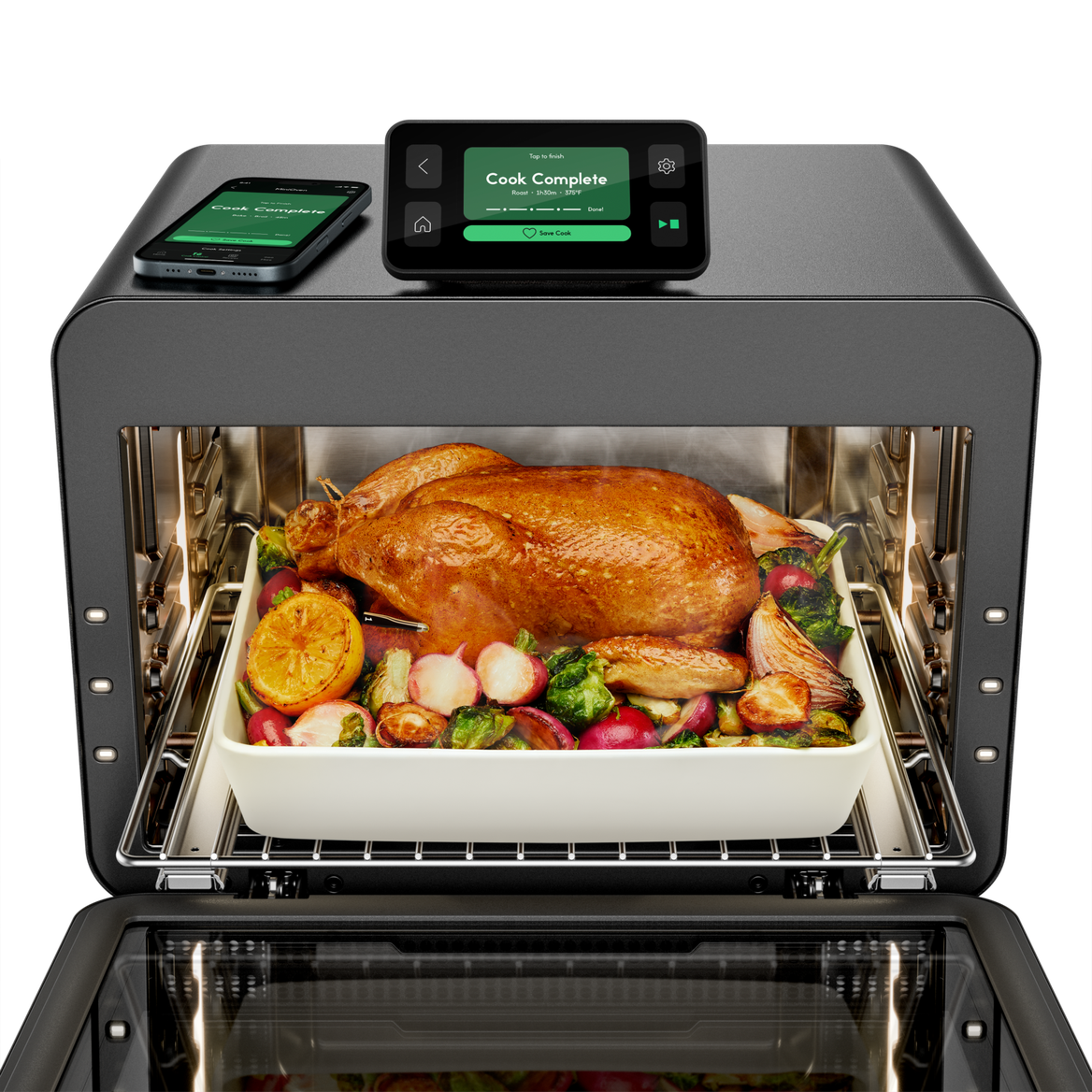
Imagine your oven not just cooking, but thinking for you. With smart ovens that come equipped with recipe functions, you can transform your cooking experience from guesswork to precision.
If you’ve ever struggled with setting the right temperature or timing for a new dish, this guide is for you. You’ll learn how to program your smart oven to follow recipes perfectly, saving you time and stress in the kitchen.
Ready to unlock the full potential of your smart oven and impress everyone with flawless meals? Keep reading, and let’s make cooking smarter and easier together.

Credit: www.tasteofhome.com
Smart Oven Basics
Smart ovens use technology to cook food precisely and easily. They connect to your phone or have built-in screens.
Many smart ovens include recipe functions that guide you through cooking steps. These features help you cook meals perfectly every time.
Understanding Smart Oven Controls
Smart ovens have digital controls or touchscreens. You can set temperature, time, and cooking modes with ease.
Some ovens include voice control or connect to apps. These options make it simple to start cooking remotely or hands-free.
Using Recipe Functions
Recipe functions let you select dishes from the oven’s menu. The oven adjusts settings automatically for best results.
- Choose the recipe from the oven screen or app
- Follow on-screen instructions for ingredients or preparation
- The oven sets cooking time and temperature
- Receive alerts when cooking is done
Programming Custom Recipes
You can create custom recipes on some smart ovens. Enter your cooking preferences and save them for later use.
Programming custom recipes helps you cook family favorites without adjusting settings every time.
Maintaining Your Smart Oven
Keep your smart oven clean to ensure it works well. Follow manufacturer instructions for cleaning sensors and screens.
Regular updates to the oven software improve recipe functions and performance. Check for updates through the app or oven menu.
Choosing The Right Smart Oven
Smart ovens offer easy cooking with recipe functions. Picking the right one helps you cook better meals.
Consider your kitchen size, cooking habits, and budget before buying a smart oven.
Size And Capacity
Choose a smart oven that fits your kitchen space. Check the oven’s capacity for your cooking needs.
A larger capacity oven suits families. Smaller ovens work well for singles or couples.
- Measure your kitchen space first
- Look for oven volume in liters or cubic feet
- Think about the size of dishes you cook often
Recipe Function Features
Check what recipe functions the oven offers. Some ovens come with pre-set cooking programs.
Look for ovens that let you save your own recipes. This makes cooking easier and faster.
- Pre-programmed recipes for common dishes
- Ability to customize cooking time and temperature
- Integration with mobile apps for recipe updates
Control And Connectivity
Smart ovens connect to Wi-Fi or Bluetooth. This lets you control cooking from your phone.
Choose an oven with easy controls and a clear display. This helps you program recipes with no hassle.
- Remote control through smartphone apps
- Voice assistant compatibility
- Simple touch screen or dial controls
Cooking Functions And Modes
Look for ovens with multiple cooking modes. This includes baking, roasting, broiling, and air frying.
More cooking functions give you more flexibility to try different recipes.
- Check for convection cooking options
- Look for specific modes like pizza or slow cook
- Find ovens with automatic temperature adjustment
Ease Of Cleaning
Smart ovens with easy cleaning save time. Look for self-cleaning or non-stick interiors.
Removable trays and racks also make cleaning simpler after cooking.
- Self-cleaning or steam-clean features
- Non-stick oven walls and trays
- Dishwasher-safe racks and pans
Setting Up Your Smart Oven
Programming a smart oven with recipe functions starts with proper setup. This ensures your device connects and works smoothly.
Follow these steps to connect your smart oven to Wi-Fi and download the app for easy control.
Connecting To Wi-fi
First, turn on your smart oven and open the settings menu. Find the Wi-Fi option to start connecting.
Select your home Wi-Fi network and enter the password carefully. The oven will save this to connect automatically next time.
- Turn on the oven and access settings
- Choose Wi-Fi setup
- Select your network from the list
- Enter the Wi-Fi password
- Confirm and wait for connection
Downloading The App
Download the official app from your phone’s app store. The app lets you control your oven remotely.
After installing, open the app and create an account or log in. Then, follow the app instructions to link your oven.
- Go to the app store on your phone
- Search for the smart oven app
- Download and install the app
- Open the app and sign in or sign up
- Follow prompts to connect your oven
Exploring Recipe Functions
Smart ovens have recipe functions that make cooking easier. These functions help you cook meals with less guesswork.
Recipe functions include ready-made options and ways to change settings. Learning these helps you cook better food.
Pre-programmed Recipes
Many smart ovens come with pre-programmed recipes. These recipes have set times and temperatures for common dishes.
You just select the recipe, and the oven does the rest. This saves time and avoids mistakes.
- Roasting vegetables
- Baking bread
- Cooking chicken
- Making pizza
Customizing Recipes
You can change pre-set recipes to fit your taste. Adjust cooking time, temperature, or cooking mode.
Customizing helps you cook special meals or try new ideas. Save your changes for future use.
- Increase temperature for crispier food
- Reduce cooking time for smaller portions
- Change cooking mode from bake to broil
- Save your own recipe settings
Programming Recipe Functions
Smart ovens offer recipe functions to make cooking easier. Programming these functions helps you cook food perfectly every time.
You can select recipes, adjust settings, and save your favorites. This guide explains how to program these features step by step.
Selecting A Recipe
Start by choosing a recipe from the oven’s built-in list. Use the touchscreen or control dial to browse options.
Recipes are usually grouped by meal type or ingredients. Select one that matches what you want to cook.
- Open the recipe menu
- Scroll through categories
- Tap or press to select a recipe
Adjusting Cooking Settings
After selecting a recipe, adjust cooking settings if needed. You can change temperature, time, and cooking mode.
Adjust settings based on your preferences or food size. This ensures your meal cooks just right.
- Set cooking temperature
- Change cooking time
- Choose cooking mode (bake, roast, grill)
- Confirm settings before starting
Saving Custom Recipes
You can save your adjusted recipes for future use. This saves time and keeps your favorite meals ready.
Give each saved recipe a name to find it easily later. Most smart ovens allow you to edit or delete saved recipes.
- After adjusting, select “Save Recipe”
- Enter a custom name
- Confirm to save
- Access saved recipes from the main menu
Tips For Optimal Cooking
Smart ovens with recipe functions make cooking easier and more precise. Programming your oven correctly helps you cook meals perfectly every time.
Using the recipe functions saves time and reduces mistakes. Follow these tips to get the best results from your smart oven.
Ingredient Preparation
Prepare ingredients carefully before starting the oven. Cut vegetables evenly and measure spices exactly. This ensures even cooking and better flavors.
Use fresh ingredients for the best taste. Check the recipe settings to see if you need to preheat or marinate ingredients.
- Chop ingredients into similar sizes
- Measure liquids and spices precisely
- Preheat oven if recipe requires it
- Marinate meats before cooking when needed
Monitoring Cooking Progress
Check the cooking progress through your oven’s display or app. Many smart ovens show time left and temperature updates. This helps avoid overcooking or undercooking.
Use the alert functions to remind you to check food or stir if needed. Adjust settings if the food cooks too fast or slow.
- Watch the timer and temperature closely
- Use alerts to stay on track
- Open oven door only when necessary
- Adjust settings based on food condition
Troubleshooting Common Issues
Smart ovens with recipe functions offer many features. Sometimes, you may face problems using them. Troubleshooting helps fix these issues quickly.
This guide covers common problems and easy ways to solve them. Follow the tips to get your smart oven working well again.
Connectivity Problems
Smart ovens rely on Wi-Fi to access recipes and updates. If your oven loses connection, it may not work correctly.
Check your Wi-Fi signal near the oven. A weak signal can cause disconnections or slow responses.
- Restart your Wi-Fi router and smart oven
- Move the router closer to the oven if possible
- Check if other devices connect to Wi-Fi
- Update the oven’s firmware to the latest version
- Reset the oven’s network settings and reconnect
App Malfunctions
The app controls many smart oven functions. If the app crashes or won’t load recipes, try simple fixes.
App issues can come from outdated versions or device problems. Keeping the app updated helps avoid errors.
- Close and reopen the app
- Restart your phone or tablet
- Update the app to the latest version
- Clear the app cache in your device settings
- Reinstall the app if problems continue
- Make sure your device meets the app’s requirements
Credit: thegadgetflow.com
Enhancing Your Cooking Experience
Smart ovens with recipe functions help you cook easily and precisely. They make following recipes simple and save time.
Programming these ovens lets you enjoy delicious meals with less effort. You can explore new dishes and use smart settings.
Exploring New Recipes
Smart ovens store many recipes you can try at home. You do not need to guess the time or temperature for each dish.
Using the recipe function, you can select a meal and the oven will set the best cooking settings automatically.
- Choose recipes by type, like baking or roasting
- Follow step-by-step cooking instructions on the display
- Adjust recipes to your taste or portions
- Save your favorite recipes for quick use
Utilizing Smart Features
Smart ovens have features like timers, temperature controls, and sensors. These help cook food evenly and prevent burning.
You can program the oven to start cooking at a specific time. Some ovens connect to your phone for easy control.
- Set cooking time and temperature with one touch
- Use sensors to monitor food doneness
- Receive alerts when cooking is complete
- Control the oven remotely via smartphone app

Credit: www.kitchenaid.com
Frequently Asked Questions
How Do I Start Programming A Smart Oven Recipe?
Begin by selecting the recipe function on your oven’s control panel. Enter the cooking parameters like temperature, time, and mode. Follow the prompts to save or start the programmed recipe. This ensures consistent results and convenience for future cooking.
Can I Customize Recipes On A Smart Oven?
Yes, smart ovens allow customization of cooking time, temperature, and settings. You can adjust recipes to suit your taste or dietary needs. Customizing recipes helps achieve perfect results tailored to your preferences every time.
What Are The Benefits Of Using Recipe Functions?
Recipe functions simplify cooking by automating temperature and time settings. They reduce guesswork and improve consistency. This feature also saves time and energy, making cooking more efficient and enjoyable.
Is It Possible To Save My Favorite Recipes On The Oven?
Most smart ovens let you save your favorite recipes in memory. This allows quick access and easy repetition of popular dishes. Saving recipes enhances convenience and helps maintain cooking consistency.
Conclusion
Programming smart ovens with recipe functions saves time and effort. It helps you cook meals more evenly and accurately. Following simple steps makes the process easy and stress-free. You can enjoy a variety of dishes without guessing cooking times. Smart ovens bring convenience to your kitchen routine.
Try different recipes and settings to find what works best. Cooking becomes more fun and less tiring. Start using your smart oven confidently today.