
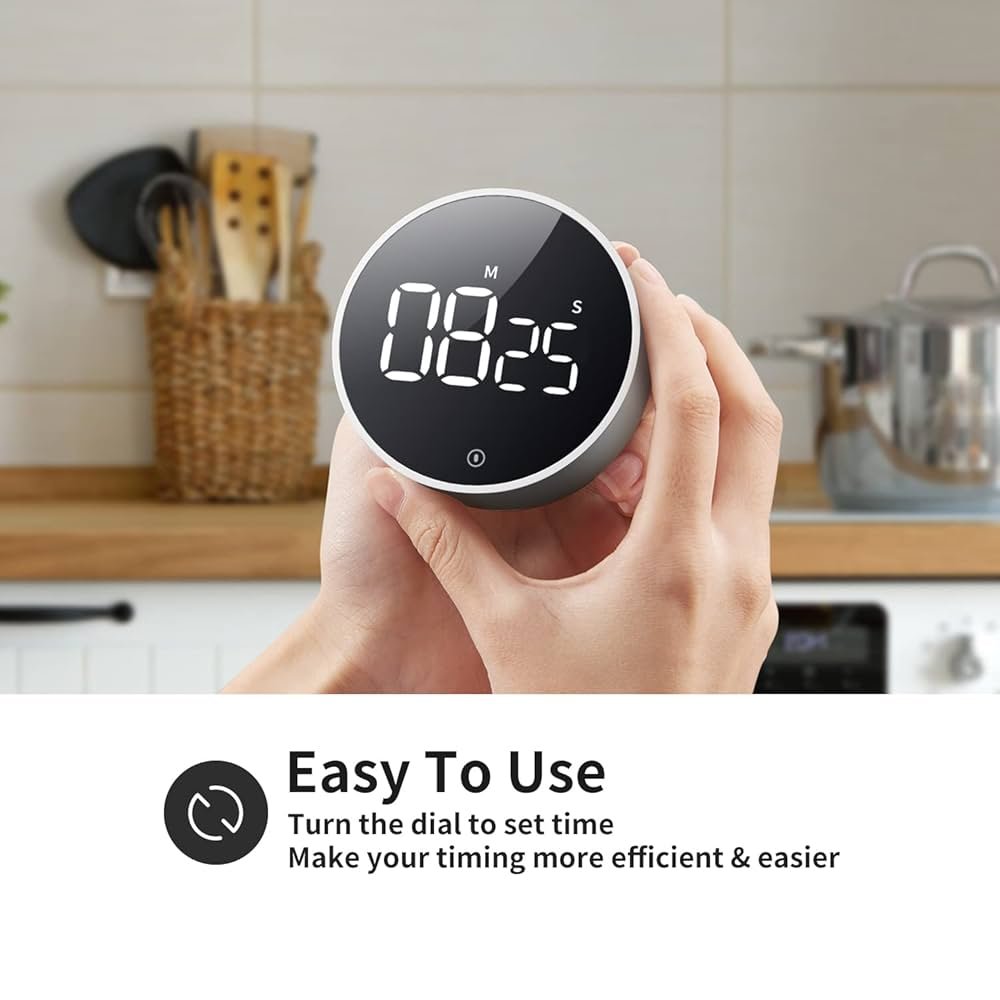
Have you ever found yourself guessing how long to cook your favorite dish, only to end up with food that’s undercooked or burnt? Using a digital timer in cooking can change all that.
It helps you keep track of time easily, so your meals come out perfect every time. You’ll discover simple steps to use a digital timer effectively and take control of your cooking like a pro. Ready to make your kitchen time stress-free and your food delicious?
Let’s dive in!
Benefits Of Using A Digital Timer
Using a digital timer in cooking helps you keep track of cooking times easily. It makes your cooking more accurate and saves you from burning food.
A digital timer is simple to use and helps you focus on other tasks while cooking. It improves your kitchen efficiency and reduces stress.
Precise Cooking Time
A digital timer lets you set exact cooking times. This helps you cook food perfectly every time without guessing.
Precise timing prevents overcooking or undercooking, which keeps your food tasty and healthy.
Easy To Use
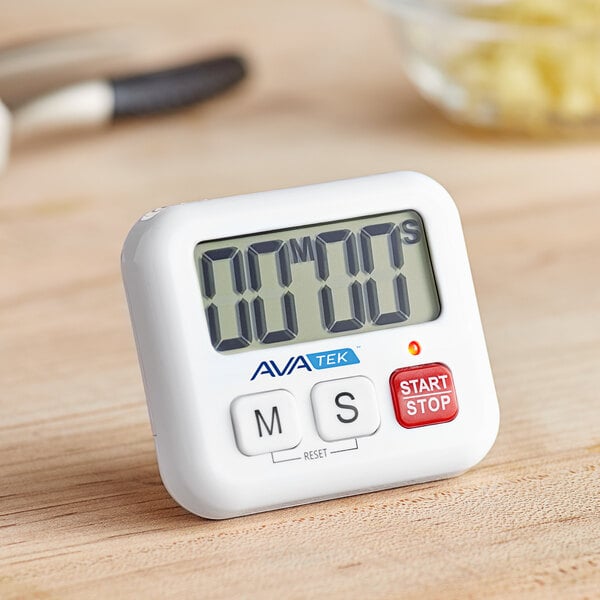
Digital timers have clear displays and simple buttons. You can start, stop, or reset them with one click.
They are lightweight and portable. You can carry them around the kitchen or even outside.
Multitasking Made Simple
With a digital timer, you do not need to watch the clock constantly. You can do other cooking tasks safely.
The timer alerts you when cooking is done. This helps you avoid distractions and saves time.
Better Meal Planning
Using a digital timer helps you plan cooking steps well. You can time different dishes and finish them together.
This way, meals are ready at the same time, making serving easier and more enjoyable.
Energy Saving
Digital timers help you turn off cooking appliances on time. This saves energy and lowers electricity bills.
You avoid wasting power by leaving stoves or ovens on for too long.

Credit: www.amazon.com
Choosing The Right Digital Timer
Using a digital timer makes cooking easier and more precise. Picking the right timer helps you cook better meals.
There are many digital timers to choose from. Knowing what to look for can save you time and effort.
Features To Consider
Some features make a digital timer easier to use. Look for clear displays and simple buttons.
Other features help with different cooking needs. Think about sound alerts and memory functions.
- Large, easy-to-read display
- Loud and adjustable alarm sounds
- Simple start, stop, and reset buttons
- Count-up and count-down options
- Memory function for repeated times
- Magnetic back or stand for placement
- Battery life and power options
Types Of Digital Timers
Digital timers come in different styles. Some are small and portable, while others are built into appliances.
Choosing the right type depends on your kitchen and cooking style.
- Standalone Timers:Compact and easy to move around.
- Oven Timers:Built into ovens for direct control.
- Clip-on Timers:Attach to pots or pans for close timing.
- Multi-function Timers:Include stopwatch and clock features.
- App-based Timers:Use smartphones for remote timing.
Setting Up Your Digital Timer
Using a digital timer helps you cook food perfectly every time. It keeps track of cooking times without you watching the clock.
This guide will show you how to set up your digital timer quickly and easily.
Initial Setup Steps
First, check if your timer uses batteries. Insert them if needed. Then, turn the timer on by pressing the power button.
Look at the display screen. It should light up and show zeros or the default time.
- Insert batteries correctly
- Press the power button to start
- Check the display for readiness
Customizing Timer Settings
You can set the timer to count up or down. Use the mode button to choose your preferred setting.
Adjust the time by pressing the hour and minute buttons. Some timers also let you set seconds.
- Press mode to switch timer functions
- Use hour and minute buttons to set time
- Set seconds if your timer allows
- Confirm settings by pressing start or set
Using A Digital Timer For Different Cooking Tasks
A digital timer helps you cook food perfectly. It keeps track of cooking times easily.
You can use a digital timer for many cooking tasks. It works well for baking, roasting, and boiling.
Timing For Baking
Baking needs exact times to avoid undercooked or burnt food. Use a digital timer to set the baking time.
Set the timer based on the recipe’s instructions. Check your food when the timer goes off to keep it perfect.
- Set timer before placing food in the oven
- Use the timer to remind you to check the food
- Pause or reset if you open the oven door often
Timing For Roasting
Roasting takes longer than baking and needs close attention. A digital timer helps you track cooking time well.
Set the timer to the total roasting time. You can also use it for intervals to baste or turn the meat.
- Set main timer for full roasting duration
- Use shorter timers to remind you to baste
- Check food when timer ends for best results
Timing For Boiling
Boiling requires careful timing to avoid overcooking or undercooking. A digital timer keeps the process simple.
Set the timer as soon as the water starts boiling. Use it to time pasta, eggs, or vegetables perfectly.
- Start timer when water reaches boiling point
- Set timer according to cooking time in recipe
- Turn off heat when timer ends to keep food firm
Advanced Timer Techniques
Digital timers help cooks keep track of cooking times precisely. Advanced techniques let you use timers beyond simple countdowns.
These techniques improve cooking efficiency and help manage multiple dishes at once.
Multiple Timer Settings
Some digital timers allow setting more than one timer at a time. This feature is useful when cooking several dishes with different times.
You can start, pause, and stop each timer separately. This helps avoid overcooking or burning food.
- Set timers for different dishes simultaneously
- Track each dish’s cooking time independently
- Receive alerts for each timer when time ends
- Pause and resume timers as needed
Pre-set Cooking Programs
Some digital timers come with pre-set cooking programs. These programs have fixed times for common cooking tasks like boiling eggs or baking bread.
Using pre-set programs saves time and removes guesswork. You only need to select the program, and the timer sets automatically.
- Egg boiling programs for soft, medium, or hard eggs
- Baking presets for cookies, cakes, or bread
- Timers for steaming vegetables or rice
- Customizable programs for your favorite recipes
Credit: www.webstaurantstore.com
Troubleshooting Common Timer Issues
Digital timers help cook food perfectly. Sometimes, they may not work as expected. Troubleshooting can fix many common problems.
Check your timer carefully to find the issue. Here are solutions for battery and display problems.
Battery Problems
Battery issues are the main cause of timer failures. If your timer does not turn on or stops suddenly, the battery might be dead.
Replace old batteries with new ones. Make sure you insert them the right way, matching the positive and negative ends.
- Use fresh, high-quality batteries for longer life
- Remove batteries if the timer will not be used for a long time
- Clean battery contacts if there is corrosion or dirt
Display Errors
Display errors make it hard to read the timer. The screen may be blank, flickering, or showing wrong numbers.
Check the screen for damage or dirt. Reset the timer by removing and reinserting the batteries. This often fixes display problems.
- Clean the display gently with a soft cloth
- Avoid water or harsh chemicals on the screen
- Reset the timer to clear any software glitches
- Replace the timer if the display remains faulty
Maintenance And Care For Your Digital Timer
Taking care of your digital timer helps it work well for a long time. Simple maintenance keeps it clean and ready to use.
Regular care prevents damage and ensures accurate timing for your cooking.
Cleaning Tips
Clean your digital timer gently to avoid harming its parts. Use a soft, dry cloth to wipe off dirt and food spills.
Do not use water or cleaning sprays directly on the timer. Moisture can damage the electronic parts inside.
- Use a dry microfiber cloth to clean the screen and buttons
- Remove battery before cleaning if possible
- Use a soft brush to clear crumbs from crevices
- Avoid harsh chemicals or abrasive materials
Storage Recommendations
Store your digital timer in a dry and cool place when you are not using it. This keeps it safe from moisture and heat.
Avoid placing heavy items on top of the timer to prevent damage to the screen or buttons.
- Keep the timer away from direct sunlight
- Use a drawer or kitchen container to store it
- Remove batteries if you won’t use it for a long time
- Keep it out of reach of children to avoid accidental damage

Credit: www.youtube.com
Enhancing Cooking Skills With A Timer
Using a digital timer in the kitchen helps improve cooking skills. It keeps track of time so food cooks just right.
A timer helps avoid overcooking or undercooking. It gives you more control over your dishes and boosts confidence.
Improving Precision
A digital timer lets you cook with exact timing. This improves the taste and texture of your meals.
You can set the timer for each cooking step. This helps you follow recipes perfectly without guessing.
- Set exact cooking times for different foods
- Check doneness without opening the oven
- Track multiple steps in complex recipes
Reducing Cooking Stress
A timer lets you focus on other tasks while food cooks. This lowers stress in the kitchen.
You do not need to watch the clock constantly. The timer alerts you when it’s time to check your food.
- Avoid rushing and second-guessing
- Manage multiple dishes easily
- Feel more relaxed during cooking
Frequently Asked Questions
How Do I Set A Digital Timer For Cooking?
To set a digital timer, press the timer button, enter the desired time using the keypad, and start it. The timer counts down and alerts you when time is up.
Can I Use A Digital Timer For Multiple Dishes?
Yes, some digital timers have multiple timers for different dishes. This helps track cooking times separately and prevents overcooking.
Why Use A Digital Timer Instead Of A Traditional One?
Digital timers offer precise timing, easy readability, and often include extra features like alarms and countdown settings. They improve cooking accuracy and convenience.
How To Reset A Digital Timer During Cooking?
To reset, press the clear or reset button on the timer. This stops the current countdown and allows you to enter a new cooking time.
Conclusion
Using a digital timer makes cooking easier and more precise. It helps you avoid overcooking or burning food. Set the time, start the timer, and focus on other tasks. Timers keep your kitchen safe by reminding you when cooking is done.
Anyone can use a digital timer, even beginners. Try it in your next recipe and see the difference. Simple, smart, and helpful—digital timers are a great kitchen tool. Give it a go and enjoy better cooking results every time.